
Canon PIXMA TS4320
4.0Editor score
Affordable all-in-one value
ENERGY STAR certified
Easy mobile printing
Finding the right printer for your Apple ecosystem can be challenging with so many options available today. You need a device that connects effortlessly to your iPhone or iPad without complicated driver installations or frustrating setup processes.
We have evaluated ten leading models based on their AirPrint compatibility, print quality, speed, and overall value. This list includes versatile all-in-one units and specialized printers designed to meet various home and office printing needs.
Each selection highlights key strengths and potential trade-offs to help you make an informed decision. Please note that pricing and availability change frequently, so check current offers before purchasing your next wireless printing solution.
4.0Editor score

4.2Editor score

4.3Editor score
As an Amazon Associate we earn from qualifying purchases.
This side-by-side comparison highlights the core specifications and capabilities of each selected printer to help you identify the model that best fits your specific workflow requirements and budget constraints.





The Canon PIXMA TS6520 stands out as a top contender for iOS users seeking reliable AirPrint functionality without breaking the bank. With a solid 4.2-star rating from numerous reviewers, it offers a balanced mix of performance features, and affordability that appeals to both home and hybrid workers.
We may earn a commission when you buy through this link, at no additional cost to you.
Its standout qualities include crisp and vibrant prints achieved through a 2-cartridge hybrid ink system that delivers sharp text and vivid colors. The device ensures stable connectivity with dual-band Wi-Fi support allowing you to print smoothly from anywhere in your home or office environment.
While it lacks an automatic document feeder which might be a limitation for heavy scanning tasks, the automatic duplex printing helps save time and paper efficiently. The 1.42 OLED display makes monitoring ink levels and adjusting settings effortless at a glance without navigating complex menus.
This model is ideal for small offices or households needing versatile printing scanning and copying capabilities in a compact footprint. Its seamless integration with Apple AirPrint ensures you can print directly from your iPhone or iPad without installing extra software or drivers.
Dual-band Wi-Fi ensures stable connections whether you are streaming large files or printing simple documents from mobile devices.
Designed to fit seamlessly into any workspace its small footprint complements your environment without sacrificing essential functionality.
We may earn a commission when you buy through this link, at no additional cost to you.
The Canon PIXMA TS4320 offers exceptional value for users prioritizing affordability without compromising essential AirPrint capabilities. With a 4.0-star rating it delivers impressive print quality for documents and photos while maintaining a compact footprint suitable for small home offices or personal workspaces.
We may earn a commission when you buy through this link, at no additional cost to you.
Key strengths include its eco-conscious design meeting ENERGY STAR standards to help reduce your environmental footprint. Setup is effortless allowing quick connections to smartphones or computers so you can start printing scanning and copying without delay using familiar mobile services.
While it may lack advanced paper handling features found in higher-end models, the automatic two-sided printing still optimizes workflow and reduces paper consumption. The reliable dual-band Wi-Fi ensures stable connections so printing from iOS devices remains smooth and frustration-free.
This printer is perfect for budget-conscious buyers who need basic yet reliable multifunction printing with seamless iOS integration. Its compact and stylish design ensures it fits into any environment without looking out of place or taking up excessive desk space.
ENERGY STAR certification helps you reduce your environmental footprint while maintaining efficient performance during daily use.
Get started quickly with easy setup for your smartphone or computer enabling immediate access to wireless printing.
We may earn a commission when you buy through this link, at no additional cost to you.
The Epson EcoTank ET-2903 represents a premium choice for iOS users who print frequently and want to minimize long-term ink costs. Boasting a 4.3-star rating this printer includes enough ink to last up to three years providing dramatic savings compared to traditional cartridge-based systems.
We may earn a commission when you buy through this link, at no additional cost to you.
Its innovative cartridge-free design features supersized ink tanks and uniquely keyed EcoFit bottles that make refilling simple and mess-free. The 5760 x 1440 dpi resolution delivers stunning photographic print quality with exceptional photos and text on a wide range of media types.
While the initial purchase price is higher than budget models the significant reduction in replacement costs makes it a smart investment for heavy users. The permanent printhead is designed to last the life of the printer ensuring consistent professional-grade reliability throughout its lifespan.
This model is ideal for creative professionals and families needing high-volume printing without constant interruptions for cartridge changes. With AirPrint support and an intuitive Epson Smart Panel app you can print and scan effortlessly from your iPhone or iPad wirelessly.
Each replacement ink bottle set is equivalent to about 80 individual cartridges providing dramatic savings on replacement ink.
By using an EcoTank printer you can help reduce the amount of cartridge waste ending up in landfills.
We may earn a commission when you buy through this link, at no additional cost to you.
The Brother Work Smart 1360 provides robust full-size features in a compact design making it suitable for home offices needing document handling efficiency. With a 3.8-star rating it offers fast print speeds up to 16 pages per minute in black ensuring productivity isn't slowed down by slow output times.
We may earn a commission when you buy through this link, at no additional cost to you.
Its strengths include an automatic document feeder that simplifies scanning and copying multi-page documents without manual page turns. The 1.8 color display allows easy navigation of menu options and monitoring ink usage through Page Gauge to avoid unexpected run outs.
While some users report occasional cloud connection lag the direct Wi-Fi connection remains stable for most mobile printing tasks. The Brother Mobile Connect app delivers easy onscreen menu navigation for printing copying and scanning from mobile devices seamlessly.
This printer is best suited for small teams or individuals prioritizing document workflow efficiency over photo printing quality. Its multiple connection options including USB and wireless ensure compatibility with various devices including iOS systems supporting AirPrint standards.
A 20-sheet single-sided Automatic Document Feeder simplifies scanning multi-page documents for quick efficient workflow processing.
Print from and scan to popular Cloud apps like Google Drive and Dropbox via a simple-to-use color display.
We may earn a commission when you buy through this link, at no additional cost to you.
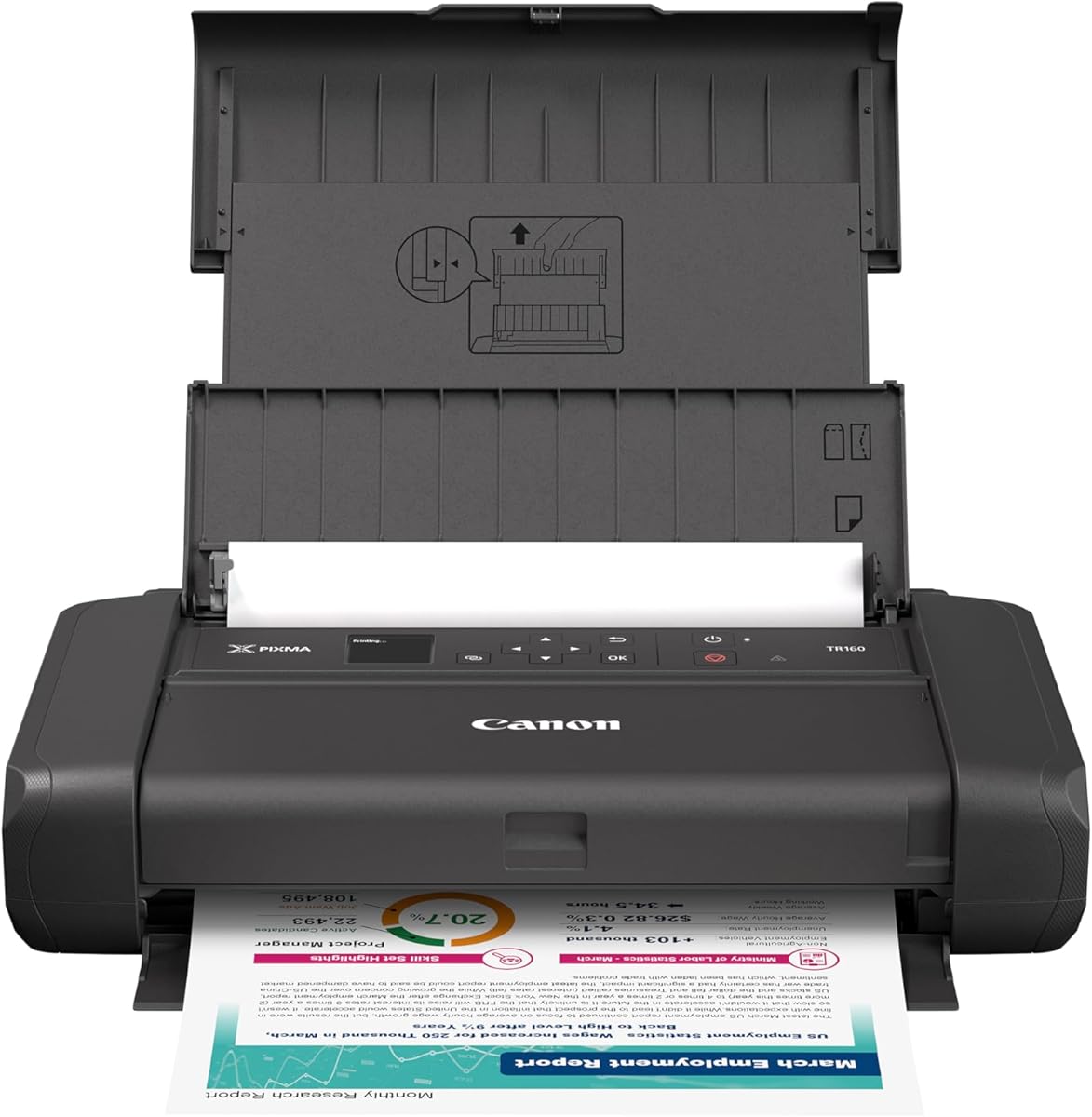
The Canon PIXMA TR160 is designed for users who need to print on the go without sacrificing quality. With a 4.2-star rating this lightweight portable printer can fit into a bag or backpack with room to spare ensuring you never miss a deadline while traveling.
We may earn a commission when you buy through this link, at no additional cost to you.
Its standout feature is Wireless Direct Mode allowing you to connect compatible devices directly to the printer even without a wireless router. This ensures seamless printing from your iPhone or iPad anywhere whether you are at a hotel client site or conference venue.
While it prioritizes portability over speed the 5-Color Hybrid Ink System delivers sharp black text and vibrant details with rich color for photos. The 1.44 OLED display makes checking ink levels and settings easy despite its compact form factor.
This model is perfect for freelancers business travelers and remote workers who need reliable printing away from traditional office spaces. Its simple connectivity and support for Apple AirPrint guarantee hassle-free operation across your Apple ecosystem devices effortlessly.
Connect and print on the go with the PIXMA TR160 lightweight portable printer fitting easily into bags.
Wireless Direct Mode connects your compatible device to the printer even without a wireless router available.
We may earn a commission when you buy through this link, at no additional cost to you.
The Epson EcoTank ET-2803 offers an affordable entry point into the EcoTank ecosystem providing significant long-term value. With a 4.2-star rating this printer includes enough ink to last up to two years allowing fewer out-of-ink frustrations compared to traditional cartridge models.
We may earn a commission when you buy through this link, at no additional cost to you.
Its strengths include unique Micro Piezo Heat Free technology that produces sharp text and impressive color photos on virtually any paper type. The high-capacity ink tanks feature EcoFit bottles making filling easy and worry-free without spills or mess during refill processes.
While the physical footprint is larger than some standard printers the zero cartridge waste design supports eco-friendly printing habits. Users appreciate the dramatic savings on replacement ink bottles compared to traditional cartridges providing financial relief for frequent printing.
This model is ideal for households needing reliable printing without the hassle of constant cartridge replacements. With AirPrint support and the Epson Smart Panel app you can easily print from your smart device using voice-activated printing features.
No more tiny expensive ink cartridges each ink bottle set is equivalent to about 80 individual cartridges.
Up to 2 years of ink in the box and with every replacement ink set for fewer frustrations.
We may earn a commission when you buy through this link, at no additional cost to you.
The Canon TS5320 combines style and functionality for users wanting a printer that complements their workspace decor. With a 4.0-star rating it features a 1.44-inch OLED display with an LED status bar for easy navigation and printer status viewing from across the room.
We may earn a commission when you buy through this link, at no additional cost to you.
Its standout qualities include availability in four distinct colors like black white green and pink allowing personalization to match your style. The hybrid ink system ensures sharp text documents and great-looking photos using only two fine cartridges for simple replacement and operation.
While it lacks automatic duplex printing which might increase paper usage for large jobs the compact design fits effortlessly into any space. Native AirPrint support means you can print from your iPhone iPad and Mac without additional apps or software installations.
This printer is best for users prioritizing aesthetics and ease of use in a home environment. Amazon Dash Replenishment ready functionality ensures ink is automatically ordered when low keeping you from running out unexpectedly.
With a 1.44 inch OLED display and LED status bar easily navigate and view your printer status.
The Pixma TS5320 has a compact and stylish design that comes in four distinct colors to match your space.
We may earn a commission when you buy through this link, at no additional cost to you.
The Canon IP8720 is a specialized printer for enthusiasts wanting high-quality photo prints beyond standard 8.5×11 inches. With a 4.0-star rating it allows you to print favorite photos up to 13 inches by 19 inches without getting stuck in smaller size limits.
We may earn a commission when you buy through this link, at no additional cost to you.
Its key strengths include a 6-color ink system including gray ink that delivers incredible quality and amazing detail in black and white and color photos. The 9600 x 2400 maximum color dots per inch ensure exceptional color and precision for professional-looking results.
While ink costs may be higher than standard models the results justify the expense for serious photo printing needs. Wireless connectivity from any Wi-Fi enabled computer around the house ensures convenience and accessibility for all users.
This model is ideal for photographers and artists needing large format prints with accurate colors. AirPrint compatibility means you can send high-resolution images from your iPhone or iPad directly to the printer for quick output.
Don't get stuck in an 8 inches by 10 inches world print your favorite photos up to 13 inches by 19 inches.
With a 6 color ink system including gray ink and 9600 x 2400 max color dots per inch results are incredible.
We may earn a commission when you buy through this link, at no additional cost to you.
The Canon TS5120 is designed for simplicity offering effortless connectivity to smartphones tablets and favorite devices for hassle-free printing. With a 4.2-star rating it features built-in Wi-Fi and auto power on/off settings making it easy to see why it makes printing quick.
We may earn a commission when you buy through this link, at no additional cost to you.
Its standout qualities include support for Bluetooth and social media printing allowing you to share and print directly from social platforms. The compact size ensures it is just the right size with all the right features for small home office spaces.
While it may have fewer modern features than newer models the reliable AirPrint support ensures compatibility with iOS devices. The reduction and enlargement range from 25 percent to 400 percent gives flexibility for different document sizes and needs.
This model is perfect for users seeking straightforward wireless all-in-one printing without complex configurations. OS compatibility extends to mobile operating systems including iOS Android and Amazon Fire devices ensuring broad device support.
Enjoy the simplicity of connecting your smartphone tablet and all your favorite devices with ease.
The Pixma TS5120 is the wireless all in one printer that's just the right size with all the right features.
We may earn a commission when you buy through this link, at no additional cost to you.
The Canon PIXMA TS3720 provides full control at your fingertips with print copy and scan features for basic home printing. With a 4.0-star rating it gets running in just a few minutes thanks to a streamlined setup process making it ideal for quick deployment.
We may earn a commission when you buy through this link, at no additional cost to you.
Its strengths include Dual Band Wi-Fi ensuring stable and reliable connections for mobile devices. The 1.5 segment LCD screen makes it easy to use without complex menus while the free Canon PRINT app supports Chromebook printing too.
While it only supports single-sided printing it offers versatile media support for envelopes photos and banners. The included POSTERARTIST Online software allows you to create banners signage and more for creative projects.
This model is ideal for families needing a reliable printer for schoolwork and simple documents. With a 1-year warranty you have peace of mind knowing the device is protected against early failure.
Get running in just a few minutes thanks to a streamlined and easy setup process out of the box.
Print envelopes photos high resolution paper banners and more with POSTERARTIST Online for creative projects.
We may earn a commission when you buy through this link, at no additional cost to you.
Selecting the right printer involves evaluating several factors beyond simple compatibility.
Ensure the printer supports dual-band Wi-Fi for stable connections across all rooms. Direct wireless modes help when router access is unavailable.
Look for AirPrint native support to avoid extra software installations and ensure seamless printing from Apple devices.
Higher dpi ratings and hybrid ink systems deliver sharper text and vibrant photos. Check color accuracy if you print images regularly.
Review sample outputs or user feedback to verify real-world performance matches manufacturer claims.
Higher ppm rates reduce wait times for documents. Consider duty cycles to ensure the printer can handle your expected load.
Faster black speeds matter more for text heavy work while color speed impacts photo projects.
EcoTank models offer lower cost per page but higher upfront costs. Standard cartridges provide flexibility but cost more long term.
Choose based on your print frequency to maximize savings over the printer's lifespan.
Compact designs fit small workspaces while larger units may offer more features. Measure your available desk space before buying.
Consider weight if portability is required for travel or moving between rooms.
Robust apps enable easy scanning copying and ink monitoring. Ensure apps work well with iOS interfaces for usability.
Additional features like cloud integration increase convenience and workflow flexibility.
Duplex printing saves paper automatically. Automatic Document Feeders streamline multi-page scanning tasks.
These conveniences justify higher prices for users with regular scanning needs.
One year warranties are standard but extended options exist. Check manufacturer support availability for iOS troubleshooting.
Strong customer service reduces downtime if technical issues arise.
Connect your printer to the same Wi-Fi network as your iOS device and ensure AirPrint is enabled in settings. This allows automatic discovery without manual configuration or driver downloads.
Regularly print test pages to prevent ink drying and nozzle clogging. Use the manufacturer's maintenance tools to align cartridges and clean heads when needed.
Store the printer in a cool dry place away from direct sunlight to maintain performance. Turn off the device after use to reduce power consumption and prolong lifespan.
Verify that both devices are connected to the same Wi-Fi network and that AirPrint is enabled on the printer. Restarting both the iPhone and printer often resolves temporary connectivity glitches.
Open the photo, tap the share button, select Print, choose your AirPrint printer, and adjust options like copies or paper size before sending the job.
Yes, AirPrint allows native printing from iOS devices without third-party apps, but using manufacturer apps may offer extra features like scanning and ink management.
Most AirPrint printers support standard letter and legal papers plus photo papers. Check the specific model's manual for supported sizes and special media.
Use the manufacturer's printer app or website to check for updates. Firmware updates often improve AirPrint compatibility and performance stability.
No, AirPrint requires a local Wi-Fi network connection. You cannot print from your phone to the printer when you are outside the Wi-Fi network.
The Canon PIXMA TS6520 leads as the top choice for balancing performance and price while the Epson EcoTank ET-2903 offers unmatched long-term value for heavy printers.
Prioritize connectivity and print quality based on your most frequent tasks whether document workflows or photo projects. Matching features to needs ensures satisfaction.
Check current pricing and availability before purchasing since deals and stock change often. Investing in the right model now saves time and frustration later.