
GameSir Super Nova Wireless Gaming Controller
4.3Editor score
Hall effect sticks triggers
Tri mode connectivity support
1000mAh battery capacity
This guide compares the top controller with gyro for PC gaming featuring motion aiming high polling rates and advanced customization to enhance your competitive
Finding a controller with gyro for PC gaming can transform your experience by adding motion controls to shooters and racing titles. Modern gamepads now include advanced sensors and low latency connections for precise input.
We evaluated ten top models based on build quality, polling rates, and gyro accuracy. Each entry offers unique features like hall effect triggers, customizable buttons, and versatile connectivity options for PC setups.
Every pick below highlights specific strengths and trade-offs for different play styles. Note that availability and pricing may shift, so check current listings before deciding on your next controller upgrade today.
4.3Editor score

4.7Editor score

4.1Editor score
Compare the top ten models side by side to find the perfect match for your PC gaming needs and preferences today.




The GameSir Tarantula 8K stands out as a top pick for PC gamers seeking raw speed and accuracy. It offers an exceptional polling rate and reliable motion controls for aiming.
We may earn a commission when you buy through this link, at no additional cost to you.
Its dual mode trigger stops let you switch between linear Hall Effect analog inputs and clicky micro switch responses instantly. This flexibility helps in both racing games and fast paced shooters.
While the lack of wireless might limit some users, the wired connection ensures zero latency. The software allows deep customization for macros and mapping which pros value highly.
If you play competitive titles where every millisecond counts, this controller delivers. It is built to last and fits well in most hands during long sessions.
The 8000Hz polling rate ensures every input is registered instantly giving you an edge over standard controllers with lower rates.
Gen 2 TMR sticks use magnetic technology to eliminate physical contact preventing stick drift for years of precise gameplay.
We may earn a commission when you buy through this link, at no additional cost to you.
The FLYDIGI Direwolf 4 brings unique adaptive features to PC gaming with its Forceflex joysticks and switchable triggers. It aims to offer versatility for different genres.
We may earn a commission when you buy through this link, at no additional cost to you.
You can adjust joystick tension from 40gf to 80gf and switch trigger modes for fast shooting or racing precision. This level of control is rare at this price point.
However you need to install software to unlock its full potential and it does not support Xbox consoles. The lack of wireless dock inclusion is also a note.
Gamers who want to tweak every physical aspect of their controller will love this. It provides a solid foundation for comfort and precision without breaking the bank.
Adjustable tension rings let you change how stiff your sticks feel providing a personalized fit for your grip style.
The trigger switch lets you toggle between micro and hall effect modes so you can adapt to racing or shooting games easily.
We may earn a commission when you buy through this link, at no additional cost to you.
The GameSir G7 Pro 8K brings esports level speed to wireless play with an 8000Hz polling rate. It combines advanced tech with ergonomic comfort for long sessions.
We may earn a commission when you buy through this link, at no additional cost to you.
Its TMR sticks eliminate drift completely and the triggers can switch between linear and digital modes for different games. Gyro motion adds precise aiming for shooters.
While it works only on Windows and costs more than basic controllers the performance justifies the investment. You get premium features like optical buttons and macro mapping.
If you want a wireless experience that feels wired this is a top choice. It handles high intensity gaming without lag and keeps your hands comfortable.
With 8000Hz polling on wireless connections you get near zero latency that matches many wired controllers for competitive play.
Optical ABXY buttons use light sensors for instant actuation which reduces wear and improves speed compared to standard mechanical switches.
We may earn a commission when you buy through this link, at no additional cost to you.
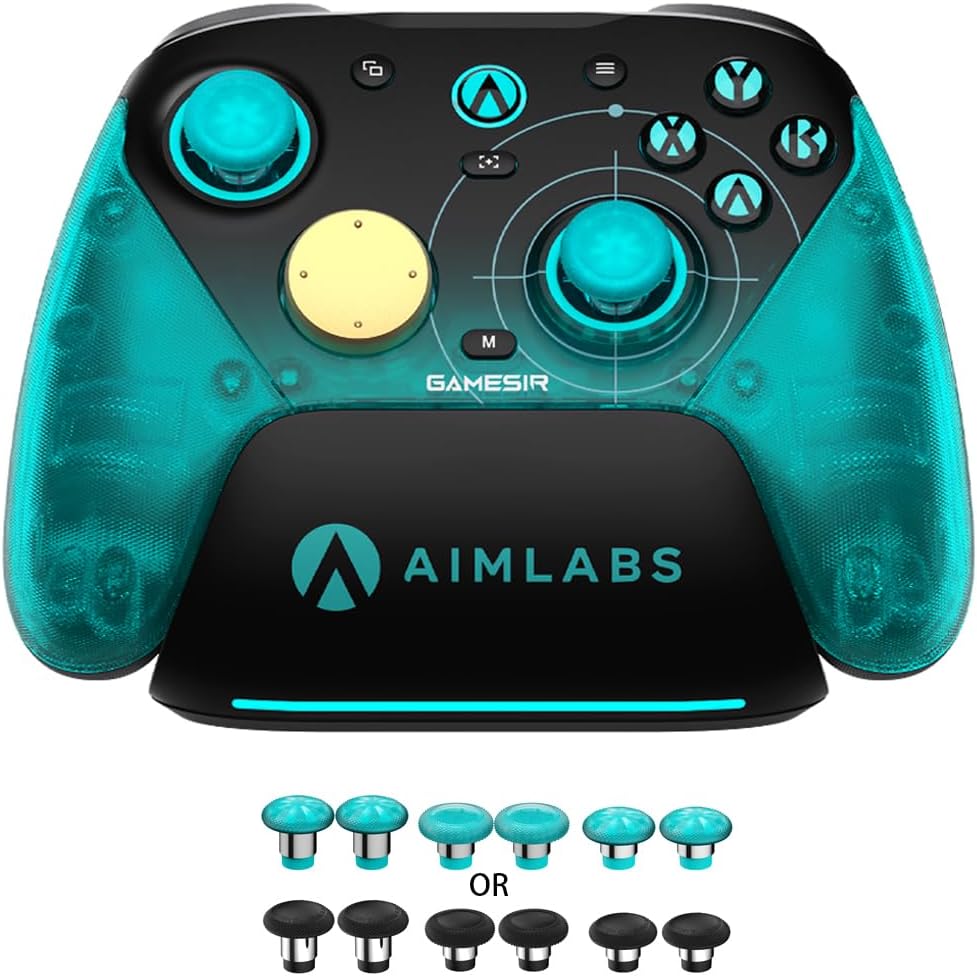
The GameSir Super Nova offers a great balance of performance and price for budget gamers who need gyro support. It works across many platforms including PC and mobile.
We may earn a commission when you buy through this link, at no additional cost to you.
Hall Effect sticks and triggers ensure smooth input without drift. You can connect via Bluetooth or a wireless dongle easily and enjoy a 1000Hz polling rate for fast response.
The build is mostly plastic which feels light but less premium than costlier models. Still it includes features like customizable RGB and a charging dock for convenience.
For those who want reliable motion controls without spending much this is ideal. It covers most gaming needs well and fits nicely in smaller hands.
Compatible with PC Switch iOS and Android this controller adapts to your existing gaming setup without needing extra adapters.
Includes a smart dock and programmable back buttons at a price that undercuts most competitors with similar gyro and hall effect tech.
We may earn a commission when you buy through this link, at no additional cost to you.
The GameSir Cyclone 2 focuses on flexibility with instant profile switching and a full customization app. It is a strong choice for gamers who switch between genres often.
We may earn a commission when you buy through this link, at no additional cost to you.
It supports TMR joysticks to prevent drift and lets you toggle trigger modes for FPS or racing. The included aluminum dock keeps it charged and ready to use.
While it lacks wireless charging and is mostly optimized for PC the performance is solid. You get reliable gyro motion and microswitch buttons that click well.
If you like to save setups for different games this controller helps. It is easy to tweak and fits well in most grips during extended play.
You can switch between three saved profiles using button combos so you do not need to pause games to change settings.
Face buttons are rated for five million clicks giving them a longer life than standard membrane buttons and a crisp tactile feel.
We may earn a commission when you buy through this link, at no additional cost to you.
The GameSir G7 Pro Gen 2 targets competitive players who need ultra low latency and strong motion control. It shares many features with the Aimlabs edition but adds a dock.
We may earn a commission when you buy through this link, at no additional cost to you.
Dual mode triggers and Gen 2 TMR sticks ensure precise input without drift. Optical buttons offer fast actuation and the gyro helps with fine aiming adjustments.
It is Windows specific and might feel large for some hands. The dock is convenient but adds to the overall bulk of the package.
If you play fast shooters or racing games this controller offers the speed needed. It is reliable for long tournaments and supports deep customization via software.
With 8000Hz polling you get instant feedback on every input so your actions in game match your real world moves precisely.
Four programmable macro buttons let you execute complex commands with one press which helps in strategy games and MMOs.
We may earn a commission when you buy through this link, at no additional cost to you.
The Razer Wolverine V3 Pro is a top tier wireless controller designed with esports players in mind. It offers the fastest polling rates and premium materials for comfort.
We may earn a commission when you buy through this link, at no additional cost to you.
Its 8K hyperpolling and swappable TMR sticks provide unmatched speed and accuracy. The four mouse click back buttons give extra control similar to a gaming mouse.
The price is high and it does not work on mobile or console. Yet for dedicated PC gamers this is a professional tool built for top performance.
If you want the best wireless experience and budget is not a concern this is ideal. It reduces hand fatigue and supports a clean setup with its case.
Designed with top players this controller is lighter and more ergonomic than standard models to reduce fatigue during long matches.
Pro hypertriggers switch between mouse click speed and analog control so you can choose the right feel for different game types.
We may earn a commission when you buy through this link, at no additional cost to you.
The 8Bitdo Ultimate 2 is excellent for gamers who switch between PC and mobile devices. It has a reliable wireless connection and smooth motion controls.
We may earn a commission when you buy through this link, at no additional cost to you.
Its TMR joysticks offer high precision and triggers can change mode for tactile or linear input. The dock keeps it charged and the gyro adds to aiming accuracy.
It is not fully optimized for PC software features but works well on many platforms. The build feels sturdy and the buttons are comfortable for regular use.
If you need a controller that works everywhere this is a great pick. It offers solid performance and convenience for casual and semi pro players alike.
The proprietary 8Speed wireless connection delivers low latency and anti interference to keep your gameplay smooth on 2.4G.
Trigger mode switch lets you choose between linear hall effect and tactile modes for different types of games easily.
We may earn a commission when you buy through this link, at no additional cost to you.
The EasySMX X20 is designed to work well with PC and portable devices like the Steam Deck. It offers reliable hall effect sticks and a long lasting battery.
We may earn a commission when you buy through this link, at no additional cost to you.
You can adjust stick height and swap pairs for comfort. The gyro helps with aiming and the dynamic RGB adds a nice visual touch to your setup.
It does not work on Xbox and wireless charging is absent. Still the battery life and hall effect tech provide good value for portable PC gaming.
If you play on a Deck or phone often this fits well. It is ergonomic and durable enough for daily use with decent customization options.
This controller is optimized for portable gaming with a design that fits handheld setups and supports a wide range of platforms.
With 1000mAh capacity you get up to 10 hours of play which is enough for long sessions without needing a recharge.
We may earn a commission when you buy through this link, at no additional cost to you.
The ManbaOne Interactive Screen offers a unique feature with a built in display to tweak settings without a PC app. It works on many platforms and supports gyro.
We may earn a commission when you buy through this link, at no additional cost to you.
Hall effect joysticks and micro switches ensure smooth and fast input. You can view battery and change vibration directly from the screen which adds a convenience.
Some might find the screen distracting during intense play and the software options are basic. Still the interactive design is innovative and useful for quick changes.
If you like to visualize your controls this stands out. It is a solid choice for PC and handheld gamers who want more than standard buttons.
The screen lets you adjust sensitivity and lighting without software saving time when you need to change settings mid setup.
Hall effect joysticks use magnets to prevent drift and give accurate control for racing and shooter games.
We may earn a commission when you buy through this link, at no additional cost to you.
Use this buying guide to understand key features that affect performance and comfort when selecting a controller with gyro for PC gaming.
Polling rate determines how often the controller reports input to your PC. Higher rates like 1000Hz or 8000Hz reduce latency for faster reactions in competitive games.
Look for models with at least 1000Hz for a smooth experience unless you need pro grade speed for esports.
Gyro sensors allow motion aiming which can help with precision in shooters. Check if the controller software lets you adjust sensitivity to match your play style.
A customizable gyro is essential for fine tuning your aim and getting the most out of motion controls.
Controllers offer wired or wireless options. Wired ensures zero latency while wireless provides freedom. Some models support both 2.4G dongle and Bluetooth.
Choose a dual mode controller if you want flexibility between console and PC setups or if your desk space is limited.
Hall effect triggers use magnets to prevent wear and drift. Some models let you switch between linear and clicky modes for racing or shooting games.
This flexibility helps adapt the controller to different genres without needing multiple devices for each type of game.
Comfort matters for long sessions. Look for textured grips and balanced weight. Plastic builds are common but higher end models use metal or hybrid parts.
Ensure the controller fits your hand size to reduce fatigue and prevent cramping during extended gaming sessions.
Good software allows you to map buttons and set macros. Some models let you adjust stick dead zones and vibration strength through an app.
Without software support many advanced features like gyro tuning and macros are inaccessible to you as a user.
Wireless controllers need a battery. Higher capacity means longer play without interruptions. Some include a dock for easy charging.
Check for battery specs around 1000mAh or more if you want to avoid frequent recharges during your gaming.
Connect the controller to your PC via USB or wireless dongle and install the driver software if available. Ensure Bluetooth is enabled and pair the device for wireless use.
Calibrate the gyro and analog sticks in the controller settings before playing. Adjust sensitivity and dead zones to match your preferred aiming style for better accuracy.
Clean your controller regularly with a soft cloth to remove dust. Store it in a dry place and avoid extreme temperatures to prolong battery life and internal components.
Not all controllers support PC natively. Many newer models include Windows drivers or generic compatibility but some require specific software for gyro and button mapping.
Hall effect triggers use magnetic sensors which prevent physical contact. This eliminates stick drift and ensures smooth input over years of regular use.
Enable gyro in the game settings or through controller software. Map the gyro axis to look or mouse input and adjust sensitivity for precise motion control.
Modern wireless controllers using 2.4G dongles have minimal latency. Look for high polling rates like 1000Hz to ensure responses feel as fast as wired.
Most gyro controllers work on Steam Deck via USB-C or Bluetooth. Check compatibility notes and configure settings in Steam Input for motion control.
Polling rate is how often the controller sends input data to your PC. Higher rates like 8000Hz reduce delay and improve response speed in games.
The top picks include the GameSir Tarantula 8K for wired precision and the GameSir Super Nova for budget friendly versatility across platforms.
Prioritize gyro customization and polling rate to match your play style. A good controller with gyro for PC gaming can significantly improve your aiming and immersion.
Check current listings for availability and offers before buying. Prices may change and new models arrive so staying updated helps you find the best deal.