
Acer 4-in-1 USB C Hub
4.2Editor score
Dual 4K@60Hz output
100W power delivery
Compact 4-in-1 design
This guide compares the top ten dual HDMI monitor adapters for 2026, analyzing performance, compatibility, and value to help you find the perfect multi-monitor
Finding the right dual HDMI monitor adapter can transform your workspace into a productive multi-screen environment. Whether you are an office professional or a creative designer, connecting multiple displays requires a reliable hub that supports high resolutions and stable signal transmission without lag or flickering.
We have evaluated ten leading adapters based on real-world performance, compatibility across operating systems, and build quality. Our comparison considers factors like USB-C power delivery, refresh rates, and driver requirements to ensure you choose a device that fits your specific laptop or desktop setup perfectly.
Each pick in this list highlights unique strengths such as budget-friendly pricing, premium features, or specific OS support. While prices may fluctuate due to market conditions, these models represent the best value and performance available right now for extending your desktop across two HDMI monitors.
4.2Editor score
4.5Editor score

4.4Editor score
The following table provides a side-by-side comparison of all ten adapters reviewed in this guide. Use these specifications to quickly identify which model supports your operating system, desired resolution, and connection type before making your final purchase decision.


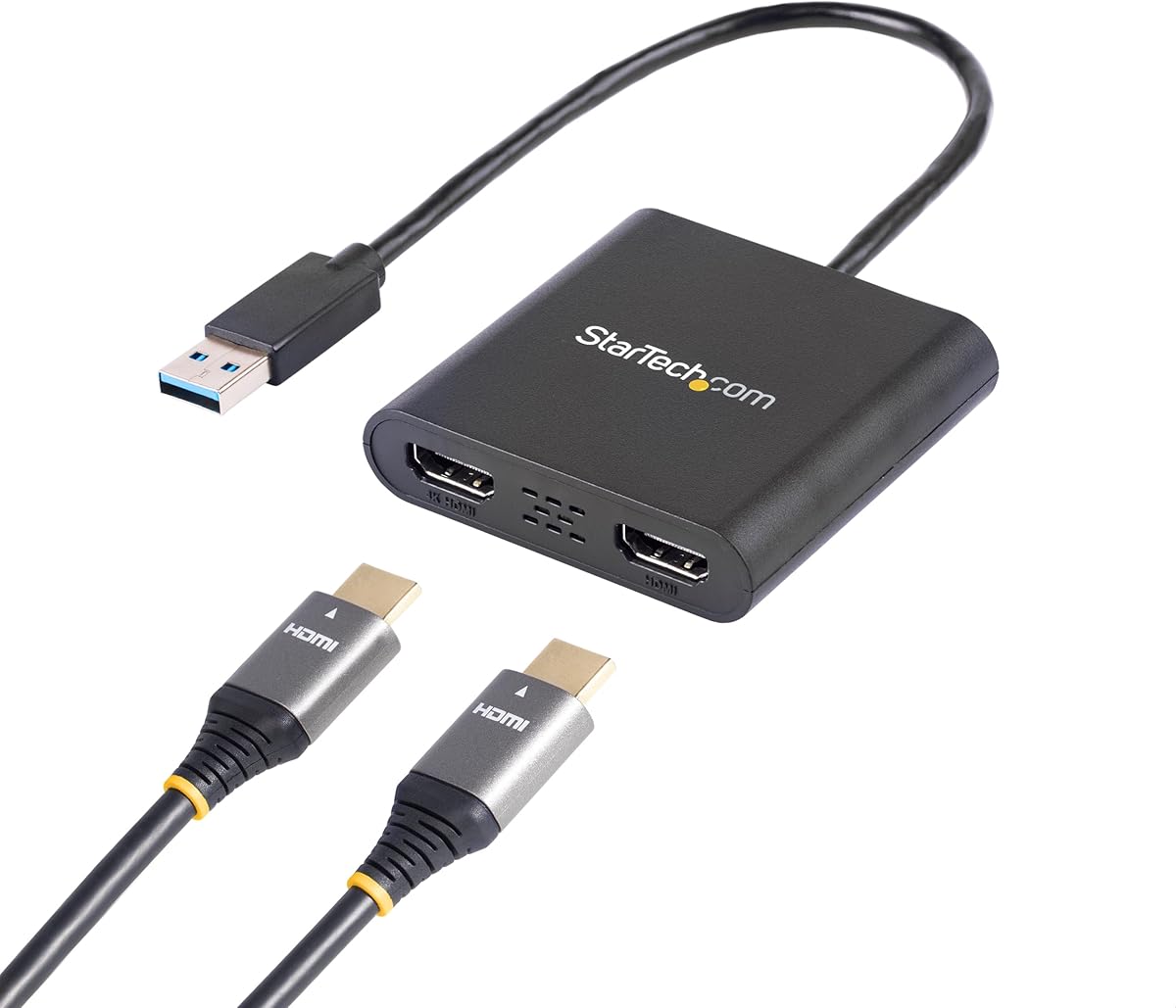
This StarTech adapter stands out as the top choice for Windows users needing a reliable dual monitor setup. With a rating of 4.5 stars, it delivers consistent performance for office work and general productivity tasks without requiring complex configurations.
We may earn a commission when you buy through this link, at no additional cost to you.
The adapter supports one 4K display at 30Hz and one 1080p display at 60Hz simultaneously. This mix allows you to use a high resolution screen for detailed work while keeping a secondary screen responsive for browsing or communication tools. It works across Intel, AMD, and Snapdragon platforms.
While it requires administrator rights to install drivers, this ensures system security and stability for corporate environments. The 3-year warranty and 24/5 technical support provide peace of mind that you are investing in a durable product backed by a reputable manufacturer.
If you run a Windows workstation and need a stable connection for two monitors, this adapter is an excellent investment. Its focus on compatibility and support makes it a dependable choice for professionals who cannot afford downtime or signal issues during critical tasks.
Designed specifically for IT professionals, this adapter offers robust performance backed by extensive technical support and a multi-year warranty.
It works seamlessly across all Windows X86, X64, and ARM platforms including modern Copilot+ PCs with Snapdragon processors.
We may earn a commission when you buy through this link, at no additional cost to you.
The Acer 4-in-1 USB C Hub offers exceptional value for users seeking dual 4K support without a high price tag. Its 4.2 rating reflects solid performance for budget-conscious buyers who need modern connectivity for laptops and desktops alike.
We may earn a commission when you buy through this link, at no additional cost to you.
Unlike many budget adapters limited to 30Hz, this model supports 60Hz refresh rates on both HDMI ports. This smoother motion is noticeable when scrolling through documents or watching videos across two screens. It also delivers 100W power delivery to keep your laptop charged during use.
Mac users should note that this adapter supports mirroring rather than extending on macOS. Windows users can enjoy full extended desktop capabilities. The short 20cm cable keeps the setup tidy but might require careful cable management for some desk layouts.
For students or home office workers on a budget, this hub provides premium features like 60Hz dual 4K at an accessible cost. Just ensure your laptop supports DisplayPort Alternate Mode before purchasing to avoid compatibility issues.
Both HDMI ports support 60Hz refresh rates which provides smooth visuals for multitasking and media consumption.
A 100W PD port ensures your laptop stays powered while you use multiple external displays simultaneously.
We may earn a commission when you buy through this link, at no additional cost to you.
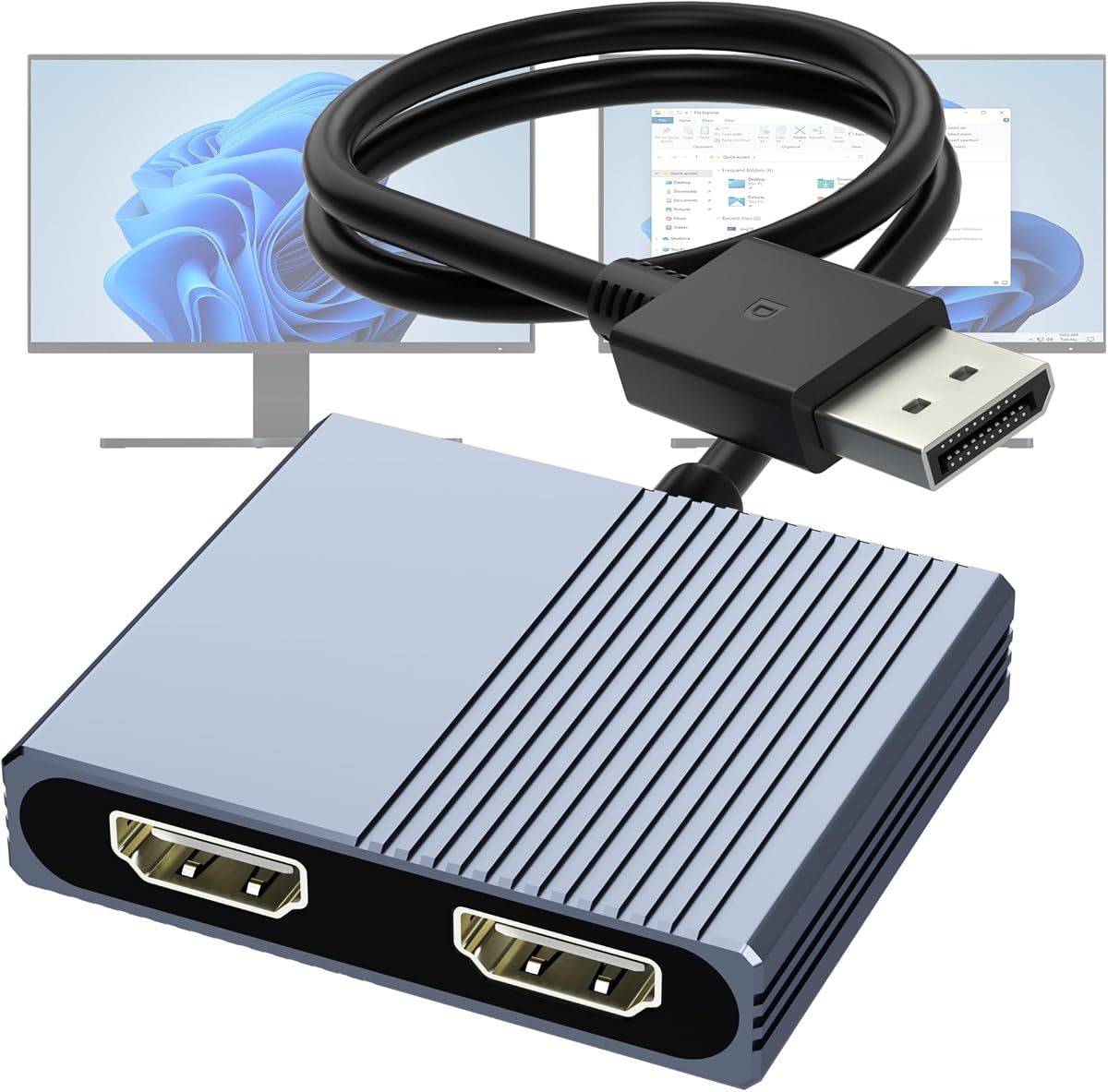
This adapter is tailored for desktop users who want to connect two HDMI monitors via a DisplayPort output. With a 4.1 rating, it delivers clear 4K visuals and is ideal for setups where a dedicated graphics card is available.
We may earn a commission when you buy through this link, at no additional cost to you.
To achieve dual 4K at 60Hz your computer must support DisplayPort 1.4. If your system uses 1.2 you may get one 4K at 60Hz or two at 30Hz. It uses MST technology to extend your display allowing different content on each screen.
The device requires an external USB power source to function correctly which adds a minor step to setup. It is not compatible with docking stations so it works best with direct motherboard or graphics card connections.
If you have a PC with a DisplayPort and need reliable dual screen output this adapter is a strong candidate. Its anti-interference design ensures stable signals even in environments with multiple electronic devices nearby.
Supports 4K at 60Hz on both monitors if your hardware supports DisplayPort 1.4 for maximum visual fidelity.
MST mode allows you to extend your desktop across two screens rather than just mirroring content.
We may earn a commission when you buy through this link, at no additional cost to you.
The WAVLINK adapter offers versatility by supporting both USB-C and USB-A inputs which broadens compatibility across older and newer devices. It has earned a 4.4 rating for its ability to handle multi-screen setups effectively for productivity tasks.
We may earn a commission when you buy through this link, at no additional cost to you.
You can connect up to three separate screens depending on your configuration. This is useful if you have an external monitor plus a laptop screen or a second external monitor. It supports resolutions up to 1440p on one screen and 1080p on the other.
Installation requires downloading specific drivers from the provided links which adds a step to the setup process. Users should be aware that this adapter is not recommended for high-performance gaming or design work due to potential latency.
For general office work and web browsing this adapter provides flexible options for different laptop types. Ensure your IT policy allows driver installation before buying if you are using a work computer.
Connect via USB-C or traditional USB-A allowing use with a wider range of laptops and desktops.
Supports setups involving three separate screens which enhances productivity for complex workflows.
We may earn a commission when you buy through this link, at no additional cost to you.
The OREI SplitExtend adapter bridges the gap between different connection types with an integrated USB-A and USB-C design. It is rated 4.1 stars and works well for users who need a reliable solution across Windows and Chrome OS environments.
We may earn a commission when you buy through this link, at no additional cost to you.
To achieve optimal performance your system should have at least an Intel i5 processor or higher. The device requires Silicon Motion drivers which means you must install software before it functions correctly. This setup ensures stable signal transmission for extended displays.
It supports 4K at 30Hz which is sufficient for most productivity tasks like reading documents and web browsing. While not the fastest option available it offers a balance of features and compatibility that suits many office setups.
If you need a single adapter that handles multiple laptop types and OSes this is a practical choice. Just verify your processor meets the minimum requirement and that your IT admin approves driver installation for your device.
A combined USB-A and USB-C connector simplifies setup by removing the need for separate dongles.
Works with Windows Chrome OS and Android providing flexibility for different work environments.
We may earn a commission when you buy through this link, at no additional cost to you.
The Selore 8-in-1 docking station is a premium option that combines dual monitor support with extensive connectivity features. With a 4.4 rating it offers a complete solution for users who need more than just video output from their laptop.
We may earn a commission when you buy through this link, at no additional cost to you.
It delivers dual 4K at 60Hz via HDMI which is ideal for professionals needing sharp visuals for creative work. In addition to video it includes USB ports and an SD card reader making it a true all-in-one hub for file transfers and device connections.
Mac users should note that only mirroring is supported on macOS limiting extended desktop capabilities. Windows users can enjoy full MST support to extend their screens. The 100W power delivery ensures your laptop charges efficiently even under heavy loads.
For power users who want a single device to manage all their peripherals this station is highly recommended. Ensure your laptop has a full-featured Thunderbolt or USB-C port to take full advantage of its capabilities.
Includes USB-A USB-C and SD card slots making it a comprehensive hub for office peripherals.
Dual 4K at 60Hz ensures smooth visuals for demanding tasks and high resolution monitoring.
We may earn a commission when you buy through this link, at no additional cost to you.
This HDMI splitter is designed specifically for mirroring content across two screens rather than extending desktops. It is a budget-friendly option rated 4.1 stars that suits presentations or public displays where identical visuals are required on multiple monitors.
We may earn a commission when you buy through this link, at no additional cost to you.
Since it works as a pure splitter it does not require any drivers making setup extremely simple. Just connect the HDMI source and your two screens to get started. It supports up to 4K resolution at 30Hz which is adequate for static content.
Audio signals are synchronized automatically with video reducing the need for extra cables. This feature is useful for meeting rooms or classrooms where clear sound is as important as clear visuals.
If your goal is to show the same content on two screens this adapter is a cost effective solution. It lacks the extended mode required for dual monitor productivity but excels at mirroring tasks.
No drivers or software installation is required allowing for instant plug and play functionality.
Audio output is synchronized with video automatically simplifying the connection process.
We may earn a commission when you buy through this link, at no additional cost to you.
This adapter from Selore&S-Global stands out for its high performance capabilities supporting dual 4K at 60Hz. With a strong 4.5 rating it is a reliable choice for users who need smooth visuals and efficient power management on the go.
We may earn a commission when you buy through this link, at no additional cost to you.
It features a 4-in-1 design that includes two HDMI ports one USB-A data port and a power delivery port. This mix of features makes it versatile for both video output and peripheral connections without cluttering your workspace.
Mac users will find that it supports mirroring only while Windows allows for extended desktops. The 100W charging ensures your laptop stays powered even when driving two high resolution displays simultaneously.
For professionals who need a portable hub that supports high refresh rates this adapter is an excellent pick. Just confirm your laptop has a compatible Thunderbolt or full featured USB-C port before purchasing.
Dual 4K at 60Hz provides fluid motion and sharp images for detailed visual work.
Includes a USB-A port for data transfer and a high wattage charging port for efficiency.
We may earn a commission when you buy through this link, at no additional cost to you.
This adapter is optimized for desktop users with dedicated AMD or NVIDIA graphics cards. Rated 4.4 stars it offers a durable aluminum build and robust signal transmission for high performance environments.
We may earn a commission when you buy through this link, at no additional cost to you.
It requires a DisplayPort 1.4 source to achieve dual 4K at 60Hz which ensures maximum visual quality for design work or gaming. The housing includes gold plated ports designed to withstand repeated plugging and unplugging without wear.
Extended display modes are supported on Windows allowing you to create a large multi-monitor workspace. macOS users can use it for mirroring but not for extending across two screens. It simplifies setups without needing extra software.
For PC enthusiasts who want reliable and durable connectivity this adapter is a top contender. The build quality and performance make it suitable for demanding applications where signal stability is critical.
An aluminum alloy housing and gold plated ports ensure longevity and stable connections.
Designed specifically for dedicated AMD and NVIDIA graphics cards for optimal performance.
We may earn a commission when you buy through this link, at no additional cost to you.
The UANTIN 6-in-1 hub is a compact solution for travelers who need multiple ports without bulk. With a 4.3 rating it provides essential connectivity including dual 4K displays and several USB-A ports for peripherals.
We may earn a commission when you buy through this link, at no additional cost to you.
It supports 4K at 60Hz on both HDMI ports ensuring smooth video quality for presentations and work. The 100W power delivery means you can charge your laptop while using the hub. All ports work without needing extra drivers.
Mac users can extend to one external monitor or mirror across screens depending on OS limitations. For Windows users the hub supports full extended display capabilities. The slim design fits easily into a laptop bag.
For frequent commuters or digital nomads this hub offers the best balance of portability and functionality. Just verify your USB-C port supports DisplayPort Alternate Mode to ensure video output works correctly.
A lightweight build fits easily in a backpack making it ideal for remote work and travel.
Three USB-A ports allow you to connect a mouse keyboard and drive simultaneously.
We may earn a commission when you buy through this link, at no additional cost to you.
Selecting the right dual HDMI adapter involves more than just checking the price. You need to consider your laptop's port type operating system and specific display needs to ensure a smooth setup.
Many adapters support Windows fully but macOS often restricts users to mirroring instead of extending displays. Always check if the adapter supports MST (Multi-Stream Transport) if you need different content on two screens while using a Mac.
If you use a Mac prioritize adapters that explicitly state mirroring support or use native display features. Windows users generally have more flexibility but should still verify driver requirements.
Your source device must have a compatible port such as USB-C with DisplayPort Alt Mode or a dedicated DisplayPort. USB-C hubs rely on your laptop to output video so a data-only port will not work.
Ensure your laptop supports DisplayPort 1.4 if you want dual 4K at 60Hz. Older 1.2 ports may limit you to 30Hz or single 4K output.
Productivity tasks often require high resolution for text clarity so 4K is a good target. Refresh rates like 60Hz make scrolling and video playback smoother compared to 30Hz models.
If you plan to use one screen for static work and another for video look for adapters that support mixed resolutions like 4K and 1080p simultaneously.
Some adapters need drivers installed to function which can be a hurdle on restricted work devices. Others are plug-and-play and work out of the box without extra steps.
If you cannot install software due to IT policies choose a USB-C hub that uses native graphics drivers. Windows users might find driver installation easier than corporate environments with strict controls.
Dual displays can drain laptop batteries quickly so a hub with Power Delivery (PD) helps keep your device charged. Look for hubs that support at least 65W to 100W depending on your laptop size.
Even with PD you should ensure your laptop can accept charge while connected to peripherals. Some hubs split power between ports so check the total wattage output.
The physical construction of the adapter matters for longevity. Aluminum housings often dissipate heat better than plastic ones which prevents overheating during long use.
Cable length affects setup flexibility. Short cables keep desks tidy but might require extension cords for monitors far away from your laptop.
Budget adapters often lack advanced features like 60Hz support or charging ports. Mid-range models typically offer a better balance of performance and cost for daily use.
Avoid cheap HDMI splitters if you need extended displays since they usually mirror content. Focus on hubs designed for computer video output rather than TV distribution.
A good warranty indicates the manufacturer stands behind their product. Look for terms that cover defects for at least one year.
Technical support is crucial if you encounter setup issues. Brands with dedicated customer service can save hours of troubleshooting when you cannot connect your screens.
Start by connecting the adapter to a powered USB-C or USB-A port on your computer. If your adapter has a separate power cable plug it into a USB port or outlet to ensure stable signal transmission.
Once connected connect two HDMI cables from the adapter to your monitors. Turn on your monitors and navigate to your display settings to arrange them side by side or stack them according to your workflow.
To maintain your adapter keep it away from dust and moisture. Do not bend the cables excessively and unplug them by holding the connector rather than pulling on the wire to avoid internal damage.
No. The USB-C port must support video output via DisplayPort Alternate Mode or Thunderbolt. Some ports only handle charging or data which will not produce a video signal. Check your laptop manual to confirm video capability.
Yes but macOS often limits you to mirroring identical screens rather than extending different desktops. Some hubs allow one external display extension but dual extended screens are usually restricted due to OS limitations.
It depends on the model. USB-C hubs often work plug-and-play but USB-A to HDMI adapters usually require drivers. Check the product description before buying to avoid setup surprises.
Splitting duplicates the same image on two screens. Extending allows two separate workspaces where each screen can show different content. MST hubs enable extending while simple splitters only duplicate.
Flickering often results from unstable power or mismatched cable quality. Try using a powered USB port or a different HDMI cable to fix the issue. Ensure your laptop supports the resolution you selected.
Most adapters support two external monitors. Some hubs allow a third screen if you use the laptop display plus two external ones but check the specs for multi-monitor support before buying.
We have reviewed ten top adapters ranging from budget-friendly USB-C hubs to robust desktop adapters for Windows workstations. Each pick offers unique strengths whether you prioritize resolution refresh rates or extra ports.
When choosing focus on what matters most for your daily tasks. If you work on a Mac check for mirroring capabilities. If you use a high-end laptop ensure the port supports the desired 4K performance.
Remember that prices and stock can change quickly so review the current details on Amazon before making your final purchase. With the right adapter you can transform your workspace into a more efficient multi-screen setup.