
Lenovo USB-C Slim Travel Dock
4.4Editor score
Eight versatile connectivity ports
4K display at 60 Hz
Compact integrated cable design
This guide compares the top 10 docking stations for Lenovo Yoga laptops, evaluating ports, display support, power delivery, and build quality for every need.
Finding the right docking station for your Lenovo Yoga laptop can transform your workspace into a productive hub. Whether you need multiple displays or fast charging, the right accessory expands your connectivity seamlessly.
We have evaluated ten top-rated models based on port selection, video output capabilities, power delivery standards, and overall build quality. Each option offers unique benefits for different user scenarios.
This list highlights key features and performance traits to help you make an informed decision. Prices and availability change frequently, so check the latest details before purchasing your next upgrade.
4.4Editor score

4.2Editor score
4.6Editor score
The following table provides a side-by-side comparison of the top ten docking stations selected for Lenovo Yoga users. Review key specifications to find the model that matches your connectivity and performance requirements.




The Lenovo USB-C Dual Display Travel Dock stands out as a versatile solution for professionals who need dual-screen setups on the go. With a solid rating and robust features, it transforms any compatible USB-C laptop into a full workstation.
We may earn a commission when you buy through this link, at no additional cost to you.
This dock offers exceptional visual power by supporting two 4K displays simultaneously via DP and HDMI ports. It also includes a high-speed USB port and Ethernet for reliable connectivity. The always-on USB port ensures mobile devices stay charged even when the laptop is disconnected.
While it supports up to 100W power delivery, achieving the maximum requires an optional 135W adapter. However, the included 100W adapter still provides 65W which suits most daily needs. The design is minimalist and eco-friendly.
Remote professionals who value sustainability and multi-monitor productivity should consider this dock. Its integrated cable reduces clutter and simplifies travel. It is a reliable choice for anyone needing a balance of power and portability.
Connect two displays at 4K resolution to expand your workspace significantly. The combination of HDMI and DP ports ensures compatibility with various monitors.
The chassis features 66% Post-Consumer Recycled Content, aligning with modern environmental standards without compromising on performance or durability.
We may earn a commission when you buy through this link, at no additional cost to you.
This Thunderbolt 3 dock is engineered for high performance with ThinkPad laptops. It offers a wide array of ports including HDMI and DisplayPort to support dual 4K setups. The included 135W adapter ensures powerful charging for demanding systems.
We may earn a commission when you buy through this link, at no additional cost to you.
Users can connect multiple devices simultaneously thanks to four USB 3.1 ports and always-on charging capabilities. Ethernet and audio ports provide essential connectivity for office setups. It is built to handle heavy workloads without throttling.
The limitation lies in its specific compatibility with certain ThinkPad models rather than universal USB-C laptops. It may not work as seamlessly with non-ThinkPad devices. Checking your model compatibility is crucial before purchase.
If you own a compatible ThinkPad and need a robust docking solution, this station is ideal. It provides reliable performance and ample power for professional tasks. It remains a strong contender for dedicated ThinkPad users.
Thunderbolt 3 Gen 2 technology delivers fast data transfer rates and high bandwidth for multiple peripherals and video streams.
Keep your mobile devices powered even when your laptop is off or disconnected from the dock via dedicated always-on USB ports.
We may earn a commission when you buy through this link, at no additional cost to you.
The Lenovo USB-C 7-in-1 Hub is designed for travelers who need essential connectivity in a small package. It supports 4K video output via HDMI and offers three USB-A ports for peripherals. Its plug-and-play functionality ensures ease of use.
We may earn a commission when you buy through this link, at no additional cost to you.
This hub excels in versatility with dual SD and TF card readers perfect for photographers or content creators. Power pass-through allows charging while connected. The design is elegant and discreet for on-the-go productivity.
While it offers significant connectivity, it lacks multiple video ports which limits multi-monitor setups. Also power delivery requires an additional adapter. These are minor trade-offs for a portable travel companion.
Freelancers and frequent flyers will appreciate this hub's balance of size and function. It covers most daily needs like connecting mice, keyboards, and card readers efficiently. It is a smart choice for lightweight setups.
All seven connectivity options are accessible through a single USB-C cable making setup easy and reducing cable clutter effectively.
Connect two SD or TF cards simultaneously to transfer photos or files quickly without needing external readers.
We may earn a commission when you buy through this link, at no additional cost to you.
This slim travel dock combines portability with performance making it an ideal budget choice. It supports 4K visuals at 60Hz for smooth visuals during meetings or media consumption. The eight ports provide ample room for accessories.
We may earn a commission when you buy through this link, at no additional cost to you.
The dock includes an integrated cable to reduce bulk. It also features recycled content in its design aligning with sustainability goals. Users benefit from USB-A and USB-C ports for versatile data transfer options.
Power delivery maxes at 65W which may not be enough for high-performance laptops under heavy load. However, it suffices for most Yoga models. The single HDMI limit is a constraint for dual-screen users.
For students or professionals seeking a cost-effective travel dock this is a top contender. It delivers reliable performance and environmental care. It ensures your Yoga laptop stays connected wherever you go.
Enjoy high-resolution content without lag thanks to 4K display support at 60 Hz via the HDMI 2.1 port.
The chassis uses 66% Post-Consumer Recycled Content offering a stylish look while supporting environmental initiatives.
We may earn a commission when you buy through this link, at no additional cost to you.
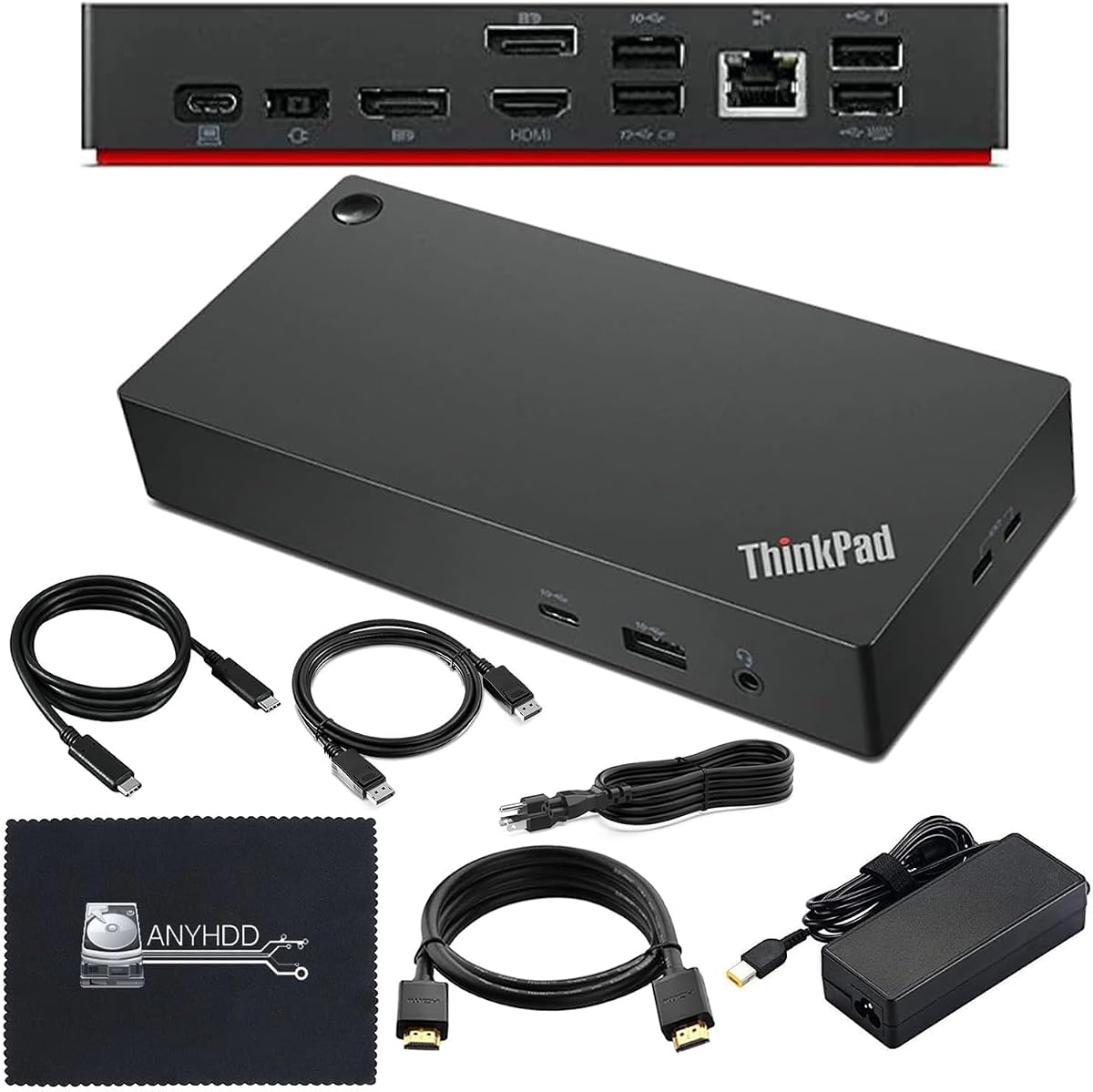
This Thunderbolt 4 dock represents premium connectivity with high-speed data and video options. It comes with necessary cables and a 90W adapter for ready-to-use convenience. Users can enjoy crisp 4K visuals and stable power.
We may earn a commission when you buy through this link, at no additional cost to you.
The package includes HDMI and DisplayPort cables along with a cloth for cleaning. It ensures stable power delivery for connected peripherals while charging your laptop. Its design is robust and built for long-term use.
Compatibility depends on USB-C or Thunderbolt support so verify before purchasing. The price is higher but justified by the performance and included accessories. It lacks flexibility for unsupported devices.
Users needing top-tier connectivity and reliable power should choose this dock. It provides a hassle-free setup for professional workflows. It remains a robust choice for those prioritizing speed and stability.
Experience clear and vivid video on external monitors thanks to included cables designed for 4K resolution output.
Everything needed for setup is included in the box including cables and adapters to reduce additional costs.
We may earn a commission when you buy through this link, at no additional cost to you.
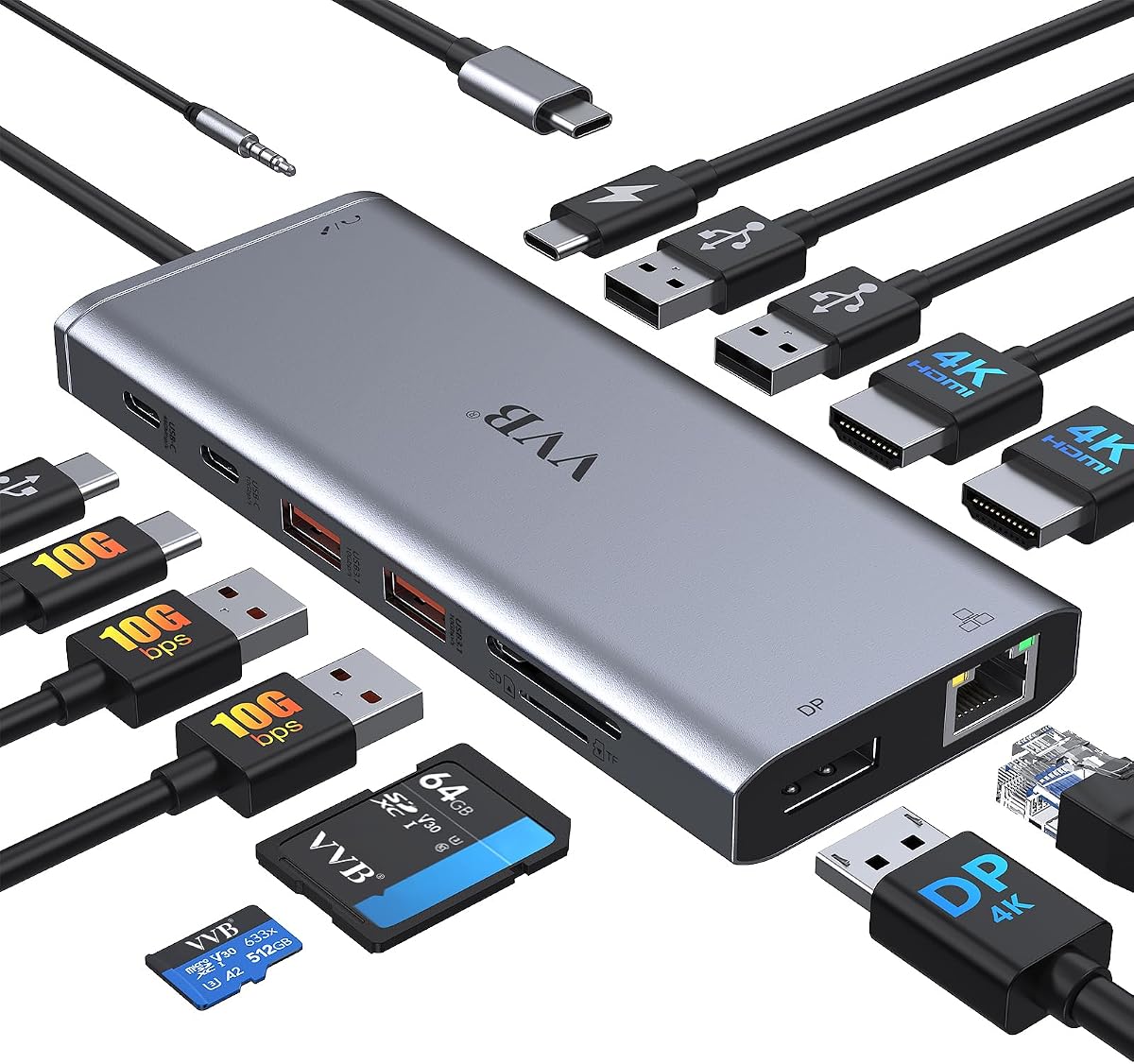
This 14-in-1 adapter offers massive expansion for laptops needing diverse connectivity. It supports up to three displays and includes multiple USB ports and SD readers. Power delivery allows charging up to 100W input.
We may earn a commission when you buy through this link, at no additional cost to you.
Users benefit from high-speed USB-C and USB-A ports for rapid file transfers. Ethernet ensures a stable wired connection. It fits various laptops from Dell to Lenovo and HP with proper support.
Note that macOS supports mirrored mode only on external displays which limits productivity on Macs. The lack of an adapter means buying one separately. Ensure your laptop supports DP Alt Mode for video.
Professionals with multiple peripherals will find this dock invaluable. Its versatility covers almost every common connection need. It is a powerful choice for complex desktop setups.
Extend your workspace with support for dual or triple displays depending on your configuration and operating system.
Transfer files quickly using USB-C and USB-A 3.1 ports that support speeds up to 10Gbps.
We may earn a commission when you buy through this link, at no additional cost to you.
This Anker dock stands out with a detachable hub that separates for mobile use. It provides triple display options and includes a strong adapter for stability. It covers every essential port from HDMI to Ethernet.
We may earn a commission when you buy through this link, at no additional cost to you.
The detachable 6-in-1 hub allows you to take connectivity on the go without the full dock. It supports high-speed data transfer and charging. It works well with Windows laptops and various USB-C devices.
While macOS users see mirrored mode only the dock offers robust functionality for Windows. The included 140W adapter ensures all ports can work simultaneously. It might be bulky for minimalists.
Tech-savvy users who value flexibility should consider this dock. It effectively combines two devices into one versatile solution. It is excellent for professionals shifting between office and field work.
One station replaces two by featuring a detachable hub for mobile use and a full dock for desktop setups.
Transfer large files rapidly with a dedicated 10Gbps USB-C port included in the dock design.
We may earn a commission when you buy through this link, at no additional cost to you.
This dock is a reliable option for ThinkPad users needing both legacy and modern connectivity. It features HDMI and DisplayPort for dual monitors and includes a 90W adapter. It also offers Gigabit Ethernet for stable networking.
We may earn a commission when you buy through this link, at no additional cost to you.
Three USB 3.1 ports support fast data transfers while USB 2.0 ports are ideal for mice and keyboards. It supports up to three external monitors depending on system output. Setup is simple without drivers.
Compatibility is primarily with ThinkPads so check model support before purchasing. It lacks some newer features like Thunderbolt 4. But it remains a sturdy choice for general office tasks.
Users seeking stable and functional connectivity will find this dock effective. It covers most essential needs without unnecessary complexity. It is a solid investment for dedicated ThinkPad users.
Supports up to three external monitors allowing for flexible workspace configurations depending on your laptop.
Ensure stable network speeds with a built-in RJ45 Gigabit Ethernet port for reliable wired connections.
We may earn a commission when you buy through this link, at no additional cost to you.
This renewed dock offers high power delivery with a 135W adapter suitable for demanding ThinkPad models. It includes essential cables and supports dual monitors through HDMI and DisplayPort. A hybrid design allows flexible USB connectivity.
We may earn a commission when you buy through this link, at no additional cost to you.
Users can connect various devices simultaneously thanks to multiple USB ports. The package includes an AC adapter, USB-C, HDMI, and DisplayPort cables. It provides a ready-to-use setup for workstations.
As a renewed unit it may show minor wear. However, it comes with a warranty for added security. It is a cost-effective way to get premium specs without new pricing.
Cost-conscious buyers who need high power should consider this dock. It delivers robust performance and compatibility with ThinkPads. It ensures your laptop stays fully powered and connected.
The 135W adapter ensures stable power delivery to your laptop and all connected peripherals during heavy usage.
All necessary cables are included to simplify setup and avoid purchasing accessories separately.
We may earn a commission when you buy through this link, at no additional cost to you.
This Anker hub delivers reliable dual-monitor support in a compact design. It features dual HDMI ports for 4K visuals and an Ethernet port for wired internet. Users benefit from fast USB data transfer speeds.
We may earn a commission when you buy through this link, at no additional cost to you.
It supports up to 85W charging which suits most everyday laptops. The SD card reader adds utility for photographers. It works with Windows and ChromeOS easily and offers strong customer service.
Linux users may find compatibility issues so verify your OS before buying. The charging limit means heavy-duty laptops may need separate power. These are minor constraints for a portable hub.
Users wanting a budget-friendly dual-screen setup will find this ideal. It provides essential ports without bulk or excess cost. It remains a trusted choice for everyday productivity.
Stream or mirror content to two displays with 4K support at 30Hz for expanded workspace.
Access photos or videos directly using the included microSD or SD card reader slot.
We may earn a commission when you buy through this link, at no additional cost to you.
Choosing the right docking station involves evaluating ports, display capabilities, power delivery, and compatibility with your specific laptop model.
The most critical factor is how many external monitors you need and at what resolution. Look for docks supporting 4K at 60Hz for smooth visuals. Ensure the dock has the right mix of HDMI and DisplayPort connections for your setup.
Prioritize docks with dual display support if you work with multiple screens.
Power delivery ensures your laptop charges while connected. Most Yoga models require 65W or more. Select a dock with sufficient wattage to power both the laptop and connected peripherals simultaneously.
Check if the dock includes an adapter or requires a separate one.
Count how many devices you need to connect like mice keyboards and external drives. Look for enough USB-A and USB-C ports. Ethernet and SD card readers add value for specific workflows.
Ensure the dock offers both legacy USB-A and modern USB-C ports.
Not all docks work with every Yoga laptop. Verify whether your model supports Thunderbolt or standard USB-C. Some ThinkPad docks are limited to specific ThinkPad models.
Read compatibility lists carefully to avoid connectivity issues.
Build quality affects longevity. Look for durable materials like metal or recycled plastics. Integrated cables reduce clutter but check if they are replaceable.
Sustainable options with recycled content are becoming more common.
Travel docks benefit from integrated cables and slim profiles. Desktop docks may include longer cables for flexibility. Good design reduces clutter and makes setup easier.
Consider the size and weight if you travel frequently.
High-speed data transfer is key for large files. Look for USB 3.2 Gen 2 or Thunderbolt support offering speeds up to 10Gbps or more.
USB-C ports with high speed ensure quick file syncing.
A good warranty protects your investment. Brands like Lenovo and Anker offer solid support. Renewed units might have limited warranties.
Check customer service reputation before purchasing.
To get started connect the docking station to your Lenovo Yoga using the USB-C cable. Then attach your monitors and peripherals to the corresponding ports. Ensure your laptop is plugged into the dock for power delivery.
Update your laptop drivers to ensure smooth compatibility with the dock's features. Some docks may require firmware updates for best performance. Restart your laptop if devices are not recognized initially.
Keep the dock clean and free of dust by wiping it gently. Avoid placing heavy objects on it to prevent damage. Store it in a safe case if transporting it frequently.
Not all USB-C docks work with every Yoga model. Your laptop must support DP Alt Mode for video output. Some docks require Thunderbolt support for full functionality. Check compatibility before purchasing to ensure it works with your device.
Most docking stations come with their own power adapters to supply sufficient power. Some budget models may require a separate adapter. Ensure the adapter wattage meets your laptop's charging needs. Using the correct adapter ensures stable operation.
It depends on the dock and your laptop's capabilities. Some support single 4K displays while others support dual or triple monitors. High-end docks offer multiple video ports. Check the dock's specifications for maximum display support.
Thunderbolt docks offer faster data speeds and higher bandwidth than standard USB-C. They support more devices and higher resolution displays. If your laptop supports Thunderbolt use a Thunderbolt dock for best performance. Otherwise USB-C works well for most tasks.
Yes it is generally safe. Most modern docks have power management features to protect your battery. Keep the laptop's settings optimized for charging. Using a quality dock ensures stable power delivery without risks.
Use the manufacturer's update tool available on their website. Connect the dock to your laptop and run the utility. Follow the on-screen instructions to complete the update. Keep the laptop powered during the process to avoid errors.
Check that the cables are securely connected. Ensure your laptop supports video output via USB-C. Update graphics drivers and reboot your system. Verify the dock supports your monitor's resolution.
Yes you can use a USB hub to expand one port. However bandwidth is shared among devices so speeds may drop. Use this for low-bandwidth peripherals like mice or keyboards. Avoid connecting high-speed drives to a hub.
This guide highlights ten top docks that balance power ports and portability. The Lenovo USB-C Dual Display Travel Dock stands out for travel pros needing dual screens.
Choose based on your priorities like display support power delivery and budget. Compact hubs suit travelers while high-power docks serve office professionals best.
Prices and availability change frequently. Check current listings before purchasing to ensure you get the best deal.