
Canon PIXMA TR4720
3.8Editor score
Built-in fax capability
Wireless connectivity
Compact home design
This guide compares ten top-rated cheap fax machines for home and business, evaluating speed, memory, and reliability to help you find the most affordable
Finding a cheap fax machine that balances affordability with reliable performance can be challenging in today's digital landscape. Many users still require fax capabilities for legal, medical, or business communications where traditional methods remain standard.
We compared ten real products based on transmission speed, memory capacity, paper handling, and user ratings. Our analysis focuses on value, ease of use, and durability to help you select the right device without overspending on unnecessary features.
Each pick shows key specs and real user feedback to guide your decision. Prices change frequently on online marketplaces, so verify current costs before purchasing. We focus on factual data from the supplier to ensure accuracy.
3.8Editor score

4.0Editor score
4.0Editor score
The following table provides a side-by-side comparison of all ten products included in this guide. We highlight essential specifications like modem speed, paper tray capacity, and key functionalities to help you quickly identify which model fits your specific needs and budget constraints.




The Brother FAX-575 stands out as a robust option for those needing reliable faxing without breaking the bank. With a rating of 4.0 stars, it consistently meets user expectations for speed and durability. This model combines fax, phone, and copier functions into one unit.
We may earn a commission when you buy through this link, at no additional cost to you.
Its 9,600 BPS modem allows for rapid transmission of approximately 15 seconds per page. The 512 KB memory can store up to 25 pages, ensuring you can send documents even if the line goes down. A 50-sheet paper tray reduces the need for frequent refills.
While the upfront cost is higher than some budget inkjet alternatives, the laser-quality output and reliability justify the investment for businesses. Users appreciate the straightforward interface which minimizes the learning curve for new employees or home users.
This device is ideal for small offices or professionals who send multiple faxes daily and need consistent quality. If you prioritize speed and memory over color printing, this remains a top choice in the category.
The 9,600 BPS modem and 512 KB memory ensure rapid sending and safe document storage during transmission interruptions.
A 50-sheet paper tray minimizes interruptions and supports continuous operation for high-volume faxing needs.
We may earn a commission when you buy through this link, at no additional cost to you.
The renewed version of the Brother FAX-575 offers the same robust capabilities as the new model at a significantly lower cost. With a 3.8 rating, it satisfies users looking to save money while retaining essential fax functionality. It is an excellent entry point for tight budgets.
We may earn a commission when you buy through this link, at no additional cost to you.
Despite being refurbished, it retains the 9,600 BPS modem and 512 KB memory. This ensures that performance is not compromised. You still get a 50-sheet capacity and reliable copying features without paying full retail price.
The main trade-off is the warranty coverage which is typically shorter than brand new units. There is also some variance in cosmetic condition. However, for functional needs, these factors are often acceptable given the price savings.
Choose this if you want the best value and are comfortable with refurbished electronics. It delivers the same performance for home or small office use without the high price tag of a brand new machine.
This renewed unit delivers the same speed and memory features as the new model at a fraction of the retail cost.
While cosmetic condition may vary, the core functionality remains intact, making it a smart choice for budget-conscious buyers.
We may earn a commission when you buy through this link, at no additional cost to you.
The Sharp UXB20 provides a balanced set of features for users needing a dedicated fax machine with some phone capabilities. With a rating of 3.3 stars, it offers basic functionality without the complexity of multifunction printers. It is a straightforward solution for occasional faxing.
We may earn a commission when you buy through this link, at no additional cost to you.
Key features include a 9,600 bps modem for quick sending and 449 KB memory for storing pages. It also supports 30 speed dial presets and caller ID, making it a hybrid device. The 24-page out-of-paper memory adds extra security for incoming pages.
Some users report lower satisfaction compared to modern printers due to the age of the interface and design. However, for those specifically needing a standalone fax with phone functions, it remains a viable and affordable option.
This model is best suited for users who want a traditional fax experience without advanced connectivity. If you need speed dial and caller ID on a budget, this unit covers those needs effectively.
With 449 KB memory and 30 speed dial presets, this unit handles storage and quick sending efficiently.
Included corded handset and caller ID detection make this a versatile choice for home offices needing phone access.
We may earn a commission when you buy through this link, at no additional cost to you.
The HP DeskJet 2955 is an attractive option for households that need printing and copying with occasional fax capabilities via mobile app. Rated 3.7 stars, it offers modern wireless convenience at an entry-level price point. Its AI features help optimize document layouts.
We may earn a commission when you buy through this link, at no additional cost to you.
It supports color printing and scanning alongside copying. The dual-band Wi-Fi ensures stable connectivity. A 60-sheet input tray handles basic jobs well. The included Instant Ink trial can reduce initial costs significantly.
The primary downside is reliance on the app for faxing rather than a direct physical button. Also, the Instant Ink subscription is necessary after the trial period. These trade-offs are acceptable for users who prioritize low upfront cost.
Choose this if you want a versatile home printer that can fax digitally without needing a phone line. It is ideal for home users who do not send high volumes of faxes daily.
Dual-band Wi-Fi and AI formatting tools ensure easy connectivity and professional-looking prints without effort.
With a low initial price and included ink trial, this printer is perfect for those testing fax functionality casually.
We may earn a commission when you buy through this link, at no additional cost to you.
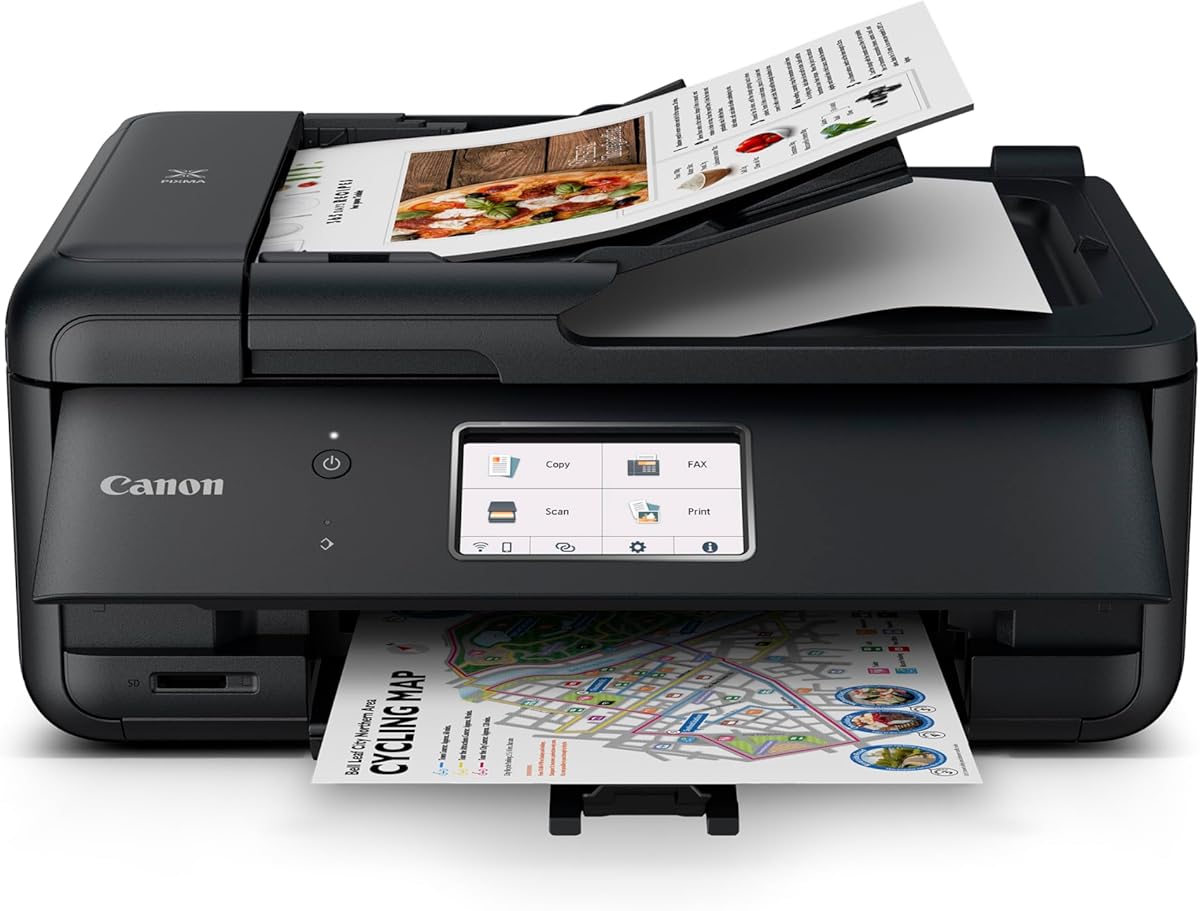
The Canon PIXMA TR4720 is a true 4-in-1 device that includes built-in fax capabilities alongside printing, copying, and scanning. Rated 3.8 stars, it is designed for home use where space is limited. It offers a balance of features and affordability for modern needs.
We may earn a commission when you buy through this link, at no additional cost to you.
Key benefits include an auto document feeder for scanning multiple pages and a 100-sheet tray. Setup is simplified through the Canon PRINT app. You get wireless printing and mobile fax access without needing a desktop computer.
The paper capacity is lower than business models which means more frequent refills. It is not built for heavy daily volumes. However, for moderate home use, the convenience and low price make it a strong contender.
This model is recommended for home offices that need all-in-one functionality without a high budget. If you want a simple machine that handles fax directly without apps, this is a top choice.
Print, copy, scan, and fax in one compact unit to save space and simplify daily office tasks efficiently.
The included auto document feeder allows for faster multi-page scanning and faxing compared to flatbed scanning alone.
We may earn a commission when you buy through this link, at no additional cost to you.
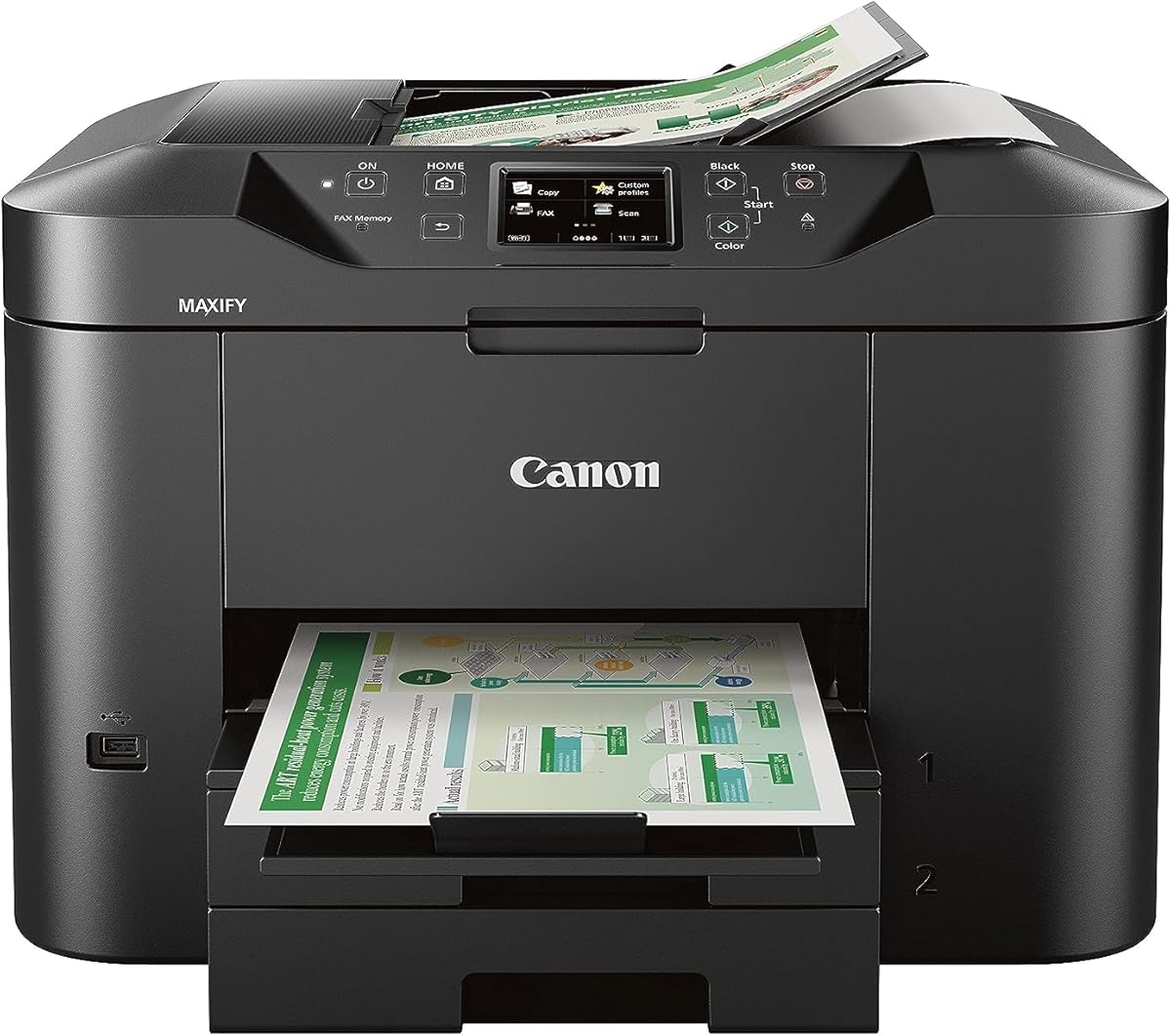
The Canon MAXIFY MB2720 is built for small businesses requiring high-volume fax and print capabilities. With a 3.9 rating, it offers durability and advanced features like dual-resistant ink that stays sharp under highlighters. It is a robust solution for professional needs.
We may earn a commission when you buy through this link, at no additional cost to you.
It features two paper cassettes totaling 500 sheets which reduces downtime. The 20,000 page duty cycle ensures longevity. Color printing is smudge resistant and mobile printing is supported via the Canon PRINT app for easy document management.
While the cost is higher than home models, the efficiency gains for businesses are significant. The need for frequent paper refills and the smudge-resistant output justify the investment. It is not necessary for casual home users.
Choose this if you run a business that relies on high output and document quality. It provides professional reliability and capacity that other budget models cannot match.
With 500 sheets and a 20,000 page duty cycle, this printer handles heavy workloads with minimal maintenance required.
Dual Resistant High Density inks ensure that your printed and faxed documents remain legible and professional.
We may earn a commission when you buy through this link, at no additional cost to you.
The Canon PIXMA TR8620a integrates smart technology with traditional fax functions making it stand out in the category. Rated 4.0 stars, it supports voice control via Alexa for notifications and reordering. It is a modern all-in-one that supports high-quality output.
We may earn a commission when you buy through this link, at no additional cost to you.
It includes 200 sheets of capacity and auto two-sided printing to save paper. The 15 ipm print speed ensures efficiency. You can use mobile apps or voice commands to manage documents which adds convenience to your workflow.
The smart reordering feature helps maintain supplies but requires setup. The initial setup may be more complex than simpler models. However, the automation benefits are valuable for busy users who want to minimize manual tasks.
This device is best for tech-savvy users who want seamless integration with their smart home. If you value voice control and large capacity, this model offers a premium experience.
Alexa integration allows you to check ink levels and order supplies using simple voice commands without a device.
Smart reorders ensure you never run out of ink automatically, keeping your business workflow uninterrupted and efficient.
We may earn a commission when you buy through this link, at no additional cost to you.
The Brother IntelliFAX-2840 uses laser technology to provide sharp text and fast transmission speeds. Rated 3.9 stars, it is ideal for offices prioritizing document clarity over color options. It focuses purely on fax functionality without printer distractions.
We may earn a commission when you buy through this link, at no additional cost to you.
It operates at 21 ppm which is faster than most inkjet models. The 200 x 300 dpi resolution ensures clean and readable documents. Being a dedicated machine it minimizes the risk of mixed errors between scanning and printing tasks.
The laser technology may be more expensive to maintain due to toner costs but the volume per page is often higher. It is larger than desktop inkjet models which requires dedicated space. It is best for users who want simplicity.
Choose this if your primary need is sending clear text documents frequently. For pure faxing needs where quality matters more than size, this laser option is a solid choice.
Laser technology delivers crisp, sharp text that is resistant to smudging and looks professional in every output.
With speeds up to 21 ppm, this machine handles high-volume faxing efficiently without long wait times for users.
We may earn a commission when you buy through this link, at no additional cost to you.
This renewed thermal transfer model offers basic fax and copy functions at a low cost. Rated 3.3 stars, it uses thermal technology which does not require toner or ink. It is a simple solution for users who send light volumes of faxes.
We may earn a commission when you buy through this link, at no additional cost to you.
It includes 512 KB memory and a 10 sheet ADF for scanning. The Energy Star certification indicates low power usage. It provides a straightforward interface for basic tasks without complex menus or connectivity options.
Thermal paper may fade over time which could be a disadvantage for legal documents. It also requires specific paper rolls. However, for short-term internal communication, the cost savings are substantial.
This model is best for users who want a low-cost, reliable thermal fax machine. If you need occasional scanning and faxing without ink costs, this unit is practical.
Energy Star certified design helps reduce power consumption while maintaining reliable faxing performance for daily tasks.
Simple operation with essential memory and feeder features makes this a hassle-free device for light office use.
We may earn a commission when you buy through this link, at no additional cost to you.
The Panasonic KX-FHD331 is a traditional plain paper fax machine designed for simple tasks. With a 2.7 rating, it offers basic features like caller ID and an answering machine interface. It is a no-frills option for users avoiding specialty paper.
We may earn a commission when you buy through this link, at no additional cost to you.
It uses standard plain paper which is convenient and widely available. The 9.6 Kpbs modem speed is slower but adequate for occasional use. It supports caller ID which helps manage incoming calls effectively.
Due to the low rating, reliability may be inconsistent compared to modern models. Users report mixed experiences with setup and print quality. However, if you find it at a deep discount it can serve basic needs.
This device is recommended only for users with minimal requirements who prefer plain paper. For higher reliability and faster speeds, newer models are generally preferred.
Using standard plain paper avoids the need for thermal rolls and ensures your documents stay legible over time.
Caller ID compatibility helps you manage incoming calls efficiently without needing a separate phone system or device.
We may earn a commission when you buy through this link, at no additional cost to you.
Selecting the right fax machine involves balancing cost with necessary features. We break down the key factors to ensure you get the best value.
Speed is critical if you send multiple documents daily. Look for modems rated at least 9,600 BPS to ensure pages are sent in under 20 seconds. Faster models reduce wait times and improve workflow efficiency.
Prioritize higher modem speeds if you are a business user. Home users may tolerate slower speeds but still benefit from faster connections to avoid jams.
Memory allows the machine to store outgoing documents if the line is busy. A capacity of at least 20 pages is recommended for smooth operation. This prevents the need to rescan documents if a transmission fails.
Ensure the machine has sufficient memory before purchasing. Low memory can lead to frustration during peak hours or when sending large batches.
Check the paper tray capacity to see how much paper you need to refill daily. Models with 50 to 100 sheets are common. Larger trays mean fewer interruptions during use.
Select a unit with a tray size matching your volume. Small capacities suit light usage but can be inefficient for daily office tasks.
Decide if you need a standalone fax or an all-in-one printer. Standalone units focus on faxing reliability while all-in-ones save space. This choice impacts your budget and desk space significantly.
Choose standalone for heavy faxing and all-in-one for limited space. Both have distinct advantages depending on your office layout.
Wireless fax machines allow sending from computers or mobile devices. This reduces the need to physically feed paper. Check if the model supports your specific operating systems or apps.
Opt for wireless if you need flexibility in sending documents. Wired models are simpler but limit where you can send faxes.
Consider the long-term cost of ink or toner. Some models use cartridges that are expensive over time. Thermal models need rolls while laser models need toner. Factor this into your total cost of ownership.
Evaluate the cost per page before buying. A cheap machine might cost more in the long run due to expensive consumables.
Warranty terms vary significantly between new and renewed products. Look for at least a one-year warranty on new units. Renewed units often have shorter coverage periods.
Verify the warranty details before purchasing. Good coverage provides peace of mind if the machine malfunctions early.
A simple interface makes daily operations easier. Complex menus can lead to errors. Look for machines with physical buttons for common tasks.
Prioritize intuitive controls. Simple layouts reduce training time for employees and prevent sending errors.
Place the machine near a phone jack and power outlet. Ensure the paper tray is filled and the cover is closed. Verify the phone line is not in use by other devices like alarms.
Regularly clean the glass scanner and feed rollers with a damp cloth. Dust can cause streaks or jams. This maintenance extends the life of the device significantly.
Check your ink or toner levels before sending large batches. Low supplies can lead to faded faxes. Replace cartridges promptly to maintain quality output.
Most cheap fax machines are designed for traditional phone lines. VoIP services may cause transmission issues due to compression. It is best to use a dedicated phone line for reliability. Check with your VoIP provider for fax settings.
Typical fax machines last between five to ten years with proper maintenance. Laser models often have longer lifespans than inkjet. Regular cleaning and timely paper changes extend longevity. Use them in clean environments.
All-in-ones save money by combining functions but may lack fax durability. Standalone units are specialized and often cheaper for pure faxing. Consider your total printing needs before deciding. Both options have cost benefits.
Traditional faxes require a physical phone line. Some modern devices send faxes via email or internet services. Check if the model supports internet faxing. If not, a phone line is mandatory for operation.
Most affordable fax machines only support black and white. Color faxing requires more complex technology. If color is not required for documents, monochrome is sufficient. Save costs by choosing black and white models.
Most machines store the document in memory. It will resume printing once paper is added. You do not need to rescan the document. This feature prevents loss of data during interruptions.
We have reviewed ten options ranging from dedicated standalones to modern all-in-ones. The Brother FAX-575 remains a top pick for reliability and the Canon PIXMA TR4720 offers the best value for basic home needs.
Prioritize memory and speed if you send many faxes daily. For casual use, a budget all-in-one might suffice. Ensure the model fits your workflow to avoid future frustration.
Prices and availability can change quickly on marketplaces. Always check the current listing details before buying. We hope this guide helps you find the right device for your specific requirements.