
Acer Nitro V
4.5Editor score
Intel Core i5 13420H Processor
NVIDIA GeForce RTX 4050 GPU
156 Inch FHD 165Hz Display
Choosing the right gaming laptop for college requires balancing power, portability, and budget. Students need devices that handle heavy coursework while delivering smooth gaming performance during free time. This guide explores ten top models designed to meet these diverse demands effectively.
We evaluated each laptop on processor speed, graphics capability, display quality, and battery life. Our analysis focuses on real-world usability for students who multitask between lectures, projects, and gaming sessions. The selected models offer a range of options to fit different needs and budgets.
Each pick highlights key strengths and potential trade-offs to help you make an informed decision. Remember that prices and availability can change frequently, so check current listings before purchasing. Use this guide to narrow down choices and find the best fit for your academic and gaming lifestyle.
4.5Editor score
4.5Editor score

4.4Editor score
As an Amazon Associate we earn from qualifying purchases.
The following table provides a side-by-side comparison of all ten selected gaming laptops. Review the specifications to understand how each model performs in key areas like processor speed, graphics capability, memory capacity, and storage options for college use.




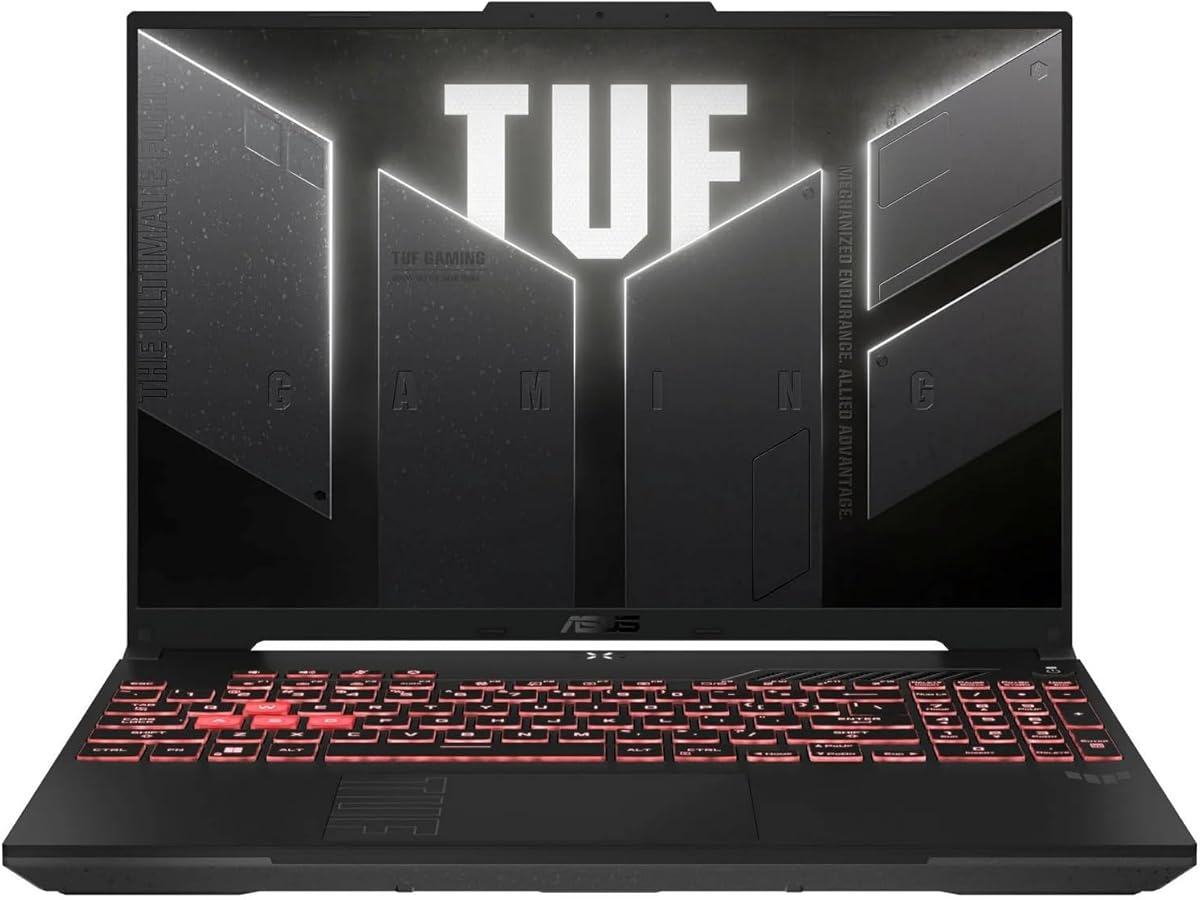
The ASUS TUF Gaming A16 stands out as a top choice for college students needing reliable performance. It combines a powerful AMD Ryzen 7 processor with NVIDIA RTX 4050 graphics to handle demanding games and academic software. The 16-inch display offers a crisp viewing experience for both work and play.
We may earn a commission when you buy through this link, at no additional cost to you.
Its Ryzen 7 7445HS processor ensures smooth multitasking between research, writing, and gaming. The RTX 4050 delivers excellent visuals in modern titles without excessive power draw. DDR5 RAM provides fast access to applications, reducing load times during critical study sessions or competitive matches.
While the build is durable, the weight may be a concern for students walking long campus distances. Battery life is typical for gaming laptops, requiring a charger for all-day use. These trade-offs are acceptable given the performance benefits it offers for rigorous academic and gaming workloads.
This laptop is ideal for students who prioritize performance and durability over ultra-portability. It supports complex tasks like video editing and 3D modeling alongside gaming. Choose this model if you need a workstation that can handle intensive software while providing a smooth gaming experience.
The Ryzen 7 processor supports running multiple heavy applications simultaneously without slowdowns, perfect for students managing research and gaming.
The 144Hz display ensures fluid motion in games and clear text for reading long documents or code during study sessions.
We may earn a commission when you buy through this link, at no additional cost to you.
The Acer Nitro V offers impressive value for students on a budget without sacrificing essential gaming performance. It features an Intel Core i5 processor and RTX 4050 graphics to run most modern titles smoothly. The 165Hz display enhances gaming fluidity while remaining suitable for general academic tasks.
We may earn a commission when you buy through this link, at no additional cost to you.
Its Intel Core i5-13420H processor provides strong performance for multitasking and media consumption. The RTX 4050 enables ray tracing and AI-enhanced graphics for immersive gaming experiences. DDR5 memory ensures quick access to active applications, reducing lag during online lectures or gameplay.
The base configuration includes only 8GB of RAM which may limit heavy multitasking. Users should consider upgrading RAM soon for optimal performance. The plastic chassis feels lighter but less durable than premium options, making it a good fit for stationary use in dorms.
This model is perfect for budget-conscious students who want solid gaming power. It handles most games well at medium settings and supports creative workloads. Choose the Nitro V if you need an entry-level gaming laptop that balances cost with capable hardware specifications.
This laptop delivers strong gaming capabilities at a lower price point than many competitors, making it accessible for students.
The design allows for RAM upgrades, letting you boost performance later as your needs grow during your college years.
We may earn a commission when you buy through this link, at no additional cost to you.
The ASUS ROG Strix G16 delivers premium performance for students who need top-end capabilities for gaming and professional work. It combines an Intel Core i7 processor with an RTX 5060 GPU to handle the most demanding applications. The 1TB storage ensures you have plenty of room for large files and game libraries.
We may earn a commission when you buy through this link, at no additional cost to you.
Its Core i7-14650HX processor enables extreme multitasking and fast rendering for complex projects. The RTX 5060 supports cutting-edge features like DLSS 4 for optimized gaming performance. DDR5 RAM and Gen 4 SSD ensure minimal latency when accessing files or launching applications.
The high price makes it less accessible for average budgets but worthwhile for serious users. Battery life is limited during intensive tasks, requiring frequent charging. These limitations are outweighed by the raw power and advanced features it offers for demanding academic and creative workloads.
This laptop is ideal for engineering students or content creators who need maximum power. It handles rendering, coding, and high-end gaming with ease. Choose the ROG Strix if you require a workstation-level laptop that also excels in gaming performance and visual quality.
Wi-Fi 7 ensures ultra-fast and stable internet connections, perfect for downloading large files and streaming high-quality video.
The 1TB SSD provides ample space for multiple games, large media files, and academic projects without needing external drives.
We may earn a commission when you buy through this link, at no additional cost to you.
The HP Victus 15 offers balanced performance for students needing reliable computing power without premium costs. It features an Intel Core i5 processor and RTX 3050 graphics to handle everyday gaming and academic tasks. The 16GB RAM ensures smooth multitasking for multiple browser tabs and applications.
We may earn a commission when you buy through this link, at no additional cost to you.
Its Core i5-12450H processor provides stable performance for productivity and moderate gaming. The RTX 3050 supports ray tracing for enhanced visuals in compatible games. Wi-Fi 6 maintains stable internet connectivity for online classes and streaming services without interruptions.
The GPU is older but sufficient for competitive titles at lower settings. Display brightness could be better for outdoor use. These limitations are acceptable for students prioritizing internal specs over external aesthetics or extreme visual fidelity in games.
This laptop is suitable for students needing a dependable all-rounder. It handles document editing, coding, and casual gaming effectively. Choose the Victus 15 if you want a balanced machine with ample RAM and solid performance for daily academic needs.
Windows 11 Pro includes features beneficial for business and academic workflows, enhancing security and management capabilities.
Wi-Fi 6 ensures fast and stable connections even when many devices are connected on the same network.
We may earn a commission when you buy through this link, at no additional cost to you.
The KAIGERR Light Gaming laptop is designed for students prioritizing portability and basic performance. It features an AMD Ryzen 7 processor and integrated Radeon graphics to handle light gaming and productivity tasks. The 16GB RAM supports smooth multitasking for web browsing and document editing.
We may earn a commission when you buy through this link, at no additional cost to you.
Its Ryzen 7 430U processor delivers efficient performance with up to 4.3GHz speed. The integrated graphics can handle less demanding titles and creative software. DDR4 RAM and NVMe SSD ensure responsive system performance for daily academic tasks.
Gaming performance is limited to lightweight titles due to integrated graphics. The chassis is compact but may lack durability for heavy travel. These trade-offs are acceptable for students needing a portable laptop for work with occasional gaming capability.
This model is perfect for students who carry their laptop daily and play light games. It balances portability with enough power for schoolwork. Choose the KAIGERR Light Gaming if you need a budget-friendly device for general use and minimal gaming.
The compact design makes it easy to fit into bags for daily commuting between classes or work.
It offers solid RAM and storage options at a low price, making it accessible for students on tight budgets.
We may earn a commission when you buy through this link, at no additional cost to you.
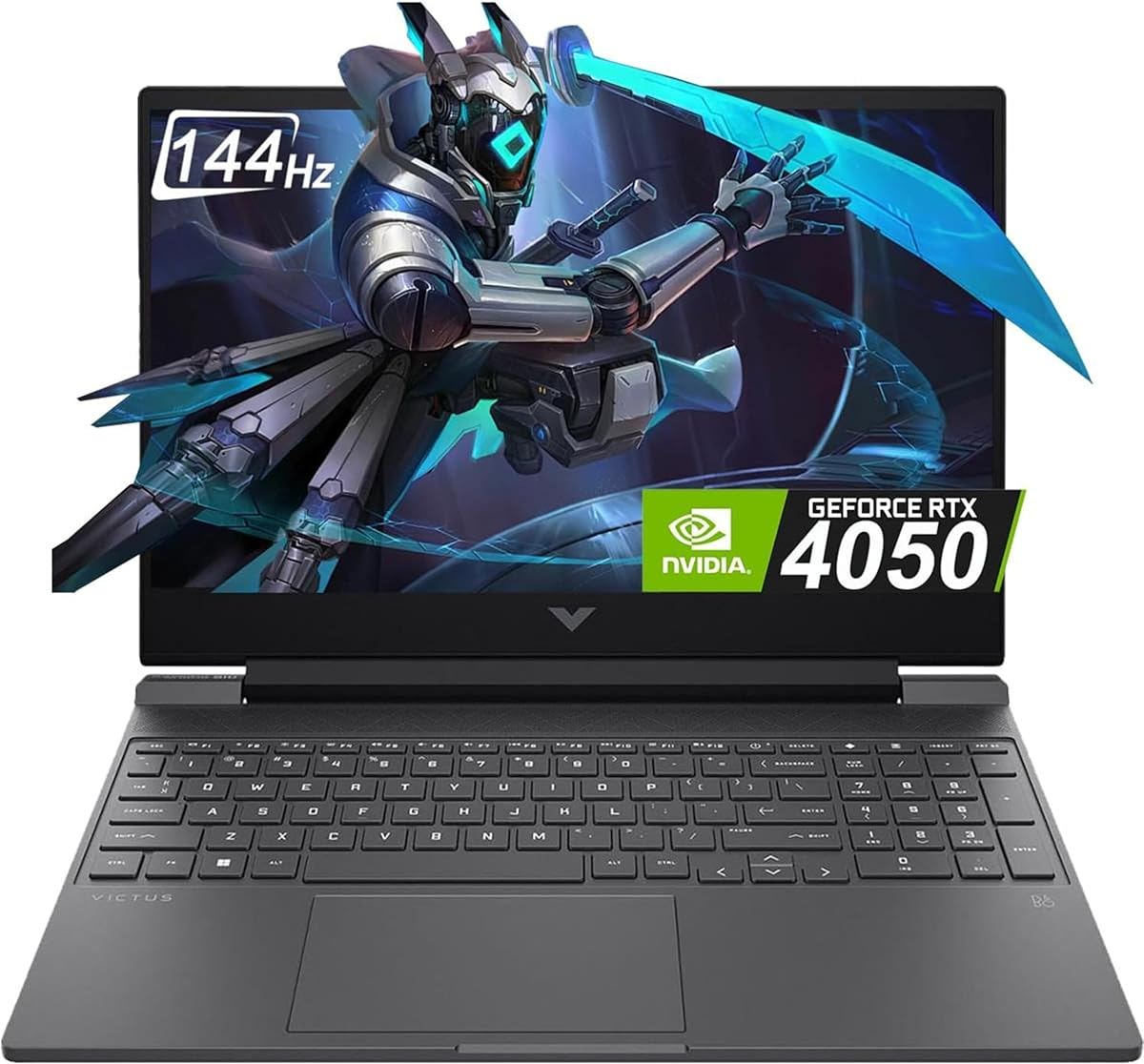
The HP Victus 15 2024 model updates the lineup with a newer GPU and processor for improved performance. It features an Intel Core i5 processor and RTX 4050 graphics to handle modern gaming and creative tasks. The 16GB RAM supports multitasking for multiple academic applications.
We may earn a commission when you buy through this link, at no additional cost to you.
Its Core i5-13420H processor provides efficient performance for daily workloads and gaming. The RTX 4050 enables better graphics performance compared to older models. The 144Hz display ensures fluid visuals in games and smooth scrolling through documents.
Using DDR4 RAM instead of DDR5 limits peak performance slightly. Build materials feel average compared to premium alternatives. These trade-offs are acceptable for students wanting modern GPU features without paying a premium price for newer memory standards.
This laptop is ideal for students needing a balanced modern gaming experience. It supports current games well and handles productivity tasks efficiently. Choose this 2024 model if you want a recent GPU at a competitive price point for college use.
The RTX 4050 supports latest gaming features and improved visual quality for competitive titles and single-player games.
The 144Hz refresh rate provides smooth visuals for both gaming and general content consumption without motion blur.
We may earn a commission when you buy through this link, at no additional cost to you.
The KAIGERR Light Gaming 5700U offers strong CPU performance for productivity with minimal weight. It features an AMD Ryzen 7 processor and integrated graphics to handle light gaming and academic tasks. The 16GB RAM ensures smooth multitasking for research and writing projects.
We may earn a commission when you buy through this link, at no additional cost to you.
Its Ryzen 7 5700U processor delivers high speeds with up to 4.3GHz turbo. Integrated Radeon graphics support casual gaming and video playback efficiently. DDR4 RAM and NVMe SSD provide quick access to files and applications.
Gaming capability is limited to lighter titles due to integrated graphics. The thin bezel design risks damage if not handled carefully. These trade-offs are acceptable for students prioritizing portability and CPU speed over high-end gaming performance.
This laptop is suitable for students needing a portable machine for schoolwork. It handles productivity tasks well while remaining light for travel. Choose this model if you need a budget-friendly laptop for general use and basic entertainment.
The 16GB RAM allows running multiple applications simultaneously without slowdowns during complex study sessions.
The processor design optimizes power use, extending battery life for longer study periods without charging.
We may earn a commission when you buy through this link, at no additional cost to you.
The KAIGERR 18.5 Light Gaming laptop offers a large display for immersive viewing at a budget price. It features an AMD Ryzen 5 processor and integrated graphics to handle light gaming and academic tasks. The 16GB RAM supports smooth multitasking for productivity applications.
We may earn a commission when you buy through this link, at no additional cost to you.
Its Ryzen 5 7430U processor provides decent speeds with up to 4.3GHz turbo. The large display offers ample space for multitasking between documents and research. DDR4 RAM and NVMe SSD ensure quick access to files and applications.
The size makes it less ideal for daily carrying between classes. Gaming performance is limited to lighter titles due to integrated graphics. These trade-offs are acceptable for students working primarily in fixed locations like dorms or libraries.
This laptop is ideal for students needing a large screen without high cost. It handles productivity tasks well and supports casual gaming. Choose this model if you prioritize screen real estate and budget over portability.
The 18.5 inch screen provides extra space for split-screen work and comfortable viewing of media or documents.
It offers a large display at a price point lower than most competitors with similar screen sizes.
We may earn a commission when you buy through this link, at no additional cost to you.
The HP Victus 15 2022 model offers reliable performance for students needing a proven gaming laptop. It features an Intel Core i5 processor and RTX 3050 graphics to handle modern gaming and productivity tasks. The enhanced thermals maintain stable performance during long usage periods.
We may earn a commission when you buy through this link, at no additional cost to you.
Its Core i5-12500H processor provides strong computing power for multitasking and rendering. The RTX 3050 supports ray tracing for improved visuals in games. Windows 11 Home includes useful features for productivity and security.
The 8GB RAM may limit heavy multitasking for power users. Being a previous generation model, it may lack the latest connectivity features. These trade-offs are acceptable for students seeking a proven platform at a lower price point.
This laptop is ideal for students needing a dependable machine for gaming and school. It handles moderate gaming and productivity well with stable thermals. Choose this model if you prioritize performance stability over having the newest hardware features.
Improved cooling keeps the system stable during long gaming sessions without throttling performance.
The 12th Gen CPU offers strong performance for academic software and gaming titles available at release.
We may earn a commission when you buy through this link, at no additional cost to you.
The NIMO 15.6 Light Gaming laptop blends business design with light gaming capabilities for versatile use. It features an AMD Ryzen 5 processor and integrated Radeon graphics to handle productivity and basic gaming tasks. The 16GB DDR5 RAM ensures smooth performance for multitasking.
We may earn a commission when you buy through this link, at no additional cost to you.
Its Ryzen 5 6600H processor offers strong speeds with up to 4.5GHz turbo for demanding tasks. DDR5 RAM provides faster data access than DDR4 models. The USB Type-C charging allows compatibility with standard chargers for convenience.
Gaming performance is limited to lightweight titles due to integrated graphics. It may lack specialized gaming features found in dedicated gaming laptops. These trade-offs are acceptable for students needing a professional look with some gaming capability.
This laptop is perfect for business students needing a professional device for presentations and light play. It supports productivity tasks and basic gaming efficiently. Choose this model if you need a versatile laptop for business and personal use.
The fingerprint sensor adds an extra layer of security for protecting academic and personal data.
USB Type-C charging reduces cable clutter and allows using standard adapters for power.
We may earn a commission when you buy through this link, at no additional cost to you.
Selecting the right gaming laptop involves balancing performance, portability, and budget. Consider these key factors to find a device that supports both academic work and gaming.
The processor determines how well a laptop handles multitasking and complex applications. For college students, look for Intel Core i5 or AMD Ryzen 5 processors or higher to manage research, coding, and gaming without lag.
Prioritize recent generations like 13th Gen Intel or Ryzen 7000 series for optimal efficiency and performance longevity.
Graphics cards affect gaming visuals and creative software performance. Dedicated GPUs like NVIDIA RTX 4050 or higher provide better performance than integrated graphics for gaming and rendering tasks.
If gaming is a priority, choose a model with a dedicated GPU to ensure smooth frame rates in modern titles.
Memory and storage impact multitasking and file access speeds. Aim for at least 16GB of RAM to handle multiple browser tabs and applications simultaneously without slowdown.
A 512GB SSD offers fast boot times and ample storage for files, while 1TB is better for large game libraries.
A high-quality display enhances both gaming and reading comfort. Look for Full HD resolution with at least 144Hz refresh rate for smooth motion and reduced eye strain during long study sessions.
IPS panels provide better color accuracy and viewing angles compared to TN panels for better overall image quality.
Students often carry laptops between classes, so weight matters. Lightweight models under 5 pounds are easier to transport but may sacrifice battery life or cooling.
Balance portability with performance needs based on how much you plan to move your device daily.
Gaming laptops typically have shorter battery life due to power-hungry components. Look for models offering 6 hours or more of general use to last through a day of classes without a charger.
Efficient processors and larger battery capacities help extend usage time between charges.
Modern laptops should offer multiple USB ports, HDMI, and Wi-Fi 6 or newer for fast internet. These ports allow connecting peripherals, monitors, and accessories needed for coursework or gaming setups.
Ensure the laptop has enough ports to avoid needing extra dongles or adapters.
A sturdy build protects your investment during transport and daily use. Look for metal chassis or reinforced frames if you plan to travel frequently with your laptop.
Check warranty terms and customer support options to ensure long-term reliability for your device.
Keep your laptop clean by using a soft cloth and compressed air to remove dust from vents and keyboards. Avoid eating or drinking near the device to prevent spills that could damage internal components.
Manage battery health by avoiding letting it drain completely too often and keeping it plugged in during intensive tasks. Adjust power settings to balance performance and battery life based on your current activity needs.
Organize files and applications regularly to maintain system performance. Use storage management tools to delete unused programs and clear temporary files to keep the operating system running smoothly.
Yes, gaming laptops are powerful enough for demanding academic work including coding, data analysis, and video editing. Their high-performance components ensure smooth operation for both study tasks and leisure.
Models with efficient processors like AMD Ryzen 5 or newer Intel Ultra series tend to offer better battery life. However, gaming laptops typically have shorter battery life than standard ultrabooks during intensive tasks.
Many gaming laptops allow RAM and storage upgrades via accessible slots. Check specific model specifications to confirm if upgrades are possible before purchase to ensure future-proofing.
Gaming laptops can be heavier due to cooling systems and larger components. Lightweight models exist but may compromise on performance. Consider your daily commute distance when choosing a model.
For modern gaming, an NVIDIA RTX 4050 or higher is recommended. These GPUs balance performance and power efficiency well for most titles at medium to high settings.
A higher refresh rate like 144Hz or 165Hz provides smoother visuals during gaming and scrolling. It enhances the overall experience but is less critical for pure academic productivity tasks.
The ASUS TUF Gaming A16, Acer Nitro V, and ASUS ROG Strix G16 stand out as top picks for different student needs. Each offers unique strengths in performance, budget value, and premium features.
Prioritize performance and portability based on your specific academic and gaming requirements. Choose a model that balances power with battery life and weight for daily campus life.
Prices and availability fluctuate frequently so check current listings before making a purchase. Use this guide as a reference to find the right laptop that fits your budget and lifestyle.