
Omada AC1350 Wireless Access Point
4.6Editor score
Affordable price under sixty dollars
Gigabit Ethernet ports included
Mesh network capability built-in
This guide compares the top ten POE Access Point models for reliable wireless networking featuring Wi-Fi 6 and 7 speeds alongside seamless cloud management.
Choosing the right POE Access Point is crucial for businesses and homes needing stable high-speed internet across large areas. Modern devices support advanced standards like Wi-Fi 6 and 7 ensuring faster connections and better device handling. Understanding key features helps you pick a model that fits your specific network demands without overspending on unnecessary specs.
We evaluated ten leading models based on performance features ease of setup and value for money. Each unit was reviewed for speed capabilities coverage range and compatibility with existing network equipment. Our analysis focuses on real-world usage scenarios ensuring you get reliable connectivity whether for a small office or a sprawling property.
Each pick highlights unique strengths like weatherproofing cloud management or ultra-fast gigabit ports to suit different needs. While we aim to provide accurate information remember that stock and pricing can fluctuate frequently online. We recommend checking the latest offers before purchasing to ensure you get the best deal on your selected network hardware.
4.6Editor score

4.5Editor score

4.7Editor score
This side-by-side comparison highlights the key specifications and features of ten top-rated POE Access Point models available today.


The Omada AX3000 stands out as a top choice for modern wireless networks requiring reliable high speed connectivity. With a rating of 4.5 stars it offers a solid balance of performance and ease of use. Its standout qualities include free cloud management and ultra-fast Wi-Fi 6 speeds suitable for demanding environments.
We may earn a commission when you buy through this link, at no additional cost to you.
This access point delivers true Wi-Fi 6 speeds up to 2976 Mbps using advanced technologies like 1024-QAM and OFDMA. The integrated Omada SDN platform allows for centralized management across multiple sites without needing expensive hardware controllers. You can manage the network remotely via the Omada app ensuring seamless roaming and load balancing for connected devices.
While performance is strong there are some trade-offs to consider before buying. The device supports mesh and seamless roaming but requires an Omada SDN controller which adds complexity for small setups. Powering options are flexible but you may need a separate PoE switch or adapter if one is not included.
Businesses and schools looking for scalable enterprise grade WiFi should consider this model. The 5-year warranty and technical support provide peace of mind for long term deployments. It is an excellent fit for those who want high speed internet without breaking the budget.
You can manage your entire network remotely through the Omada app without paying additional fees for controllers.
The device supports Wi-Fi 6 technology delivering speeds up to 2976 Mbps for faster data transfers.
We may earn a commission when you buy through this link, at no additional cost to you.
The Omada BE5000 represents the cutting edge of wireless technology with support for Wi-Fi 7 standards. Rated 4.7 stars it is ideal for users needing maximum speed and capacity. Its premium features include a 2.5G port and the ability to handle over 250 concurrent clients without lag.
We may earn a commission when you buy through this link, at no additional cost to you.
Equipped with 4-stream Wi-Fi 7 this access point delivers speeds up to 5.0 Gbps across dual bands. The 2.5 Gigabit Ethernet port ensures that wired connections are not a bottleneck for your network. Advanced features like Multi-Link Operation and 4K-QAM enhance reliability and data capacity significantly.
Despite its power there are considerations to keep in mind for practical deployment. The price is higher than standard models which might be a barrier for budget constrained projects. Additionally to benefit fully from Wi-Fi 7 speeds you need compatible client devices which are not yet universally common.
For enterprises or tech enthusiasts wanting the fastest available wireless speeds this is a top choice. The flexible deployment options including PoE and DC power make installation straightforward. Invest in this if you need future-proof hardware that can handle growing network demands.
Enjoy faster speeds and better reliability with support for the latest Wi-Fi 7 wireless standards.
This port supports high-speed networking and prepares your network for future broadband upgrades.
We may earn a commission when you buy through this link, at no additional cost to you.
The Omada AC1350 offers exceptional value for small businesses or home users needing reliable WiFi. With a strong 4.6 rating it provides solid performance at a budget friendly price point. Key features include gigabit ports and support for seamless roaming to keep devices connected.
We may earn a commission when you buy through this link, at no additional cost to you.
This unit delivers AC1350 dual band speeds suitable for general streaming and browsing tasks. The built-in mesh capability allows you to extend coverage easily without running extra cables. Omada SDN integration ensures you can monitor and control the network remotely with ease.
While cost effective it lacks the advanced speed of newer Wi-Fi 6 models. Users with heavy bandwidth needs might find the older standard limiting for future growth. Also gig client capacity is lower so it may not suit environments with hundreds of devices.
This model is perfect for those starting a network on a tight budget. The 5-year warranty adds significant value and confidence to your purchase. It is a great entry point into professional grade wireless networking solutions.
You get professional grade features at an affordable price point perfect for small setups.
Built-in mesh support allows flexible network expansion without needing additional wiring infrastructure.
We may earn a commission when you buy through this link, at no additional cost to you.
The Omada AX1800 brings Wi-Fi 6 efficiency to a compact design ideal for modern offices. Rated 4.6 stars it balances speed and aesthetics well. Its standout features include 4 spatial streams and an ultra-slim profile that blends into any room.
We may earn a commission when you buy through this link, at no additional cost to you.
With speeds up to 1800 Mbps it handles multiple devices efficiently using OFDM and 1024-QAM technologies. The device integrates seamlessly into Omada SDN allowing remote management and load balancing. You can power it via PoE or DC adapter making deployment versatile.
Potential buyers should note that full features require an Omada SDN controller. While standalone mode works some advanced roaming capabilities need centralized management. This might add cost or complexity for those wanting a plug and play experience.
Schools and cafes needing a sleek reliable solution will appreciate this model. The 5-year warranty ensures long term reliability for business investments. It is a strong middle ground between budget and premium options.
The compact elegant appearance makes it blend seamlessly into modern offices or classrooms.
Designed with the latest wireless Wi-Fi 6 technology for faster and more efficient data transmission.
We may earn a commission when you buy through this link, at no additional cost to you.
The Omada AC1200 Outdoor is built to withstand harsh weather while providing strong coverage. Rated 4.2 stars it offers reliable connectivity for patios or warehouses. Key features include IP65 weatherproofing and support for up to 300 meters of range.
We may earn a commission when you buy through this link, at no additional cost to you.
Equipped with MU-MIMO technology it delivers 1200 Mbps to multiple devices simultaneously. The durable enclosure protects against rain dust and extreme temperatures effectively. It integrates with Omada SDN for centralized control across indoor and outdoor sites.
While reliable older Wi-Fi 5 technology limits maximum speed potential. Newer models offer faster rates which might be better for high bandwidth needs. Also the IP65 rating is good but newer models have IP67 for better waterproofing.
This device is perfect for securing outdoor wireless coverage on a budget. Its discreet appearance fits indoor scenarios too if needed. Choose this for stable connectivity in challenging environmental conditions.
Features IP65-rated construction ensuring reliable performance in rain dust and extreme temperatures.
Provides stable wireless coverage up to 300 meters at 5GHz in outdoor settings.
We may earn a commission when you buy through this link, at no additional cost to you.
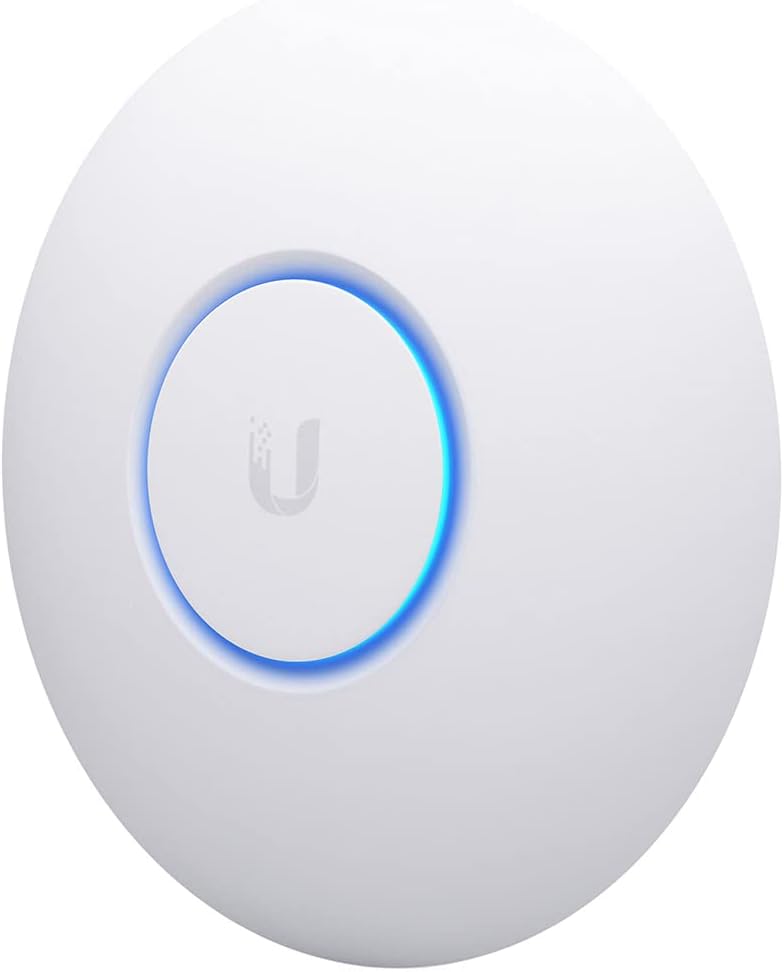
The Ubiquiti nanoHD is a compact powerhouse designed for professional environments with many devices. With a 4.7 rating it is known for stability and high user capacity. Its small size allows it to fit discreetly into ceilings or walls.
We may earn a commission when you buy through this link, at no additional cost to you.
Supporting four streams of 802.11ac Wave 2 it ensures efficient data transfer to many devices at once. The unit supports over 200 concurrent users making it great for crowded offices. Optional covers are available to help it blend into the environment aesthetically.
It relies on UniFi Controller software which can be complex for beginners. You need a computer or hardware controller running the software to manage settings effectively. Also it uses the older Wi-Fi 5 standard which may not suit future proofing.
For businesses needing a robust and discreet AP this model excels. It offers professional grade performance at a reasonable cost. Choose this if you value compact design and high reliability.
The nanoHD design ensures simple installation while saving space in tight areas.
Supports 200 plus concurrent users for stable performance in busy environments.
We may earn a commission when you buy through this link, at no additional cost to you.
The Ubiquiti U6 Plus provides high-speed reliable business networking with modern Wi-Fi 6 support. Rated 4.6 stars it offers robust connectivity for demanding applications. Key features include a 3 Gbit/s transmission rate and efficient data encryption.
We may earn a commission when you buy through this link, at no additional cost to you.
This access point features a Gigabit Ethernet port and PoE+ port for easy installation. The wall mountable form factor ensures comfortable and fatigue-free usage. It supports a wide range of wireless standards for trouble-free connectivity.
Price is a consideration as it costs more than budget alternatives. You also need to be comfortable with the UniFi ecosystem for management. This might not be ideal for those looking for simple cloud-only control.
Businesses needing consistent and high-speed internet will benefit from this model. The reliable encryption and standard support ensure secure connections. Pick this if you want a proven reliable solution.
With 3 Gbit/s wireless transmission speed it provides high and efficient communication.
Wall mountable form factor ensures maximum comfort and pain-free usage.
We may earn a commission when you buy through this link, at no additional cost to you.
The Ubiquiti U6 Plus AP is designed specifically for expanding your existing wireless network. With a 4.6 rating it offers a stable connection for growing environments. It features 2×2 dual-band technology for optimal coverage.
We may earn a commission when you buy through this link, at no additional cost to you.
This unit supports 1xGbE PoE connection which simplifies installation by combining data and power. The dual-display support helps visualize network status effectively. It is a solid choice for integrating into larger business networks.
Details are somewhat basic compared to other models so advanced features may need exploration. You must use UniFi controllers to manage the device settings. This requires a specific ecosystem familiarity which might limit flexibility.
For those looking to add more access points to a UniFi setup this fits well. It ensures consistent performance across the expanded network area. Select this if you prioritize seamless expansion.
This access point is designed specifically for network expansion in business settings.
Features 1xGbE PoE connection for easy deployment without extra power cables.
We may earn a commission when you buy through this link, at no additional cost to you.
The Omada BE5000 EAP723 brings next-gen Wi-Fi 7 speeds to your business network. Rated 4.6 stars it offers incredible bandwidth for heavy usage. Key features include 240 MHz bandwidth and a 2.5G port.
We may earn a commission when you buy through this link, at no additional cost to you.
This unit delivers up to 5000 Mbps combined speed across dual bands. The 240 MHz bandwidth enables many more simultaneous transmissions effectively. It ensures high performance with Multi-RUs technology for stability.
Note that no DC adapter is included so you must plan for PoE power. This can save cost but requires compatible switches. Also full features depend on centralized management software which adds setup time.
Ideal for enterprises needing the fastest wireless speeds available today. It prepares your network for future demands efficiently. Choose this for high performance and reliability.
Dual-band Wi-Fi 7 provides incredible speeds and capacity for demanding networks.
A 2.5G port unlocks the full potential of modern wireless technology.
We may earn a commission when you buy through this link, at no additional cost to you.
The Omada AX3000 Outdoor delivers superior weatherproof performance with Wi-Fi 6 speeds. Rated 4.4 stars it is built for harsh outdoor conditions. Key features include IP67 rating and high gain antennas.
We may earn a commission when you buy through this link, at no additional cost to you.
With speeds up to 2976 Mbps it handles heavy loads even outside. The IP67 enclosure protects against rain dust and extreme temperatures. It offers the best outdoor wireless experience for patios or warehouses.
Advanced features like seamless roaming require Omada SDN controllers. This adds complexity for basic setups. Also it is pricier than older AC models which might limit budget options.
Best for businesses needing fast reliable outdoor connectivity. The durable build ensures long term reliability. Pick this if you need high performance outdoors.
Features IP67 weatherproof enclosure protecting against harsh outdoor conditions reliably.
Dedicated high gain antennas ensure best outdoor wireless experiences.
We may earn a commission when you buy through this link, at no additional cost to you.
Selecting the right POE Access Point involves evaluating several key factors to ensure optimal performance.
Choose between Wi-Fi 5 6 or 7 based on your speed needs. Wi-Fi 6 offers better efficiency and capacity for multiple devices.
Wi-Fi 7 provides future-proofing but requires compatible clients for full speed.
Ensure your switch supports the required PoE standard such as 802.3af or at. Higher power needs may require a PoE+ switch.
Check if the device includes a DC adapter for backup power options.
Outdoor units need weatherproof ratings like IP65 or IP67 to withstand elements. Indoor models are lighter and often cheaper.
Select based on where the device will be installed permanently.
Look for cloud management options if you prefer remote control. Some systems require hardware controllers for full features.
Evaluate ease of setup and ongoing maintenance capabilities.
Check the maximum number of concurrent users the device supports. High density areas need models with higher capacity.
Too many devices on a single unit can slow down speeds significantly.
Gigabit ports are essential for wired connections to avoid bottlenecks. Future-proof models may include 2.5G ports.
Ensure your network cabling matches the port speed requirements.
Long warranties like 5 years indicate manufacturer confidence. Check if technical support is included with the purchase.
Good support can save money and downtime if issues arise.
Balance the cost with features needed for your specific use case. Cheaper units may lack advanced security or speed.
Invest in quality to avoid frequent replacements and upgrades.
Start by connecting the access point to your PoE switch using an Ethernet cable. If using DC power connect the adapter to a nearby outlet.
Install the management software or app provided by the manufacturer. Follow the on-screen instructions to configure your network settings securely.
Place the device in a central location away from obstructions and electronic interference. Regularly update firmware to maintain security and performance.
A POE Access Point is a wireless network device that receives both data and power through a single Ethernet cable. This simplifies installation by eliminating the need for nearby electrical outlets. It is ideal for ceiling or wall mounting in large spaces.
Yes you typically need a PoE switch or injector to power the device. Some models come with a passive PoE adapter for basic setups. Always check the voltage requirements to ensure compatibility.
Absolutely these devices work well for large homes needing whole-house coverage. They offer better stability than standard home routers. Just ensure you have enough wired Ethernet ports for setup.
Wi-Fi 7 offers faster speeds and lower latency than Wi-Fi 6. It supports newer features like 4K-QAM and 240 MHz bandwidth. However Wi-Fi 7 clients are not yet widespread so consider current needs.
Most business models use centralized software like Omada SDN or UniFi. These platforms allow you to control all units from one dashboard. Some offer cloud management for remote access.
Yes outdoor units typically have IP65 or IP67 ratings to resist water. This allows them to function in rain dust and extreme temperatures. Always check the specific rating before purchasing.
Modern models support between 200 to 250 concurrent clients. Older AC models may have lower limits around 200. Choose based on the density of users in your area.
Yes advanced mesh and seamless roaming often require a hardware or software controller. Some standalone units offer basic mesh without one. Check the specs to confirm requirements.
Choosing the right POE Access Point depends on your specific network needs and budget. The top picks include the Omada AX3000 for overall value and the Omada BE5000 for premium speed. Each model offers unique strengths to suit different environments.
Prioritize features like Wi-Fi 6 or 7 support for future proofing your setup. Consider management options that fit your technical skills and available time. Reliable connectivity is key for productivity and smooth operations.
Remember to check current prices and availability before making a final decision. Deals may change frequently so verify the latest offers online. Select a model that ensures long term satisfaction and performance.