
LG 27GX704A-B
4.5Editor score
VESA DisplayHDR True Black 400
Dual HDMI 2.1 for console support
Glossy panel with anti glare finish
This guide compares the best OLED Monitor for PS5 Pro to help you choose the perfect display with high refresh rates and vibrant colors for immersive gaming.
Finding the right display for your next generation console is crucial for immersive gameplay. An OLED Monitor for PS5 Pro offers incredible contrast and fast response times that traditional screens cannot match. This guide explores top models tailored for high performance and visual fidelity.
We evaluated ten leading monitors based on resolution, refresh rate, and OLED technology type. Each product was analyzed for connectivity options, color accuracy, and protective features against burn-in. Our goal is to help you find a screen that maximizes your console capabilities.
Each pick highlights specific strengths like brightness, HDR performance, or gaming features. While we focus on specs and real-world utility, remember that prices fluctuate often. Check current listings before buying to ensure you get the best value available right now.
4.5Editor score

4.6Editor score

4.6Editor score
The following table provides a quick side-by-side view of the top ten OLED monitors evaluated for PS5 Pro compatibility. We include key specifications like resolution, refresh rate, panel type, and response times to help you compare models at a glance before diving into detailed reviews.




The ASUS ROG XG27AQDMGR stands out as the top choice for PS5 Pro owners seeking a premium OLED experience. With a 4.6 rating, it delivers exceptional visual fidelity and smooth performance. Its QHD resolution paired with 240Hz refresh rate ensures crisp imagery and minimal lag.
We may earn a commission when you buy through this link, at no additional cost to you.
This monitor features advanced OLED Care Pro technology with a Neo Proximity Sensor that detects user absence and switches to a black screen to prevent burn-in. The VESA DisplayHDR 400 True Black compliance and 99% DCI-P3 gamut provide deep blacks and vibrant colors ideal for gaming.
While the glossy finish enhances contrast and sharpness, it can reflect ambient light in bright rooms. The 0.03ms response time eliminates ghosting effectively. The inclusion of DisplayWidget Center software simplifies settings adjustments via mouse which is convenient for desktop users.
Ideal for competitive gamers and content creators who need accurate colors and fast refresh rates. The 3-year warranty with burn-in coverage adds peace of mind. If you want a balanced mix of speed and visual quality this monitor is highly recommended for your PS5 Pro setup.
The Neo Proximity Sensor ensures the screen goes dark when you step away reducing pixel wear and extending the lifespan of the OLED panel significantly.
The TrueBlack Glossy surface provides a zero-haze look that enhances text clarity and image sharpness making visuals pop during intense gaming sessions.
We may earn a commission when you buy through this link, at no additional cost to you.
The LG 27GX704A-B offers an excellent entry point into high-performance OLED gaming without breaking the bank. Its 4.5 rating reflects strong performance in key areas like refresh rate and connectivity. The glossy finish ensures sharp visuals that are perfect for fast-paced action games.
We may earn a commission when you buy through this link, at no additional cost to you.
With dual HDMI 2.1 ports it supports next-gen console features natively. The display reaches a peak brightness of 1300 nits in HDR mode ensuring vibrant explosions and detailed dark scenes. It also features three UL certifications for anti-glare flicker-free and low blue light protection.
While the standard brightness sits at 275 nits which is decent but not class-leading. The On-Screen Control settings allow for fine-tuning but lack the automated ease of some rivals. The adjustable stand provides height tilt swivel and pivot controls for ergonomic comfort.
Best for budget-conscious gamers who want high refresh rates and solid OLED quality. It handles multiple devices well and ensures smooth gameplay with G-Sync and FreeSync compatibility. If you need a reliable monitor for PS5 Pro at a lower price this is a great pick.
Dual HDMI 2.1 ports mean you can connect your PS5 Pro and other devices without needing extra cables or adapters for full bandwidth support.
Three UL certifications ensure the panel reduces eye strain during long sessions by minimizing flicker and blue light exposure significantly.
We may earn a commission when you buy through this link, at no additional cost to you.
Samsung delivers a striking visual experience with the Odyssey OLED G5 featuring QD-OLED technology for richer colors and deeper blacks. Rated 4.4 it balances performance with affordability in the QD-OLED segment. The QHD resolution ensures sharp text and crisp edges in every frame.
We may earn a commission when you buy through this link, at no additional cost to you.
This monitor includes OLED Safeguard with a Thermal Modulation System to actively prevent burn-in by managing panel heat. The Glare Free technology keeps screens clear of reflections making it suitable for various room lighting conditions. Pantone validation ensures accurate reproduction of over 2100 colors.
The 180Hz refresh rate is fast but trails behind 240Hz options available. HDR10 support provides brighter highlights but lacks the peak brightness of higher tier panels. Auto Source Switch+ makes connecting multiple devices seamless without manual input changes.
Ideal for those who prioritize color accuracy and anti-glare performance over raw speed. It fits well in setups where glare is a concern. If you want vibrant QD-OLED visuals at a competitive price this monitor delivers a compelling gaming experience for PS5 Pro users.
The Thermal Modulation System actively cools the panel to prevent overheating which helps maintain longevity and prevents burn-in effectively.
Pantone Validated screen ensures 2100 plus colors are reproduced accurately for immersive gameplay and professional grade visual tasks.
We may earn a commission when you buy through this link, at no additional cost to you.
The ASUS ROG XG32UCWG brings a massive 32-inch 4K OLED experience to the table. Rated 4.3 it is ideal for immersive single-player games and content creation. The TrueBlack Glossy panel offers a zero-haze surface that makes images look exceptionally sharp and vibrant.
We may earn a commission when you buy through this link, at no additional cost to you.
Its dual mode display technology allows switching between 4K at 165Hz and FHD at 330Hz. This flexibility suits different types of games and applications. USB-C connectivity with 15-watt power delivery supports laptops and consoles simultaneously with ease.
The 165Hz refresh rate is smooth but might lag behind competitive gaming options that push 240Hz. Professional color accuracy with Delta E less than 2 makes it great for photo editing too. The 3-year warranty provides good coverage for such a premium device.
Best for users seeking a large high-resolution canvas for both gaming and productivity. It handles detailed visuals well and supports modern interfaces. If you want a 4K OLED monitor that doubles as a workstation display this model is a strong candidate.
Switch between 4K for visuals and FHD for speed allowing you to tailor the display to your specific game genre.
USB-C with power delivery simplifies cable management by supporting data video and power over a single connection.
We may earn a commission when you buy through this link, at no additional cost to you.
The ASUS ROG XG27UCDMG represents the pinnacle of OLED performance with 4K resolution at 240Hz. Rated 4.6 it delivers crisp text and sharper imagery thanks to 4th-generation QD-OLED tech. It is built for those who demand the absolute best in speed and clarity.
We may earn a commission when you buy through this link, at no additional cost to you.
It features OLED Anti-Flicker 2.0 which reduces flicker by 20% compared to previous panels improving eye comfort. The custom heatsink design ensures optimal thermal management during long sessions. VESA DisplayHDR 400 True Black compliance provides stunning dynamic range.
While the price is high the features justify it for enthusiasts. The Neo Proximity Sensor helps mitigate burn-in risks automatically. The Adobe Creative Cloud subscription adds value for creative professionals. This monitor is a significant investment in visual quality.
Ideal for power users who need top-tier specs for competitive gaming and media editing. It handles intense graphics without compromise. If you want a future-proof display with advanced thermal management this premium model is unmatched in the market.
Anti-Flicker 2.0 uses a new luminance algorithm to reduce flicker significantly enhancing viewing comfort over long sessions.
A custom heatsink design ensures the panel stays cool during extended use preventing thermal throttling and ensuring longevity.
We may earn a commission when you buy through this link, at no additional cost to you.
The ASUS ROG XG34WCDG offers a wide 34-inch canvas that immerses you deeper into games. Rated 4.5 it brings QD-OLED technology to ultrawide setups. The 175Hz refresh rate ensures smooth motion which is vital for racing and simulation games.
We may earn a commission when you buy through this link, at no additional cost to you.
Extreme Low Motion Blur technology delivers crystal-clear visuals during fast-paced action. It includes ROG Gaming A.I technology for intelligent optimization. The DisplayWidget Center app makes settings adjustments easy via mouse. OLED Care Pro functions protect against burn-in risks.
The curved design enhances peripheral vision but may not suit all genres equally. It is great for simulators but requires careful calibration for productivity. The 3-year warranty adds confidence. It transforms a desk into a panoramic cinema for gaming.
Best for fans of flight simulators and racing games who want edge-to-edge visuals. The ultrawide aspect ratio creates a unique perspective. If you value immersion over standard aspect ratios this monitor delivers a truly unique gaming experience for PS5 Pro.
The curved ultrawide design wraps around your field of view enhancing presence and immersion in supported games.
ROG Gaming A.I technology adjusts settings automatically to enhance performance and visual quality in real time.
We may earn a commission when you buy through this link, at no additional cost to you.
The ASUS ROG PG27UCDM is designed for serious gamers needing top specs in a compact form. Rated 4.5 it supports 4K resolution at 240Hz. The DisplayPort 2.1a with 80Gbps bandwidth ensures future-ready connectivity for high-resolution high frame rate content.
We may earn a commission when you buy through this link, at no additional cost to you.
It includes a tripod socket which is rare and useful for multi-screen setups. OLED Anti-Flicker 2.0 ensures comfortable viewing during long sessions. The Neo Proximity Sensor switches to black screen when away to reduce burn-in risk. This monitor is built for speed and durability.
The premium price reflects its advanced features and build quality. It handles high resolutions well without sacrificing speed. The connectivity options cover all bases including HDMI 2.1 and USB-C. It is a specialized tool for competitive play.
Ideal for gamers who want 4K at 240Hz without compromise. The tripod socket adds versatility for custom mounting options. If you need a reliable high-performance display for competitive titles this model is a top contender in its class.
DisplayPort 2.1a with 80Gbps bandwidth ensures you can handle upcoming high bandwidth display standards easily.
A built-in tripod socket allows for flexible mounting and multi-screen arrangements that standard monitors cannot support.
We may earn a commission when you buy through this link, at no additional cost to you.
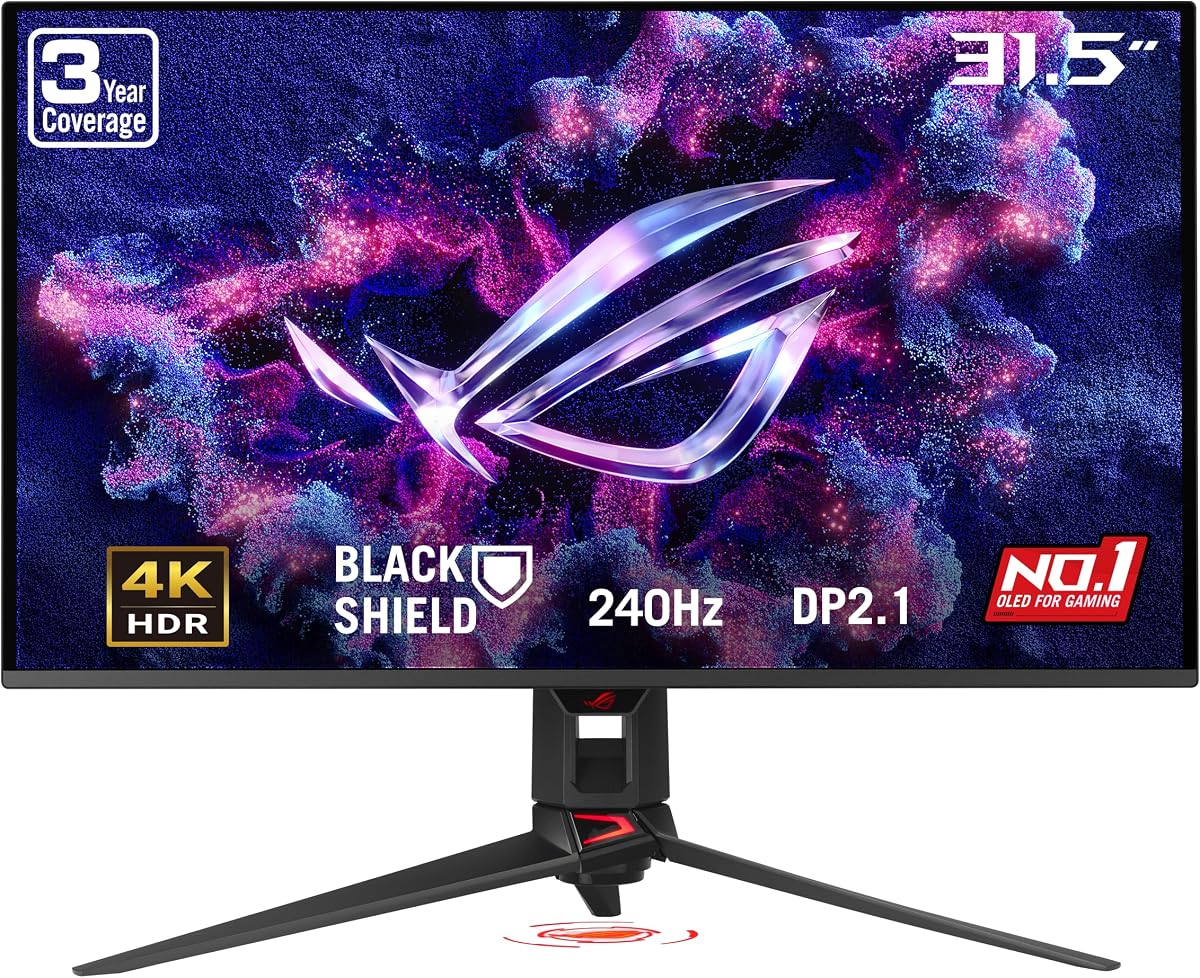
The ASUS ROG PG32UCDM3 features Tandem OLED technology which boosts brightness and color volume. Rated 4.0 it offers a 32-inch 4K display with 240Hz speed. BlackShield Film Technology increases hardness and improves perceived black levels significantly.
We may earn a commission when you buy through this link, at no additional cost to you.
VESA DisplayHDR 500 True Black compliance ensures incredible brightness and contrast. The DisplayWidget Center software allows auto firmware updates and easy settings exports. Future-proof connectivity includes HDMI 2.1 and USB-C with 90-watt power delivery. This model is a modern powerhouse.
The rating may be slightly lower due to software quirks or specific user preferences. However the hardware specs are top-tier. It is great for both gaming and professional tasks. The 3-year warranty provides solid coverage for such a premium device.
Best for those seeking the latest Tandem OLED tech in a large format. It handles HDR content exceptionally well. If you want high brightness and robust connectivity for your setup this model is a compelling choice for enthusiasts.
BlackShield Film Technology increases panel hardness by 2.5 times improving scratch resistance and black level perception.
DisplayWidget Center supports auto firmware updates and easy configuration management across multiple devices.
We may earn a commission when you buy through this link, at no additional cost to you.
The ASUS ROG XG27AQWMG pushes speed with a 280Hz refresh rate in a 27-inch form. Rated 4.1 it is perfect for fast-paced shooters. The Tandem OLED technology offers 15% higher peak brightness than previous WOLED panels.
We may earn a commission when you buy through this link, at no additional cost to you.
It delivers VESA DisplayHDR 500 compliance with 99.5% DCI-P3 gamut. The TrueBlack Glossy panel ensures sharp imagery with zero haze. A complete package includes all necessary cables and accessories to start immediately. This monitor prioritizes speed and brightness.
While resolution is QHD the refresh rate is among the best available. It supports 10-bit color for accurate hues. The OLED Care Pro sensor helps prevent burn-in effectively. It is a specialized choice for competitive players needing fluid motion.
Ideal for FPS fans who value frame rates over higher resolution. The 15% brightness boost helps in bright rooms. If you want the smoothest motion possible at QHD this model offers a distinct advantage in responsiveness.
Tandem OLED technology delivers 15% higher peak brightness and 25% larger color volume for better HDR performance.
Includes all necessary cables accessories and a pouch to get started immediately with no extra purchases needed.
We may earn a commission when you buy through this link, at no additional cost to you.
The LG 27GX700A-B pushes brightness boundaries with a peak of 1500 nits. Rated 4.0 it offers 280Hz refresh rate for ultra-smooth gameplay. It features Primary RGB Tandem tech for enhanced APL and reduced ABL to keep visuals sharp.
We may earn a commission when you buy through this link, at no additional cost to you.
DTS HP:X audio delivers lifelike 3D sound via the headphone jack. The Switch app lets you optimize display settings quickly and launch video calls. VESA DisplayHDR True Black 500 ensures deep contrast. It is a high-performance monitor with audio perks.
The brightness is a major advantage over competitors. It ensures clear visibility in bright scenes. The app integration adds convenience for daily use. This model is great for users who want a vivid screen with good audio support.
Ideal for gamers wanting maximum brightness and smooth performance. The 280Hz rate is perfect for competitive action. If you prioritize visibility and audio integration this LG monitor is a strong final pick in our roundup.
With 1500 nits peak brightness this monitor ensures clear visibility even in very bright rooms and HDR highlights.
DTS Headphone:X delivers lifelike 3D audio enhancing immersion without needing external speakers.
We may earn a commission when you buy through this link, at no additional cost to you.
Choosing the right OLED monitor involves balancing resolution, refresh rate, and features. This section breaks down the key factors to consider before making your decision.
Resolution determines the clarity of text and graphics. 1080p is standard but 4K offers sharper details for PS5 Pro. Monitor size ranges from 27 to 34 inches. A larger screen enhances immersion but requires more desk space. Balance resolution with your room setup.
Refresh rate measures how many frames per second the monitor displays. Higher rates like 240Hz reduce motion blur in fast games. Response time indicates how quickly pixels change color. Aim for 0.03ms to avoid ghosting. These specs ensure smooth gameplay.
OLED panels come in WOLED and QD-OLED types. QD-OLED often offers better brightness and color volume. Tandem OLED adds layers for even higher brightness. Check panel tech to match your lighting conditions and visual needs. This affects HDR performance.
OLED pixels can degrade over time if static images remain. Look for features like pixel shift, screen off timers, and proximity sensors. Manufacturers like ASUS and LG include OLED Care Pro. These features extend monitor life and maintain image quality.
Ensure the monitor has HDMI 2.1 for PS5 Pro support. USB ports allow peripherals like controllers and webcams. DisplayPort is great for PC users. HDMI 2.1 enables VRR and 120Hz gaming. Check the ports to fit your setup needs.
HDR expands dynamic range for brighter highlights and deeper shadows. VESA certifications like DisplayHDR 400 or 500 verify this. Color gamuts like DCI-P3 ensure vivid images. Delta E less than 2 means accurate colors. These impact visual fidelity.
An adjustable stand helps reduce neck strain. Look for tilt swivel pivot and height adjustments. VESA mounts allow custom setups. Good ergonomics are key for long gaming sessions. Comfort improves your overall experience.
OLED panels need strong warranties due to burn-in risks. Look for 3-year coverage that includes burn-in protection. Reliable brands offer better support. A good warranty protects your investment. Check terms before buying to ensure peace of mind.
Calibrate settings for best visual output. Use monitor tools to adjust brightness and contrast. Avoid max brightness in dark rooms. This reduces eye strain and extends pixel life. Proper calibration makes HDR pop.
Enable all burn-in protection features. Turn on pixel shift and screen saver settings. Do not leave static logos visible too long. This prevents image retention. Taking care of the panel ensures longevity.
Keep the area clean and free of dust. Use a soft cloth to wipe the screen gently. Avoid harsh chemicals that can damage the coating. Keep it away from direct sunlight. Clean maintenance keeps the display looking new.
An OLED monitor for PS5 Pro should have HDMI 2.1 to support high refresh rates and 4K resolution. It should also feature fast response times to reduce motion blur. Look for HDR support and burn-in protection for best results.
Yes OLED panels can suffer from burn-in if static images stay too long. Most modern monitors include features like pixel shift and timers to prevent this. Using these features helps maintain the display's lifespan.
QD-OLED generally offers better brightness and color volume than WOLED. WOLED is often more affordable and stable. The best choice depends on your budget and lighting conditions. Both provide excellent contrast for gaming.
A higher refresh rate ensures smooth motion in fast-paced games. It reduces input lag and ghosting significantly. PS5 Pro benefits from 120Hz and 240Hz displays. This makes gameplay feel responsive and fluid.
Ensure the monitor has at least one HDMI 2.1 port for PS5 Pro. USB ports are useful for controllers. DisplayPort is ideal if connecting to a PC. Check specs to confirm you have enough bandwidth for your needs.
Yes they are great for photo and video editing due to color accuracy. The deep blacks help in content creation. Most models support multiple inputs so you can switch easily. They work well as all-purpose displays.
With proper care an OLED monitor can last several years. Burn-in protection helps extend this lifespan. Avoid static elements like taskbars. Regular calibration and software updates keep it running well for gaming.
We reviewed ten top models ranging from budget-friendly to premium OLED displays. Each offers unique strengths in refresh rate, brightness, and technology. Choosing depends on your specific needs and budget.
Prioritize refresh rate and burn-in protection for a lasting experience. 4K resolution and HDMI 2.1 support are key for next-gen gaming. These features ensure you get the most out of your console.
Prices and availability change often so check current listings before buying. Our guide highlights top performers but new models arrive frequently. Keep these tips in mind to find your perfect match.