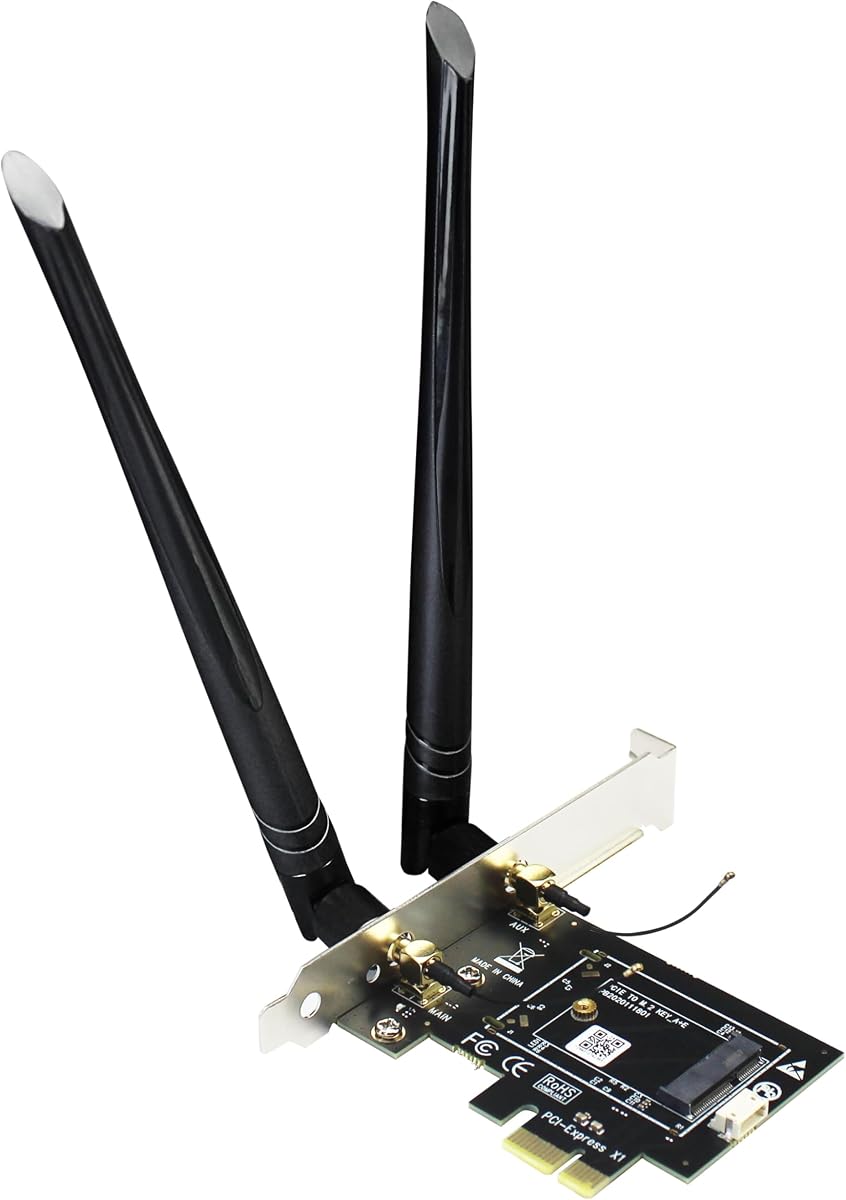
GLOTRENDS WA01 Adapter
4.1Editor score
M.2 Key E to PCIe X1
Supports Wi-Fi 4 through 7
Compatible with Multiple Modules
This guide compares the top M2 Key E WiFi cards for laptops and desktops, covering performance, compatibility, and key features for buyers in October 2026.
M2 Key E WiFi cards are essential components for modern computing devices requiring fast and reliable wireless connectivity. These compact modules fit into specific slots on motherboards and laptops to deliver high-speed internet access through the latest Wi-Fi standards.
We compared ten top-rated M2 Key E WiFi cards based on speed, compatibility, features, and user feedback. Our analysis includes Intel-based chips, tri-band support, Bluetooth integration, and adapter options for desktop upgrades to help you make an informed decision.
Each pick highlights unique strengths such as Wi-Fi 7 readiness, budget-friendly pricing, or robust antenna kits. Prices and availability change frequently, so please verify current details on the retailer pages before purchasing your preferred wireless networking solution.
4.1Editor score

4.5Editor score

4.1Editor score
The following table provides a side-by-side comparison of all ten M2 Key E WiFi cards and adapters selected for this guide. Review the specifications and key features to identify the best fit for your specific hardware and performance requirements.

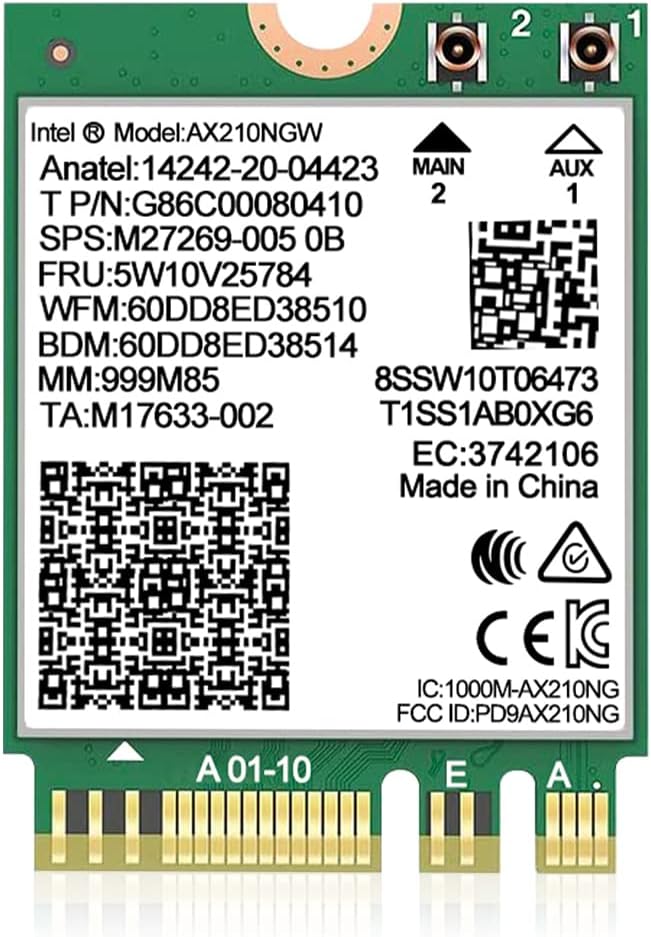
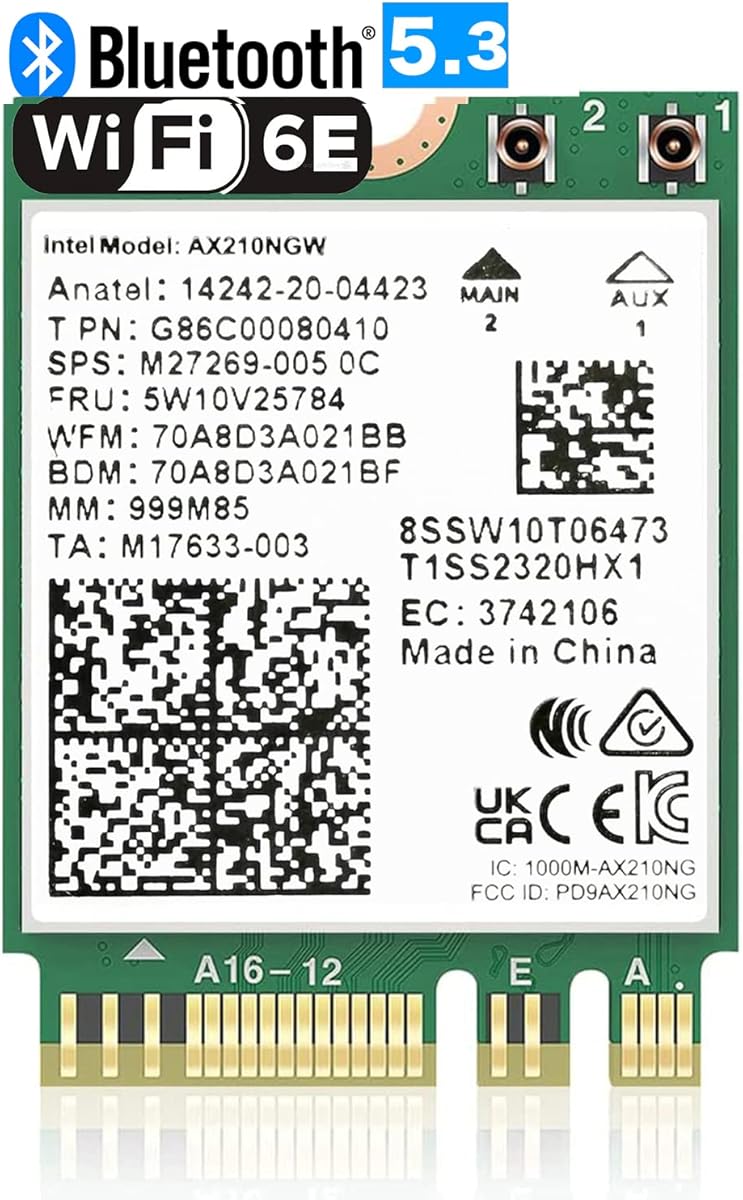



The AX210NGW DTK WiFi Card stands out as the top choice for users seeking reliable Wi-Fi 6E performance in a compact form factor. With a rating of 4.5 stars, this module brings the latest Intel AX210 chipset to your laptop or desktop upgrade project.
We may earn a commission when you buy through this link, at no additional cost to you.
Its tri-band design supports 2.4GHz, 5GHz, and the new 6GHz band for ultra-low latency and interference-free connections. The included 5dBi high gain antennas and brackets ensure strong signal reception and easy installation into standard chassis.
While the RF cable is 11 inches long, some users may find it slightly short for complex desktop routing. However, the target wake time technology helps extend battery life on laptops, making it a balanced solution for various use cases.
This card is ideal for gamers, streamers, and professionals who need consistent high-speed internet. We recommend it for anyone upgrading an older system to take advantage of modern router capabilities and seamless device connectivity.
Access to the 6GHz spectrum reduces congestion and boosts speeds for bandwidth-intensive tasks like 8K video streaming and cloud backups.
Improved connection stability and lower power draw make wireless peripherals like headsets and mice perform better with less lag.
We may earn a commission when you buy through this link, at no additional cost to you.
For users looking to convert a desktop PCIe slot to M.2 WiFi capability, the GLOTRENDS WA01 Adapter offers excellent value at a low price point. It allows you to use various existing M.2 modules without buying a full new card.
We may earn a commission when you buy through this link, at no additional cost to you.
This adapter supports a wide range of WiFi modules including those for Wi-Fi 4 through 7, giving you future-proofing flexibility. The included 6-dBi SMA antenna kits provide strong signal strength suitable for larger home or office environments.
One limitation is that Bluetooth functionality requires connecting an included USB cable to a motherboard USB port, which may limit cable management options. Additionally, it does not support Mini PCIe or CNVio2 interfaces, so check your module carefully.
This adapter is perfect for DIY enthusiasts upgrading old desktops or building custom mini-PCs. Its versatility and low cost make it a smart entry point for anyone wanting to add or upgrade wireless networking hardware.
Supports modules from Intel, Broadcom, Realtek and Atheros ensuring you can reuse existing hardware or upgrade to newer models easily.
Full height brackets and SMA connectors are built specifically for standard desktop cases with ample space for antenna placement.
We may earn a commission when you buy through this link, at no additional cost to you.
The QCNCM865 WiFi 7 M.2 Key E Card represents the cutting edge of wireless technology with support for the new Wi-Fi 7 standard. It is designed for users who want to future-proof their laptops with maximum possible speeds and lowest latency available.
We may earn a commission when you buy through this link, at no additional cost to you.
With theoretical peak speeds reaching 5.8Gbps using 320MHz channel bandwidth and 4K QAM modulation, this card delivers outstanding performance for demanding applications. Multi-link operation allows simultaneous use of multiple bands for more stable connections.
To fully utilize its potential, you will need a compatible Wi-Fi 7 router and Windows 11 24H2 or newer operating system. The Bluetooth 5.3 module ensures seamless peripheral connectivity with improved energy efficiency and reduced interference.
Ideal for professional gamers and content creators, this card justifies its premium price with advanced features and raw speed. If you are building a high-end setup and have the necessary hardware, this is a top choice for next-gen networking.
MLO combines bands to boost reliability and throughput meaning fewer drops during critical moments in gaming or video calls.
Early adoption of Wi-Fi 7 ensures your device stays relevant as more compatible routers and devices enter the market over time.
We may earn a commission when you buy through this link, at no additional cost to you.
This WiFi 6E Wireless Card offers solid performance with the trusted Intel AX210 NGW chipset inside a compact module designed for laptops and desktops. A 4.6 star rating reflects user satisfaction with its speed and reliability in daily computing tasks.
We may earn a commission when you buy through this link, at no additional cost to you.
The tri-band architecture delivers up to 5400Mbps aggregate speeds across 2.4GHz, 5GHz, and 6GHz frequencies ensuring plenty of bandwidth for multiple devices. Bluetooth 5.3 integration means wireless peripherals enjoy faster data transfer and lower interference levels.
Installation requires downloading drivers from the Intel website which is standard for this type of component. Ensure your motherboard has an M.2 network slot with A/E key as it does not work with CNVio2 protocol or Mini PCIe slots.
If you need a reliable and widely compatible upgrade for your notebook or desktop, this card delivers consistent results. The included warranty and technical support add peace of mind for users making a significant system enhancement.
Intel's AX210 chipset is proven across many devices for stable connections and efficient power management in various usage scenarios.
Works seamlessly with Windows 10 and 11 64-bit systems making it accessible for most current laptop and desktop configurations.
We may earn a commission when you buy through this link, at no additional cost to you.
The OKN AX210 NGW Wireless Card brings the latest Wi-Fi 6E capabilities to your device with features like MU-MIMO and ultra-low latency. Its 4.6 star rating indicates strong user feedback regarding connectivity and overall performance.
We may earn a commission when you buy through this link, at no additional cost to you.
With tri-band support and max speeds up to 5400Mbps, you get fast and stable internet for streaming, gaming, and large file transfers. The integration of Bluetooth 5.3 means your peripheral devices communicate faster and more efficiently with less battery drain.
This module is a drop-in upgrade for most laptops and desktops with M.2 slots but does not include antennas or brackets. You must install drivers from the Intel website to activate full functionality including Bluetooth pairing.
For users who want high-end features without extra accessories, this card is a great internal component. It is especially well-suited for those building custom systems or refreshing older devices with modern networking standards.
Multi-user MIMO allows the router to communicate with multiple devices simultaneously improving overall network efficiency during busy hours.
WPA3 protocol provides stronger encryption and protection against attacks keeping your wireless data safer than older WPA2 standards.
We may earn a commission when you buy through this link, at no additional cost to you.
This kit provides everything you need to upgrade your laptop or desktop to Wi-Fi 6E including the AX210 module, strong 8dBi antennas, and necessary mounting brackets. A 4.4 star rating suggests reliable performance for most users who install it properly.
We may earn a commission when you buy through this link, at no additional cost to you.
The tri-band design supports 2.4GHz, 5GHz, and 6GHz for interference-free connectivity and ultra-low latency. The included IPex cable ensures a secure connection between the module and the antennas which is crucial for maintaining strong signal quality.
Like many wireless modules, this product requires you to download and install drivers from the Intel website. It is designed for motherboards with Intel CPUs and M.2 slots matching the NGFF M2 2230 A/E key specification.
This option is excellent for users who want an all-in-one solution without sourcing parts separately. The high-gain antennas help maximize range and speed especially in environments where wireless signals must travel through walls or obstacles.
8dBi gain antennas offer better range and penetration helping to overcome signal loss in larger homes or offices.
The included IPex cable ensures a tight and reliable connection between the card and external antennas for optimal performance.
We may earn a commission when you buy through this link, at no additional cost to you.
The QCNCM865 WiFi 7 Network Card pushes the boundaries of wireless speed with 5800Mbps data rates and advanced MLO technology. A 4.4 star rating shows that early adopters appreciate its cutting-edge features and performance capabilities.
We may earn a commission when you buy through this link, at no additional cost to you.
With Multi-Link Operation your router can use multiple bands at once to increase throughput and reduce lag during critical moments. This makes the card ideal for real-time gaming high-definition video streaming and large file transfers in busy networks.
It is important to note that this card only works with Windows 11 and you may need to disable old WiFi or Bluetooth drivers in Device Manager to avoid conflicts. Downloading the latest driver from the vendor site is necessary for activation.
If you have the right hardware and operating system this card offers a significant upgrade over older standards. Its compact M.2 Key E design ensures it fits easily into modern laptops and desktops designed for advanced connectivity.
MLO combines different channels to keep connections stable and fast which is critical for competitive gaming and professional video conferencing.
Bluetooth 5.3 improves energy efficiency so wireless mice and headsets last longer on a single charge without sacrificing range.
We may earn a commission when you buy through this link, at no additional cost to you.
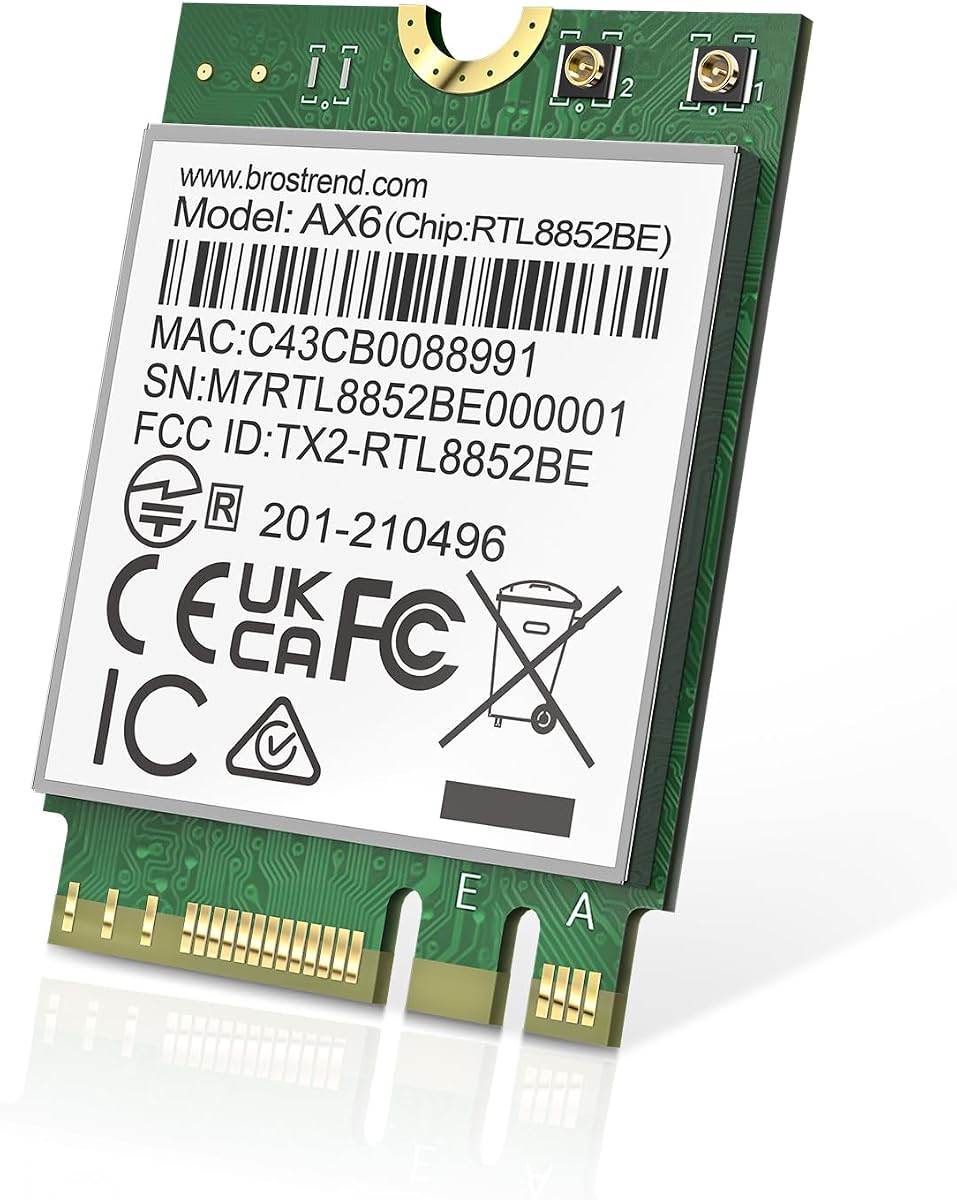
The BrosTrend WiFi 6 M.2 Wireless Card delivers reliable dual-band performance with AX1800 speeds for everyday computing tasks. It has a 4.4 star rating from users who value its consistent connectivity and easy installation process.
We may earn a commission when you buy through this link, at no additional cost to you.
With speeds of up to 1201Mbps on 5GHz and 574Mbps on 2.4GHz this card handles streaming and browsing with ease. Bluetooth 5.2 offers a broader range and faster transmission compared to older versions making it suitable for modern peripherals.
This card fits the standard 2230 form factor with Key A or E slots making it a direct upgrade for most laptops. It supports Windows 10 and 11 fully and also has some compatibility with Linux systems running newer kernels.
For users seeking dependable performance without the cost of Wi-Fi 6E or 7 this card is a great choice. It is especially useful for those needing to restore or improve wireless capability in devices without the latest hardware.
Balances speed and range effectively by utilizing both 5GHz and 2.4GHz bands for stable internet connections.
Provides better anti-interference and wider range for connecting headsets, speakers, and other wireless accessories reliably.
We may earn a commission when you buy through this link, at no additional cost to you.
The Intel Killer BE200 Wi-Fi 7 Card is designed specifically for high-performance gaming and demanding workloads with ultra-low latency. A 4.6 star rating reflects strong satisfaction among gamers and professionals who need the fastest and most reliable connections.
We may earn a commission when you buy through this link, at no additional cost to you.
With support for Tri-Band 802.11BE it can deliver max speeds up to 5.8Gbps on compatible routers for incredible throughput and bandwidth. The Bluetooth 5.4 module ensures your wireless controllers and headsets stay responsive without interference or delay.
It is important to note this card only works with Intel processors and requires a PC with an available M.2 PCIe slot with Key E. Windows 11 64-bit is also mandatory for full functionality which limits compatibility with other hardware platforms.
For serious gamers or creators on an Intel system this card offers elite wireless networking capability. Its focus on reducing latency makes it a premium choice for competitive play and real-time collaboration applications.
Ultra-low latency is engineered to minimize lag and input delay giving you a competitive edge during online multiplayer sessions.
Early adoption of the 802.11BE standard ensures your device can take advantage of new router features as they become available.
We may earn a commission when you buy through this link, at no additional cost to you.
The 10Gtek PCIe x1 to M.2 Adapter offers a flexible solution to upgrade your desktop wireless connectivity using existing M.2 modules. With a 4.4 star rating, it is praised for compatibility with both Intel and AMD motherboards and straightforward installation.
We may earn a commission when you buy through this link, at no additional cost to you.
This adapter expands to x1, x4, x8 or x16 slots and supports a range of NGFF modules for dual-band performance. It comes with a full height baffle and dual-band antennas ensuring you can get a stable connection in your PC case.
Bluetooth functionality requires connecting a small cable to the motherboard's USB header which is standard for these adapters. The product does not support hot swapping so you must power down your computer before installation or removal.
If you need a reliable adapter to add WiFi to a PC without buying a full new wireless card this is a practical choice. It saves money by allowing reuse of old or new modules while providing desktop-ready brackets and antennas.
Works across different PCIe slot sizes giving you freedom to install in various motherboard configurations without issues.
Comes with necessary cables and is compatible with multiple operating systems making it adaptable for various user environments.
We may earn a commission when you buy through this link, at no additional cost to you.
Selecting the right M2 Key E WiFi card involves understanding your device's compatibility and the wireless standards you need. This section outlines key factors to consider before making your purchase.
Choose a card that supports the latest Wi-Fi generation compatible with your router to maximize speed and efficiency. While Wi-Fi 6E offers access to 6GHz bands, Wi-Fi 7 promises even faster speeds with multi-link operation for demanding tasks.
Ensure the card includes Bluetooth support with the version you need for your peripherals. Bluetooth 5.3 and newer versions provide lower latency and better power efficiency which enhances the experience with headsets, mice, and controllers.
Verify that the card matches the physical size of your M.2 slot typically 2230 for most laptops and desktops. Incorrect form factors may not fit or connect properly leading to installation issues or hardware damage.
Desktop users often need an adapter to convert PCIe slots to M.2 Key E interfaces. Check if the adapter supports your specific motherboard chipset and whether it includes necessary cables for Bluetooth functionality.
Confirm that drivers are available for your operating system especially if using newer standards like Wi-Fi 7. Some cards may require Windows 11 or specific kernel versions for Linux systems to function correctly.
Look for kits that include high-gain antennas if you need extended range or better signal penetration through obstacles. Antenna quality directly impacts your ability to maintain a strong and stable wireless connection in your space.
Select cards with trusted chipsets like Intel AX210 or Qualcomm for proven stability and driver support. Well-supported chipsets reduce the likelihood of connectivity drops or performance inconsistencies over time.
Check the warranty period and availability of technical support from the manufacturer. A solid warranty provides peace of mind should the card fail or require assistance during setup and usage.
Before installation power off your device and disconnect it from any power sources to avoid electrical damage. Ground yourself by touching a metal part of the case or using an anti-static wrist strap to protect the card from static discharge.
Insert the card firmly into the M.2 slot at a slight angle then press it down until it sits flat. Secure it with the provided screw and attach any antennas to the connectors ensuring they click into place for optimal signal transmission.
After powering up install the latest drivers from the manufacturer or chipset website. Configure your network settings and update firmware regularly to maintain performance and security over the lifespan of your device.
M.2 Key E slots are typically used for WiFi and Bluetooth modules on laptops and desktops while Key A slots often combine WiFi with other expansion functions. Both use the same physical form factor but the pinout may differ so check your motherboard manual for exact compatibility.
Yes Wi-Fi 7 cards are backward compatible with Wi-Fi 6 routers but you will not get the full speed or new features without a Wi-Fi 7 router. The card will function on older networks but performance will be limited by the router's capabilities.
Most cards require you to download and install the latest drivers from the chipset manufacturer's website for full functionality. Operating systems may install generic drivers but these often lack advanced features or optimal performance tuning.
Bluetooth often requires a separate USB connection to the motherboard via a small cable included with the card. Ensure this cable is securely connected to a USB header on your board and that Bluetooth drivers are installed.
Consult your laptop's manual or the manufacturer's support site to check for M.2 expansion slots and their key types. Some modern notebooks allow WiFi card swaps while others may have soldered wireless modules that cannot be replaced.
Yes adapters that convert PCIe to M.2 Key E are generally reliable for desktops if they match your motherboard specifications. Choose reputable brands to ensure stable signal quality and proper bracket fit for your case.
We explored ten excellent M2 Key E WiFi cards and adapters offering choices for every budget and performance need from the versatile AX210 series to the cutting-edge Wi-Fi 7 models.
Prioritize compatibility with your motherboard and router standards to ensure you get the most out of your investment. A well-matched card will deliver seamless connectivity and support your most demanding wireless tasks.
Please remember that pricing and availability are subject to change so always check the current product page before finalizing your purchase to secure the best deal for your setup.