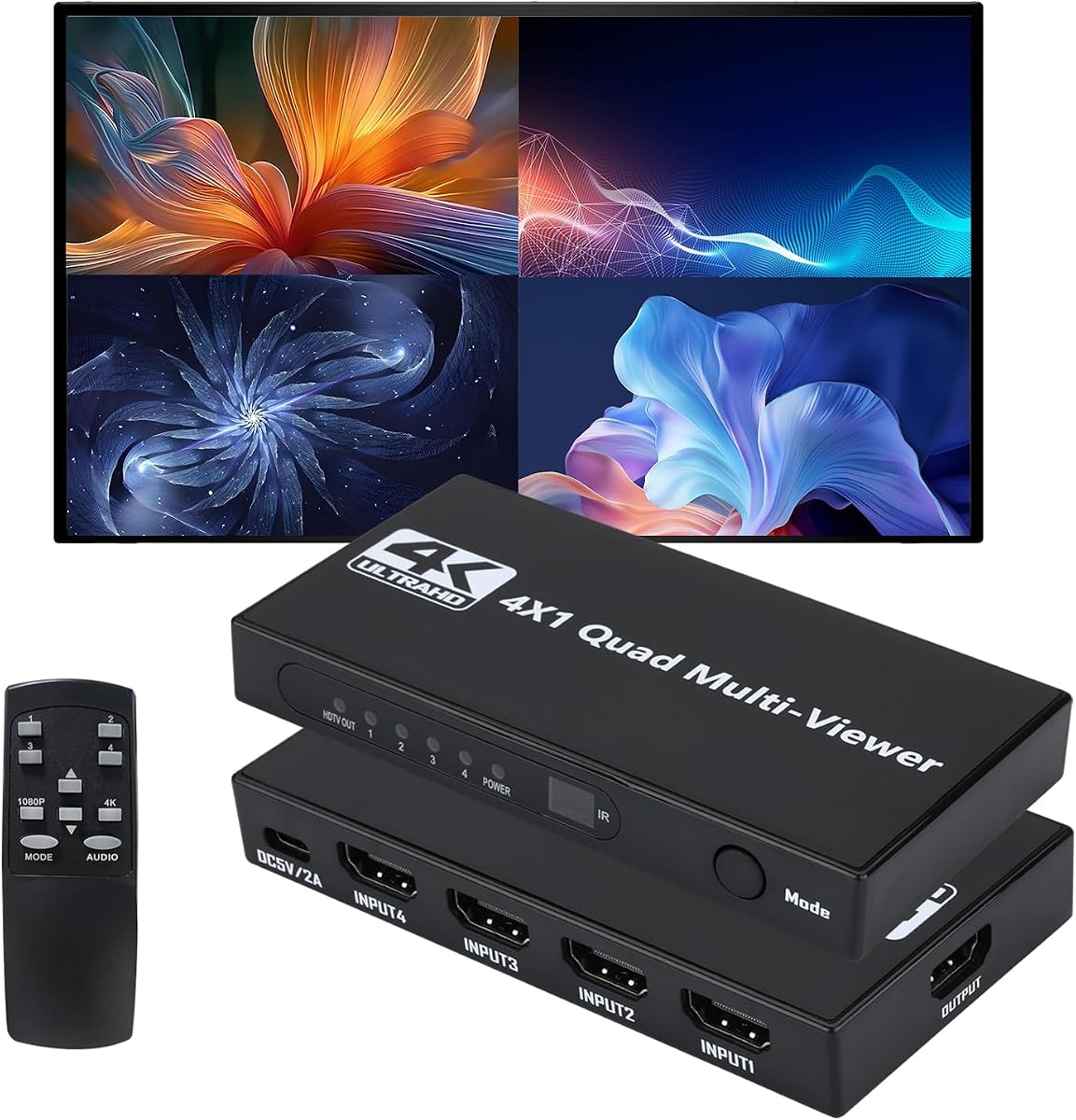
HDMI Multiviewer Switch 4 in 1 Out
4.8Editor score
Twelve display modes included
Affordable price point
Plug and play setup
This guide compares the top HDMI Multiviewer models for seamless switching and multi-source displays across gaming security and professional setups.
Finding the right HDMI Multiviewer can transform how you manage multiple video sources on a single display. Whether you need to monitor security feeds, compare game consoles, or streamline professional workflows, a quality unit ensures smooth transitions and clear visuals without sacrificing performance or reliability.
We evaluated ten leading models based on resolution support, switching speed, audio handling, and ease of use. Our analysis focuses on real-world usability, compatibility with common devices, and the flexibility of viewing modes to help you choose the option that best fits your specific setup needs.
Each selection below highlights key strengths and potential trade-offs so you can make an informed decision. Remember that availability and pricing may change over time so always verify the latest details before completing your purchase to ensure you get the best value for your investment.
4.8Editor score

4.3Editor score

4.0Editor score
This side-by-side comparison highlights the core specifications and capabilities of each model to help you identify which features align best with your monitoring or entertainment requirements.




The PORTTA HDMI Multiviewer Switch offers a balanced solution for users needing multiple input sources on one screen. With a solid rating and versatile viewing options it stands out for its ability to switch inputs without visible delay making it ideal for dynamic monitoring tasks.
We may earn a commission when you buy through this link, at no additional cost to you.
Its six viewing modes include standard quad layouts as well as picture-in-picture configurations that adapt to different workflow needs. The inclusion of both IR remote and RS232 control ensures flexibility whether you are managing a home setup or a professional installation requiring automation.
While it caps at 1080p resolution which may limit ultra high definition needs the downscaler function ensures smooth performance across various input signals. Audio handling is robust with both Toslink and analog outputs allowing you to route sound effectively to external systems.
This model is best suited for gamers and security professionals who value reliability over raw resolution. If you need a dependable switch that handles multiple consoles or cameras without lag the PORTTA unit delivers consistent results at a reasonable value point.
Control the device via IR remote for everyday use or RS232 for advanced integration with professional control systems.
Extract audio through Toslink or 3.5mm outputs to connect to soundbars or amplifiers without extra hardware.
We may earn a commission when you buy through this link, at no additional cost to you.
This OREI model provides a straightforward way to view four HDMI inputs on a single display without breaking the bank. It supports 1080p resolution and includes a VGA output which adds versatility for older monitors or projectors that do not have HDMI ports.
We may earn a commission when you buy through this link, at no additional cost to you.
Users appreciate the simple interface with front panel buttons and an IR remote for quick switching. The five display modes cover most common needs including full screen and quad views making it suitable for casual monitoring or entertainment setups.
However it lacks support for higher resolutions like 4K and audio options are limited to analog outputs. This makes it less ideal for high fidelity sound systems but perfectly adequate for basic video monitoring tasks.
If you need an entry level multiviewer that gets the job done without extra complexity this unit is a strong candidate. Its inclusion of VGA output sets it apart from similar budget options.
The VGA output allows connection to legacy displays expanding the range of compatible monitors beyond HDMI only setups.
Front panel buttons and remote control ensure easy access for switching inputs without reaching behind devices.
We may earn a commission when you buy through this link, at no additional cost to you.
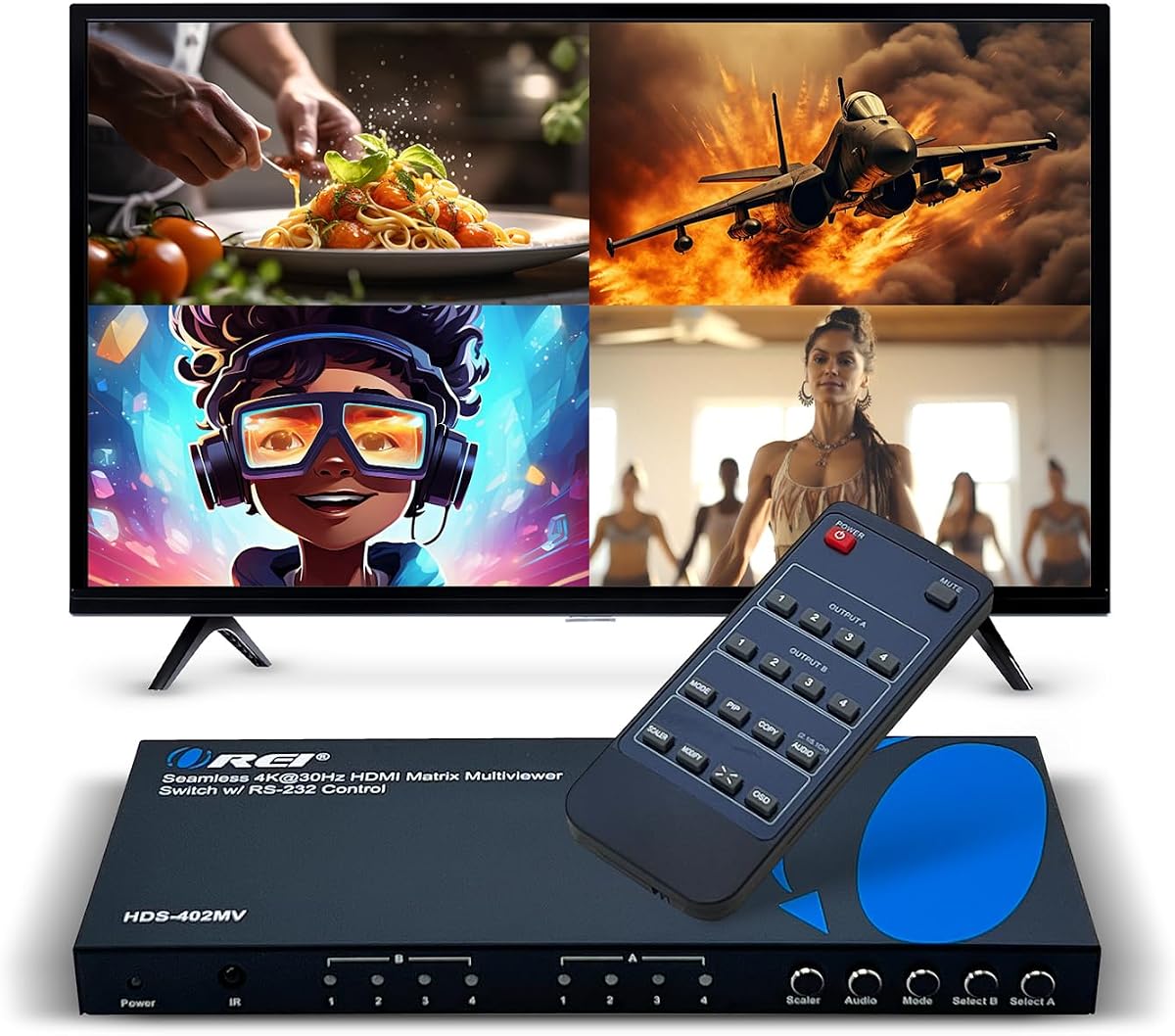
For users requiring higher resolution this OREI switch delivers 4K at 30Hz performance which is sufficient for many monitoring applications. The inclusion of audio extraction allows you to separate sound from video streams giving you more flexibility in your setup.
We may earn a commission when you buy through this link, at no additional cost to you.
Advanced features like RS-232 control and EDID management make it suitable for professional environments where automated control and stable signal handshakes are critical. The dual voltage supply also means you can use it internationally with the right adapter.
The 4K support comes at a cost higher than standard 1080p models and refresh rates at 4K are capped at 30Hz. This might not be ideal for fast motion gaming but works well for static content like security feeds.
Choose this model if you need 4K capability and professional control features without jumping to a full matrix system. It balances resolution needs with advanced connectivity in a single device.
RS-232 interface enables integration into larger control systems for automated switching in commercial installations.
Extract audio signals separately so you can route them to dedicated speakers without affecting the video path.
We may earn a commission when you buy through this link, at no additional cost to you.
This unit stands out by offering two output ports allowing you to display content on two screens simultaneously. This is particularly useful for setups where you need to mirror content or split different views across multiple monitors.
We may earn a commission when you buy through this link, at no additional cost to you.
It supports 4K resolution and includes advanced Picture in Picture features that let you position sub windows anywhere on the display. The included mounting brackets suggest it is designed for permanent installation in racks or walls.
While powerful the device may require more setup time due to its advanced features like OSD menus and RS-232 control. It is also priced higher than single output models but the added flexibility justifies the cost for serious users.
If you need to drive two displays from a single multiviewer source this model is unmatched in this comparison. It combines high resolution support with versatile output options for professional applications.
Connect two monitors to view different content sets or mirror signals for broader audience visibility.
On-Screen Display menus allow precise adjustment of window sizes and aspect ratios without external software.
We may earn a commission when you buy through this link, at no additional cost to you.
This model offers premium performance with 4K resolution at 60Hz ensuring smooth video playback even in multiviewer modes. HDCP 2.2 support means it can handle modern content sources that require higher security protocols than older standards.
We may earn a commission when you buy through this link, at no additional cost to you.
Audio handling is sophisticated with both optical and analog outputs plus an integrated converter for flexible routing. This is essential for high fidelity setups where sound quality matters as much as video clarity.
The advanced features come with a higher price tag and some complexity in setup. Users may need to experiment with audio settings to get the desired balance between different output channels.
For those who demand the best resolution and audio capabilities this unit is a top choice. It bridges the gap between standard multiviewers and high end professional matrix systems.
60Hz support at 4K ensures smoother motion rendering which is critical for sports or gaming monitoring.
HDCP 2.2 compliance ensures compatibility with 4K streaming devices and content protected by modern DRM.
We may earn a commission when you buy through this link, at no additional cost to you.
This multiviewer emphasizes speed and resolution with 4K support at 60Hz. It is designed for scenarios where motion clarity is essential such as monitoring sports feeds or high framerate game outputs.
We may earn a commission when you buy through this link, at no additional cost to you.
The eight viewing modes include unique combinations like one large and three small screens offering flexibility beyond standard quad layouts. Zero latency switching ensures that changing inputs feels instant which is vital for live monitoring.
User feedback is mixed suggesting there may be some variability in build quality or initial setup experience. Additionally you may need to purchase a battery for the remote control separately which is a minor inconvenience.
If you prioritize high resolution and speed over perfect build consistency this model is worth considering. It offers strong technical specs at a competitive price for 4K multiviewers.
Switch between inputs without any visible delay which is crucial for real-time monitoring applications.
Eight distinct layouts allow you to customize how sources are arranged on your screen to fit your workflow.
We may earn a commission when you buy through this link, at no additional cost to you.
With an exceptionally high rating this affordable switch delivers impressive value for basic multiviewer needs. It supports 1080p at 60Hz in multiviewer mode and offers twelve different display configurations to suit various preferences.
We may earn a commission when you buy through this link, at no additional cost to you.
The ability to stretch images between different aspect ratios ensures that content fits the screen properly without distortion. This is especially helpful when mixing sources with different resolutions or formats on one display.
Note that the remote control requires a battery that is not included so you may need to buy one separately. Also full 4K is only available in single screen mode not during multiviewer usage.
For users on a strict budget who need flexibility and reliability this unit is an excellent choice. Its high satisfaction score suggests it performs well despite its low cost.
Adjust aspect ratios to fit content perfectly on your screen preventing black bars or cut off edges.
Twelve modes mean you can find a layout that works whether you need all views equal or one focus view.
We may earn a commission when you buy through this link, at no additional cost to you.
This J-Tech unit focuses on delivering high quality audio alongside 4K video performance. With support for up to 7.1 audio channels it allows you to extract surround sound from inputs for use with external amplifiers.
We may earn a commission when you buy through this link, at no additional cost to you.
The On-Screen Display software provides a user-friendly way to rearrange sources and adjust window sizes without using physical buttons. This level of control is typical of professional grade equipment.
However user ratings are lower than some competitors which may indicate inconsistency or complexity in setup. It is also one of the more expensive options which might be a barrier for home users.
If you need robust audio extraction and a software interface this model offers distinct advantages. It is tailored for users who want detailed control over their video wall setup.
Use PC software to manage layout and settings for precise control over window positioning and aspect ratios.
Extract 7.1 audio channels to connect to home theater systems without needing additional audio processors.
We may earn a commission when you buy through this link, at no additional cost to you.
This variant of the OREI multiviewer is well received by users for its reliability and simplicity. It supports 1080p resolution and includes a VGA output which makes it ideal for connecting to older projectors or monitors in educational or office settings.
We may earn a commission when you buy through this link, at no additional cost to you.
Audio handling is clean with PCM 2.0 stereo support ensuring that sound from PC inputs is clear and uncompressed. This makes it a solid choice for presentations or video conferences where audio quality matters.
It does not support higher resolutions which may be a limitation for modern 4K setups but for standard 1080p workflows it performs flawlessly. The five display modes cover most common use cases efficiently.
For environments where VGA connectivity is still relevant this model offers a bridge between modern HDMI sources and legacy displays. Its high rating suggests it is a dependable choice.
Connect to legacy devices with VGA inputs ensuring compatibility with older projectors in classrooms or conference rooms.
PCM stereo output ensures lossless audio quality for professional presentations and conference calls.
We may earn a commission when you buy through this link, at no additional cost to you.
This unit is not just a multiviewer but a full matrix system allowing any input to be routed to any output independently. This flexibility is essential for video walls or multi room installations where content distribution needs to be dynamic.
We may earn a commission when you buy through this link, at no additional cost to you.
It includes web control and RS-232 interfaces so you can manage it from a browser or control system. The ten video wall modes allow you to create complex layouts across multiple displays without external software.
The price is significantly higher than standard multiviewers and the feature set may be overkill for simple home setups. However for professional environments requiring precise control it is a comprehensive solution.
Choose this model if you need a true matrix switch with video wall capabilities. It represents the top tier of functionality in this comparison.
Manage switching via a web browser for remote control without needing additional hardware or software.
Route any input to any output independently which is impossible with standard one to one multiviewers.
We may earn a commission when you buy through this link, at no additional cost to you.
Selecting the right multiviewer requires understanding your specific needs regarding resolution, connectivity, and control options. This section outlines the key factors to evaluate before making a purchase.
Consider whether you need 1080p or 4K support. While most units handle 1080p at 60Hz, true 4K support often comes at 30Hz or 60Hz depending on the model. Higher refresh rates are important for motion-heavy content like sports or gaming.
Match the resolution to your display capabilities. If your monitor only supports 1080p, investing in a 4K model may not provide additional visual benefits unless you plan to upgrade your screen.
Most multiviewers have four inputs and one output, but some models like the OREI 4×2 offer two outputs for dual monitor setups. If you need to display content on multiple screens, ensure the device supports multiple outputs.
Confirm that the number of inputs matches the devices you plan to connect. You should not exceed the number of ports available on the unit to avoid needing extra switches.
Audio support varies from basic analog outputs to optical or digital options. If you need to route sound to external speakers, check for Toslink or HDMI audio extraction features.
For setups where sound quality is critical, look for models that support higher audio formats like Dolby or DTS to ensure your audio experience is not compromised.
Some units offer simple IR remote control, while others include RS-232 or LAN interfaces for professional automation. Consider whether you need manual control or integration into a larger system.
On-Screen Display menus can simplify layout adjustments compared to physical buttons. This is especially useful for complex setups where frequent changes to window positions are needed.
HDCP 2.2 is required for many modern 4K sources like streaming devices. If you plan to use a 4K cable box or console, ensure the multiviewer supports this standard to avoid black screens.
Older devices may only require HDCP 1.4 support. Check the specifications to ensure compatibility with your existing content sources.
Basic multiviewers focus on a single screen, but matrix controllers allow splitting inputs across multiple displays. This is essential for professional video walls where different content appears on different monitors.
If you need a complex layout across multiple screens, a dedicated matrix controller is a better choice than a standard multiviewer.
Some models include dual voltage power supplies which are convenient for international travel. Others may require specific adapters that add to the setup complexity.
For permanent installations, look for mounting brackets. For temporary setups, ensure the unit is compact enough to fit easily behind your desk.
Brands like OREI and J-Tech offer multi-year warranties that protect against defects. Reliable customer support can be crucial if you encounter setup issues during installation.
Read user reviews to gauge the real-world performance of customer service. A good warranty provides peace of mind for higher-priced units.
Start by connecting all your HDMI sources to the input ports on the multiviewer. Use high-quality HDMI cables to ensure stable signal transmission. Then connect the output port to your display device using another HDMI cable.
Power on the device using the included adapter. Use the remote control or front buttons to cycle through the available display modes. Select the layout that best suits your current monitoring or viewing needs.
To maintain performance, ensure the unit has proper ventilation to prevent overheating. Keep it away from direct sunlight or humid environments. If you are traveling, wrap the cables carefully to avoid strain on the ports.
Standard multiviewers typically have one output port for a single display. However, some models offer two outputs which allow for dual monitor setups. For complex multi-monitor arrangements, a video matrix controller is required to route signals to different screens.
Yes, several models support 4K at 30Hz or 60Hz. However, keep in mind that some features like multiviewer modes might only support lower resolutions like 1080p. Always check the specific resolution capabilities before purchasing.
You can switch inputs using the included IR remote control or the buttons on the front panel of the device. Some advanced units also allow switching via RS-232 or web interfaces for more integrated control.
Some multiviewers include audio output ports like Toslink or analog jacks. If you need separate audio, use these ports to connect to an external speaker system. If audio is handled by the TV, it may not be necessary.
Yes, most 4K streaming services and devices require HDCP 2.2 compliance. If your multiviewer does not support this standard, you may experience a black screen when trying to display protected content.
Most IR remotes require batteries to function. Some models do not include batteries in the box so you may need to purchase them separately. Check the product details to see if they are included.
You cannot connect more sources than the number of available input ports. If you have multiple devices, you will need an additional HDMI switch to expand your inputs before connecting to the multiviewer.
Some multiviewers include scaling features to adjust the aspect ratio of your video. This ensures the image fits your display without stretching or black bars. Consult the manual for specific scaling settings.
The HDMI Multiviewer landscape offers diverse options tailored to different needs ranging from budget-friendly setups to professional matrix systems. Each model reviewed provides unique strengths such as high refresh rates, dual outputs, or advanced audio handling.
Consider your primary use case whether it is gaming monitoring, or professional control to determine which features matter most. Prioritizing resolution, control methods, and budget will guide you toward the right device for your environment.
Prices and availability can shift so always verify current offers before buying. By understanding the capabilities outlined in this guide you can confidently select a multiviewer that meets your visual and functional requirements.