
LEXiBOOK LAPTAB 10 inch
4.2Editor score
10.1 inch HD touchscreen
Octa-core processor speed
Robust parental controls
Finding the right first laptop for kids is a crucial step in their educational journey. These devices should balance fun with learning, offering engaging activities that build foundational skills while remaining durable enough for young hands.
We evaluated ten top-rated options based on educational content, screen quality, battery life, and ease of use. Our comparison focuses on how well each model supports early learning goals and provides a safe environment for exploration.
Each pick highlights specific strengths like bilingual support or STEAM focus. Prices and availability may change, so verify current details before purchasing to ensure you get the best value for your child's needs today.
4.2Editor score

4.5Editor score
4.5Editor score
As an Amazon Associate we earn from qualifying purchases.
The following table provides a side-by-side comparison of all ten selected products. It highlights key specifications and unique features to help you quickly identify the model that best fits your child's age and learning style.




The VTech Genio Bilingual JuniorBook stands out as a top choice for early learners due to its realistic design and bilingual capabilities. With a rating of 4.5 stars, it offers a safe offline environment where children can explore over 80 activities without parental supervision worries.
We may earn a commission when you buy through this link, at no additional cost to you.
Its full-size QWERTY keyboard helps kids develop proper typing skills from a young age. The ability to switch between English and Spanish seamlessly supports language acquisition, making it ideal for bilingual households or families interested in introducing a second language early.
While it relies on AA batteries which can add to ongoing costs, the offline nature ensures consistent play without internet connectivity issues. The activities are pre-loaded, meaning setup is minimal and children can start learning immediately upon unboxing.
This laptop is perfect for parents seeking a structured educational tool that mimics real computing experiences. It balances fun and learning effectively, making it a highly recommended option for children aged five and up who are ready to explore computer basics.
Every activity can be played in either English or Spanish, allowing kids to be immersed in a new language comfortably.
No internet connection is needed, ensuring every activity comes pre-loaded and is ready to play anywhere without Wi-Fi.
We may earn a commission when you buy through this link, at no additional cost to you.
The LEXiBOOK LAPTAB offers a more advanced computing experience compared to toy laptops, featuring a full Android operating system. With a 4.2 rating, it provides access to Google Play and various educational apps, bridging the gap between toys and real computers.
We may earn a commission when you buy through this link, at no additional cost to you.
Its 10.1-inch HD touchscreen and octa-core processor ensure smooth performance for videos and games. Parents can utilize robust parental controls and time management tools to keep usage safe and balanced, giving them peace of mind during screen time.
While the price is higher than basic toy models, the versatility justifies the investment for families needing a device that grows with the child. The inclusion of USB-C and multiple ports adds practical utility for connecting peripherals or charging other devices.
This laptop is best suited for older kids who need more functionality for school or creative projects. It serves as a reliable gateway to digital literacy while maintaining safety through customizable profiles and secure browsing options.
Access thousands of games and apps on Google Play for unbeatable entertainment alongside educational Power Academy apps.
Surf securely with Qwant Junior browser and manage apps effortlessly with customizable profiles for each family member.
We may earn a commission when you buy through this link, at no additional cost to you.
For children transitioning to real schoolwork, the Dell Chromebook 11 3100 provides a professional environment. Rated 4.3 stars, it runs Chrome OS which is standard for many educational institutions, ensuring compatibility with school assignments and tools.
We may earn a commission when you buy through this link, at no additional cost to you.
The 2-in-1 touchscreen design adds flexibility for interactive learning and note-taking. While it is a renewed model, it comes with essential components like a power adapter and offers reliable connectivity through Bluetooth and USB Type-C ports.
The 4GB RAM and 32GB storage are modest but sufficient for web-based tasks and cloud storage use. This makes it an excellent choice for students who need a device primarily for research and writing rather than heavy multimedia tasks.
Parents looking for a genuine laptop experience at a reasonable cost will find this model compelling. It prepares kids for higher education tools while remaining durable enough for daily classroom or home school use.
Runs Chrome OS which is standard for schools, ensuring compatibility with assignments and tools.
The 2-in-1 touchscreen design adds flexibility for interactive learning and note-taking anywhere.
We may earn a commission when you buy through this link, at no additional cost to you.
This educational laptop offers a wide range of learning activities with 48 modes covering alphabet, math, and music. Rated 4.0 stars, it provides a vibrant 4.3-inch TFT color screen that enhances the visual experience for young learners.
We may earn a commission when you buy through this link, at no additional cost to you.
The design is inspired by real laptops, featuring a realistic mouse and keyboard to encourage proper usage habits. Its slim and elegant form makes it easy for children to grip and carry, promoting independent learning in various settings.
Parents appreciate the mix of educational content and entertaining games that test logic and memory. The protective film on the screen ensures clarity once removed, providing a bright and engaging interface for daily activities.
It is an excellent introductory device for kids aged five and above who need to build confidence with technology. The balance of learning and play keeps children engaged while subtly developing essential cognitive skills.
Covers alphabet, mathematics, colors, animals, general knowledge, logic, music, clock reading, and calendar.
Ergonomics inspired by real laptops with a realistic mouse and keyboard for authentic experience.
We may earn a commission when you buy through this link, at no additional cost to you.
Equipped with Android 12, this laptop allows access to Google Docs, Drive, and the Play Store for versatile use. Although rated 3.4 stars, it offers a large 10.1-inch IPS display with a resolution of 1280×800 for clear visuals.
We may earn a commission when you buy through this link, at no additional cost to you.
The quad-core processor handles daily tasks efficiently, making it suitable for light entertainment and learning apps. It includes a built-in camera and various ports like USB and Type-C, ensuring connectivity for peripherals and charging options.
Battery life ranges from 5 to 7 hours, which is sufficient for a day of moderate use. The lightweight design makes it easy to carry, supporting mobility for students who need to move between locations frequently.
While it may lack the polish of more expensive models, its feature set provides good value for budget-conscious buyers. It serves well as a secondary device for media consumption and basic productivity tasks.
Use Google Docs, Google Drive, the Google Play Store And More with Android 12.0 System.
Includes 2*USB, 1*type-c Charging, and 1*TF Card Port for full connectivity with peripherals.
We may earn a commission when you buy through this link, at no additional cost to you.
Designed for portability, this 7-inch mini laptop runs Android 12 and is perfect for on-the-go entertainment. With a 4.0 rating, it offers essential features like built-in camera and WiFi connectivity to access popular content like YouTube.
We may earn a commission when you buy through this link, at no additional cost to you.
Its lightweight nature makes it easy for small hands to manage, and it comes in various colors to appeal to different preferences. The 32GB storage provides space for essential apps and media, though external storage options are available.
Included accessories like an optical mouse and charger light enhance usability. The device serves as a practical tool for travel or outdoor learning, fitting easily into small bags without adding significant weight.
Parents looking for a secondary device for casual browsing will find it convenient. While not a replacement for a full workstation, it excels as a compact companion for specific tasks and media consumption.
Optical Mouse and Charger and Keychain Light Included, Easy to go for travel or outdoor use.
Built in Camera and WiFi enable access to YouTube and Flash Player seamlessly.
We may earn a commission when you buy through this link, at no additional cost to you.
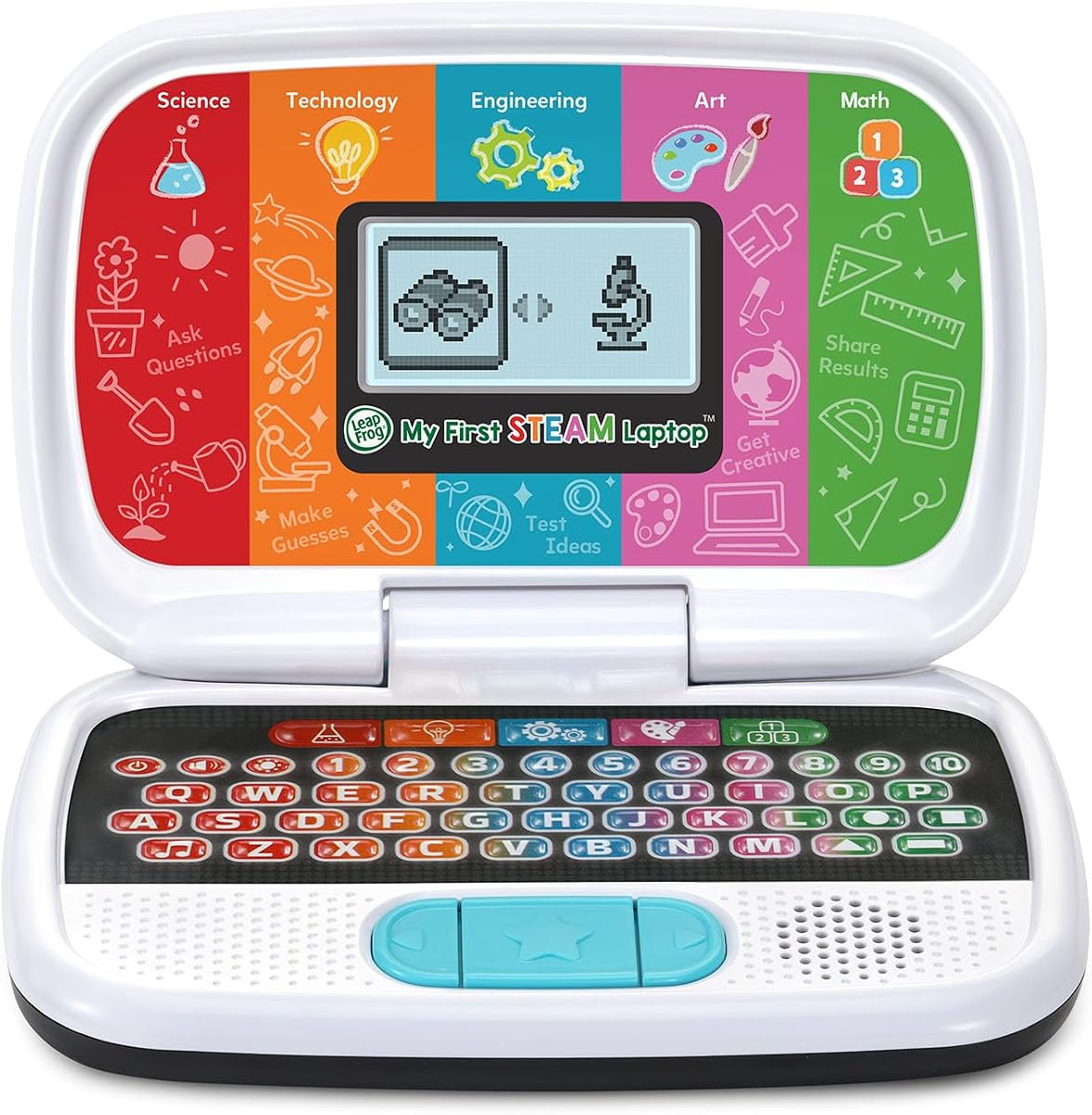
LeapFrog introduces science and math through engaging characters like Dr. Frankensteam in this dedicated STEAM laptop. Rated 4.5 stars, it encourages kids to grow plants and build robots, making abstract concepts tangible and fun.
We may earn a commission when you buy through this link, at no additional cost to you.
The device is designed for children aged three and up, fostering early interest in technology and engineering. Activities include matching shapes and counting dinosaur bones, which develop logic and observational skills in a playful manner.
As a budget-friendly option, it provides significant educational value without a high cost. The content is carefully curated to ensure safety and age-appropriateness, making it a trusted choice for parents focusing on STEM education.
Ideal for younger children beginning their educational journey, this laptop builds confidence in science and math. It is a thoughtful gift that encourages curiosity and hands-on learning in a safe environment.
Grow plants, investigate fossils and learn about the importance of sunlight through guided play.
Build robots and machines, match shapes to parts or create imaginative animal designs.
We may earn a commission when you buy through this link, at no additional cost to you.
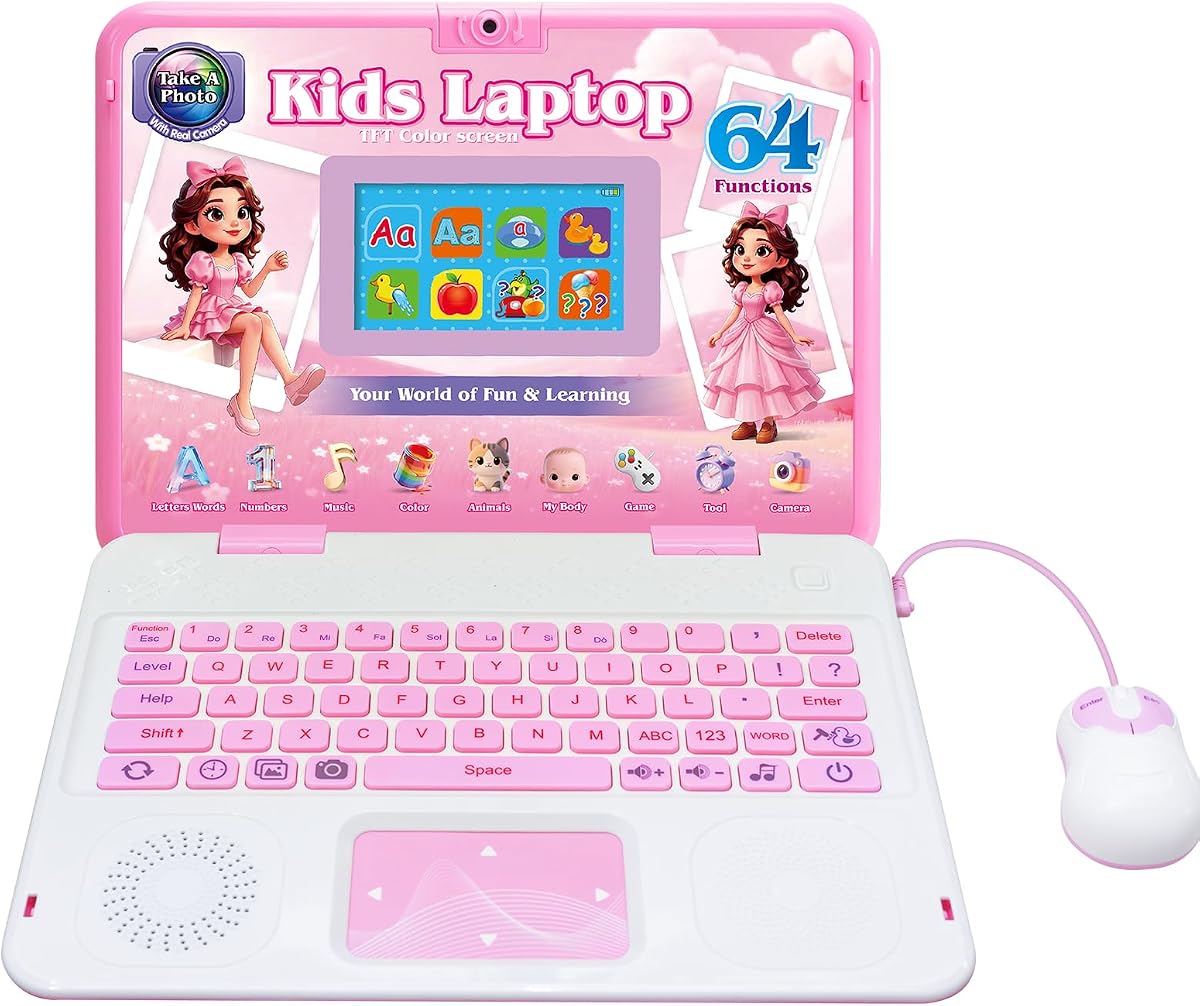
With a built-in camera and 64 activities, this laptop encourages creativity alongside academic learning. Rated 4.6 stars, it offers vibrant colors and realistic designs that appeal to children who enjoy capturing memories and exploring games.
We may earn a commission when you buy through this link, at no additional cost to you.
The camera features cute photo frames and filters, allowing kids to express themselves artistically. This unique function adds a layer of fun that goes beyond standard educational tasks, keeping engagement high over time.
The 4.3-inch TFT display ensures clarity for viewing content and reviewing photos. Its slim form factor and ergonomic design make it easy for small hands to hold comfortably during extended play sessions.
This model is perfect for kids who love capturing moments while learning. It combines the best of entertainment and education, providing hours of joyful playtime that supports both cognitive and creative development.
Kids can more freely express their creativity and record every beautiful memory with filters.
The perfect blend of entertainment and education, for hours of joyful playtime.
We may earn a commission when you buy through this link, at no additional cost to you.
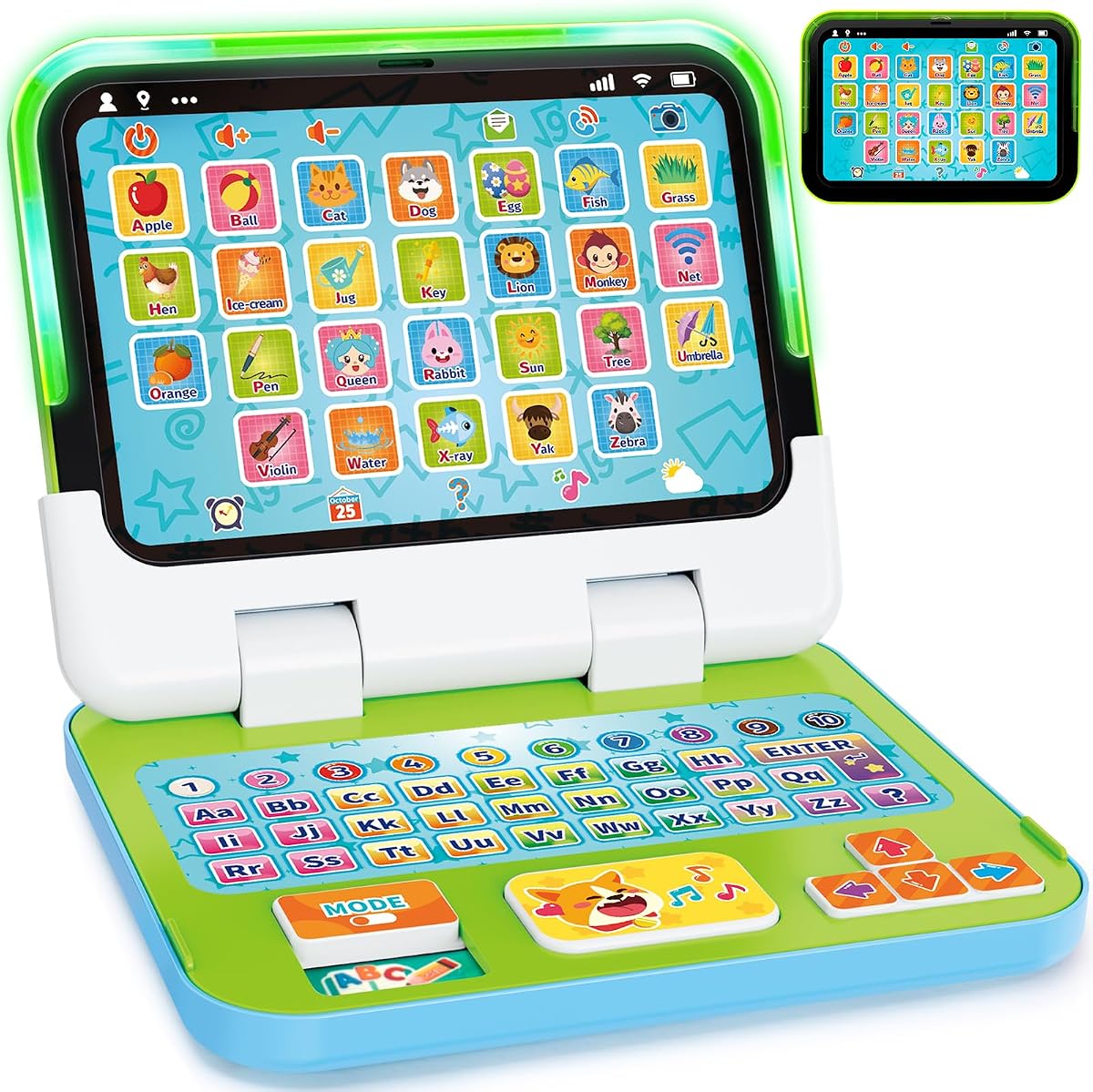
Designed for toddlers, this 2-in-1 device switches between keyboard and tablet mode for flexible learning. Rated 4.4 stars, it introduces early concepts like letters and numbers with lights and sounds that captivate young attention spans.
We may earn a commission when you buy through this link, at no additional cost to you.
The safe and sturdy construction ensures it can withstand rough handling. Made with chew-resistant materials and rounded edges, it provides peace of mind for parents concerned about durability and safety for babies and toddlers.
Interactive modes including quiz and music help develop fine motor skills and communication. The realistic simulation of tasks like sending emails helps children understand daily routines and social cues effectively.
This toy is an excellent first tech experience for children aged one to three. It supports vocabulary and listening skills in a playful context, making it a reliable gift for early development.
Crafted with strong ABS plastic and chew-resistant material to endure child handling.
Learning, Spelling, Quiz, and Music modes support fine motor development and memory.
We may earn a commission when you buy through this link, at no additional cost to you.
This Unicorn-themed laptop combines learning with musical fun to keep children engaged. With a 4.3 rating, it covers essential skills like mathematics and logic while introducing music notes and melodies for creative play.
We may earn a commission when you buy through this link, at no additional cost to you.
The ergonomic design ensures easy handling with a realistic mouse and keyboard. The included clock reading activity helps develop time management skills early, preparing kids for school environments effectively.
Parents appreciate the bilingual capabilities that support language growth alongside other subjects. The fun games included test logic and memory, offering a break from structured learning while still building cognitive abilities.
It serves as a great first laptop for children interested in music and creative activities. The appealing design makes it a desirable gift that encourages daily use for educational and recreational purposes.
Musical activities for the first step in music including notes learning and composing melodies.
English and Spanish activities help children develop vocabulary and general knowledge.
We may earn a commission when you buy through this link, at no additional cost to you.
Selecting the right laptop involves balancing educational value with ease of use and safety. Consider your child's age and interests to find a device that supports their growth without overwhelming them with complexity.
Ensure the device matches your child's developmental stage. Younger children benefit from simple toys with lights and sounds, while older kids may need features like keyboards and web browsers.
Check the recommended age range on the packaging to avoid frustration or boredom.
Look for pre-loaded activities that align with learning goals such as math, language, or science. A variety of subjects keeps engagement high and supports holistic development.
Prioritize models that offer structured lessons alongside free-play options for balance.
Children often handle devices roughly, so robust construction is essential. Features like shock resistance and non-toxic materials ensure the laptop survives drops and chewing.
Invest in models known for build quality to extend the lifespan of the device.
For devices with internet access, robust controls allow you to manage screen time and content. This ensures a safe browsing environment free from inappropriate material.
Always review the available settings to understand how much control you have over usage.
A clear, bright screen reduces eye strain and makes activities more engaging. HD displays provide better visuals for videos and interactive learning tools.
Larger screens are easier to read but may reduce portability depending on the model.
Decide if you need offline play or internet access. Some devices require Wi-Fi for content updates while others offer standalone entertainment.
Consider how often you are willing to connect the device to a network for updates.
Check whether the device runs on batteries or a rechargeable plug-in. Battery-operated units offer portability but incur ongoing costs for replacements.
Choose a power source that fits your lifestyle and budget constraints.
The interface should be intuitive for a child to navigate independently. Simple menus and responsive keys prevent frustration during learning sessions.
Test the physical ergonomics to ensure the child can comfortably reach all buttons.
Start by setting up any required accounts or profiles before handing the device to your child. This ensures parental controls are active and content filters are in place for safe exploration.
Teach your child basic handling techniques such as closing the lid gently and avoiding exposure to liquids. Regularly check for software updates to keep the system running smoothly and securely.
Clean the screen with a dry microfiber cloth to prevent scratches and maintain visibility. Store the device in a cool, dry place when not in use to protect the internal components from damage.
Yes, most models are designed with safety in mind using rounded edges and non-toxic materials. Parents should always supervise usage and ensure parental controls are set correctly for internet-connected devices.
No, many options like the VTech Genio offer offline pre-loaded activities. However, full OS laptops like the LEXiBOOK require Wi-Fi for app access and updates.
Use a dry microfiber cloth to wipe away fingerprints and dust. Avoid harsh chemicals or sprays that could damage the display coating or internal electronics.
Battery life varies by model, with some toy laptops lasting 5 to 7 hours on rechargeable power. Check specific product details for exact usage times and charging requirements.
Real Chromebooks and Android laptops can assist with basic homework tasks. Toy laptops are primarily educational tools and not suitable for submitting assignments to school portals.
Most devices come with necessary power adapters and batteries. Some models include a mouse or carrying bag to enhance the user experience immediately.
We reviewed ten diverse options ranging from simple toys to full Android laptops. The VTech Genio and LEXiBOOK LAPTAB stood out for their unique educational approaches and robust features.
Prioritize devices that match your child's age and interests to maximize engagement. Safety and durability should remain top concerns regardless of the technology level.
Always check current availability and reviews before making a purchase. Technology updates frequently so staying informed ensures you get the most reliable device for your family.