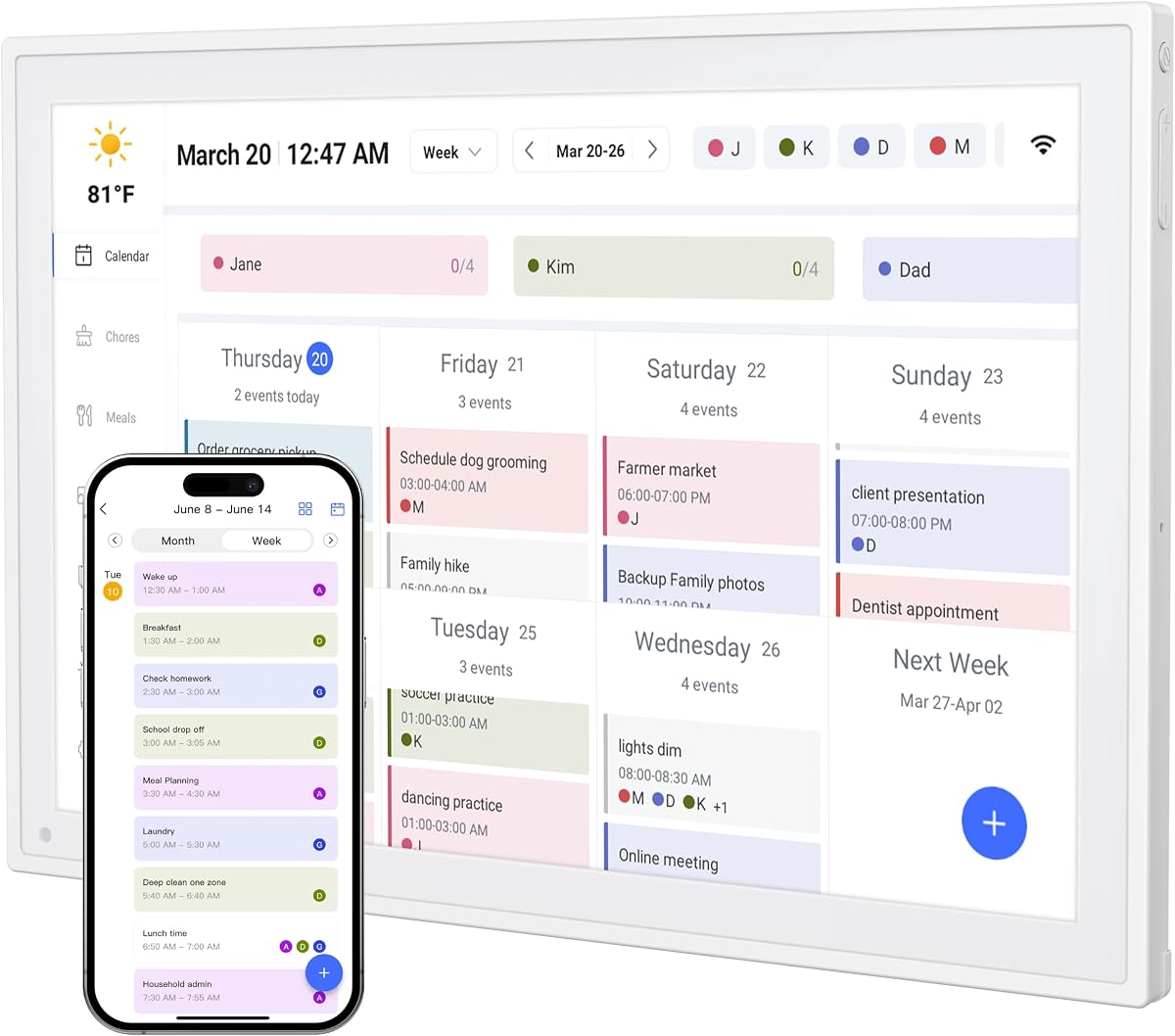
10.1-inch Digital Calendar Smart Touchscreen
4.2Editor score
No monthly subscription fees
Color coded personal schedules
Silent vibration alerts
Managing household tasks and family schedules has never been more complex in today's fast-paced world. A digital chore chart offers a centralized way to organize responsibilities, track progress, and keep everyone aligned without paper clutter. These smart devices combine calendar syncing with visual task management to streamline daily routines effectively.
We compared ten leading digital chore chart systems based on screen size, synchronization capabilities, and interactive features. Each product was evaluated for ease of setup, family collaboration tools, and reliability in syncing with major calendar platforms. This list covers devices ranging from compact desk models to large wall-mounted command centers.
Each pick highlights unique strengths such as gamified rewards, meal planning integration, or premium display quality. We focus on how well these devices adapt to different family sizes and organizational needs. Please note that specific feature availability and pricing may change over time as manufacturers update their software and hardware offerings.
4.2Editor score

4.5Editor score

4.4Editor score
As an Amazon Associate we earn from qualifying purchases.
This side by side comparison examines the technical specifications and core capabilities of ten top rated digital chore chart devices. We evaluate screen dimensions, connectivity options, and unique family management tools to help you find the perfect fit for your home organization needs.
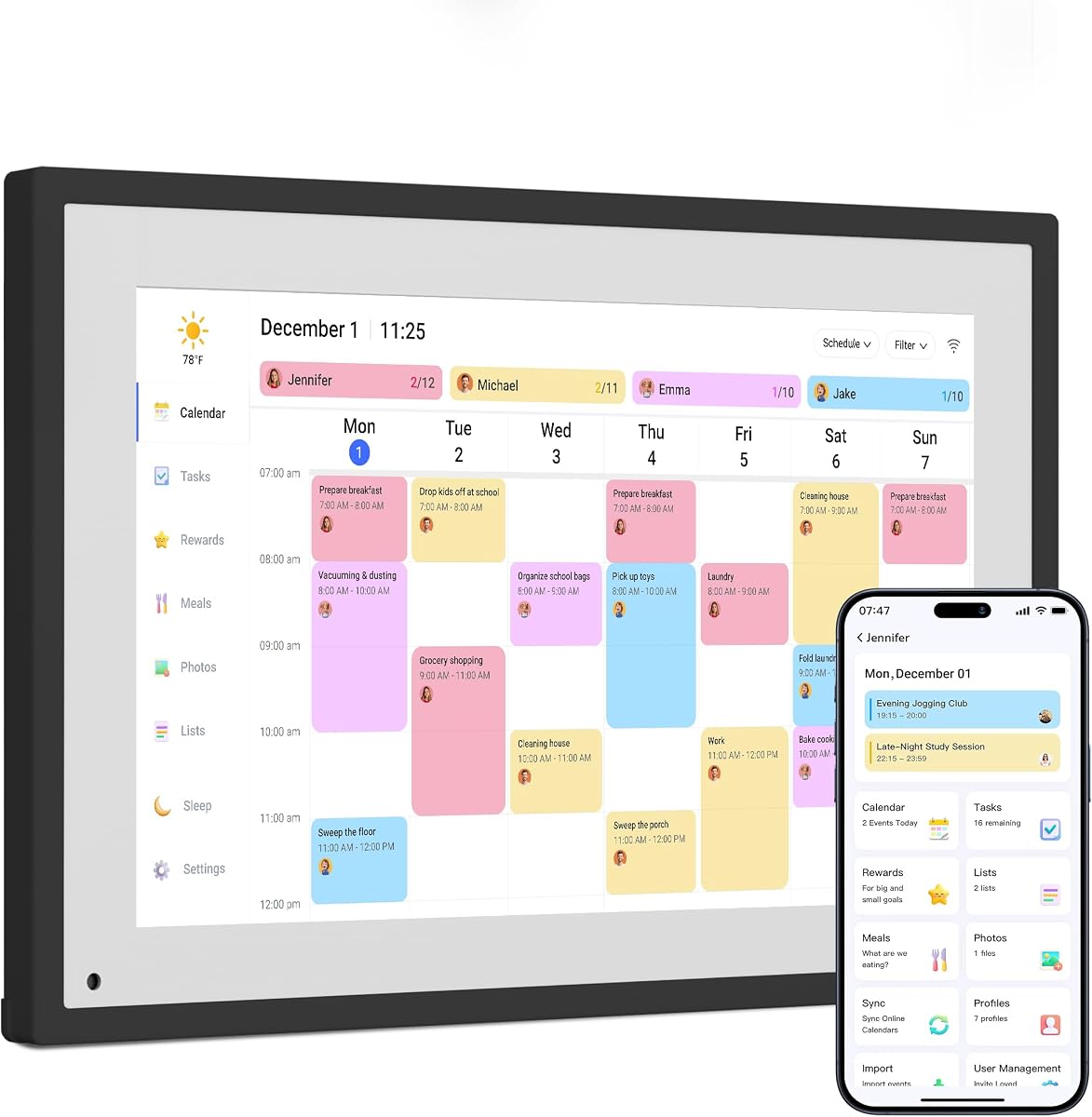
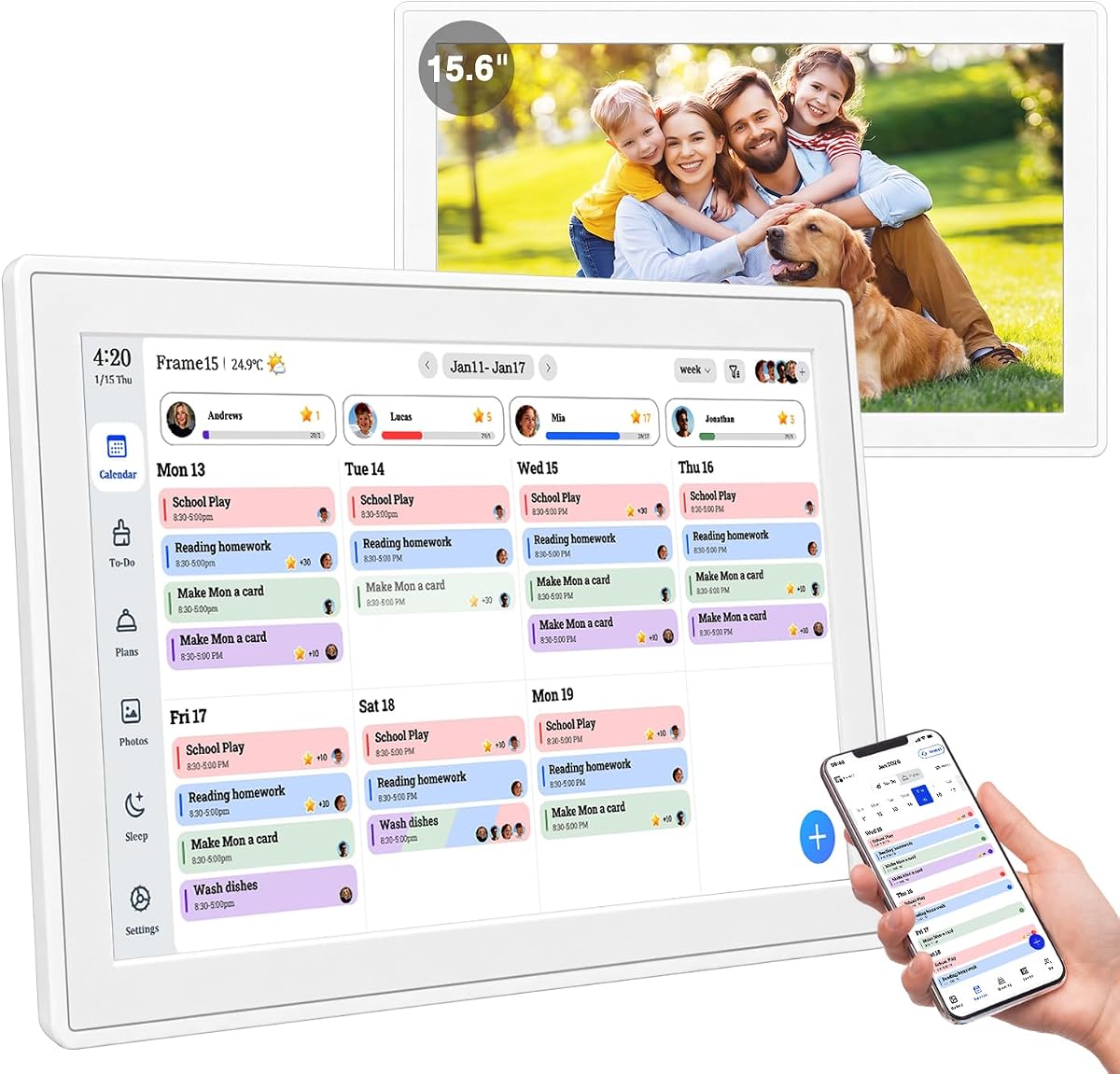
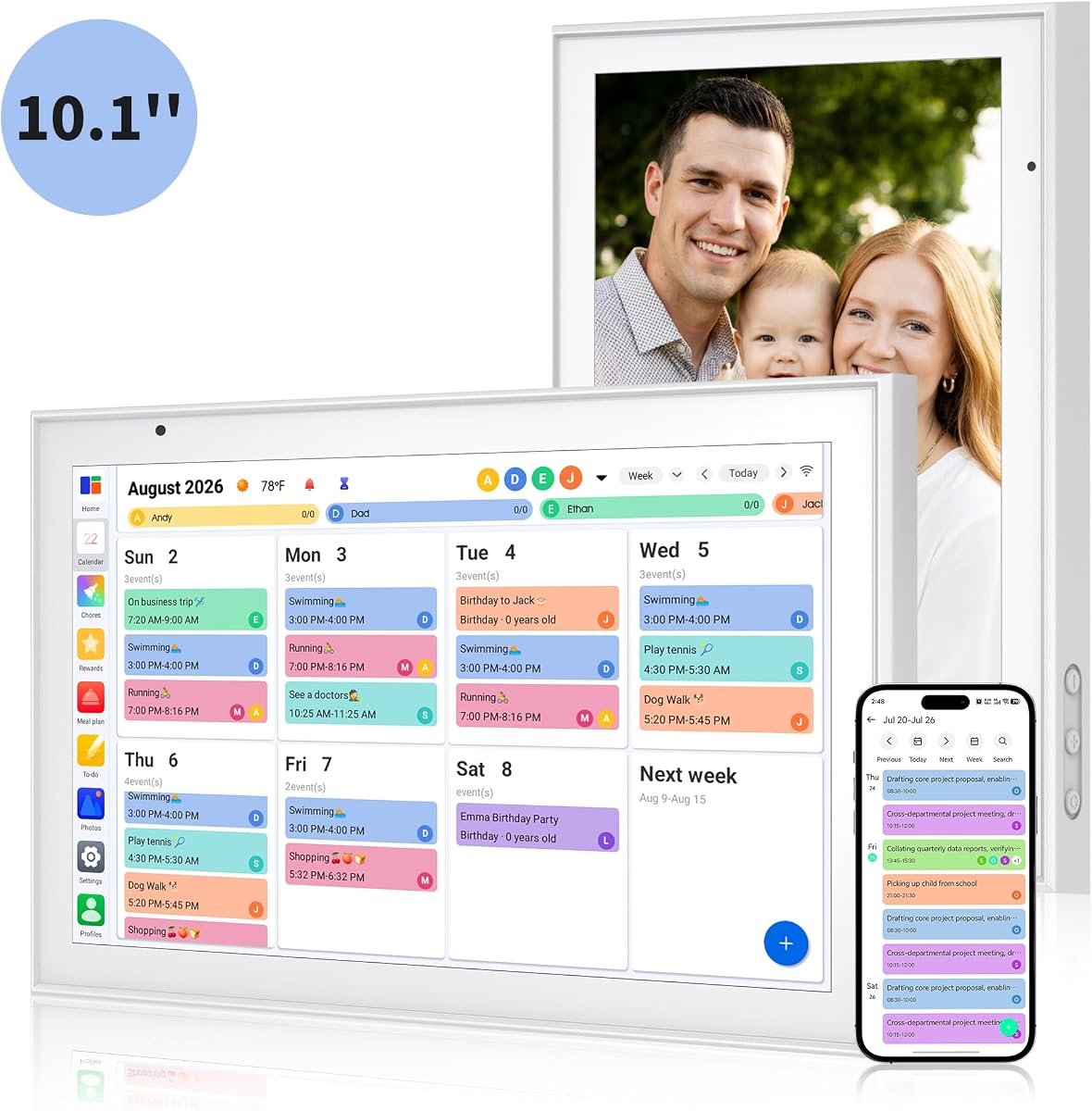


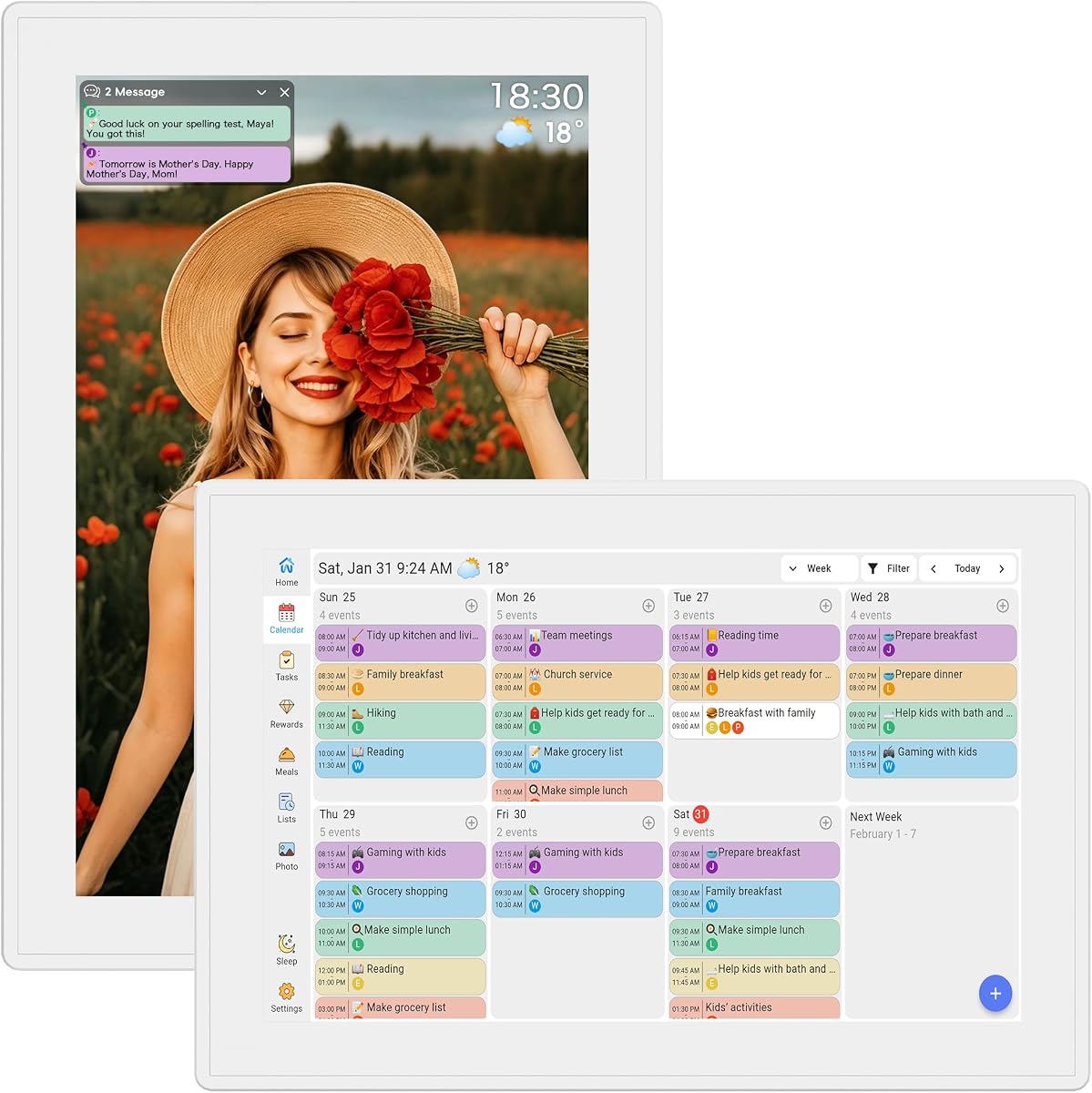

The Dragon Touch 10.1 inch Digital Calendar Chore Chart stands out as a top contender for families seeking an all-in-one organizational solution. With a robust 4.5 star rating, it delivers a crystal clear touchscreen experience that simplifies scheduling and task tracking for every household member.
We may earn a commission when you buy through this link, at no additional cost to you.
Its All-In-One Smart Family Calendar feature allows parents to assign different colors and tasks to each family member effortlessly. This visual distinction makes it easy to see who is responsible for what at a glance. When not in use, the device transforms into a beautiful digital picture frame, adding elegance to any room.
While it lacks wall mount support, the desk-friendly design fits well on counters or tables. The trade-off is acceptable for those who prefer flexible placement over fixed installation. The device balances functionality with aesthetic appeal effectively.
This product is ideal for families who want a unified hub for calendars and chores without complex setup. Its combination of scheduling tools and photo display capabilities makes it a practical and stylish addition to modern homes looking to reduce paper clutter.
The color-coded task system ensures everyone knows their responsibilities instantly without confusion or verbal reminders.
Switching between calendar mode and photo frame mode provides both utility and decor value in one device.
We may earn a commission when you buy through this link, at no additional cost to you.
This 15.6 inch Digital Calendar Wall Touch Screen offers a premium experience for large households needing a central command hub. It integrates family calendars, meal planning, and chore charts into one sleek interface. The real-time sync capabilities ensure that updates from multiple family members are reflected instantly.
We may earn a commission when you buy through this link, at no additional cost to you.
The built-in motivational chore and reward system fosters responsibility among children through gamified tasks. Parents can assign tasks while kids check them off to earn points, making daily routines more engaging. Additionally, the vibrant digital photo frame features AI enhancement to restore and cycle through memories automatically.
While the price is higher than smaller models, the large screen and comprehensive feature set justify the investment for busy families. The flexible mounting allows installation on walls or desks, providing adaptability to different room layouts. Battery inclusion notes should be checked before setup.
Best suited for tech-savvy families seeking a high-impact organizational tool that doubles as home decor. The lack of subscription fees is a significant long-term benefit that keeps ongoing costs low despite the initial higher investment.
Reward points and visual tracking turn mundane chores into engaging activities that encourage consistent participation from kids.
Merging meal plans, calendars, and chores on one screen eliminates the need for multiple separate planning tools.
We may earn a commission when you buy through this link, at no additional cost to you.
The Dragon Touch Interactive Chore Chart combines an elegant design with practical family planning tools at a competitive price point. Users can connect to Wi-Fi and link calendars to the mobile app quickly, making setup straightforward for non technical parents. The 10.1 inch touchscreen provides a clear view for all household members.
We may earn a commission when you buy through this link, at no additional cost to you.
It keeps housework organized through an interactive chore chart that motivates children to develop healthy habits. The ability to display family dinner plans eliminates the daily what is for dinner question. While paid functions like Magic Import exist, the core features remain free and accessible for everyday use.
The device acts as a stunning digital picture frame when not displaying schedules, adding value beyond organization. Its compact design fits well on desks or counters, though wall mounting may not be an option. This makes it ideal for homes with limited wall space or flexible room usage.
An excellent choice for families needing a reliable, entry-level digital planner without ongoing subscription costs. The combination of ease of use, mobile management, and decorative capabilities makes it a standout budget pick in the crowded digital calendar market.
Simply plugging in and connecting to Wi-Fi allows users to start managing schedules within minutes of unboxing.
Displaying dinner plans directly on the screen reduces confusion and helps coordinate meal prep efficiently.
We may earn a commission when you buy through this link, at no additional cost to you.
This Smart Digital Calendar serves as a comprehensive command center, merging shared calendars and chore tracking into one intuitive display. With dual-band Wi-Fi, updates happen instantly, ensuring that schedules remain current for all family members. The custom color assignment feature helps avoid overlapping plans and missed events.
We may earn a commission when you buy through this link, at no additional cost to you.
Daily tasks are transformed into a rewarding game for kids through the built-in interactive chore chart. A simple tap allows children to check off completed tasks, helping build lasting habits of responsibility. The integrated meal planner and to-do list streamline weekly menu and grocery needs in one central spot.
The sleek 10.1 inch design fits comfortably on kitchen counters or desks without overwhelming the space. When not in use, it transitions into a digital photo frame, cycling through cherished memories. Wall mounting or desk placement with an included stand provides hands-free convenience for busy parents.
Perfect for households seeking a versatile organizer that balances utility with simplicity. The absence of complex subscriptions and the focus on core functionality make it a reliable tool for keeping daily routines organized and stress-free.
Interactive tracking turns mundane chores into positive engagement, encouraging children to take ownership of their duties.
Combining grocery lists with meal planning reduces last-minute takeout and simplifies kitchen preparation workflows.
We may earn a commission when you buy through this link, at no additional cost to you.
Skylight Calendar offers a premium 15.4 inch touchscreen wall planner designed specifically for busy families needing seamless sync. It connects effortlessly with major calendar platforms, ensuring schedules and events are perfectly readable at a glance. The customizable design fits naturally into kitchens, hallways, or home offices.
We may earn a commission when you buy through this link, at no additional cost to you.
An interactive chore chart combined with meal planning builds habits and encourages independence among children. Personalized chores and star rewards help keep routines consistent and reduce daily stress about dinner plans. The device keeps the whole household on track with shared calendars accessible via the app.
While the base features are robust, some advanced capabilities like Disney Mode require an optional premium Plus subscription. This model may suit those willing to pay for exclusive animations and enhanced photo features. The sleek HD display maintains high visibility and aesthetic appeal throughout the home.
Suitable for families prioritizing screen real estate and premium visual quality over strict budget constraints. The ability to stay connected via app and wall mounting makes it a versatile hub for coordinating complex household schedules.
Disney Mode uses animations and avatars to make task completion exciting for younger family members.
Updates made on the device sync instantly with phones ensuring everyone stays informed regardless of location.
We may earn a commission when you buy through this link, at no additional cost to you.
This Digital Calendar provides a family hub with no subscription, allowing users to enjoy all features including chore and meal tracking without hidden fees. It syncs Google Calendar, iCloud, and Outlook in real time, ensuring schedules remain synchronized across devices instantly. The interactive chore list lets parents monitor progress easily.
We may earn a commission when you buy through this link, at no additional cost to you.
Kids are motivated to earn stars and unlock rewards, building responsibility through positive reinforcement. The visual weekly meal manager displays menus beautifully, while recipe uploads simplify grocery generation. Sleep saves energy and auto-wakes, ensuring the screen is ready when needed.
The device offers a perfect gift for women who manage household logistics, combining practicality with memory sharing. When idle, the screen becomes a beautiful slideshow of cherished moments, adding warmth to any room. Real-time weather and smart sleep features further enhance its utility.
An ideal choice for families wanting a no-frills, subscription-free solution for daily management. The balance of affordability, functionality, and aesthetic appeal makes it a practical addition to organized households.
Earning stars for chores creates a fun incentive structure that motivates children to participate actively.
Automatic grocery list generation from meal plans reduces time spent planning and shopping for daily needs.
We may earn a commission when you buy through this link, at no additional cost to you.
The 15.6 inch 1080P touchscreen family schedule center offers high resolution clarity for shared planning and chore management. Synchronized with major calendars through the AiMOR APP, it supports multiple family members with color-coded schedules. The adaptive HD touch display auto rotates and dims brightness for day and night use.
We may earn a commission when you buy through this link, at no additional cost to you.
An interactive star reward chore chart turns daily housework into kid-friendly games, encouraging responsibility and healthy habits. Custom tasks and matching star points allow children to self-track completion progress. The meal planner and to-do list further organize weekly needs and birthday countdowns.
Built-in 64GB storage holds thousands of HD media files, switching to photo frame mode automatically when idle. Remote access for sharing memories enhances connectivity. The 1-year replacement warranty adds reliability. However, setup requires familiarity with the specific app ecosystem.
Best for families wanting a high-resolution, large-format screen that integrates deep storage and app management. The responsive system and widget customization make it a powerful tool for tech-oriented households managing complex schedules.
Auto dimming and rotating ensure readability in any lighting condition without manual user intervention.
The high storage limits allow users to store and display thousands of photos without needing cloud services.
We may earn a commission when you buy through this link, at no additional cost to you.
This 10.1 inch HD touchscreen serves as a family command center, combining shared calendars, color-coded schedules, and task management. Get started in minutes with plug-and-play setup and sync schedules instantly with Google, iCloud, Outlook, and more. Changes sync across connected devices automatically for seamless coordination.
We may earn a commission when you buy through this link, at no additional cost to you.
Interactive reward charts encourage kids to complete tasks and earn stars, building responsibility through positive reinforcement. Plan weekly meals in advance to eliminate daily dinner questions. Smart reminders and weather forecasts keep everyone prepared for school pickups and extracurricular activities.
The device transforms into a digital photo frame for memory display, offering customizable albums and a rotating gallery. Designed for ultimate flexibility, it can be mounted or displayed on a desktop. Sleep settings save energy while keeping the device running effortlessly.
Perfect for households needing a simple yet effective tool to keep routines organized and connected. The high rating reflects user satisfaction with its ease of setup and reliable synchronization across multiple family members.
The instant sync capability ensures schedules are always up to date without waiting for server updates.
Smart reminders and weather info help families prepare for the day ahead with minimal mental effort.
We may earn a commission when you buy through this link, at no additional cost to you.
This 10.1 inch Digital Calendar turns any counter into a family command center with a Full HD IPS touchscreen. Auto-brightness keeps everything readable day or night, and color-coded personal schedules help everyone know who is doing what. The system supports multiple members without monthly subscriptions.
We may earn a commission when you buy through this link, at no additional cost to you.
Interactive rewards motivate kids to complete daily tasks, with progress tracked on a colorful screen. It features silent vibration alerts for early appointments without disturbing partners. Meal planning and recipe keeping help organize ingredients end reducing dinner debates.
The adjustable stand allows for portrait or landscape use on desks or counters without wall mounting. Quick setup and real-time sync ensure schedule changes update instantly across devices. This flexibility makes it suitable for various home layouts.
An excellent tool for families wanting a distraction-free organization system. The focus on silent alerts and easy access to recipes ensures that daily logistics are managed smoothly without interruptions or noise.
Vibration notifications ensure important times are met without waking others in the household.
Keeping recipes and meal plans together simplifies kitchen management and reduces decision fatigue.
We may earn a commission when you buy through this link, at no additional cost to you.
This Full HD Smart Display serves as a family organizer, syncing seamlessly with Apple and Google calendars. Color-coded schedules ensure no soccer practice or meetings are missed. The device keeps screens uncluttered by displaying meal titles only, helping organize groceries and reduce waste without detailed recipe lists.
We may earn a commission when you buy through this link, at no additional cost to you.
When idle, it transforms into a digital photo frame for memories or sleep mode for zero light pollution. Customizable sleep schedules match family routines, while core functions like tasks, rewards, and grocery lists are free forever. The ultra-thin design complements modern decor.
Task rewards encourage kids to complete daily routines, building independence over time. The ability to manage wish lists and shopping lists on one shared digital space simplifies household management. It is a practical gift for moms and women who coordinate household schedules.
Best for families wanting a straightforward, subscription-free digital calendar that focuses on essential scheduling and task tracking. The simple interface and photo capabilities make it accessible for all ages without technical complexity.
The sleek design ensures the device blends seamlessly into modern home decor without looking like office equipment.
Smart sleep mode turns off the screen at night to ensure a restful environment for everyone.
We may earn a commission when you buy through this link, at no additional cost to you.
Selecting the right digital chore chart requires considering screen size, syncing capabilities, and family needs.
Larger screens like 15 inches provide better visibility for busy households with multiple users accessing the device simultaneously. Smaller 10 inch models save space and are ideal for kitchen counters or desks where room is limited. Ensure the display resolution is high enough to read text comfortably from a distance.
Look for HD or Full HD displays with auto-brightness features to ensure readability in different lighting conditions throughout the day.
The most critical feature is seamless real-time syncing with major calendar platforms like Google, iCloud, and Outlook. This ensures that updates made on the device or phone reflect instantly for all family members. Without reliable syncing, the device risks becoming an isolated tool rather than a central hub.
Choose models that support multi-device sync and allow easy editing via a companion app for maximum flexibility.
Effective digital chore charts should include interactive features like tap-to-check completion, star rewards, and visual progress tracking. Gamified elements such as points or avatars can significantly increase engagement among children. Customizable task lists allow parents to tailor responsibilities to age-appropriate levels.
Prioritize devices with clear visual cues for completed tasks to reinforce positive habits without verbal reminders.
Many digital planners require monthly subscriptions to unlock advanced features, so it is vital to verify what is included out of the box. Free models with robust core features offer better long-term value for budget-conscious families. Always check if features like meal planning or photo storage require additional fees.
Selecting a no-subscription model ensures you retain full functionality without recurring expenses.
Consider whether the device needs wall mounting or can function as a standalone desk unit. Wall mountable units are great for kitchen command centers, while desk models offer mobility and flexibility for bedrooms or offices. Ensure mounting hardware is included if you plan to fix it to a wall.
A versatile stand design that supports both portrait and landscape orientations adds to the device utility.
Integrated meal planners help reduce decision fatigue by allowing users to schedule weekly menus and generate grocery lists automatically. Some devices even display recipes directly on the screen for convenience during cooking. This feature is particularly valuable for parents managing busy dinner routines.
Look for models that support visual menu titles or detailed recipe uploads based on your family needs.
Digital chore charts often double as photo frames, cycling through cherished memories when idle. Ensure the device supports local uploads or cloud sharing to keep your photo collection current. This dual functionality saves space by combining utility with home decor.
Storage capacity and auto-slide features are key factors to consider when using the device as a memory display.
An intuitive interface is essential for families of all tech levels. Touchscreens should be responsive, and settings should be easy to navigate without lengthy tutorials. Companion apps should mirror the device functionality for remote management.
A clean design with clear fonts and buttons ensures that everyone in the family can interact with the system effortlessly.
Begin by connecting your device to a stable Wi-Fi network and downloading the companion app on your smartphone. This step enables synchronization with your existing calendar accounts like Google or iCloud so that events reflect automatically across all devices. Follow the on-screen setup wizard to input your family members and assign specific colors to each person for clarity.
Set up your first tasks and schedules by tapping the chore chart or calendar interface on the screen. Create recurring tasks like laundry or homework and assign rewards for completion to keep kids motivated. Use the color-coding feature to ensure that each person sees their unique tasks distinct from others. If meal planning is a priority, schedule weekly menus and enable grocery list generation.
Regularly maintain your device by cleaning the screen with a soft microfiber cloth to prevent smudges and ensure touch accuracy. Adjust brightness settings to match your room lighting and use sleep mode during night hours to save energy. Keep the software updated via the app to ensure you always have the latest features and security patches available.
Many models operate without subscriptions, offering all core features for free. However, premium plans may unlock advanced animations or enhanced storage. Always check product details to confirm which features are included out of the box.
Yes, most top-rated digital chore charts support real-time sync allowing multiple users to update events simultaneously. This ensures that changes made on one device are instantly reflected on all others in the household.
Almost all reviewed devices support syncing with Google Calendar and iCloud. This ensures your existing appointments are visible on the digital screen without manual entry every time.
A 15-inch model is ideal for kitchens where the device is viewed from a distance. Smaller 10-inch screens work well for countertops or desks where space is limited.
Look for models with gamified features like star points or avatar unlocks. These systems turn daily tasks into a game, encouraging consistency and positive behavior without verbal reminders.
Most devices include basic meal planners for scheduling weekly menus and grocery lists. Some higher-end models allow for recipe uploads or detailed menu planning to reduce cooking stress.
Many models come with wall-mount kits or stands for desk placement. Verify the product description for mounting options before purchasing to ensure it fits your installation needs.
Yes, most digital chore charts have smart sleep modes that turn off the display when idle. This helps save energy and prevents light pollution during nighttime hours.
The Dragon Touch 10.1 inch and the 15.6 inch Wall Calendar represent the top choices for balance of features and ease of use. These models excel in syncing capabilities and intuitive interfaces, making them reliable hubs for modern family organization.
When choosing, prioritize screen size based on your available space and subscription-free models if you want long-term cost efficiency. Ensure the device supports the specific calendars your family already uses to avoid disruption in your workflow.
Prices and features may change as manufacturers update software. Always check the latest product details and current pricing before finalizing your purchase to ensure you get the best value for your specific household needs.