
DocketPORT 667
3.8Editor score
Ultra-compact footprint
USB powered convenience
Direct PDF scanning
This comprehensive guide compares the top business card scanners for 2026, evaluating speed accuracy software integration, and portability to help you digitize
Business card scanners are essential tools for professionals who need to digitize contact information quickly and accurately. These devices save time by converting physical cards into digital contacts that can be easily managed and shared across various platforms.
We evaluated ten top-rated scanners based on scanning speed, optical character recognition accuracy, software compatibility, and ease of use. Our analysis includes models ranging from compact portable units to high-volume desktop solutions for different office needs.
Each product entry highlights key features, pros, cons, and ideal use cases to help you make an informed decision. Please note that product availability and specifications may change over time, so verify details before purchasing.
3.8Editor score

4.9Editor score

4.5Editor score
This side-by-side comparison helps you evaluate key specifications across all ten models to find the perfect match for your specific business needs and workflow requirements.


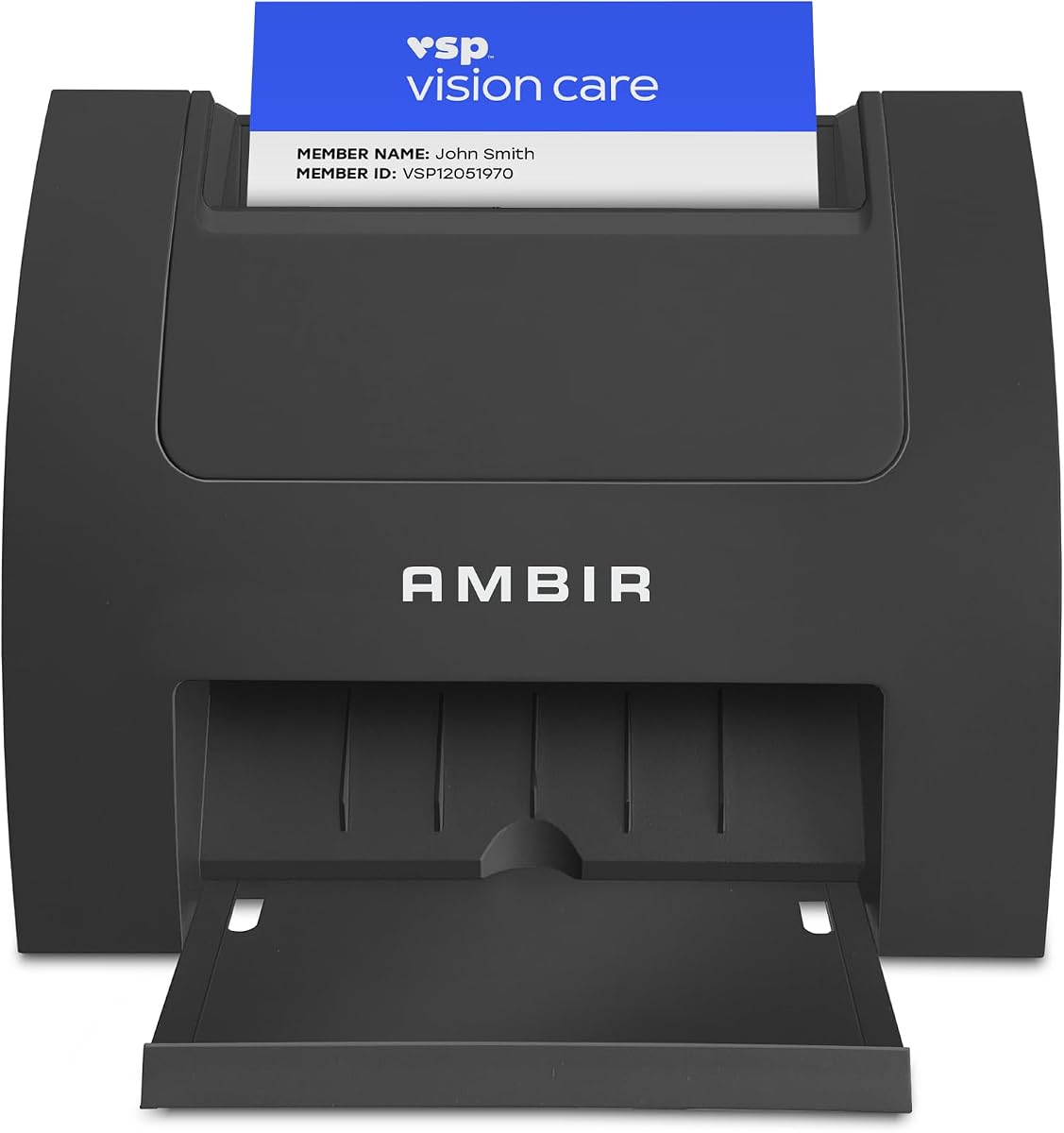


The Ambir ImageScan Pro 687-AS stands out as the premier choice for professionals needing reliable business card scanning with high accuracy and speed. It holds an impressive 4.9 rating from users who appreciate its ability to handle various card types including those with raised characters.
We may earn a commission when you buy through this link, at no additional cost to you.
Its duplex scanning capability captures front and back information in a single pass, significantly reducing manual handling time. The included AmbirScan software supports multiple cloud services and allows seamless integration with productivity tools like QuickBooks and Slack through Zapier webhooks.
While the price is higher than entry-level models, the efficiency gains justify the investment for busy offices. The Citrix Ready certification ensures it works smoothly in virtual desktop environments, which is a critical feature for many enterprise users.
If you need a scanner that handles diverse card types with minimal user intervention while integrating into automated workflows, this model is the top recommendation. It balances speed, accuracy, and software flexibility better than competitors in this category.
The scanner processes patient IDs, insurance cards, and licenses with raised characters in seconds, making it versatile beyond standard business cards.
Built-in Zapier integration allows scanned metadata to trigger custom actions in over 6,000 apps, eliminating manual data entry tasks.
We may earn a commission when you buy through this link, at no additional cost to you.
The PenPower WorldCard Pro offers robust features for international users, supporting recognition across 24 different languages which is rare in this price segment. It enables quick digitization and storage of contact details into a digital format suitable for global business operations.
We may earn a commission when you buy through this link, at no additional cost to you.
Its software provides comprehensive management tools allowing users to assign categories and add photos to contacts. The advanced search functions help locate contacts quickly using keywords while clickable address fields open maps or websites directly.
Despite strong features, the 3.3 rating suggests some users encounter reliability issues compared to newer models. However, it remains a viable option for those needing specific language support without investing in enterprise solutions.
Consider this scanner if you frequently encounter business cards in diverse languages and need flexible export options. While not the fastest, its language capabilities make it a specialized tool for multilingual environments.
Recognizes cards in 24 languages ensuring accurate digitization regardless of the source country or language script.
Supports export to vCard, CSV, text, and HTML formats ensuring compatibility with various contact management systems.
We may earn a commission when you buy through this link, at no additional cost to you.
This model is tailored for professionals relying heavily on Microsoft Outlook for contact management, offering direct import capabilities that simplify list growth. Its AI-powered recognition improves accuracy when extracting names and email addresses from scanned cards locally.
We may earn a commission when you buy through this link, at no additional cost to you.
Automatic duplicate detection keeps address books organized by preventing repeated entries which saves time during contact maintenance. The shared folder feature allows multiple users in distributed offices to contribute to a central contact repository seamlessly.
Users should note that AI processing is optional and works best on English, French, Italian, German, and Spanish cards. While it lacks the duplex capability of the 687 model, it remains a solid choice for Outlook-centric workflows.
If your primary contact database is Outlook and you need efficient duplicate management, this scanner delivers targeted value. It balances software features with hardware performance for office environments needing centralized contact sharing.
Imports scanned information directly into your Outlook address book reducing manual entry errors and saving administrative time.
Executives assistants can scan to a shared folder allowing team members easy access to updated contact information.
We may earn a commission when you buy through this link, at no additional cost to you.
The Epson Workforce ES-50 is designed for professionals on the go, offering the lightest mobile single-sheet feeding scanning in its class. It scans a single page in as little as 5.5 seconds ensuring quick turnaround even when traveling or working remotely.
We may earn a commission when you buy through this link, at no additional cost to you.
Being USB-powered eliminates the need for external power supplies or batteries making it truly plug-and-play with laptops. The included Nuance OCR creates searchable PDFs which enhances document utility beyond simple image storage for accounting or record keeping.
Its versatile paper handling extends beyond business cards to receipts and IDs supporting broader office tasks. However, it lacks duplex scanning and supports a maximum paper width which may not suit all document types.
Choose this if you prioritize mobility and speed over advanced features like duplex or shared folders. It is an ideal companion for field workers who need to digitize documents quickly without heavy equipment.
Lightweight and compact form factor allows easy transport in bags or pockets without bulk or power concerns.
Built-in OCR and cloud scanning enable searchable PDFs and easy sharing to online storage without extra hardware.
We may earn a commission when you buy through this link, at no additional cost to you.
The AMBIR PS670ST-AS claims to be the fastest single-sided card scanner on the market, delivering scans in under two seconds with true 600 dpi images. Its vertical feed path simplifies card insertion making it easy to maintain high throughput during busy periods.
We may earn a commission when you buy through this link, at no additional cost to you.
The compact design saves desk space while the bundled software enables continuous scanning without prompts which boosts efficiency. Users benefit from high-speed performance without compromising image quality meeting third-party software standards for ID or card digitization.
While it lacks duplex capabilities and runs only on Windows, its speed makes it suitable for scenarios prioritizing volume over dual-sided data. The Zapier integration also supports workflow automation for teams needing to trigger actions quickly after scans.
If you need to process a high volume of cards quickly in a Windows environment, this model excels. Its vertical feed ensures minimal handling time, making it ideal for reception desks or registration areas.
The vertical feed path simplifies card insertion reducing user effort and enabling faster throughput in high-volume settings.
AmbirScan allows continuous scanning without prompts reducing interruptions and improving overall workflow efficiency.
We may earn a commission when you buy through this link, at no additional cost to you.
This model serves businesses needing secure age verification and ID scanning without ongoing subscription costs. It reads 2D barcodes on government IDs to extract key data like birth date and address, ensuring accuracy while maintaining local privacy.
We may earn a commission when you buy through this link, at no additional cost to you.
Built-in age verification flags minors automatically, which helps comply with regulations for age-restricted items. Customer management tools allow tracking visits and maintaining ban lists, adding value beyond simple scanning for retail or security settings.
The 5.0 rating reflects user satisfaction with privacy and ease of use. Since data is stored locally and no internet is required, it offers maximum control over sensitive customer information without recurring fees.
Select this scanner if your priority is compliance and privacy in age-restricted retail or security environments. It is a turnkey solution for businesses needing robust ID verification without cloud dependencies.
Set customizable age restrictions to prevent underage purchases and ensure regulatory compliance automatically.
All data stays locally on your system ensuring maximum privacy without requiring internet or cloud storage.
We may earn a commission when you buy through this link, at no additional cost to you.
The ScanSnap iX1500 offers the flexibility of wireless or USB connectivity, allowing scans directly to mobile devices or cloud services without a computer. Its innovative design frees up desk space while handling most document types including thick items and plastic cards.
We may earn a commission when you buy through this link, at no additional cost to you.
With up to 30ppm duplex scanning and automatic de-skew, it delivers high-quality results without requiring driver setup or technical expertise. The QUICK MENU feature simplifies scanning workflows by letting users drag and drop scans into favorite apps.
While it costs more than basic card scanners, its versatility for documents and cards makes it a strong hybrid option. The ScanSnap Home software helps organize and manage scanned data efficiently from various sources.
This scanner is ideal for small offices needing both document and card digitization with wireless convenience. It balances performance and usability for environments requiring frequent and diverse scanning tasks.
Connect via Wi-Fi to scan directly to cloud services mobile devices or laptops without needing a computer.
Innovative compact form fits small spaces easily freeing up valuable desk real estate while in use.
We may earn a commission when you buy through this link, at no additional cost to you.
The DocketPORT 667 delivers essential card scanning functionality in an ultra-compact footprint roughly the size of a stapler. Its USB-powered design eliminates outlet hunting, making it perfect for travelers or remote workers with limited power access.
We may earn a commission when you buy through this link, at no additional cost to you.
It scans directly to PDF using included software which simplifies file management without needing extra steps. Broad compatibility via TWAIN drivers ensures it works with thousands of software applications without requiring specific hardware.
While it lacks advanced automation or AI features, its simplicity and portability make it a cost-effective choice for occasional scanning. The light weight and small size allow easy transport in bags or purses for meetings.
Choose this scanner if you need a no-fuss portable solution for basic digitization without breaking the budget. It is ideal for freelancers who need occasional card capture without complex workflows.
At the size of a stapler, it takes up minimal desk space and travels easily without bulk.
USB-powered with no adapter or outlet required, ready to scan straight from the box.
We may earn a commission when you buy through this link, at no additional cost to you.
The Brother DS-640 offers fast scanning speeds up to 16ppm with color speed matching black and white performance for efficient document processing. Weighing only 1.5lbs, it fits easily into bags or even pockets making it truly mobile.
We may earn a commission when you buy through this link, at no additional cost to you.
Powered via a micro USB cable included, it can be used without an outlet when connected to a laptop or PC. The free desktop app supports multiple scan-to destinations including email and cloud services with automatic OCR support.
While it lacks the advanced card automation of dedicated card scanners, its speed and portability suit document and card scanning well. It is a solid choice for professionals needing a versatile mobile scanner without extra costs.
This model balances speed and portability for users who need reliable scanning on the go. Its free software and lightweight design make it accessible for various professional needs.
Scans color and black and white at up to 16ppm ensuring quick processing for document-heavy workflows.
Brother iPrint&Scan desktop app enables multiple scan-to destinations without additional licensing costs.
We may earn a commission when you buy through this link, at no additional cost to you.
The Epson Workforce ES-400 II is built for high-volume document processing, featuring a 50-sheet auto document feeder that speeds through stacks efficiently. Its duplex scanning captures both sides of documents at high speed, improving productivity for office tasks.
We may earn a commission when you buy through this link, at no additional cost to you.
Included software offers automatic file naming and direct cloud uploads to services like Dropbox and Google Drive. The ultrasonic double feed detection and dynamic skew correction prevent missed pages, ensuring complete and accurate scans.
While it requires more desk space and costs more, its reliability and features justify the investment for active offices. It integrates seamlessly with business workflows via TWAIN driver support making data management straightforward.
Select this scanner if you regularly process large volumes of business cards and documents needing reliable automation. It provides desktop-grade performance for teams prioritizing efficiency and data organization.
Captures both sides of cards and documents in one pass, doubling efficiency over single-sided scanning.
Automatic naming and cloud integration reduce manual sorting effort saving time in daily workflows.
We may earn a commission when you buy through this link, at no additional cost to you.
Choosing the right business card scanner depends on your workflow needs, budget, and software requirements. This section outlines key factors to evaluate before making your purchase.
Faster scanning speeds help process large volumes of cards efficiently. Look for models that can scan a card in under five seconds for daily use.
Prioritize high-speed scanners for busy offices to minimize wait times and improve workflow efficiency.
Duplex scanners capture front and back information in one pass saving time compared to single-sided models. This feature is essential if you need full card data.
Choose duplex models to reduce manual handling and ensure all card details are captured accurately.
Integration with your contact management or CRM software streamlines data entry. Check for TWAIN drivers or built-in plugins for your existing tools.
Ensure the scanner's software supports your preferred contact platforms to avoid manual transfer issues.
Mobile professionals need lightweight USB-powered scanners that do not require external adapters or outlets. Compact footprints fit better in travel bags.
Opt for portable models if you scan cards frequently away from a fixed office desk.
Optical Character Recognition accuracy determines how reliably text is converted to digital contacts. Models with AI processing often reduce manual corrections.
Look for scanners with high OCR accuracy to maintain clean and reliable contact databases.
Some scanners handle thick plastic or raised character cards while others may jam. Verify compatibility with the card types you encounter.
Select models that explicitly support diverse card materials to avoid hardware issues and wasted time.
Wireless scanners offer flexibility to scan to multiple devices without cables, while USB models provide stable connections. Ensure compatibility with your operating system.
Pick wireless for multi-device setups or USB for reliable wired connections depending on your needs.
Some scanners require ongoing subscriptions for software features while others include full capabilities upfront. Consider your long-term budget and feature needs.
Prefer one-time purchase models to avoid recurring costs unless advanced cloud services justify the subscription.
Before scanning, ensure all cards are free of wrinkles, folds, or debris that might affect image quality. Align each card properly in the feed slot to prevent jams.
After scanning, store cards in a dry place and clean the scanner glass regularly using a soft cloth to avoid dust accumulation. Regular maintenance extends the device lifespan and ensures consistent performance.
Periodically update your scanner software and drivers from the manufacturer's website to access new features and security patches. This helps maintain compatibility with your operating system and other applications.
Most modern scanners support both Mac and Windows operating systems but always verify the product specs before purchasing. Some models may offer limited features on one platform compared to the other.
Most scanners come bundled with basic software for scanning and OCR but you can use third-party applications if preferred. Ensure your software supports TWAIN drivers for broad compatibility.
Many models can read plastic cards, but magnetic cards may require specialized equipment. Check product details for specific material compatibility to avoid issues.
High-speed models can scan a card in under five seconds, while processing time varies by software and connectivity. Faster speeds help manage high volumes efficiently.
Some scanners support recognition in over 20 languages for international business use but others are limited. Check language support if you work with global contacts.
Cloud scanners offer convenient storage but local storage models provide more control over sensitive data. Choose based on your privacy requirements.
Choosing the right business card scanner depends on your specific workflow needs and volume requirements. The models reviewed above offer strong options for speed accuracy portability and software integration.
Prioritize duplex capability and software compatibility if you handle large volumes frequently while portable USB models suit field professionals. Consider your operating system and existing tools for seamless integration.
Always verify current features and support before purchasing as product offerings change regularly. Investing in a scanner that fits your workflow ensures long-term efficiency and accurate contact management.