
Thermalright TL-C12C-S X5
4.7Editor score
Silent S-FDB bearing
1550 RPM max speed
5-pack value bundle
Discover the top addressable RGB fans for PC builds. We compare performance, lighting, and noise to help you choose the best cooling solution for your system.
Addressable RGB fans transform your PC build into a vibrant display while keeping temperatures low. Modern designs balance airflow with stunning lighting effects that sync with your system.
We evaluated ten top models based on cooling performance, noise levels, and lighting quality. Each product offers unique features like daisy-chaining or reverse blades for flexible case setups.
Every pick highlights key specs and real-world benefits to simplify your decision. Prices fluctuate often, so check current listings before purchasing to secure the best deal available today.
4.7Editor score

4.8Editor score
4.8Editor score
This side-by-side comparison highlights key specs across all ten models. Compare airflow, static pressure, and unique features to find the perfect fan for your specific case needs.


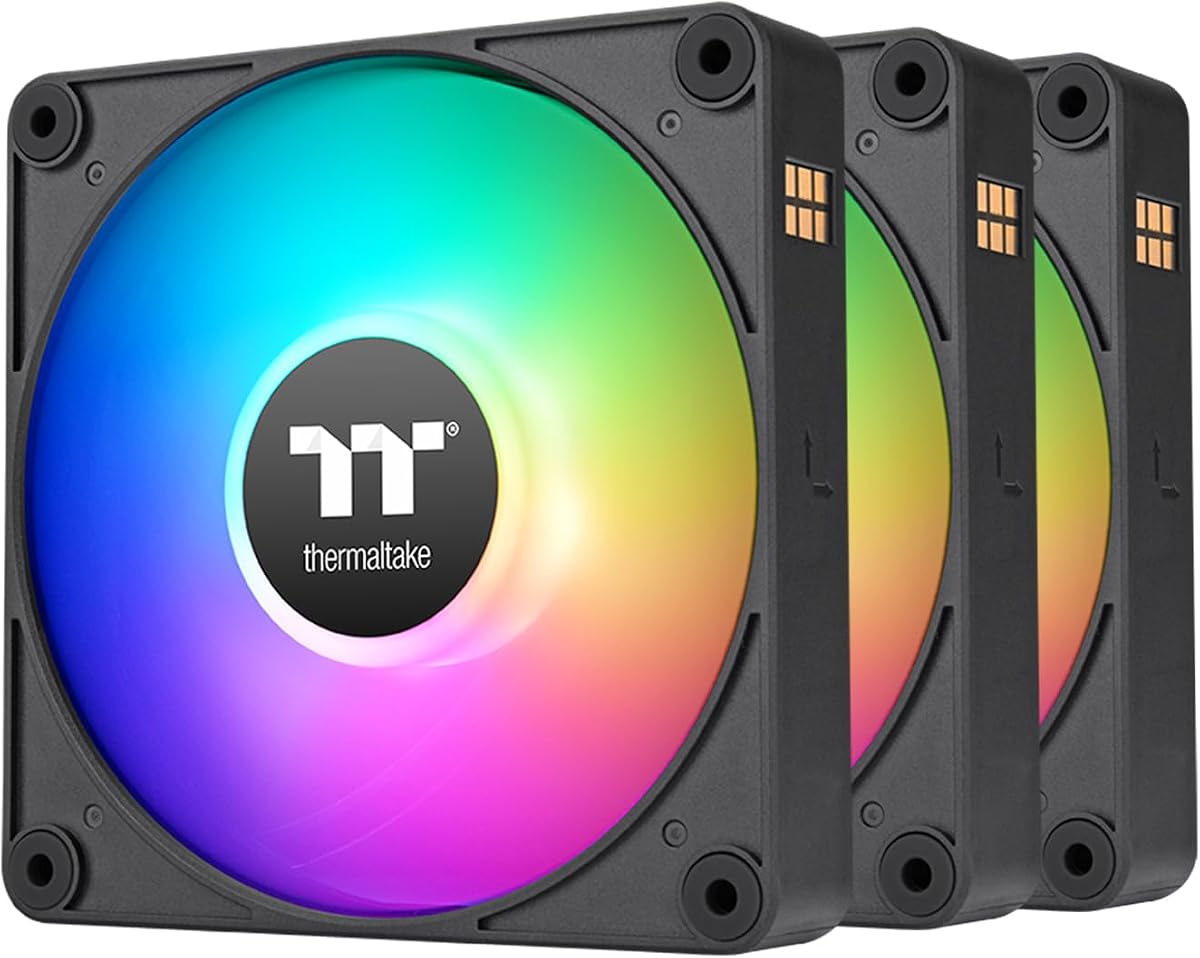


This 3-pack delivers reliable cooling with a solid 4.8 rating. The LE120 ARGB stands out for its easy installation and consistent performance in standard cases.
We may earn a commission when you buy through this link, at no additional cost to you.
It provides 66.1 CFM airflow with a 9-blade design optimized for balanced pressure. The included PWM splitter simplifies cabling while the 5V sync ensures vibrant color control.
While lighting modes are basic compared to premium options, they remain bright and uniform. The lack of a dedicated controller is acceptable given the competitive pricing structure.
Buy this if you need a straightforward set of fans for airflow without complexity. It remains a top choice for builders prioritizing function alongside modern RGB aesthetics.
The 9-blade structure ensures even pressure distribution for better cooling through radiators or case grilles.
Daisy-chain cables reduce clutter while the included splitter supports quick fan grouping for simplified installation.
We may earn a commission when you buy through this link, at no additional cost to you.
For builders on a tight budget, this 5-pack offers unbeatable value. It maintains a strong 4.7 rating thanks to consistent cooling and low noise levels across all units.
We may earn a commission when you buy through this link, at no additional cost to you.
The S-FDB bearing ensures smooth operation with minimal vibration. Airflow reaches 66.17 CFM at 1550 RPM, making it suitable for both case intake and CPU cooler setups.
Lighting is functional with 17 modes but lacks advanced sync options found in premium models. This trade-off is negligible when considering the total cost savings for a full build.
Choose this set for affordable upgrades or large cases needing multiple fans. It delivers reliable performance without breaking the bank for entry-level enthusiasts.
Noise stays under 25.6 dBA even at full speed thanks to optimized bearing and blade design.
Five units allow comprehensive case airflow management without needing additional purchases or mixed batches.
We may earn a commission when you buy through this link, at no additional cost to you.
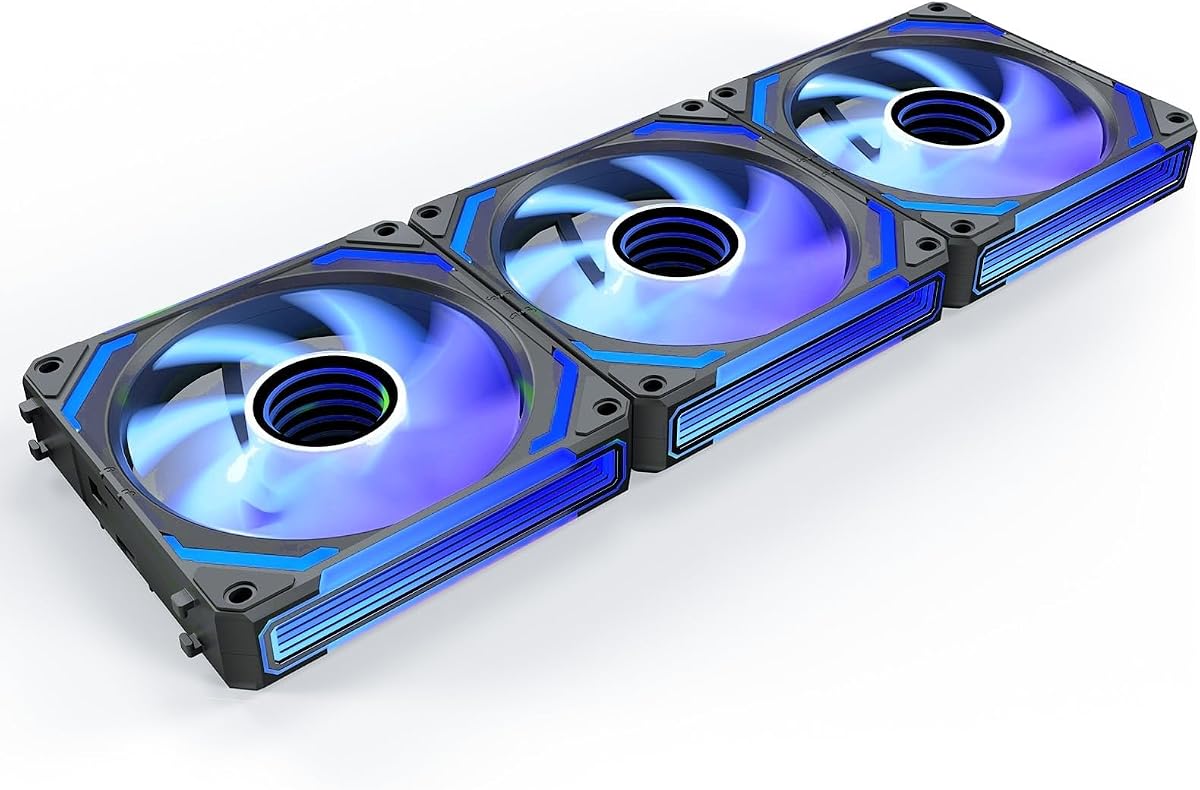
The COSMIQ series elevates aesthetics with a premium infinity mirror finish. Its 4.8 rating reflects high build quality and unique features like music sync for dynamic lighting.
We may earn a commission when you buy through this link, at no additional cost to you.
Reverse blades maintain visual consistency on intake zones while delivering 68.5 CFM airflow. The included controller supports independent lighting modes alongside motherboard synchronization for total flexibility.
Noise levels stay reasonable despite reaching 2000 RPM. The price premium is justified for users prioritizing style and advanced customization over standard cooling-only performance.
Invest in these for showpiece builds where visual impact matters most. They offer a refined experience that stands out among generic RGB fan options.
The mirror effect creates depth and layering that standard RGB rings cannot achieve for a unique look.
Sound pickup lets lights pulse with game audio or music creating an immersive interactive environment.
We may earn a commission when you buy through this link, at no additional cost to you.
This model matches the earlier X5 pack with proven reliability and strong ratings. It delivers consistent cooling performance alongside vibrant lighting effects that sync via motherboard headers.
We may earn a commission when you buy through this link, at no additional cost to you.
The S-FDB bearing reduces noise significantly even under load. Airflow stays efficient at 66.17 CFM ensuring adequate cooling for standard ATX chassis configurations.
Lighting offers 17 modes including static and breathing effects. While not as complex as high-end models, it provides sufficient customization for most enthusiasts.
Select this pack for reliable bulk cooling needs across multiple zones. It balances quality and cost effectively for general-purpose PC builds.
Automatic PWM speed adjustment ensures fans run only as fast as needed to maintain temperatures.
Atomized blade design reflects light softly for uniform color distribution without harsh hot spots.
We may earn a commission when you buy through this link, at no additional cost to you.
The RS120 excels at raw airflow with 72.8 CFM per unit. This makes it ideal for cases requiring maximum ventilation through dense radiators or restricted grilles.
We may earn a commission when you buy through this link, at no additional cost to you.
AirGuide technology directs airflow precisely to hot components improving heat dissipation. The Magnetic Dome bearing ensures smooth operation even at higher RPM speeds.
Cabling is streamlined with one connector per chain simplifying motherboard connections. However higher fan speeds may introduce more noise than quieter alternatives.
Opt for this model if airflow performance is your priority. It delivers exceptional cooling power while maintaining clean aesthetics with minimal wiring.
Vanes guide air straight toward radiators preventing turbulent airflow that reduces efficiency.
Daisy-chain connectors reduce cable clutter keeping your build tidy while improving air circulation.
We may earn a commission when you buy through this link, at no additional cost to you.
This pack introduces a magnetic daisy-chain design simplifying installation for users. It offers standard RGB functionality with synchronized lighting controlled through motherboard software.
We may earn a commission when you buy through this link, at no additional cost to you.
The hydraulic bearing ensures quiet operation while anti-vibration mounts reduce unwanted case resonance. Lighting covers 16.8 million colors for extensive visual customization.
Magnetic connections ease setup but may be less rigid than traditional cables. Airflow remains standard for general case use rather than demanding radiator setups.
Choose these for easy setup and modern aesthetics. They suit users valuing clean wiring and bright lighting effects over peak cooling output.
Magnetic connectors simplify fan chaining reducing cable clutter and setup time significantly.
Full color support enables dynamic lighting scenes that match your setup theme perfectly.
We may earn a commission when you buy through this link, at no additional cost to you.
This six-fan kit includes both forward and reverse blades for flexible case layouts. A combined controller manages both PWM speeds and RGB lighting from a single hub.
We may earn a commission when you buy through this link, at no additional cost to you.
Each fan features 28 LEDs for high brightness and a prism design enhancing light visibility from multiple angles. The layout supports efficient intake and exhaust cycles.
The controller adds convenience but introduces extra points of failure. Lighting is bright though airflow performance lags slightly behind specialized radiator fans.
Pick this kit for builders needing reverse fans without buying separately. It offers a comprehensive solution for standard case setups with added lighting control.
Two reverse units allow bottom or side intake without sacrificing lighting visibility through glass panels.
A single hub reduces cabling while offering multiple lighting modes independent of motherboard software.
We may earn a commission when you buy through this link, at no additional cost to you.
A three-pack version of the popular X5 model, ideal for smaller case needs. It maintains the same quality build with reliable silent performance and decent airflow.
We may earn a commission when you buy through this link, at no additional cost to you.
The S-FDB bearing keeps noise low while PWM control adjusts speed based on temperature. Airflow matches the X5 at 66.17 CFM for consistent thermal management.
Lighting remains standard with motherboard sync support. It lacks extra features but covers essential cooling needs effectively for budget builders.
Use this if you only need three fans for a specific zone. It offers the same reliability as larger packs in a more targeted quantity.
Three units suit targeted setups without overfilling a case with unnecessary components.
A smaller pack saves money for builders who do not require full case coverage.
We may earn a commission when you buy through this link, at no additional cost to you.
This two-pack supports up to 2000 RPM for faster airflow in demanding cases. The 7-blade design optimizes pressure and CFM for efficient cooling performance.
We may earn a commission when you buy through this link, at no additional cost to you.
Hydraulic bearings ensure longevity and low noise during daily operation. Daisy-chain capability allows connection without needing extra ports on your motherboard.
Lighting covers full color ranges but relies on external software for control. Noise may increase slightly at higher speeds compared to lower RPM alternatives.
Select these for cases needing high-speed ventilation in tight spaces. They balance speed and aesthetics well for users prioritizing cooling efficiency.
7-blade structure focuses pressure for better cooling through restricted grilles or tight zones.
Up to 2000 RPM ensures rapid heat removal when system loads increase significantly.
We may earn a commission when you buy through this link, at no additional cost to you.
The P12 Pro targets high-performance needs with a speed up to 3000 RPM. It delivers robust static pressure ideal for dense radiators or airflow-restricted cases.
We may earn a commission when you buy through this link, at no additional cost to you.
Precise manufacturing ensures minimal vibration even at high speeds. The fluid dynamic bearing provides smooth operation though noise levels increase with RPM.
Lighting integrates well with standard motherboards for ARGB sync. While costly, its performance justifies the expense for demanding cooling setups.
Reserve this fan for extreme builds needing maximum airflow pressure. It outperforms standard options where airflow restrictions are a major concern.
3000 RPM capability ensures fans can push air through high-resistance radiators effectively.
Automatic balancing minimizes vibration ensuring quieter performance even at high speeds.
We may earn a commission when you buy through this link, at no additional cost to you.
Choosing the right fan requires balancing airflow, noise, and visual features. This section breaks down the key factors to ensure you get optimal cooling and aesthetics.
Airflow measured in CFM dictates how much air moves through your case while static pressure helps push air through dense components like radiators. High airflow suits open cases while high pressure works better for restricted zones.
Prioritize high CFM for general intake and high static pressure for radiators to ensure efficient thermal management.
Bearing types determine noise levels and fan longevity. Fluid Dynamic or S-FDB bearings offer the best balance of quiet operation and durability compared to standard sleeve bearings.
Select fluid dynamic bearings for quieter builds that need to last longer without noise degradation over time.
Addressable RGB allows individual LED control creating vibrant effects. Ensure your motherboard supports 5V 3-pin headers to sync lighting without extra controllers.
Check sync compatibility with your motherboard to avoid purchasing separate hubs unless you need independent lighting control.
Most cases support 120mm fans but verify dimensions before buying. Mounting options like rubber grommets reduce vibration noise and improve build stability.
Confirm case compatibility and look for anti-vibration mounts to reduce unwanted noise during operation.
PWM fans offer precise speed control via motherboard signals while DC fans use voltage adjustments. PWM is preferred for modern builds as it allows granular speed adjustments.
Choose PWM fans for better compatibility and smoother speed adjustments based on system temperatures.
Reverse blades face outward keeping lighting visible on intake fans while standard fans show the motor hub. This is key for builds with glass side panels.
Opt for reverse blades on intake zones to maintain consistent lighting visibility across your case.
Packs of three or five often offer better value than single units. Balance cost with features like included controllers or magnetic connectors.
Buy in multi-packs to reduce cost per fan and simplify installation across the whole case.
Noise ratings in dBA indicate how loud a fan runs. Lower numbers are essential for quiet builds but may limit airflow potential.
Aim for under 25 dBA for quiet operation unless maximum cooling speed is your priority.
Install fans using rubber grommets or screws to secure them firmly. Ensure correct airflow direction with arrows marked on the frame to maximize efficiency.
Connect the PWM cable to a CPU or system fan header and the RGB cable to a 5V addressable header. Avoid connecting RGB to 12V headers to prevent damage.
Clean dust regularly with compressed air to maintain performance. Check connectors annually to ensure stable connections and consistent lighting effects.
They require slightly more cabling for the lighting connection but setup is straightforward. Most modern cases and motherboards support 5V 3-pin headers for easy sync.
Not always. Many fans sync via motherboard headers. Controllers are only needed if your motherboard lacks addressable RGB headers or you want independent lighting control.
Standard RGB colors shift across all LEDs simultaneously. Addressable RGB allows each LED to display a different color enabling complex patterns and effects.
Intake fans usually face inward. For glass panels, reverse blades let you see the light even when the motor hub is hidden from view.
Yes but syncing might be harder if software differs. All must use the same 5V 3-pin standard to function correctly on the same header.
Check connections on both fans and motherboard headers. Ensure your BIOS has RGB lighting enabled and software like iCUE or Aura Sync is installed.
The Thermaltake LE120 offers the best overall balance for most users. Its 3-pack provides solid airflow and reliable syncing at a competitive price point.
For budget builds, the Thermalright TL-C12C-S X5 is the top pick. It delivers quiet performance and consistent lighting across five units for excellent value.
Always check current prices and availability before purchasing. Deals shift often so comparing listings ensures you secure the best option for your system.
