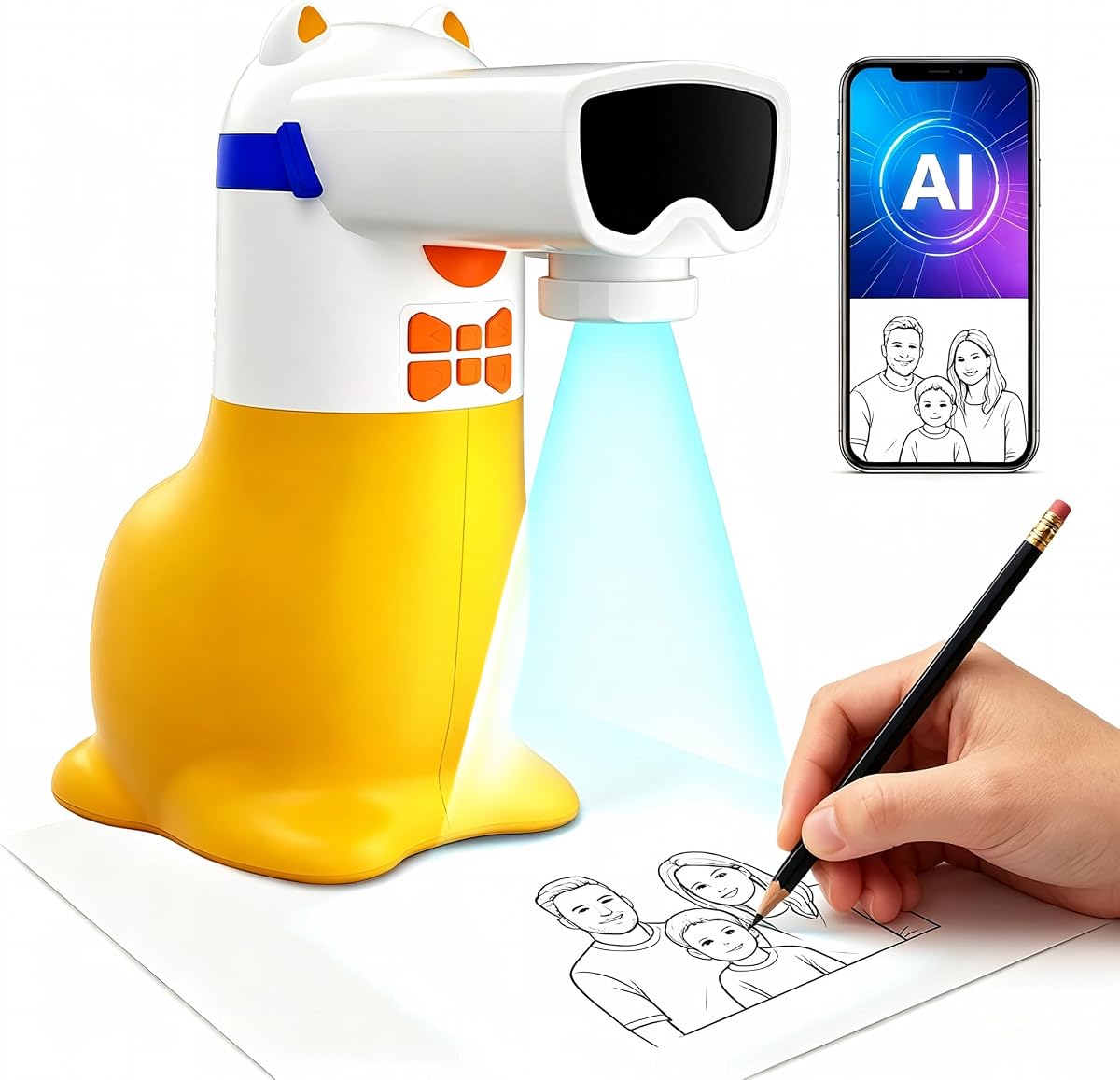
AI Drawing Projector for Kids
4.4Editor score
Type ideas to generate images
50 built-in picture patterns
Educational sound features included
This guide compares the top AI drawing projectors for kids and artists, evaluating AI features, projection quality, and ease of use for creative projects.
AI drawing projectors transform simple ideas into traceable outlines, making art accessible for everyone. These devices use artificial intelligence to convert photos or text prompts into projectable images, streamlining the creative process for beginners and professionals alike.
We compared ten leading models based on AI capabilities, projection resolution, connectivity options, and user feedback. Our analysis focuses on how well each device handles image conversion, ease of setup, and suitability for different age groups and skill levels.
Each pick highlights specific strengths like built-in patterns, app integration, or advanced tracing tools. Prices and availability change frequently, so verify current offers before purchasing to ensure you get the best value for your creative needs.
4.4Editor score

4.6Editor score

4.0Editor score
The following table provides a side-by-side comparison of all ten models, highlighting key specifications and features to help you quickly identify the right device for your artistic requirements.


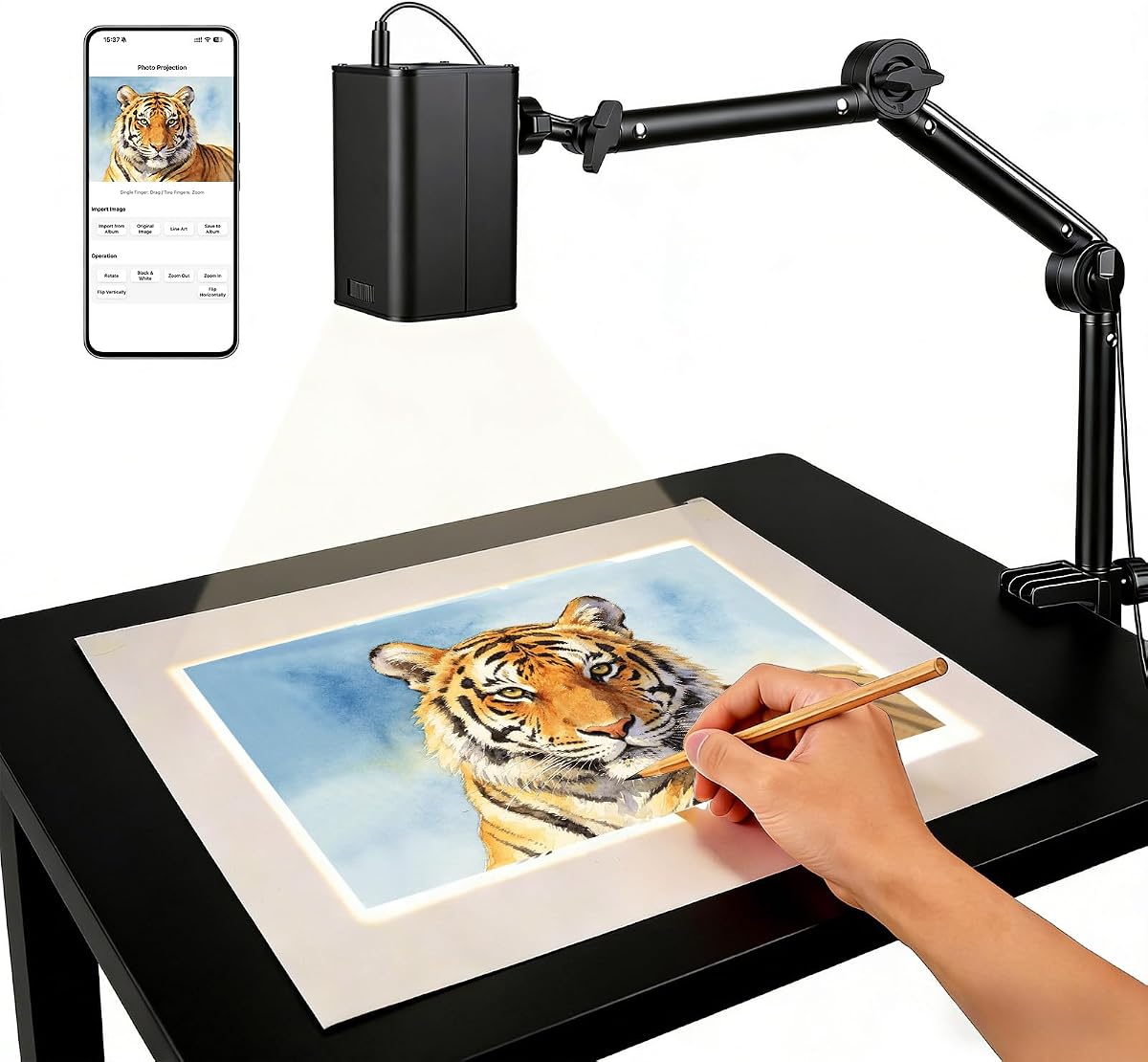

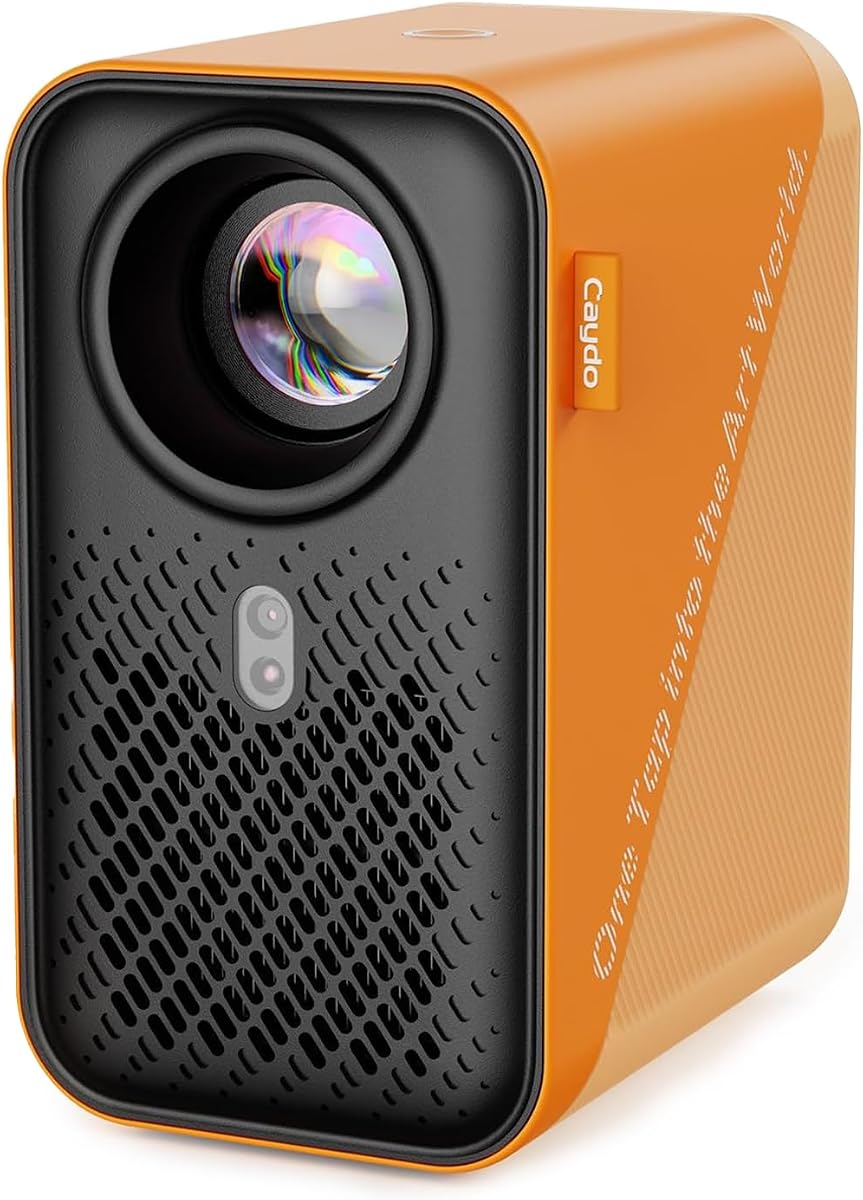

The Caydo T3 AI Drawing Projector stands out as a top choice for children aged five and up. With a rating of 4.6 stars, it combines educational value with robust creative tools. Its ability to turn photos and text into traceable outlines makes it incredibly versatile for young artists.
We may earn a commission when you buy through this link, at no additional cost to you.
This device features a native 720P projection that ensures clear images on paper. The built-in WiFi and Bluetooth allow it to stream cartoons after drawing sessions, extending its utility. Parents appreciate the SGS certified RG0 eye protection which minimizes blue light exposure during use.
While it offers many features, the device requires a stable power connection which limits portability. The app integration is smooth but needs initial setup. These trade-offs are acceptable given the comprehensive feature set and the joy it brings to creative play.
Families looking for a gift that grows with the child should consider the Caydo T3. It balances fun and learning effectively. We recommend it for households wanting a reliable tool that supports both artistic development and screen-free engagement.
The projector shines light downward away from eyes ensuring safe viewing while maintaining image clarity for tracing.
Beyond drawing it streams videos and music making it a versatile entertainment device for creative breaks.
We may earn a commission when you buy through this link, at no additional cost to you.
This AI Drawing Projector for Kids offers an affordable entry point into creative technology. Rated 4.4 stars, it allows children to type ideas like a dancing dragon to generate custom images. It simplifies the art process for beginners in the five to twelve age range.
We may earn a commission when you buy through this link, at no additional cost to you.
The device includes 50 built-in pictures and supports additional packs without needing SD cards. When learning packs are selected, the speaker reads numbers and words to enhance education. The corded power design ensures reliability during use without battery worries.
The main limitations are the dependency on a power outlet and the need to purchase extra packs for variety. However, for a starter toy, it provides substantial value. The ease of use outweighs the minor inconveniences for most parents.
Ideal for birthday gifts or holiday surprises this projector fosters imagination at a low cost. It is perfect for kids just starting to explore drawing. We recommend it for families seeking a fun educational gift under a reasonable budget.
Children type simple words to generate unique drawings making creativity accessible and engaging for all kids.
Integrated audio features teach numbers and words turning drawing time into an educational experience.
We may earn a commission when you buy through this link, at no additional cost to you.
The Caydo P3 Art Projector is designed for serious artists needing precision and clarity. It boasts a native 1080P resolution and 400 ANSI lumens ensuring images remain visible even in bright conditions. This makes it superior for detailed work on large canvases.
We may earn a commission when you buy through this link, at no additional cost to you.
Its exclusive drawing assistant offers tools like zoom and artistic modes such as Gridify and Sketchify. The 360-degree swivel base allows projection on walls ceilings or easels without extra stands. This flexibility supports various professional workflows seamlessly.
While the price is higher, the quality justifies the cost for those seeking professional tools. Bluetooth audio is functional but limited to sound only. Despite this minor drawback, the projection quality and features make it a top premium choice.
Artists and designers requiring accurate reference images will find this projector invaluable. It enhances efficiency and creative output significantly. We recommend it for professionals investing in high-quality art equipment.
With 400 ANSI lumens artists can work in well lit studios without needing to darken the room.
Built-in artistic modes like Comicize help adapt reference images for different art styles quickly.
We may earn a commission when you buy through this link, at no additional cost to you.
The Caydo T3 Joy holds an impressive 4.8 rating from users praising its ease of use for young children. It includes 120 built-in patterns across fun themes like animals and space. This abundance of options keeps kids engaged without needing constant app downloads.
We may earn a commission when you buy through this link, at no additional cost to you.
The step-by-step drawing process helps beginners build confidence gradually. The device also features SGS certified RG0 blue light safety to protect eyes. An adjustable timer helps manage screen time and encourages healthy breaks during play sessions.
While it relies on an app for advanced AI features, the built-in content is robust enough for daily play. The design is appealing to younger children. These factors make it a standout choice for parents of preschoolers and early elementary students.
Perfect for birthdays or Christmas this projector encourages independence and artistic confidence. It is tailored for the 4+ age demographic. We recommend it as a delightful gift for young artists starting their creative journey.
With 120 built-in patterns children have endless options to explore without needing extra downloads.
Timers and eye protection features help parents manage usage and ensure safe creative time.
We may earn a commission when you buy through this link, at no additional cost to you.
The Flycatcher smART Sketcher targets older kids and teens with advanced features. It allows voice or text input to generate high-resolution outlines. This flexibility makes it ideal for realistic images and detailed projects that younger devices cannot handle.
We may earn a commission when you buy through this link, at no additional cost to you.
Tracing with this projector helps develop hand-eye coordination and proportion skills. It supports various surfaces including fabric and cookies expanding creative possibilities beyond paper. The included 30-image cartridge provides immediate content out of the box.
Users note that while the system is powerful, it does not use older cartridges meaning upgrades are needed. The price point reflects its premium build. Despite this, the focus on skill building appeals to serious hobbyists and students.
Teenagers and adults looking to refine their art skills will appreciate its precision. It bridges the gap between toys and professional tools. We recommend it for those ready to move beyond simple patterns to complex drawing.
Speaking ideas into the app allows for hands-free image generation which is great for creative flow.
Works on various materials like fabric enabling diverse projects beyond standard paper drawing.
We may earn a commission when you buy through this link, at no additional cost to you.
This Art Projector offers a streamlined experience through web-based control without app downloads. Rated 4.5 stars, it uses a dual-band WiFi chip for stable connections. Users can manage settings directly from a browser which simplifies setup significantly.
We may earn a commission when you buy through this link, at no additional cost to you.
The device supports offline functionality making it ideal for studios with poor internet. Manual focus buttons allow fine-tuning for sharp images. An adjustable stand accommodates various angles including vertical walls and horizontal canvases.
While it lacks advanced AI generation, it serves well for tracing existing images. The simplicity of operation is a major plus. This makes it a practical choice for those who prefer straightforward hardware.
Perfect for studios needing reliable tracing tools, this projector reduces technical friction. We recommend it for artists valuing stability and ease of use over complex software features.
Control rotation and scaling through a web browser avoiding the need for dedicated apps.
Works without internet connection ensuring creativity continues even in remote locations.
We may earn a commission when you buy through this link, at no additional cost to you.
This projector focuses on connectivity with an upgraded 5G dual-band chip. It aims to reduce latency for real-time tracing precision. The QR code setup allows web-based control from mobile devices easily.
We may earn a commission when you buy through this link, at no additional cost to you.
Reviewers appreciate the stable connection for complex sketches. The mounting stand adapts to different heights and angles. However, some users reported issues with setup which lowers its rating.
Despite the mixed reviews, the technical specs are strong for wireless performance. It supports both online and offline modes. This versatility is useful for professional environments where internet can be unreliable.
Artists prioritizing wireless performance might find this model suitable. We recommend checking current setup guides before purchase to ensure compatibility with your devices.
The 5G chip minimizes delays during live tracing for smoother creative workflows.
Browser access simplifies control reducing the need to install extra software.
We may earn a commission when you buy through this link, at no additional cost to you.
The Caydo P2 delivers professional capabilities at a more accessible price point. With native 1080P and 250 ANSI lumens, it ensures clear images for detailed work. The built-in drawing assistant includes grids to help scale compositions accurately.
We may earn a commission when you buy through this link, at no additional cost to you.
Features like auto focus and keystone correction simplify setup. The rotating base allows seamless adaptability across walls and easels. While brightness is lower than premium models, it suffices for most indoor studio settings.
The remote requires batteries which is a minor inconvenience. Bluetooth allows audio connection but limits video streaming. Overall it balances quality and cost well for aspiring artists.
Good for studios needing a reliable projector without high costs. We recommend it for artists seeking professional tools within a moderate budget.
The 3×3 grid feature helps scale images proportionally for accurate tracing work.
Automatic algorithms ensure sharp images quickly saving time on manual adjustments.
We may earn a commission when you buy through this link, at no additional cost to you.
The Caydo P1 features a fully sealed optical core preventing dust and black spots. This ensures long-lasting high-quality performance. Its compact size makes it easy to move between different creative spaces.
We may earn a commission when you buy through this link, at no additional cost to you.
The exclusive drawing app offers zoom and grid tools for better workflow. It supports screen mirroring for entertainment though copyrighted content is restricted. WiFi connectivity is fast for smooth data transfer.
While it offers fewer advanced specs than P2 and P3, its durability is a plus. The lamp life is shorter which is a trade-off. It remains a solid option for home studios.
Suitable for artists needing a portable and durable projector. We recommend it for those prioritizing device longevity and convenience.
A sealed optical core prevents dust accumulation ensuring clean image projection over time.
Compact dimensions allow easy transport to workshops or creative spaces as needed.
We may earn a commission when you buy through this link, at no additional cost to you.
This model emphasizes simplicity and safety with FCC certified WiFi. It offers web-based control for quick access without downloads. The adjustable focus button ensures sharp images for various surfaces.
We may earn a commission when you buy through this link, at no additional cost to you.
It supports offline modes for uninterrupted workflow regardless of internet. While technical specs are basic, it handles standard tracing tasks. The stable stand ensures a wobble-free experience during use.
Limited advanced features may not suit professional needs but works for casual use. The setup is straightforward for all users. This makes it a practical tool for hobbyists.
Good for users prioritizing ease of use over advanced tech. We recommend it for beginners seeking a simple and reliable tracing device.
FCC certification ensures the device meets safety standards for secure and reliable use.
QR code scanning simplifies the connection process reducing time to start drawing.
We may earn a commission when you buy through this link, at no additional cost to you.
Selecting the right projector depends on your specific artistic needs and environment. Understanding key factors will help you find a device that enhances creativity without frustrating complexity.
Higher resolution ensures sharper outlines making tracing easier for detailed work. Models with 720P or 1080P native resolution provide clearer images than lower specs.
Look for at least 720P if you plan to trace complex designs.
AI features like text-to-image and photo conversion add versatility. Devices allowing voice input offer hands-free convenience during creative sessions.
Check if the device supports the AI features you value most before buying.
Projects for kids should have eye protection features like RG0 certification. Lower blue light exposure protects young eyes during long drawing sessions.
Prioritize SGS certified models for safer usage.
Dual-band WiFi ensures stable streaming and data transfer without lag. Some models also offer Bluetooth for audio or standalone functionality.
Ensure your preferred connection type matches your setup.
Adjustable stands and keystone correction allow for diverse mounting angles. Some bases rotate 360 degrees for versatile positioning on walls or easels.
Select a unit with flexible mounting for your workspace.
Some devices require continuous power while others offer battery options. Consider your workspace power availability when choosing a corded or wireless model.
Check power requirements to ensure uninterrupted operation.
Projectors differ by age suitability with some for kids and others for adults. Matching the device complexity to the user ensures satisfaction and usability.
Choose a model designed for your specific skill level.
Tools like drawing grids zoom and built-in patterns enhance workflow. Entertainment features like movie playback add value to the purchase.
Evaluate these extras against your primary usage needs.
Begin by connecting your device to power and stable WiFi or offline mode. Use the app or web interface to select images or enter text prompts for generation. Ensure the projector is positioned correctly for optimal image focus.
Adjust the focus and keystone settings to fit your canvas size. Use the provided stand or wall mount to align the projection. Once set, place paper or material on the surface and start tracing with light tools.
Clean lenses regularly with soft cloths to maintain image clarity. Store devices in dust-free areas when not in use to protect internal components. Proper care extends the lifespan of your projector significantly.
Most devices require a smartphone for app control or image transfer though some offer web-based browser control. You can also use USB drives to transfer images without needing a phone constantly connected.
Yes many models feature RG0 certification and project light downward away from direct eye exposure. This design minimizes blue light risks for safe creative play.
Absolutely they work on paper canvas fabric and even cookies. Adjustable stands and rotation features allow versatile positioning for different creative tasks.
Some features like AI generation require internet but many projectors support offline modes for local file tracing. You can work without internet once images are transferred.
Options exist for ages four and up with simpler interfaces for younger kids and detailed tools for teens and adults. Check manufacturer guidelines for age recommendations.
Higher-end models like the P3 include streaming capabilities for entertainment. Check specific model specs to confirm video playback support.
Our top picks like the Caydo T3 and P3 models balance quality features and ease of use. Whether you choose a budget option or a premium tool, each device offers unique creative benefits.
Prioritize resolution and safety features based on who will be using the device. Advanced connectivity and app options add versatility for serious artists.
Always verify current prices and availability since offers change frequently. Finding the right projector today can unlock endless creative possibilities for you or your kids.