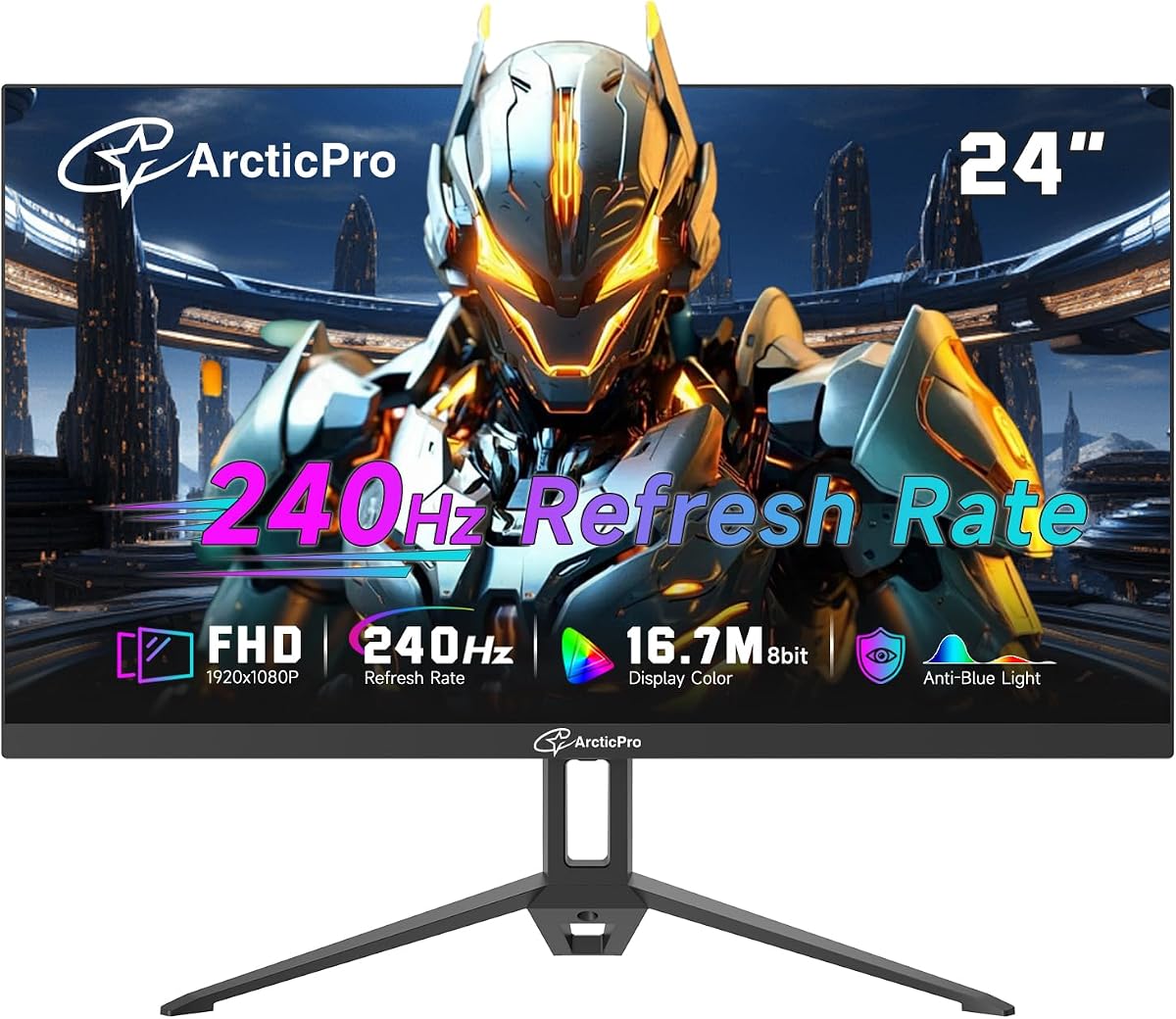
ArcticPro 24 Inch 240Hz Gaming Monitor
4.0Editor score
Adaptive sync for tear-free gameplay
120% sRGB wide color gamut coverage
Wide 178-degree viewing angles
Finding a cheap 240Hz monitor can transform your gaming experience without breaking the bank. High refresh rates deliver smooth motion and reduce blur, giving you a competitive edge in fast-paced titles. This guide highlights affordable options that balance speed, clarity, and build quality for budget-conscious gamers.
We compared ten real products based on panel type, response times, connectivity, and color accuracy. Our analysis focuses on models that truly deliver 240Hz performance at accessible price points. We also consider eye care features, ergonomic adjustments, and overall value to ensure you get the most for your investment.
Each pick includes detailed specs, pros, cons, and practical insights to help you decide. Prices fluctuate frequently, so check current listings before purchasing. Whether you prioritize speed, color, or design, this list covers the best affordable high refresh rate displays available today.
4.0Editor score

4.7Editor score

4.8Editor score
As an Amazon Associate we earn from qualifying purchases.
Here is a side-by-side comparison of all ten monitors we reviewed. Each entry highlights key specifications to help you quickly identify the model that best fits your gaming or work needs.


The Dell SE2426HG stands out as a top contender in the budget 240Hz category. With a 4.7 rating, it delivers smooth motion and crisp visuals ideal for competitive gaming. Its IPS panel ensures vibrant colors without sacrificing speed.
We may earn a commission when you buy through this link, at no additional cost to you.
This monitor features a 0.5ms response time and 240Hz refresh rate for fluid gameplay. AMD FreeSync Premium and HDMI VRR eliminate screen tearing. The 99% sRGB coverage makes it suitable for creative tasks too. TÜV certification reduces blue light to protect eyes during long sessions.
Trade-offs include limited tilt-only stand adjustments and no USB hub. However, the performance and color accuracy justify these compromises for most gamers. The fast IPS technology balances speed and quality better than many rivals.
Gamers seeking reliable performance and eye comfort should choose this model. It is an excellent all-rounder for those wanting high refresh rates without premium pricing. Check current pricing for the best deal.
This panel combines IPS color quality with rapid response times for blur-free action.
TÜV 3-Star certification ensures lower blue light emission while keeping colors accurate.
We may earn a commission when you buy through this link, at no additional cost to you.
The ArcticPro monitor offers exceptional value for budget gamers needing 240Hz performance. Its 24-inch VA panel provides deep contrasts and vibrant colors. Adaptive sync technology ensures smooth visuals during intense sessions.
We may earn a commission when you buy through this link, at no additional cost to you.
Featuring 120% sRGB coverage, it delivers vivid imagery. The frameless design suits dual setups. Low blue light and flicker-free tech reduce eye strain. Tilt adjustment and VESA mounting add flexibility for desk setups.
Its rating is lower than premium models, suggesting possible variability. Ports may be limited compared to other options. However, for the price, the refresh rate and color gamut stand out.
Ideal for tight budgets prioritizing refresh speed. If you need basic connectivity and good visuals, this fits well. Verify current stock and warranty details.
120% sRGB and 85% NTSC ensure rich, detailed colors for gaming.
Tilt angles and VESA mount allow comfortable positioning for long sessions.
We may earn a commission when you buy through this link, at no additional cost to you.
The SANSUI 24 inch curved monitor delivers deep immersion with a 1500R curve. It supports 240Hz and HDR for vibrant, dynamic visuals. FreeSync and shadow booster features enhance competitive play.
We may earn a commission when you buy through this link, at no additional cost to you.
With 3000:1 contrast, dark scenes look rich. Game modes include crosshair presets. HDMI and DP both support 240Hz. Anti-flicker and anti-glare coatings improve comfort. Lifetime technical support adds peace of mind.
Adjustment options are limited to tilt. Lack of speakers means external audio. Still, the curved design and contrast stand out for the price.
Perfect for fans of immersive setups. Great for FPS and racing games. Check if VESA mounting suits your desk.
1500R curvature wraps visuals around your field of view.
Shadow booster and crosshair help you spot enemies faster.
We may earn a commission when you buy through this link, at no additional cost to you.
The ZZA 25 inch monitor offers a sleek frameless design with 240Hz speed. Its 2800R curve creates a subtle wrap. AMD FreeSync ensures smooth gameplay without tearing.
We may earn a commission when you buy through this link, at no additional cost to you.
120% sRGB coverage delivers vivid colors. Flicker-free and blue light filters reduce strain. HDMI and DP connect to consoles and PCs. VESA mounting allows flexible setups.
It lacks tilt adjustment beyond basic range. VA panels may trail IPS in response. But it remains a solid choice for casual competitive play.
Great for those wanting a modern look. Ideal for dual monitor setups. Check current pricing for value.
3-sided frameless bezel creates seamless multi-monitor alignment.
Blue light and flicker-free features protect eyes during long play.
We may earn a commission when you buy through this link, at no additional cost to you.
Sceptre 24.5-inch includes built-in speakers for convenience. It supports 240Hz with 1ms BR response. 100% sRGB ensures accurate visuals. Dual HDMI and DP ports offer flexibility.
We may earn a commission when you buy through this link, at no additional cost to you.
Blue light shift protects eyes during long use. Seamless connectivity supports work and play. The audio simplifies setups without external devices. Color accuracy is solid for multimedia.
Speakers are functional but not premium. Stand options are minimal. Still, it offers a complete package for budget buyers.
Ideal for users wanting all-in-one audio. Perfect for casual gamers. Verify current deals for value.
Built-in audio reduces cable clutter for cleaner desk.
100% sRGB ensures vibrant and true-to-life visuals.
We may earn a commission when you buy through this link, at no additional cost to you.
The AOC 27G51Z clocks up to 260Hz for extreme smoothness. Its IPS panel delivers wide 178-degree viewing angles. Adaptive-Sync ensures tear-free play. 0.5ms response keeps visuals sharp.
We may earn a commission when you buy through this link, at no additional cost to you.
G-SYNC Compatible support works across GPUs. Tilt adjust and VESA allow ergonomic fits. Eco Mode saves power. User-friendly OSD and G-Menu simplify setup.
It costs more than basic models. G-SYNC may be limited via HDMI. But performance and color remain strong.
Best for competitive players seeking speed. Verify G-SYNC compatibility. Check current offers.
Native 240Hz can be overclocked to 260Hz via HDMI or DP.
Eco Mode reduces power use to 22W typical.
We may earn a commission when you buy through this link, at no additional cost to you.
CUNPU offers HDMI 2.1 and DP 1.4 for 240Hz. Its VA panel provides deep contrasts and 16.7M colors. Adaptive Sync works with both AMD and NVIDIA.
We may earn a commission when you buy through this link, at no additional cost to you.
100% sRGB ensures accurate colors. Crosshair function gives competitive edge. Blue light reduction protects eyes. VESA mount adds flexibility.
Brightness lags behind IPS. Stand adjustments are basic. Still, connectivity and sync options impress.
Great for console and PC users. Verify HDMI 2.1 needs. Check current listings.
HDMI 2.1 and DP 1.4 ensure full 240Hz support.
Built-in crosshair helps target acquisition in shooters.
We may earn a commission when you buy through this link, at no additional cost to you.
This 24.5-inch curved model combines high refresh rate with 120% sRGB. 3000:1 contrast ensures deep blacks. AMD FreeSync eliminates tearing.
We may earn a commission when you buy through this link, at no additional cost to you.
1ms MPRT minimizes motion blur. Low blue light protects eyes. Frameless design suits dual setups. VESA allows wall mounting.
Lacks stand tilt adjustment. Brightness is decent but not elite. Still, it balances home office and gaming well.
Ideal for hybrid users. Good for casual competitive play. Verify current price.
3000:1 ratio provides rich dark scenes for immersion.
Works well for work, streaming, and competitive gaming.
We may earn a commission when you buy through this link, at no additional cost to you.
The msi MAG 274CF X24 leads with AI Vision to reveal dark details. It boasts a 4.8 rating and 240Hz refresh. 0.5ms GtG keeps motion sharp. FreeSync Premium eliminates tearing.
We may earn a commission when you buy through this link, at no additional cost to you.
HDR Ready enhances dynamic contrast. Tilt adjust and VESA allow ergonomic fit. Colors saturate well. Less blue light aids long sessions.
Lacks USB hubs. Tilt limited to basic. But AI Vision stands out as a premium feature.
Top choice for immersive gaming. Great for HDR content. Verify current deals.
Enhances brightness and reveals details in dark areas.
Certified smooth performance with HDR support.
We may earn a commission when you buy through this link, at no additional cost to you.
Gawfolk 24.5 inch uses flat VA for uniform color across the screen. 3000:1 contrast delivers deep blacks. 1ms response and 240Hz ensure smooth motion.
We may earn a commission when you buy through this link, at no additional cost to you.
Ideal for precise aiming without distortion. VESA allows third-party arms. 68% NTSC covers enough gamut. Simple plug-and-play setup.
No tilt stand included. Ports are minimal. Still, the flat design is a plus for esports.
Perfect for esports gamers wanting accuracy. Verify stand needs. Check current pricing.
Flat panel avoids edge color deviation found in curves.
3000:1 ratio ensures rich shadow detail.
We may earn a commission when you buy through this link, at no additional cost to you.
Choosing a high refresh rate monitor involves balancing performance, panel type, and budget. Use these factors to find the ideal fit.
A 240Hz refresh rate refreshes the screen 240 times per second, providing fluid motion in fast-paced games. Ensure both HDMI and DisplayPort support this rate for full performance. Higher rates like 260Hz add extra smoothness but cost more.
Prioritize native 240Hz or higher to avoid compromises.
Response time measures how quickly pixels switch colors. Aim for 1ms or less (MPRT or GtG) to minimize motion blur. Faster responses are critical for competitive shooters where split-second reactions matter.
Look for 0.5ms to 1ms specs for best clarity.
IPS panels offer superior color accuracy and wide angles but may cost more. VA panels provide deeper contrasts and often fit budget needs. TN panels are fast but have poor viewing angles. Choose based on priorities.
IPS for color; VA for contrast; TN for speed.
Adaptive sync like FreeSync or G-SYNC synchronizes refresh rate with GPU output to prevent tearing. Ensure compatibility with your graphics card. HDMI VRR also helps on consoles.
Always verify AMD FreeSync or G-SYNC compatibility.
Modern ports like HDMI 2.0 and DP 1.4 support 240Hz. HDMI 2.1 enables higher rates on next-gen consoles. Check you have enough inputs for multiple devices.
Verify HDMI 2.0 or DP 1.4 minimum.
Long sessions strain eyes. Look for flicker-free tech, low blue light, or TÜV certifications. These features reduce headaches and fatigue over time.
Choose monitors with certified eye comfort features.
Ergonomic stands with tilt, height, and swivel improve comfort. If absent, VESA mounts allow flexible arms. Ensure your desk setup supports mounting.
Use VESA if basic stands lack adjustment.
wRGB coverage impacts color accuracy. Aim for 99% or higher to ensure vibrant visuals. Wider gamuts benefit creative work and HDR content.
Aim for 99% sRGB minimum.
Connect using DisplayPort 1.4 for full 240Hz support. Configure refresh rate in system display settings. Update GPU drivers for stable adaptive sync.
Keep brightness and contrast balanced to reduce eye strain. Use night mode for low-light environments. Clean the screen with microfiber cloth.
Avoid leaving static images for too long to prevent burn-in. Use VESA mounts for ergonomic placement. Check for firmware updates periodically.
Yes, many support 240Hz via HDMI 2.0. Ensure your GPU supports HDMI 2.0 to 240Hz. DisplayPort often offers more bandwidth.
VA panels offer better contrast and deeper blacks, while IPS provides faster response and better viewing angles. Choose based on whether you prefer immersion or accuracy.
Yes, 240Hz requires high frame rates to fully benefit. Ensure your hardware delivers high FPS in your games. Lower-end PCs may cap at lower rates.
FreeSync works with AMD GPUs, while G-SYNC is for NVIDIA. Many monitors support FreeSync on NVIDIA via G-SYNC Compatible. Check your GPU compatibility.
Yes, higher refresh rates make scrolling smoother. They may cost more but reduce eye strain during prolonged tasks. Many models support multi-use.
Avoid static elements like taskbars. Use screen savers and auto-dim settings. Enable pixel refresh features if available.
We reviewed ten affordable 240Hz monitors ranging from budget to premium. The Dell 24 240Hz led overall, ArcticPro offered best value, and msi MAG delivered premium features.
Prioritize refresh rate, response time, and adaptive sync for competitive performance. Balance color and ergonomics based on your usage. Always check warranty details.
Prices change often, so verify current deals before purchasing. These models provide excellent entry points into high refresh rate gaming.