
HP ZBook 8 G1i AI Mobile Workstation Laptop
4.1Editor score
Intel Core Ultra 7 255H Processor
NVIDIA RTX 500 Ada GPU
64GB DDR5 RAM and 2TB SSD
Discover the best laptops for CAD in 2026. We compare performance, display quality, and portability across ten top models for professionals and students.
Finding the right laptop for computer-aided design requires careful consideration of processing power, graphics capabilities, and screen real estate. Professionals need machines that handle complex 3D models without lagging during critical workflows.
We evaluated ten distinct models based on their processor speed, memory capacity, and graphics card performance. Our analysis focuses on how well each device supports industry-standard software like AutoCAD and SolidWorks.
Each pick below highlights specific strengths tailored to different user needs and budget constraints. Please note that pricing and availability change frequently, so verify current offers before making your final purchase decision.
4.1Editor score

4.6Editor score

4.4Editor score
This side-by-side comparison evaluates ten laptops to help you choose the right device for your CAD workflows. We examine processors, graphics, memory, and storage to highlight performance differences.




This workstation represents the pinnacle of mobile computing for CAD professionals seeking top-tier performance and reliability. With a rating of 4.1 stars, it delivers robust capabilities for complex engineering and design tasks.
We may earn a commission when you buy through this link, at no additional cost to you.
The combination of an Intel Ultra 7 processor and NVIDIA RTX 500 Ada GPU ensures smooth rendering of intricate 3D models. The 64GB of DDR5 RAM allows seamless multitasking across multiple CAD applications and browsers.
While the price is high and the unit is heavy, these are acceptable trade-offs for professionals needing workstation-class stability on the go. The build quality and durability justify the investment for critical daily workflows.
If you are an architect or engineer requiring absolute reliability and maximum performance for simulation and design work, this machine is the ultimate choice for your professional toolkit.
Certified for apps like AutoCAD and Revit ensuring stable and crash-free professional workflows.
Thunderbolt 4 and Wi-Fi 7 provide ultra-fast data transfer and connection to multiple external displays.
We may earn a commission when you buy through this link, at no additional cost to you.
This laptop offers exceptional value for CAD students and freelancers needing strong performance without a workstation price tag. With a 4.4 star rating, it handles 2D drafting and light 3D modeling effectively.
We may earn a commission when you buy through this link, at no additional cost to you.
The AMD Ryzen 7 processor paired with 32GB RAM provides smooth multitasking for CAD programs and reference materials. The 1TB SSD ensures fast boot times and ample storage for large project files.
Integrated graphics and a basic screen are the main limitations, but they are acceptable for basic CAD work. Users requiring heavy rendering should consider a dedicated GPU later.
For anyone starting their career in design or engineering, this model delivers the essential power and storage needed to learn and work efficiently on a budget.
The numeric keypad enhances data entry speed during complex modeling and specification work.
Windows 11 Pro includes enhanced security and remote desktop features for business environments.
We may earn a commission when you buy through this link, at no additional cost to you.
This laptop stands out for its exceptional processing power and high user satisfaction with a 4.6 star rating. It is ideal for users needing robust performance for complex engineering simulations and design work.
We may earn a commission when you buy through this link, at no additional cost to you.
The AMD Ryzen 9 processor with 16 threads handles multitasking and heavy calculations effortlessly. The 32GB DDR5 RAM ensures responsive performance even when running multiple CAD and rendering applications simultaneously.
While battery life is moderate and the design is gaming-oriented, these do not hinder professional utility. The cooling system keeps the machine stable during extended work sessions without throttling.
If you need a versatile machine that balances high-performance computing with value, this laptop is the perfect choice for demanding CAD and simulation projects.
User replaceable memory and drives allow easy upgrades to extend the laptop lifespan significantly.
Intelligent thermal management maintains peak performance during intense rendering without overheating.
We may earn a commission when you buy through this link, at no additional cost to you.
This model offers a spacious display suitable for viewing detailed CAD layouts and technical drawings comfortably. With a 4.3 star rating, it serves well for students and entry-level designers.
We may earn a commission when you buy through this link, at no additional cost to you.
The Ryzen 5 processor and 16GB RAM support moderate workloads efficiently. The 1TB SSD provides ample space for software installations and project storage.
Performance limitations exist for heavy rendering tasks, making it best suited for 2D drafting and educational use. The large screen is a significant benefit for visual clarity.
If you need a larger viewing area for design work without needing top-tier performance, this laptop provides a practical solution for everyday professional tasks.
The 17.3 inch screen offers increased vertical space for more efficient design work.
Copilot AI integration helps streamline tasks and enhance productivity during work.
We may earn a commission when you buy through this link, at no additional cost to you.
This gaming laptop brings dedicated NVIDIA RTX graphics to CAD tasks, enabling faster rendering and smoother 3D modeling. With a 4.2 star rating, it balances performance and portability well.
We may earn a commission when you buy through this link, at no additional cost to you.
The RTX 4050 card handles graphical workloads efficiently while the Ryzen 5 processor ensures responsive multitasking. The 16GB RAM meets the minimum requirements for modern CAD software.
Storage is limited to 512GB which may require external drives for large projects. Battery life is also shorter than business laptops due to the high-performance components.
For CAD users needing dedicated graphics for 3D visualization and rendering, this laptop offers a strong performance advantage over integrated graphics solutions.
Ray tracing capabilities provide realistic previews during design and modeling phases.
Luna Grey finish gives a professional look suitable for client presentations and offices.
We may earn a commission when you buy through this link, at no additional cost to you.
This workstation is built for reliability in demanding professional environments with a 4.3 star rating. It offers the stability needed for critical engineering and design workflows.
We may earn a commission when you buy through this link, at no additional cost to you.
The RTX 1000 Ada GPU provides certified graphics for professional software ensuring consistent performance. The CAMM RAM design allows for faster speeds and easier upgrades compared to standard modules.
High cost and weight are significant factors, but they reflect the premium build quality and longevity. The extensive connectivity options support complex multi-monitor setups for productivity.
If you require a durable and certified workstation for daily professional CAD use, this model delivers the necessary performance and reliability.
MIL-STD testing ensures the chassis withstands rigorous travel and office conditions.
Up to four external monitors support extensive workspace for detailed technical work.
We may earn a commission when you buy through this link, at no additional cost to you.
This laptop is designed for basic productivity and light technical work with a 4.2 star rating. It serves as a budget-friendly option for students starting in CAD.
We may earn a commission when you buy through this link, at no additional cost to you.
The Intel N100 processor and 8GB RAM handle basic software applications well. The 256GB SSD ensures quick startup and responsive file access.
Performance limitations are evident with complex 3D models but acceptable for simple drafting. Portability is high making it easy to carry between classes.
For basic learning and small scale drafting tasks this model offers an affordable entry point into CAD design work.
Sub-10-second boot times provide immediate access to work and documents.
Weighing just 3.64 lbs it is easy to carry for on the go work.
We may earn a commission when you buy through this link, at no additional cost to you.
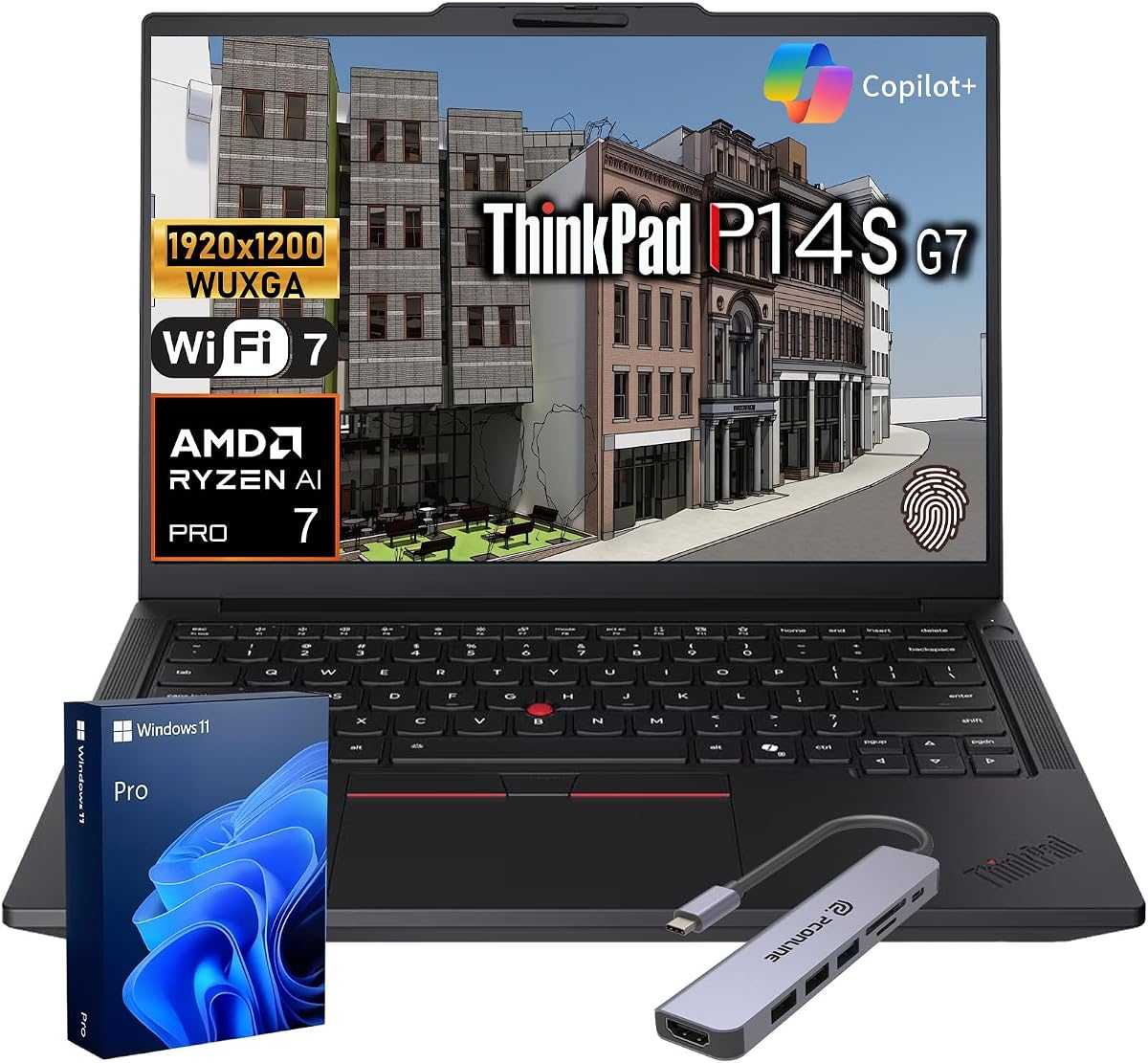
This laptop achieves a perfect 5.0 star rating due to its exceptional reliability and security features. It is ideal for professionals needing protected access to sensitive project data.
We may earn a commission when you buy through this link, at no additional cost to you.
The ISV certified compatibility ensures smooth operation with professional design software like SolidWorks. The ThinkShield security suite protects corporate assets with advanced built-in security.
While the 14 inch screen is smaller for complex layouts, the quality is excellent for focused work. The high rating reflects consistent performance and durability.
For business professionals working with confidential designs this laptop offers the perfect balance of security performance and portability.
Layered ThinkShield security suite safeguards sensitive design files and corporate information.
100% sRGB IPS display delivers accurate colors for detailed visual work.
We may earn a commission when you buy through this link, at no additional cost to you.
This renewed workstation provides a cost-effective entry into professional CAD environments with a 3.5 star rating. It is suitable for users needing workstation power on a strict budget.
We may earn a commission when you buy through this link, at no additional cost to you.
The 11th Gen i7 processor and 32GB RAM support complex tasks effectively. The Nvidia T1200 graphics card offers stable performance for basic modeling and drafting.
As a renewed unit, condition may vary and support is limited to upgraded components. Older architecture may not match the speed of newer CPUs.
If you need certified workstation power at a lower cost and can accept used hardware this model is a viable option.
ISV certification ensures compatibility with professional design applications for stable workflow.
Upgraded SSD provides fast storage despite the older generation CPU architecture.
We may earn a commission when you buy through this link, at no additional cost to you.
This laptop earns a perfect 5.0 star rating for its reliable performance and excellent display quality. It is well suited for design users valuing screen clarity.
We may earn a commission when you buy through this link, at no additional cost to you.
The AMD Ryzen 5 processor handles standard CAD operations smoothly. The 300 nits IPS display offers wide viewing angles and accurate colors.
Integrated graphics limit high-end rendering but support general drafting and editing. The large screen helps reduce eye strain during long sessions.
If you need a reliable machine with a clear display for daily design tasks this laptop is a solid and trusted choice.
IPS LED display provides detailed and colorful visuals for design work.
Built for everyday reliability it simplifies your day with consistent performance.
We may earn a commission when you buy through this link, at no additional cost to you.
Selecting the right laptop requires balancing processing power display quality and budget to match your workflow requirements.
CAD applications rely heavily on CPU performance for calculations and model manipulation. Look for processors with high core counts and clock speeds to ensure smooth operation.
Choose a modern processor with at least 6 cores to handle multitasking efficiently.
RAM determines how many applications and files you can work with simultaneously without slowdowns. CAD software often requires significant memory to load complex assemblies.
Aim for at least 16GB of RAM with 32GB being ideal for professional workloads.
Dedicated GPUs accelerate rendering and provide better performance for 3D modeling compared to integrated graphics. Professional cards offer stability for engineering software.
Select a laptop with a dedicated graphics card to ensure smooth visualization and rendering.
Solid State Drives significantly reduce boot times and improve file access speeds. Large project files require ample storage capacity.
Opt for a 512GB or larger SSD to ensure fast data transfer and enough space for files.
A high resolution screen is essential for viewing detailed drawings and technical specifications accurately. Larger displays help reduce eye strain during long work hours.
Choose a Full HD or higher display with IPS technology for accurate colors.
Consider the weight and battery life if you plan to work remotely or travel frequently. Lighter devices are easier to carry but may have reduced performance.
Balance portability with performance based on whether you work mostly at a desk or on the go.
ISV certification ensures that the hardware works reliably with specific professional applications like AutoCAD and SolidWorks. This certification minimizes crashes.
Verify software compatibility to ensure your chosen laptop runs your required CAD programs.
Multiple ports allow you to connect external monitors and peripherals for an expanded workspace. Thunderbolt and USB-C provide fast data transfer.
Ensure the laptop has sufficient ports to connect your essential tools and displays.
Keep your software updated to access performance improvements and security patches. Ensure all drivers are current for maximum compatibility and hardware stability.
Maintain cooling efficiency by keeping vents clear of dust and using the laptop on hard surfaces. Avoid placing the device on soft fabrics that may block airflow during operation.
Manage battery health by avoiding extreme temperatures and unplugging once fully charged if possible. Use power saving modes during non-critical tasks to extend the overall lifespan of your machine.
High core count processors like Intel Core i7 or AMD Ryzen 7 are ideal. They handle complex calculations efficiently. Ensure the CPU has a high turbo frequency for better responsiveness in real-time modeling tasks.
For simple 2D drafting integrated graphics may suffice. However dedicated GPUs provide better performance for 3D features. A dedicated card ensures smoother performance as your models become more complex over time.
16GB is suitable for entry-level and student workloads. For large assemblies and professional workflows 32GB is recommended to prevent lag during multitasking across multiple applications.
ISV certification guarantees hardware and software compatibility. It reduces crashes and bugs during professional workflows. Using certified hardware ensures reliability for mission critical engineering and design projects.
Screens of 15 inches or larger are recommended for better visibility of details. High resolution is essential to avoid eye strain. Multiple external monitors can significantly enhance productivity for designers.
SSDs are mandatory for CAD work to ensure fast boot and file loading. NVMe SSDs offer the highest speeds. Always choose enough capacity to store your software and all project files comfortably.
Our top picks offer a range of options from budget-friendly models to high-performance workstations designed for professional use. The NIMO 17.3 and HP ZBook 8 G1i stand out for raw power and reliability.
Prioritize memory and graphics capabilities if you work with complex 3D models daily. For students or lighter workloads the HP 255 G10 provides excellent value without sacrificing essential features.
Remember to check current prices and availability before purchasing as these numbers fluctuate frequently. Choose the model that aligns best with your specific professional needs and budget constraints.