
Procolored K13-Lite
3.7Editor score
A3 DTF transfer capability
Touchscreen interface
White ink circulation
Starting a custom apparel business requires the right tools, and a direct to garment printer for beginners is often the first major investment. These machines allow you to print detailed designs directly onto fabric without the need for screens or transfers. Selecting the right one involves balancing cost, ease of use, and print quality to ensure your business starts on solid ground.
We evaluated ten leading models available on the market today, focusing specifically on features that matter most to new users. Our comparison includes machines with intuitive interfaces, reliable ink systems, and robust customer support. We looked at resolution capabilities, maintenance requirements, and compatibility with various fabric types to create a comprehensive ranking.
Each pick in this list highlights specific strengths, from budget-friendly entry points to high-performance units. You will find detailed breakdowns of specifications, pros, and cons to help you make an informed decision. Please note that availability and pricing can fluctuate, so always check the latest details before purchasing.
3.7Editor score

4.3Editor score
5.0Editor score
As an Amazon Associate we earn from qualifying purchases.
This side-by-side comparison highlights the key specifications and unique features of each ranked product to help you quickly identify the best fit for your needs.
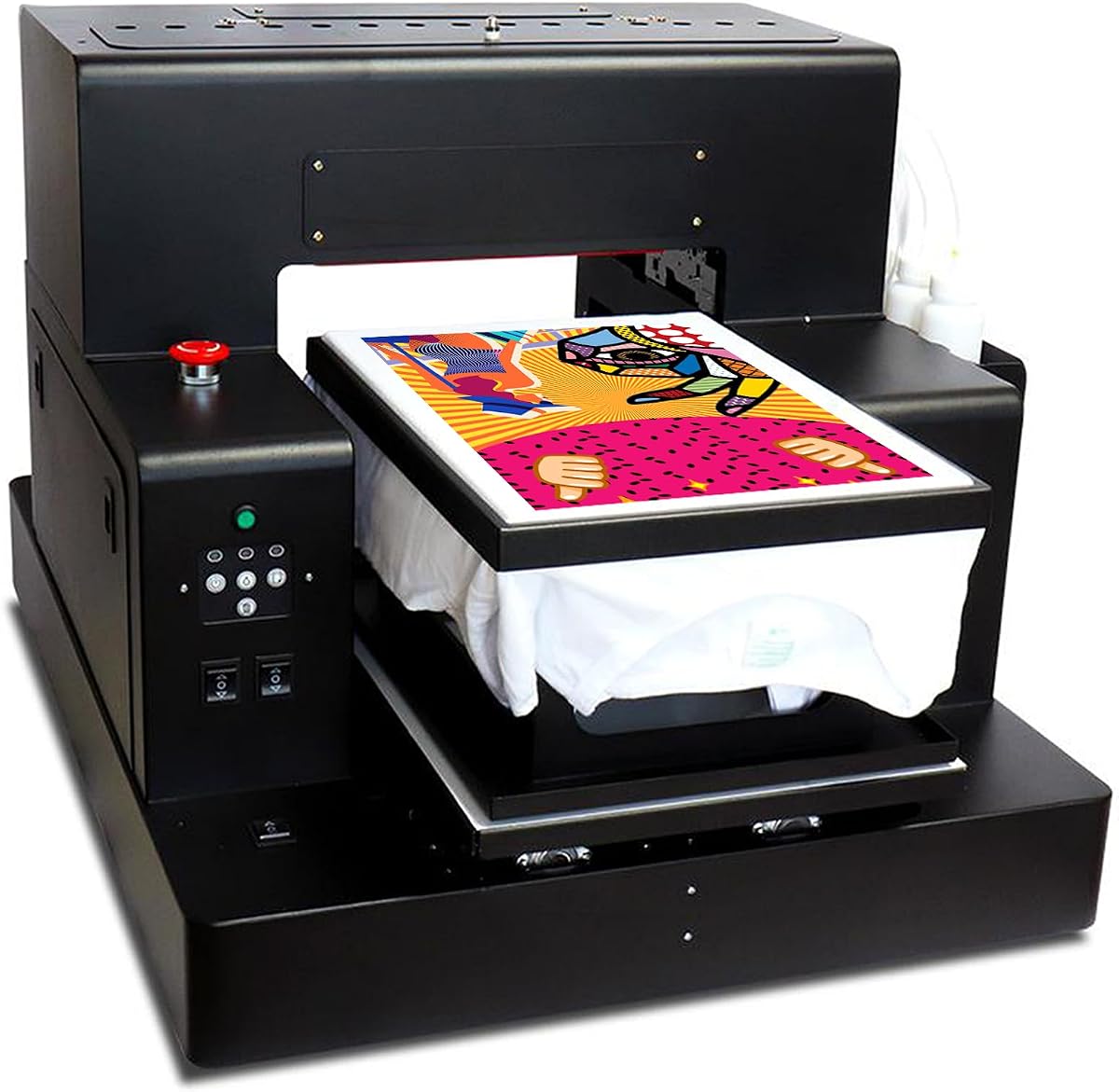


The DXZ A3 DTG Printer stands out as a top choice for newcomers looking to enter the custom apparel market. With a rating of 4.3 stars, it balances high-resolution capabilities with user-friendly operation. The machine delivers razor-sharp details and vibrant colors that rival more expensive industrial units.
We may earn a commission when you buy through this link, at no additional cost to you.
Its standout feature is the exceptional print quality enabled by 2800 × 1440 DPI resolution. This allows for lifelike photographic clarity and smooth gradients essential for complex designs. The system uses eco-friendly water-based inks that are safe for sensitive skin, making it ideal for childrens clothing.
While the setup is straightforward, beginners might need time to master the pretreatment process for dark garments. The included electric sprayer and ink kit reduce initial costs, but the machine works best with consistent maintenance routines to ensure longevity.
This printer is perfect for small businesses aiming for professional-grade results without heavy upfront investments. Its durability and support make it a reliable long-term asset for growing print shops.
The high DPI resolution ensures that even fine text and intricate graphics remain crisp and readable on fabric.
Using non-toxic water-based inks means safer working conditions and compliance with safety standards for childrens apparel.
We may earn a commission when you buy through this link, at no additional cost to you.
The Procolored K13-Lite offers an accessible entry point for those focused on DTF transfer printing. Its 3.7 rating reflects a solid performance for budget-conscious buyers who prioritize ease of use. The machine features one-touch ink pumping and an intuitive touchscreen interface that simplifies daily tasks.
We may earn a commission when you buy through this link, at no additional cost to you.
Key strengths include its LiteHead Technology which reduces maintenance complexity significantly. The automatic cleaning system helps prevent clogging and ink drying, saving valuable time for busy operators. This makes it a reliable choice for small studios needing consistent output without constant supervision.
However, users must work within a Windows environment and utilize the transfer process rather than direct printing. This adds an extra step compared to DTG machines but allows printing on a wider variety of fabrics. Beginners should weigh the workflow against their specific garment types.
Ideal for Etsy sellers or home studios, this printer provides professional quality transfers without breaking the bank. It is a smart starting point for those validating their business model before upgrading to heavier equipment.
The touchscreen interface and automated pumping reduce the technical barrier for new users entering the printing space.
DTF transfers allow printing on diverse materials like polyester and blends which direct ink systems often struggle with.
We may earn a commission when you buy through this link, at no additional cost to you.
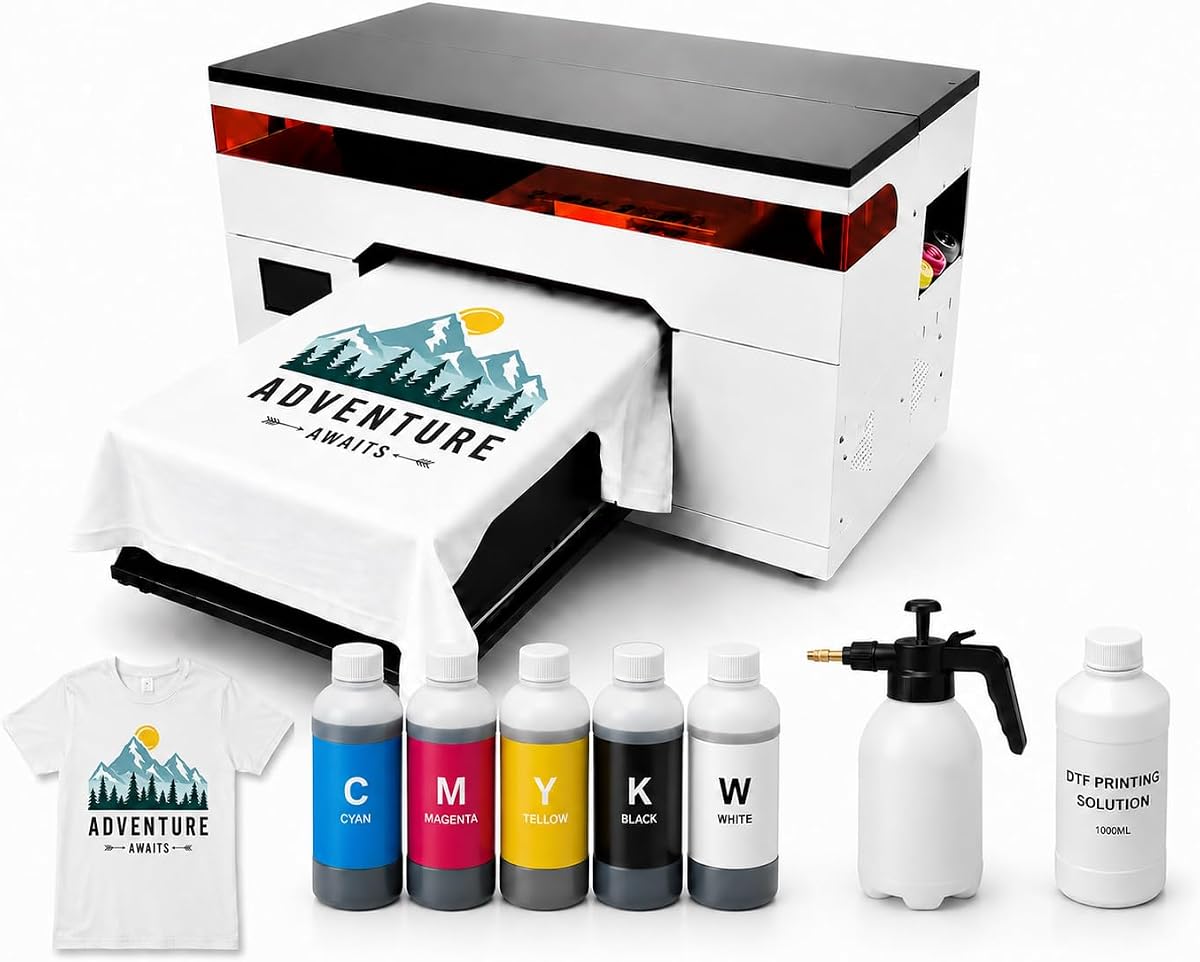
This unit delivers industrial performance with dual XP600 printheads that ensure smooth gradients and vibrant colors. With a perfect 5.0 rating, it is engineered for users who demand reliability and high output for cotton garments. The complete kit includes everything needed to start production immediately without extra purchases.
We may earn a commission when you buy through this link, at no additional cost to you.
The stable white ink system is crucial for dark garment printing, ensuring consistent flow without sediment buildup. An adjustable platform accommodates various garment thicknesses, making it versatile for hoodies, bags, and more. This flexibility supports diverse product lines from a single machine.
While the investment is higher, the robust features justify the cost for serious entrepreneurs. It requires adequate workspace but offers a premium experience that reduces downtime and maintenance hassles. Beginners aiming for growth will appreciate the professional-grade capabilities.
This printer is recommended for those ready to scale their operations quickly. It bridges the gap between hobbyist gear and professional machinery, offering a seamless transition into high-volume production.
Dual printheads increase throughput and reliability, ensuring continuous operation even if one head requires service.
Having inks pretreatment and software included streamlines setup so buyers can focus on designing and selling products.
We may earn a commission when you buy through this link, at no additional cost to you.
This bundle pairs the K13 Lite printer with a smokeless oven for a cleaner workspace. The 5.0 rating indicates high user satisfaction with the added convenience of integrated curing equipment. It is designed for small workshops where ventilation is a concern during production.
We may earn a commission when you buy through this link, at no additional cost to you.
Features like the infrared printhead protection system detect particles and prevent damage to the device. The expanded starter package provides two sets of inks and adhesive powder reducing the immediate need for refills. Color accuracy is optimized via Studio Lite software for professional results.
The addition of the oven simplifies the curing process which is vital for durable prints. However, the setup still requires Windows and a dedicated space for the heating unit. Beginners should ensure they have the room and budget for the full system.
Ideal for home-based businesses, this bundle offers a complete solution for professional transfer production. It addresses common pain points like smell and maintenance making it a top choice for indoor studios.
The smokeless oven minimizes odors improving comfort and safety for indoor printing environments.
Included supplies allow users to begin production immediately after setup without sourcing additional consumables.
We may earn a commission when you buy through this link, at no additional cost to you.
This machine offers both DTG and DTF capabilities in one unit providing versatility for different project needs. It uses the L805 printhead to ensure high resolution and vibrant saturation on fabrics. The vacuum suction platform keeps garments secure during printing which enhances alignment and quality.
We may earn a commission when you buy through this link, at no additional cost to you.
Its ability to print directly on white clothes without transfers offers a premium feel. The large print area accommodates various designs from small logos to full front graphics. However users must source their own inks and manage two different workflows depending on fabric types.
Maintenance involves careful handling of the white ink system to prevent clogs. While it lacks included ink, the hardware quality supports long term use. Beginners should be prepared for the technical requirements of managing two modes.
Perfect for businesses needing flexibility, this printer adapts to cotton and polyester demands. It is a robust option for those ready to handle both direct and transfer printing methods effectively.
Supporting both DTG and DTF allows shops to serve diverse clients without purchasing separate machines.
The vacuum platform ensures materials stay flat and aligned during high-resolution printing operations.
We may earn a commission when you buy through this link, at no additional cost to you.
This version focuses on maintaining soft detailed prints while offering a straightforward operating process. It features a built-in white ink mixing system that supports consistent results on darker garments. The semi-automatic cleaning reduces the manual effort required to keep the device ready for use.
We may earn a commission when you buy through this link, at no additional cost to you.
Key strengths include the high resolution which produces smooth gradients and rich full-color graphics. A complete starter package is provided including motorized sprayers and pretreatment liquid to get started quickly. Technical support is available to assist with installation and printing questions.
While the workflow is simpler than industrial units beginners must still follow pretreatment procedures for best results. The focus on comfort and softness makes it appealing for customer-facing apparel items. Proper care ensures stable performance over time.
Recommended for small to medium production runs, this printer balances detail with ease of use. It is a solid choice for those prioritizing fabric feel and color consistency in their prints.
Direct-to-garment ink penetration preserves the natural breathability and feel of the fabric.
The ink mixing system helps prevent sedimentation ensuring uniform white layers for better coverage.
We may earn a commission when you buy through this link, at no additional cost to you.
The DSV A3 DTF Printer provides a complete print and cure system that reduces workflow complexity. Its standout feature is the two-year ink and supply plan which ensures users have necessary consumables without frequent purchasing. The F1080 printhead delivers industrial-grade quality with vibrant colors and sharp edges.
We may earn a commission when you buy through this link, at no additional cost to you.
The auto maintenance cycle keeps the printhead moist and ready even after periods of non-use. A heating plate ensures fast drying and built-in cutter trims film with precision to save materials. This all-in-one approach simplifies logistics for small teams or solo operators.
Beginners will appreciate the ready-to-run-out-of-box setup with clear guidance for maintenance. However the ink plan is region specific currently limiting global availability. Those in supported regions get significant value from the included supplies.
Ideal for startups focusing on DTF transfers, this bundle offers efficiency and reliability. It minimizes downtime and supply worries allowing focus on design and customer service.
The auto maintenance system ensures the printer remains operational and ready for use without complex manual prep.
The two-year ink plan guarantees a steady supply of materials reducing the risk of business interruptions.
We may earn a commission when you buy through this link, at no additional cost to you.
This multifunction printer supports both DTF and DTG workflows expanding the range of printable items. It features the L805 printhead which boasts high resolution for crisp details and excellent saturation. The vacuum platform securely holds materials preventing movement for precise reliable results every time.
We may earn a commission when you buy through this link, at no additional cost to you.
White ink circulation prevents clogging and protects the printer during daily use. Users can switch between film transfer for dark clothes and direct print for cotton materials. The package includes essential accessories to facilitate setup and testing.
While high quality inks are not included the machine supports specific brands for best performance. Beginners should research ink compatibility before purchasing to avoid printing issues. The semi-automatic cleaning helps manage wear and tear effectively.
Recommended for versatile shops needing to print on various items like hats and shoes. It provides a flexible platform for diverse custom apparel requirements without hardware limitations.
Supporting both DTF and DTG allows printing on cotton polyester and more for broader product lines.
The vacuum platform ensures accurate placement of materials to prevent blurring or misalignment.
We may earn a commission when you buy through this link, at no additional cost to you.
The InkSonic R1390 pairs hardware with comprehensive guidance and support. Every unit includes 24/7 one-on-one technical guidance which is crucial for beginners needing step-by-step help. The bundle includes premium ink and matched consumables to ensure smooth printing and color consistency.
We may earn a commission when you buy through this link, at no additional cost to you.
Its white ink protection system helps reduce pigment settling and keeps ink flowing smoothly. The 13-inch width allows for broader designs on t-shirts and hoodies. Compatible with various fabrics like cotton polyester and denim it offers great versatility.
While it uses DTF transfer rather than direct printing this simplifies maintenance for new users. The California-based service center provides ongoing support ensuring users feel confident in their purchase. This reduces the risk of getting stuck on technical issues.
Perfect for home studios or online sellers who need reliable assistance. It balances ease of use with professional quality and support.
Continuous technical support helps troubleshoot setup and production challenges efficiently.
The substantial ink supply reduces the frequency of orders allowing focus on production.
We may earn a commission when you buy through this link, at no additional cost to you.
This unit focuses on restoring picture effects with excellent bright color output. It features a standard A3 format suction platform and automatic stirring which greatly reduces the probability of print head clogging. The included clothes hanger allows direct printing on white t-shirts with DTF ink.
We may earn a commission when you buy through this link, at no additional cost to you.
Its motherboard and printhead are easier to replace reducing long-term ownership costs. The high resolution ensures vibrant images regardless of material type. While it offers flexibility, beginners may prefer DTF for dark garments to simplify pretreatment steps.
The machine is designed for straightforward operation without complex chip resets or double flashes. It supports a wide range of clothing items including pants hats and shoes. This broad compatibility makes it a flexible option for general custom printing.
Best for users needing a versatile flatbed printer with standard maintenance needs. It balances cost and capability for small shops looking to expand their product range.
High resolution capability ensures prints match digital designs with vibrant color and detail.
Standard components and automatic stirring make routine upkeep simpler and less expensive.
We may earn a commission when you buy through this link, at no additional cost to you.
Choosing the right printer requires evaluating several key factors to match your business needs and budget effectively.
Direct-to-Garment (DTG) prints ink directly onto fabric which is ideal for cotton items but requires pretreatment. Direct-to-Film (DTF) prints on film that is transferred via heat press working on more materials like polyester. Beginners often find DTF easier to manage for diverse orders while DTG offers a softer feel for cotton.
Assess your target fabric types. If you focus on 100% cotton, DTG is efficient. If you need versatility across blends or darks, DTF might be more forgiving.
Resolution is measured in DPI and higher numbers generally mean sharper details. Look for models offering at least 1440 DPI for professional text and images. High resolution ensures your designs look crisp on garments and helps you compete with larger brands.
Prioritize 2800 DPI if you plan to print complex graphics or photos to maintain clarity across the print area.
White ink can settle and clog nozzles if not mixed properly. Choose a printer with an automatic circulation or mixing system to prevent waste and downtime. Some units feature semi-automatic cleaning to reduce manual intervention.
Ensure the machine includes or supports reliable ink supplies. Consistent ink flow is essential for quality output and operational efficiency.
Beginners benefit from bundles that include ink pretreatment and maintenance tools. Check if the package has sprayers or curing ovens needed for your workflow. Starting with a complete kit saves time and reduces initial costs for setup.
Always verify what accessories are necessary separately. Missing items can delay your first print and add unexpected costs to your startup budget.
Many printers rely on Windows drivers which can be restrictive. Confirm that your computer setup matches the software requirements. Some systems use specialized software that may require specific hardware configurations.
Choose a machine with compatible OS support to avoid driver issues and ensure smooth printing workflows from the start.
Technical support is vital when facing installation or hardware issues. Look for brands offering clear warranty terms on parts like printheads. 24/7 or fast response support helps resolve problems before they impact production schedules.
Prioritize companies with responsive teams. Quick support ensures minimal downtime and protects your investment.
The size of the print area determines the maximum design dimensions. A3 size accommodates standard t-shirt sizes while larger units offer more room for full designs. Ensure the printer can handle your typical garment sizes without resizing.
Select a model that supports the largest standard print area you need. This flexibility allows you to take on varied orders without upgrading hardware.
Before starting, ensure your workspace is clean and well-ventilated to protect the equipment and ensure safety. Install all required drivers and software according to the manufacturer's manual. Verify that your computer meets the system requirements to avoid connectivity issues.
Prepare your garments by ensuring they are clean and free of wrinkles. Load your design into the RIP software and adjust settings for fabric type and color. Always perform a nozzle check to ensure all printheads are functioning properly before starting a job.
After printing, clean the printheads using the built-in automatic cycle to prevent ink from drying. Store the machine in a cool environment and follow the manual for periodic maintenance schedules. Regular cleaning ensures consistent quality and extends the life of the printer.
DTG prints ink directly onto fabric, ideal for cotton, while DTF prints on film to transfer via heat. DTF works on more fabrics like polyester. DTG requires pretreatment but offers softer feel. Beginners should choose based on their primary garment materials.
Most printers require RIP software like Procolored Studio Lite to manage colors and output. Some units include dongles. Ensure your computer is compatible. Proper software ensures color accuracy and smooth workflow.
With proper maintenance, a DTG printer can last several years. Regular cleaning and avoiding clogs extend printhead life. Professional support can help troubleshoot issues. Lifespan depends on usage volume and care.
DTG works best on cotton and cotton blends. It requires pretreatment for dark garments to ensure ink adhesion. Polyester requires DTF. Some models offer versatile support. Check compatibility for your target products.
Use printers with circulation systems and run automatic cleaning cycles. Shake ink bottles regularly. Store the printer properly. Avoid leaving the device unused for too long. Follow manufacturer maintenance guidelines to protect nozzles.
Yes, pretreatment is needed for DTG on dark garments to bond ink and enhance color. DTF does not require this. Follow instructions to apply liquid evenly. Proper application ensures vibrant and durable prints.
We have reviewed ten options ranging from budget bundles to premium industrial setups. Each model offers distinct advantages depending on your budget and target market. The DXZ A3 DTG Printer remains a top choice for balance of quality and support.
Prioritize machines with reliable ink systems and strong warranties to minimize downtime. Consider the fabric types you intend to print most frequently. Selecting the right technology early saves time and investment.
Always verify current availability and specifications before purchasing. Prices and features may change over time. Ensure your setup aligns with your long-term business goals.