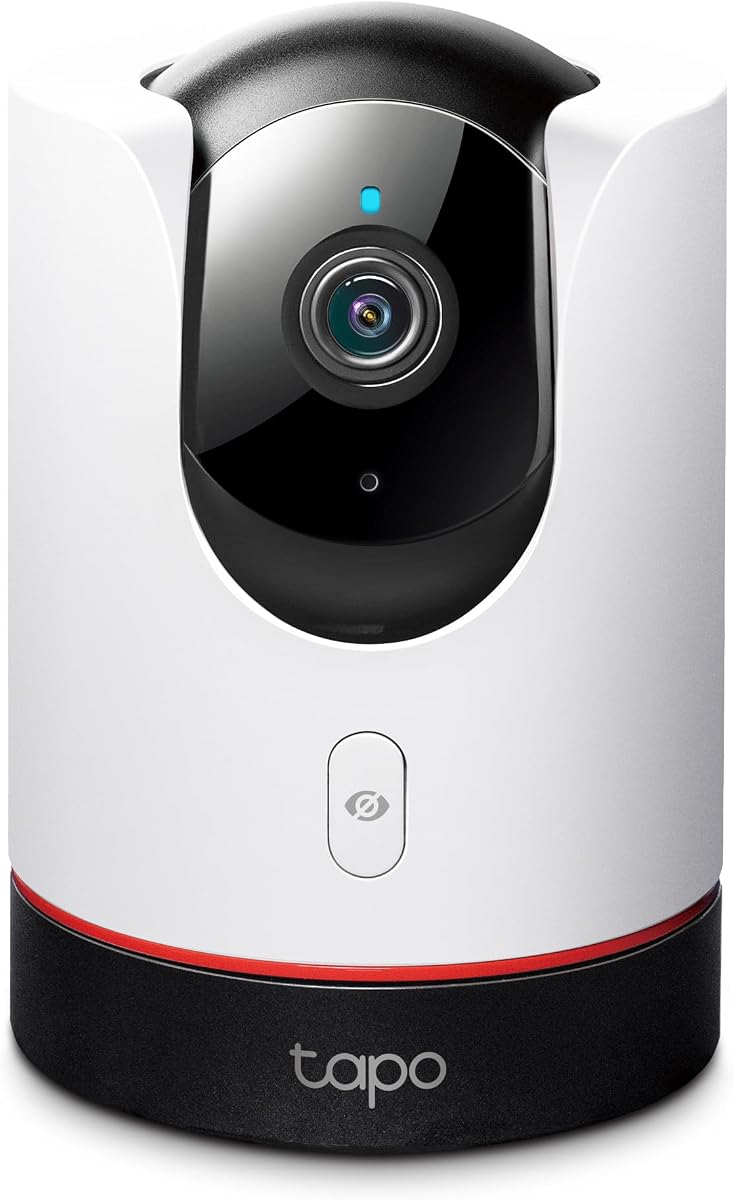
TP-Link Tapo C225
4.5Editor score
2K QHD Live View
Physical Privacy Mode
Smart AI Detection
This comprehensive guide compares the top Apple Homekit Security Cameras available in October 2026 to help you choose the best smart home surveillance solution
Securing your home with smart technology requires the right tools, and Apple Homekit Security Cameras are among the most reliable options available today. These devices integrate seamlessly with your iPhone, iPad, and Apple TV, offering end-to-end encryption and privacy-focused features that many competitors lack.
We have thoroughly evaluated the leading models on the market based on video quality, smart detection capabilities, storage options, and ecosystem compatibility. Our analysis focuses on how well each camera performs within the Apple ecosystem while delivering practical security benefits for everyday homeowners.
Each pick in this guide highlights specific strengths such as night vision performance, AI tracking, or hub functionality to help you find the perfect match for your setup. Please note that product availability and features may change over time, so always verify current specifications before purchasing.
4.5Editor score
4.3Editor score
4.3Editor score
This side-by-side comparison highlights the key specifications and capabilities of the ten most popular Apple Homekit Security Cameras to help you make an informed decision for your smart home setup.



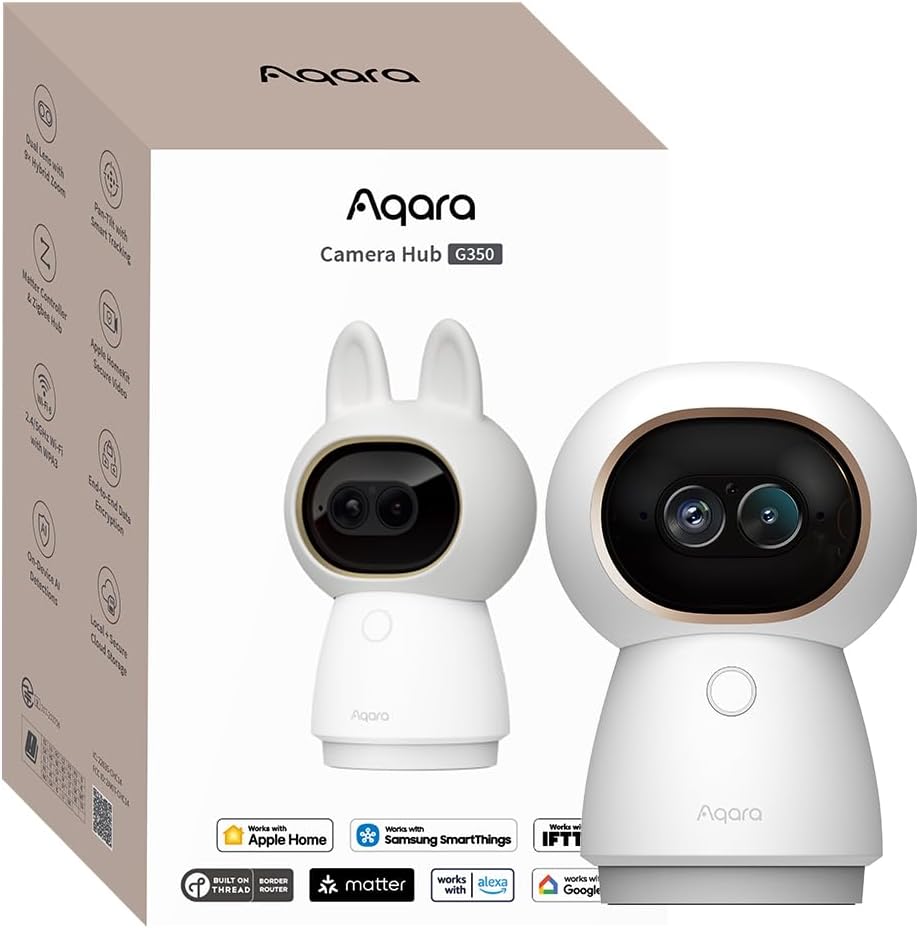
The Aqara G350 stands out as a top contender for Apple Homekit Security Cameras, combining 4K resolution with a unique dual-lens system. Rated 4.3 stars by users, it offers exceptional clarity and smart detection capabilities that process locally to protect your privacy.
We may earn a commission when you buy through this link, at no additional cost to you.
Its standout feature is the dual-lens design which pairs a wide-angle 4K lens with a telephoto lens for 9X hybrid zoom. This allows you to see sweeping views and fine details simultaneously. The camera also acts as a hub for Zigbee and Thread devices, integrating seamlessly into your smart home.
While highly capable, the G350 requires a wired connection and does not offer battery power. The local AI processing is excellent but requires setup within the Aqara app to unlock full features. These trade-offs are acceptable for users seeking a high-end hub and camera in one device.
This camera is ideal for tech-savvy homeowners who want centralized control over their smart devices and high-quality video. Its ability to bridge Matter devices makes it future-proof. We recommend it for those who prioritize privacy and detailed indoor monitoring.
The combination of a 4K wide lens and 2.5K telephoto lens allows for detailed zoom without losing clarity.
AI processing happens on the device ensuring your video data never leaves your home during detection.
We may earn a commission when you buy through this link, at no additional cost to you.
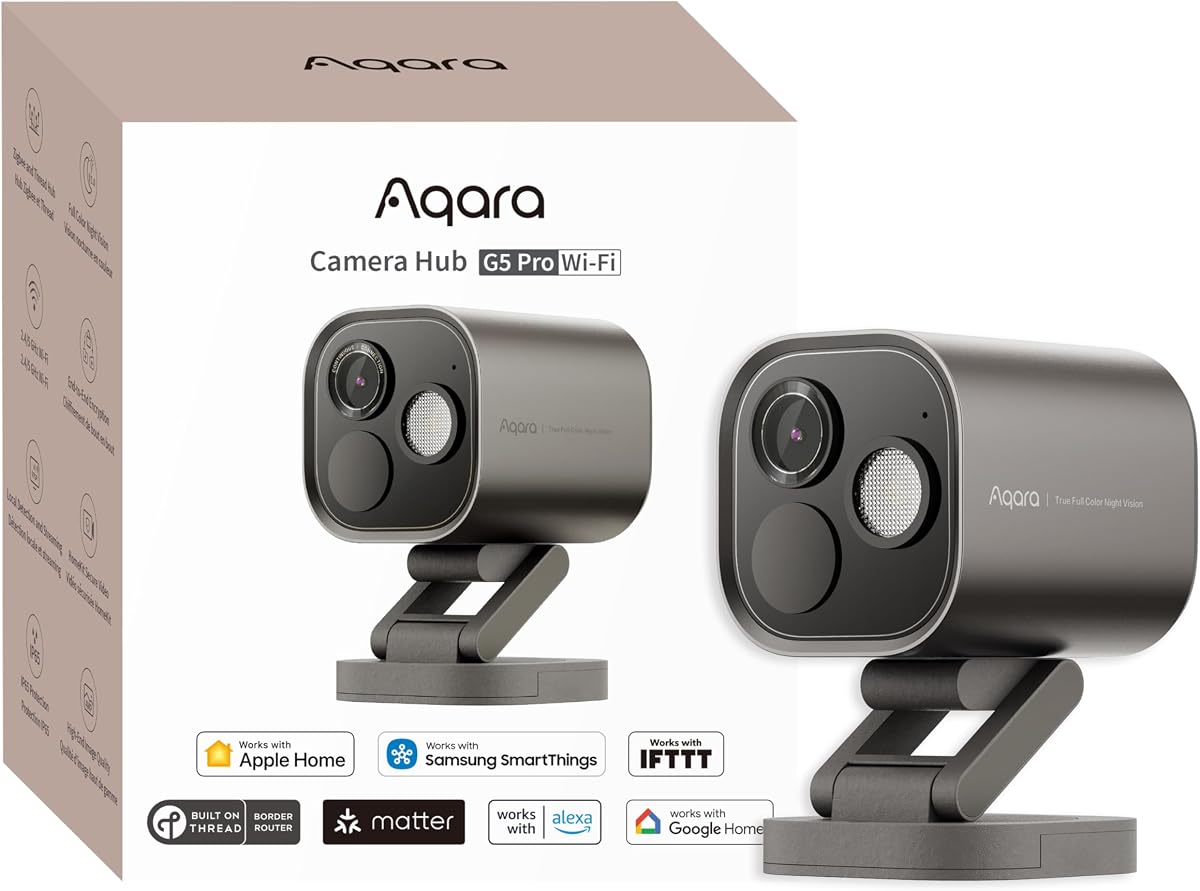
The Aqara G5 Pro WiFi delivers impressive outdoor surveillance with 4MP resolution and true color night vision. It holds a 4.3 rating and supports HomeKit Secure Video, making it a robust choice for Apple users who prioritize image quality and security.
We may earn a commission when you buy through this link, at no additional cost to you.
Its true color night vision uses a large aperture and spotlight to identify intruders even in low light without relying on IR. The built-in 8GB storage ensures continuous recording options, and local AI detects specific sounds and faces without cloud dependency.
While it lacks battery power, the USB-C port offers flexibility. The local AI requires a hub to fully utilize its features. These limitations are balanced by the camera's ability to bridge Matter devices and provide clear night-time footage.
This camera suits homeowners looking for reliable outdoor security with smart integration. Its color night vision is a standout feature. We recommend it for users who want detailed outdoor monitoring and Matter compatibility.
Large aperture and spotlight enable clear color recording in low-light conditions.
Built-in storage and local processing reduce reliance on cloud subscriptions.
We may earn a commission when you buy through this link, at no additional cost to you.
The TP-Link Tapo C225 offers exceptional value as an affordable Apple Homekit Security Camera with a 4.5 rating. It provides 2K resolution and a 360-degree view, making it easy to monitor entire rooms without moving the camera.
We may earn a commission when you buy through this link, at no additional cost to you.
Its standout features include a physical privacy shutter that blocks the lens and an advanced starlight sensor for clear night vision. The AI detection accurately identifies people and pets, sending instant notifications to your device.
While it requires a wired connection and lacks battery power, the price point makes it an attractive entry-level option. Users appreciate the privacy shutter for added peace of mind. These features make it suitable for budget-conscious buyers.
This camera is perfect for monitoring indoor spaces like living rooms or nurseries. Its ease of use and robust feature set at a low price make it a top budget choice. We recommend it for anyone needing reliable indoor security.
Motorized pan and tilt allow full room coverage via the app.
Physical shutter blocks the lens to ensure total privacy when needed.
We may earn a commission when you buy through this link, at no additional cost to you.
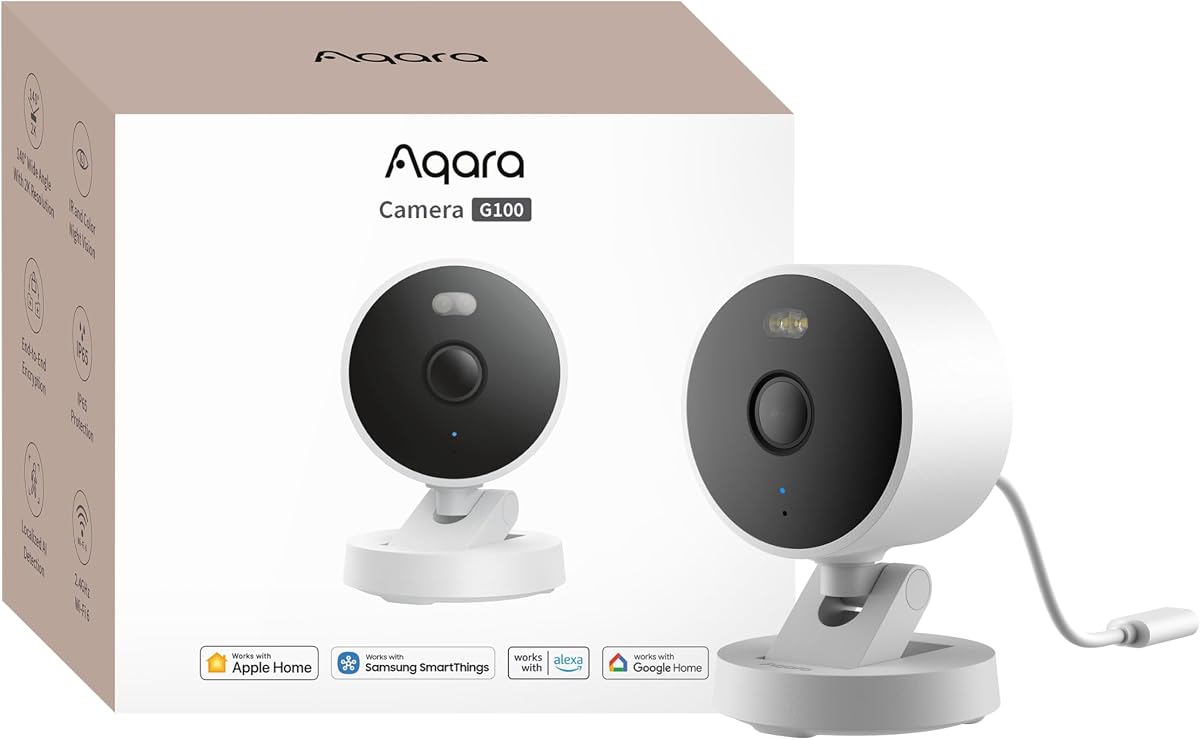
The Aqara G100 is a versatile option for Apple Homekit Security Cameras, offering 2K resolution for both indoor and outdoor use. Rated 4.2 stars, it features a 140-degree field of view and IP65 weather resistance for flexible placement.
We may earn a commission when you buy through this link, at no additional cost to you.
It includes dual night vision modes: spotlight color for clear footage and IR for covert detection. The camera supports Wi-Fi 6 for stable connectivity and local AI detection for immediate alerts. These features make it robust for various environments.
HomeKit Secure Video limits the resolution to 1080p when connected, though it retains 2K in the Aqara app. Power requires an adapter. These are minor trade-offs for the flexibility offered. Users can also use SD cards or NAS for storage.
This camera is ideal for those needing one solution for inside and outside the home. Its weather resistance and dual night vision are significant advantages. We recommend it for homeowners seeking versatility and clarity.
Switch between color and IR modes based on your preference for visibility.
Designed to withstand rain and dust for reliable outdoor performance.
We may earn a commission when you buy through this link, at no additional cost to you.
The Aqara G5 Pro PoE brings professional-grade reliability to Apple Homekit Security Cameras with Power over Ethernet support. With a 4.5 rating, it offers 4MP resolution and true color night vision, making it perfect for users wanting a stable wired connection.
We may earn a commission when you buy through this link, at no additional cost to you.
Its PoE design eliminates the need for separate power cables, simplifying installation near routers. The built-in 8GB storage ensures continuous recording, and it acts as a Matter bridge for seamless smart home integration. These features enhance its utility significantly.
While it requires a PoE switch and only works for indoor/outdoor setups, the stability is unmatched. Users value the high resolution and local AI. These are acceptable trade-offs for those prioritizing network stability and image quality.
This camera is best for tech-savvy users with existing network infrastructure. It offers professional stability and high-quality monitoring. We recommend it for those seeking the best wired performance in the HomeKit ecosystem.
Single network cable provides both power and data for cleaner setup.
Supports Thread and Zigbee to connect other smart devices easily.
We may earn a commission when you buy through this link, at no additional cost to you.
The Eve Cam focuses on privacy, designed exclusively for Apple Homekit Secure Video. Rated 3.6 stars, it ensures all video analysis happens locally on the device, keeping data under your control without cloud exposure.
We may earn a commission when you buy through this link, at no additional cost to you.
It features smart motion detection to distinguish people from pets and deactivate when you are home. The end-to-end encryption ensures only you can access recordings. This design is perfect for security-conscious users.
While the feature set is minimal compared to competitors and it requires a hub, the privacy benefits are significant. Users appreciate the simplicity. These trade-offs are acceptable for those prioritizing security above advanced AI.
This camera is best for private indoor monitoring where simplicity matters. Its design ensures maximum privacy. We recommend it for those who want a secure, no-fuss HomeKit option.
Video analysis occurs on the device ensuring data stays private.
Built specifically for HomeKit to maintain strict privacy standards.
We may earn a commission when you buy through this link, at no additional cost to you.
The Logitech Circle View provides a simple solution for Apple Homekit Security Cameras with TrueView technology and a 180-degree field of view. Rated 3.4 stars, it captures everything in sharp 1080p detail with high dynamic range for clear visuals.
We may earn a commission when you buy through this link, at no additional cost to you.
Its tilt mechanism allows you to quickly pivot the camera down for privacy, and it is weatherproof for flexible placement. The end-to-end encryption ensures security. These features make it easy to use.
While it offers basic functionality and limited resolution, its simplicity is a plus. Users like the privacy tilt. These limitations are acceptable for those who want a straightforward camera without complex setups.
This camera is best for simple outdoor monitoring. Its ease of use is a major benefit. We recommend it for users who prefer a no-fuss installation.
High dynamic range sensor captures clear images in varied lighting.
Physically pivot the camera to disable recording instantly.
We may earn a commission when you buy through this link, at no additional cost to you.
The Aqara E1 offers complete indoor coverage with 2K resolution and a 360-degree view. Rated 4.2 stars, it features pan tilt functionality and AI detection that runs locally to protect your privacy while alerting you to movement.
We may earn a commission when you buy through this link, at no additional cost to you.
Its auto-person tracking keeps subjects in frame, and it supports Wi-Fi 6 for faster speeds. Physical privacy mode is also available. These features make it comprehensive for indoor monitoring.
While it requires an adapter and is limited to indoor use, the tracking and resolution are excellent. Users find it reliable. These trade-offs are acceptable for a dedicated indoor camera.
This camera is best for monitoring rooms like nurseries or offices. Its tracking is a standout feature. We recommend it for detailed indoor security needs.
Automatically pans to follow movement across the room.
Detects events locally to prevent data upload.
We may earn a commission when you buy through this link, at no additional cost to you.
The eufy E30 delivers 4K recording and AI tracking for indoor use. Rated 4.5 stars, it offers a 360-degree view and color night vision, ensuring high-quality footage day and night without mandatory subscriptions.
We may earn a commission when you buy through this link, at no additional cost to you.
Its ability to distinguish humans and pets with local storage makes it practical. However, HomeKit restricts resolution to 1080p. This limitation is balanced by the excellent image quality and AI features.
While HomeKit limits resolution, the local storage saves money. Users appreciate the clarity. These are acceptable trade-offs for the 4K quality offered.
This camera is best for pet monitoring and detailed indoor visuals. Its AI tracking works well. We recommend it for those needing high-resolution monitoring.
Follows movement automatically to keep subjects in view.
Captures fine details with 4K resolution clarity.
We may earn a commission when you buy through this link, at no additional cost to you.
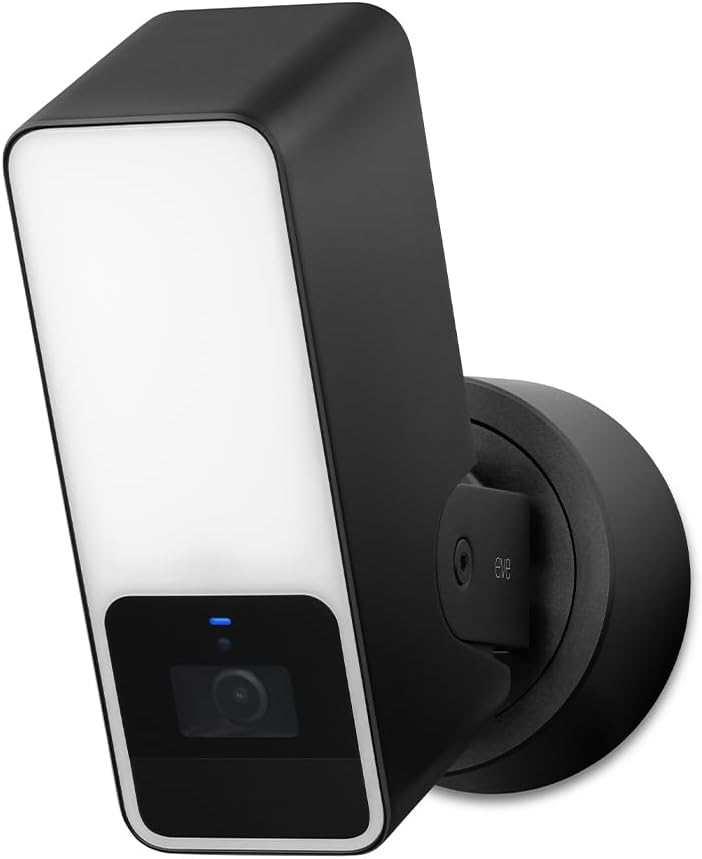
The Eve Outdoor Cam combines security with privacy as a floodlight camera exclusively for HomeKit Secure Video. Rated 3.5 stars, it uses local processing to detect people, pets, and vehicles without exposing data to the cloud.
We may earn a commission when you buy through this link, at no additional cost to you.
Its powerful dimmable floodlight acts as a deterrent and ensures clear night vision. Two-way communication allows you to talk to visitors. These features enhance its utility for entryways.
Installation requires a neutral wire which can be tricky. However, the privacy-focused design is unmatched. These trade-offs are acceptable for users valuing security.
This camera is best for entryways requiring a deterrent. Its design ensures privacy. We recommend it for users who want a robust outdoor option.
Bright floodlight discourages unwanted visitors at night.
Ensures no data leaves your home during detection.
We may earn a commission when you buy through this link, at no additional cost to you.
Choosing the right Apple Homekit Security Camera involves evaluating several key factors to ensure it meets your specific needs.
Video resolution determines the clarity of your footage. Higher resolutions like 2K or 4K allow you to see fine details such as facial features or license plates more clearly.
For indoor monitoring 1080p is often sufficient but outdoor cameras benefit from 2K or 4K to handle distance and low light.
HomeKit Secure Video encrypts your footage end-to-end ensuring only your Apple devices can view it. This feature relies on iCloud+ and a home hub for processing.
Ensure the camera you select supports HomeKit Secure Video to maximize privacy and integration with your existing Apple ecosystem.
Storage options vary between local SD cards cloud subscriptions or network attached storage. Local storage is more private while cloud storage allows remote access.
Evaluate how much footage you need to keep and whether you prefer paying for a subscription or managing local storage manually.
Indoor cameras focus on clarity and privacy features like physical shutters. Outdoor cameras require weather resistance and brighter lighting for night vision.
Check the IP rating for outdoor cameras to ensure they can withstand rain or dust without failing.
Most cameras use Wi-Fi but some offer Ethernet or PoE options for stability. Dual-band Wi-Fi helps reduce interference in crowded networks.
Choose a connection type that ensures a stable feed especially if your router is far from the camera location.
AI detection allows cameras to distinguish between people pets and vehicles reducing false alerts. Some models process this locally for faster response times.
Look for models that offer person detection as a standard feature to ensure alerts only when they matter.
Some cameras require hardwiring while others plug into a wall outlet. Consider whether you can install cables or need a battery-powered option.
For outdoor cameras check if they need a neutral wire or specific mounting brackets before purchasing.
Privacy features like physical lens covers or privacy modes are vital for indoor cameras. These allow you to disable audio or video when inside the home.
Prioritize cameras that offer these controls if you want to monitor specific rooms without constant recording.
To set up your Apple Homekit Security Camera first ensure your Home hub is running the latest iOS version. Open the Home app on your iPhone iPad or iPod Touch to add the new accessory.
Once added assign the camera to a specific room and customize settings like detection zones and notifications. This ensures you receive alerts only for the areas you monitor most closely.
Regularly clean the lens and housing of outdoor cameras to maintain image quality. Check your local storage capacity or cloud subscription status to ensure continuous recording without interruptions.
Not all cameras support continuous recording; many rely on motion detection triggered events. You can enable continuous recording if you use a microSD card or supported cloud service depending on the model.
HomeKit Secure Video encrypts footage and stores it on iCloud instead of your device. This prevents local data exposure and allows more devices to access the recordings securely.
Yes an iCloud+ subscription is required for HomeKit Secure Video to store and process encrypted footage. Without it you may be limited to live viewing only.
Most cameras restrict access to Apple devices for privacy. However some brands allow limited viewing through their own apps if the camera supports third-party apps.
Data usage depends on resolution and frequency of recording. Higher resolutions and frequent motion events will use more data than basic 1080p monitoring.
HomeKit cameras use end-to-end encryption which is more secure than standard cloud options. This ensures that only your trusted devices can view your footage.
Many newer cameras support both HomeKit and Matter allowing them to work across different ecosystems. This offers flexibility if you use smart home devices from multiple brands.
Some models support Home Assistant via RTSP or custom integrations but this may void privacy features. Check the specific model's documentation for compatibility details.
We have reviewed the top 10 Apple Homekit Security Cameras highlighting the Aqara G350 as our editor's choice for its dual-lens technology and hub capabilities.
Prioritize your needs such as resolution, privacy, or specific features like PoE or color night vision to select the best model for your home.
Always verify current prices and availability before purchasing as these can change frequently depending on supply and demand.