
Canon MegaTank G3270
4.1Editor score
Affordable entry level model
Large ink capacity included
Easy wireless setup
Ink tank printers have revolutionized home and office printing by offering massive ink capacities and significantly lower costs per page compared to traditional cartridge systems. These devices allow users to print thousands of pages on a single fill, making them ideal for families and small businesses with high volume needs.
We have analyzed the top models available in the market, evaluating factors like print speed, connectivity options, ink yield, and overall build quality. Our comparison focuses on real-world performance metrics and user feedback to ensure you get the most reliable device for your specific printing requirements and budget constraints.
Each pick in this list highlights unique strengths such as wireless capabilities, automatic duplexing, or exceptional photo quality. Please note that product availability and pricing can fluctuate frequently, so verify current details before making a purchase decision to ensure you get the best value available today.
4.1Editor score

4.2Editor score

4.2Editor score
As an Amazon Associate we earn from qualifying purchases.
This side by side comparison breaks down the key specifications and features of the ten leading ink tank printers currently available. We have organized the data to help you quickly identify which model offers the best balance of speed, capacity, and connectivity for your specific workflow needs.





The Canon MegaTank G3270 stands out as an excellent entry point into the world of ink tank printing. With a rating of 4.1 stars, users appreciate its ability to deliver consistent results without the high cost of cartridges. This model is designed for home users who need reliable printing for documents and occasional photos.
We may earn a commission when you buy through this link, at no additional cost to you.
One of its strongest features is the inclusion of ink for up to two years. This means you can print thousands of pages before needing a replacement, which saves significant money over time. The wireless connectivity ensures you can print from smartphones or tablets effortlessly, making it versatile for modern workflows.
While it lacks automatic duplexing, the manual double sided printing option is acceptable for this price point. The 1.35 inch display is functional but basic, offering just enough control for standard tasks. These trade-offs are minor considering the massive savings on ink costs compared to traditional printers.
If you are looking for a budget friendly option that does not compromise on ink capacity, this is the ideal choice. It is perfect for students or families who print frequently but want to avoid ongoing cartridge expenses. The reliability and ease of use make it a top contender in the budget category.
The included ink set allows for up to 6000 black and white pages, ensuring long term value.
Seamless connectivity allows printing from any device without the need for cables.
We may earn a commission when you buy through this link, at no additional cost to you.
The Epson EcoTank ET-2803 earns our Editor's Choice award for its balanced performance and innovative features. With a 4.2 rating, it is praised for its Micro Piezo Heat Free technology which produces sharp text and vibrant colors. This printer eliminates the frustration of running out of ink suddenly.
We may earn a commission when you buy through this link, at no additional cost to you.
Its hands free voice activated printing capability is a standout feature for modern smart homes. Users can simply use voice commands to print documents, saving time and effort. The EcoFit bottles ensure that refilling is mess free, reducing the risk of spills on your desk or floor.
While the initial setup involves filling tanks, the long term benefits far outweigh the temporary inconvenience. It supports a wide range of paper types, making it versatile for photos and documents alike. The reduction in plastic waste is also a significant environmental advantage over cartridge printers.
This model is perfect for users who prioritize quality and sustainability. It offers a smooth printing experience that adapts to smart home environments easily. For those who want a reliable printer that grows with their needs, the ET-2803 is the best all round choice available.
Voice activation features integrate seamlessly with digital assistants for effortless printing tasks.
Keyed bottles prevent mix ups, making refilling simple and spill free for everyone.
We may earn a commission when you buy through this link, at no additional cost to you.
The Epson EcoTank ET-2903 represents the premium tier of ink tank printers with advanced productivity features. With a 4.2 rating, it is lauded for its speed and high resolution capabilities. The auto duplex printing saves paper automatically, which is a major benefit for heavy users.
We may earn a commission when you buy through this link, at no additional cost to you.
Its 1.44 inch color screen provides intuitive navigation for complex tasks without needing a computer. The 5760×1440 dpi resolution ensures that photos look stunning with vibrant colors and sharp details. This model is engineered for reliability with a duty cycle that outperforms its predecessor significantly.
While it costs more upfront, the inclusion of ink for up to three years offsets the investment quickly. The faster print speeds mean less waiting time for documents, improving overall workflow efficiency. These premium features make it ideal for home offices that need professional results consistently.
Choose this model if you need speed and high quality output regularly. It combines user friendly design with robust performance that handles high volume jobs well. For those seeking the best balance of features and ink economy, the ET-2903 is the top premium option.
High dpi resolution ensures photos print with exceptional detail and vibrant color accuracy.
Auto duplex printing reduces paper use and speeds up the printing process significantly.
We may earn a commission when you buy through this link, at no additional cost to you.
The HP Smart Tank 5003 introduces AI capabilities to the ink tank market, optimizing print quality automatically. With a 4.1 rating, users find that the text is sharper and colors richer than expected. The mess free refill system ensures you can top up ink without worrying about spills or stains.
We may earn a commission when you buy through this link, at no additional cost to you.
Included ink for up to three years makes this a low maintenance option for busy households. The AI features adjust settings based on the document type, ensuring optimal results every time without manual intervention. This helps maintain consistent quality across different print jobs effectively.
While the interface is basic, the functionality covers all essential tasks like printing, copying, and scanning efficiently. The compact design fits well in smaller spaces without sacrificing performance. These practical features make it a strong competitor for families needing reliable daily printing.
This printer is ideal for those who want smart features and long ink supply. It simplifies the printing process while delivering professional results. For users who value convenience and color quality, the Smart Tank 5003 is a top choice in the mid-range market.
AI technology automatically adjusts settings to ensure the best possible print quality for every job.
Easy access design allows for simple ink replacement without the risk of spills or mess.
We may earn a commission when you buy through this link, at no additional cost to you.
The Canon Megatank G3290 stands out for its large 2.7 inch LCD color touchscreen which simplifies navigation. With a 4.2 rating, users enjoy the ease of use it provides for copying and scanning tasks. It supports auto two sided printing which saves paper and improves workflow efficiency.
We may earn a commission when you buy through this link, at no additional cost to you.
The ink yield is impressive with up to 7700 color pages from a single set of inks. This capacity makes it suitable for small offices that need high volume printing capabilities. The wireless connectivity ensures that mobile devices can print directly without complex setup processes.
While it does not feature voice commands, the touchscreen provides intuitive control that most users find easy to learn. The build quality is solid, ensuring longevity even with frequent use. These features make it a robust choice for both home and small business environments.
If you value a larger display and duplexing capabilities, this model is a strong recommendation. It balances cost with high performance features effectively. For users who need a touchscreen interface for better control, the G3290 is an excellent investment to consider.
The 2.7 inch color screen makes navigation and settings adjustments incredibly simple and intuitive.
With 7700 color pages included, you can print extensively without worrying about ink levels.
We may earn a commission when you buy through this link, at no additional cost to you.
The Epson EcoTank ET-4800 focuses on the core benefits of cartridge free printing with high capacity tanks. With a 3.8 rating, it offers value through its Micro Piezo Heat Free technology which ensures sharp text. The flatbed scanner allows for easy copying of documents and photos.
We may earn a commission when you buy through this link, at no additional cost to you.
The EcoFit bottles make refilling straightforward and eliminate the need for small fragile cartridges. This design reduces waste and lowers the cost of ownership over time significantly. The high capacity tanks mean fewer interruptions for maintenance or refilling tasks.
Some users find the initial setup a bit complex, but once configured, it performs reliably. The color display aids in navigating settings without needing a PC. While the rating is lower than other models, the core functionality remains solid for basic printing needs.
This model is good for users who want to eliminate cartridges completely without high costs. It delivers consistent quality for everyday documents. For those who prefer high capacity tanks and waste reduction, the ET-4800 is a practical option to consider.
Eliminates tiny expensive cartridges by using large bottles that save money and waste.
Built in scanner supports easy copying and scanning of documents and photos directly.
We may earn a commission when you buy through this link, at no additional cost to you.
The Epson EcoTank ET-2980 offers strong value with three years of ink included in the box. With a 4.0 rating, it is noted for its ease of use and refillable tank design. The unique EcoFit bottles simplify the refilling process for any user.
We may earn a commission when you buy through this link, at no additional cost to you.
Mobile printing is fully supported allowing you to print from smartphones or tablets easily. The 6600 page yield ensures you are not frequently buying ink bottles which is a cost benefit. This makes it a great choice for home environments with steady printing needs.
While it does not support automatic duplexing, manual double sided printing is available. The design is straightforward focusing on the essentials without unnecessary complexity. This keeps the maintenance simple and the device reliable over the long term.
For users who want a balance of cost and convenience, this printer is highly recommended. It minimizes the hassle of running out of ink for a long period. If reliability and simplicity are your priorities, the ET-2980 is a solid choice to evaluate.
Ink included for up to three years ensures long term value and fewer purchases needed.
Full mobile support allows printing directly from smart devices without a computer.
We may earn a commission when you buy through this link, at no additional cost to you.
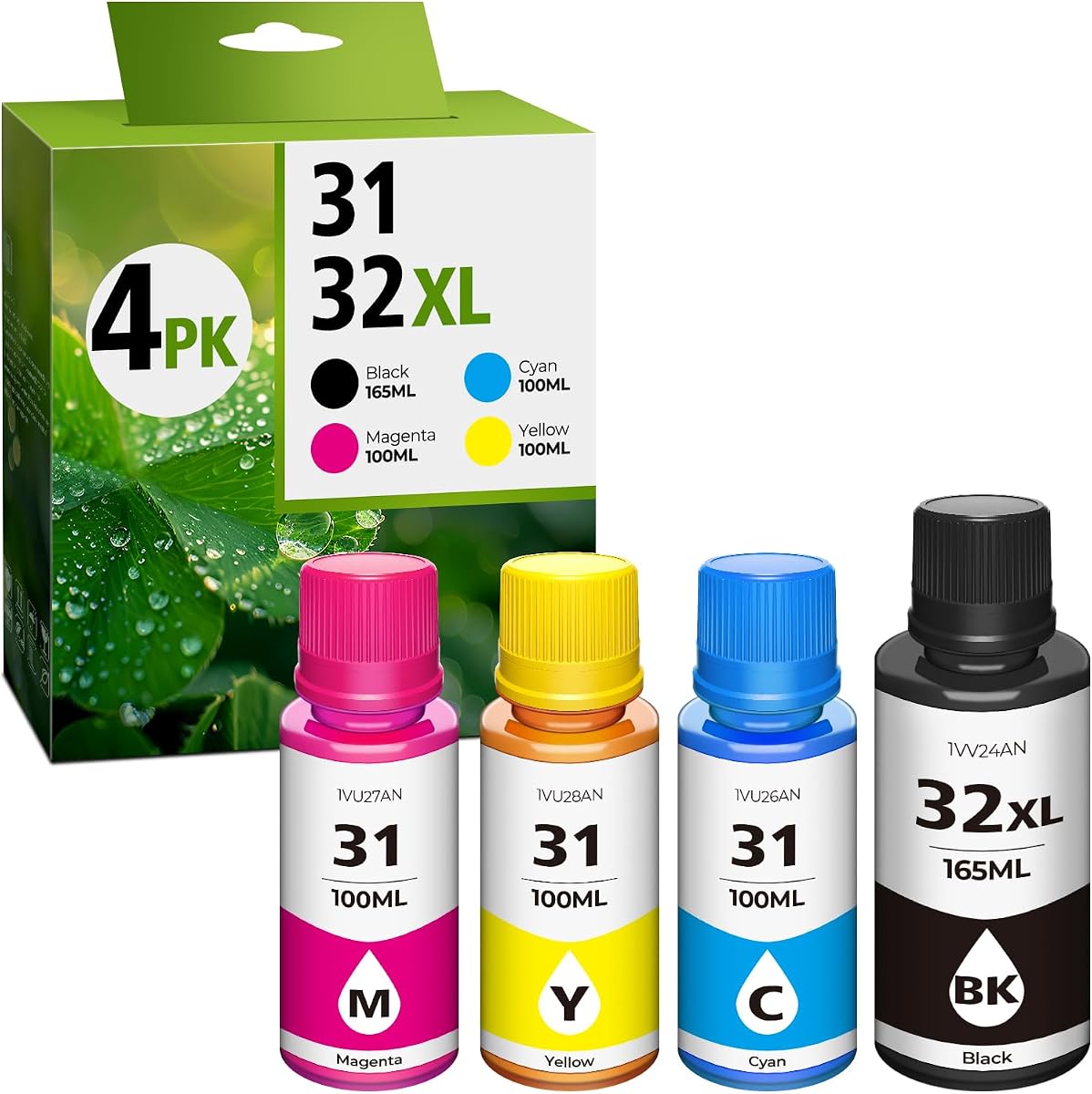
The 31 Ink 32XL Black Set provides a high yield alternative to original manufacturer ink. With a 4.4 rating, users appreciate the 9500 page yield which offers exceptional value. It is designed for seamless refilling with minimal effort and no leakage issues during use.
We may earn a commission when you buy through this link, at no additional cost to you.
These bottles are compatible with a wide range of HP Smart Tank printers making them versatile. The high capacity design reduces the frequency of replacement which is convenient for frequent users. The ink produces crisp professional quality printouts suitable for home and office environments.
It is important to note that these are dye inks rather than pigment inks. Users should clean printer heads before refilling to ensure optimal performance and avoid mixing types. This maintenance step ensures the printer remains in good condition over time.
For budget conscious users looking for affordable refill options, this set is a top pick. It delivers high yields at a lower cost than OEM alternatives. If you are comfortable with the maintenance steps, the 31 Ink set offers great savings.
With up to 9500 pages per bottle, this set offers exceptional value for bulk printing.
Bottles are designed to prevent leaks making refilling clean and hassle free for users.
We may earn a commission when you buy through this link, at no additional cost to you.
The HP Smart Tank 5003 offers versatile features including borderless prints and wireless connectivity. With a 3.8 rating, it provides solid performance for home use with three years of ink included. The mess free refill system ensures you can maintain ink levels without making a mess.
We may earn a commission when you buy through this link, at no additional cost to you.
Wireless printing allows you to print from any smart device easily. The borderless feature is great for photos that look professional without borders. AI capabilities aim to improve text sharpness and color richness to standard levels consistently.
Some users have reported software glitches which can require updates or restarts. However, the hardware remains robust and ready for daily printing needs. These issues are generally manageable with patience and software updates from HP.
This printer is best for those who prioritize wireless convenience and ink value. It supports a variety of media types effectively. If you are looking for a home printer with borderless capabilities, the Smart Tank 5003 is a strong candidate.
Produces photo quality prints without borders for a professional finished look every time.
Seamless wireless connectivity allows printing from any device in your home network.
We may earn a commission when you buy through this link, at no additional cost to you.
The Epson EcoTank ET-2988 is a renewed option offering fast 15 PPM printing speed at a lower price. With a 3.9 rating, users find it efficient for home needs with auto duplex printing included. The 1.44 inch color screen makes navigation simple and intuitive for all users.
We may earn a commission when you buy through this link, at no additional cost to you.
This model includes ink for up to three years which helps in stress-free printing. The renewal process ensures it meets basic functionality standards before sale. This makes it an attractive option for budget conscious buyers who still want quality features.
As a renewed item, it may show minor signs of wear but operates reliably. The high resolution ensures sharp text and clear photos for all documents. The convenience of auto duplex saves paper and time during large print jobs.
Choose this if you want speed and efficiency at a lower cost point. It brings premium features to a more affordable price tag. For users comfortable with renewed devices, this is a high value option to consider for home use.
With 15 pages per minute, you can print documents quickly without long wait times.
Renewed status provides access to premium features at a reduced price point for budgets.
We may earn a commission when you buy through this link, at no additional cost to you.
Selecting the right ink tank printer involves understanding several key factors that impact performance and value.
Ink capacity is the most significant factor when choosing an ink tank printer. Look for models that offer thousands of pages per fill to maximize savings. High capacity tanks reduce how often you need to buy ink and save money in the long run.
Check the page yield numbers in the specs to match your printing volume. Higher yields are better for busy offices while smaller tanks suffice for light home users.
Print speed is measured in pages per minute (PPM) and varies by model. Faster speeds are essential if you print frequently to avoid waiting. Look for models that offer warm-up time reduction to ensure faster start of print jobs.
Consider your daily print volume to determine the necessary speed. Slow printers can frustrate users while fast ones improve productivity efficiently.
Connectivity options include Wi-Fi, Ethernet, and Bluetooth which determine how you connect devices. Wireless connectivity is essential for printing from smartphones or tablets in modern homes. Look for mobile app support to manage print jobs remotely easily.
Ensure the printer supports AirPrint or similar standards for seamless integration. Reliable connection prevents interruptions during critical print tasks.
Auto duplex or two sided printing saves paper and reduces costs over time. Models with manual duplex require more effort but are cheaper to buy. Decide if automatic double sided printing is worth the extra investment for your workflow.
Duplex printing is standard in many modern tanks so check before buying. It helps reduce waste and is environmentally friendly.
A color touchscreen display makes navigation easier than basic LCD screens. Large displays help with copying and scanning settings without a computer. Ensure the interface is intuitive for your skill level.
Touchscreens add convenience but may increase the price slightly. Evaluate if you need this feature versus simpler button controls.
Media support determines what types of paper you can use. Many ink tanks support glossy photo paper and heavyweight stock for high quality outputs. Check the max paper size to see if A4 or A3 is supported.
Versatility in media support allows you to print everything from documents to photos. Ensure the model fits your specific printing requirements.
Cost per page is a key metric for long-term value. Ink tank printers typically cost less per page than cartridge ones. Calculate the upfront cost plus refill cost to get the true price.
Low cost per page means more savings over the life of the printer. Compare this value across models to choose the best deal.
Brand reliability affects how long your printer will last. Look for established brands with strong track records for support and durability. Warranty terms vary so check the coverage for each model.
A reliable brand ensures fewer breakdowns and consistent performance. Prioritize warranty coverage to protect your investment.
When setting up your ink tank printer, fill the tanks carefully using the provided bottles to avoid spills. Follow the on screen instructions to connect the printer to your Wi-Fi network for wireless use.
Regularly print test pages to prevent ink from drying out in the nozzles. This simple habit ensures consistent quality and keeps the print head in good condition.
Store ink bottles in a cool place away from direct sunlight to maintain their quality. If you plan to go without printing for weeks, turn off the printer to preserve energy and ink supply.
Ink tank printers save money by using refillable bottles instead of expensive cartridges. The initial cost is higher but the cost per page is much lower over time. This makes them ideal for high volume printing.
Yes, third-party ink is available but using genuine ink often ensures better quality and warranty coverage. Non-genuine ink may lead to quality issues or hardware damage not covered by warranty.
Most ink tank printers print fast enough for home and small office needs. Speed varies by model so check pages per minute specs if you have high volume demands.
To refill tanks properly, locate the refill ports on the printer and use the provided bottles. Pour carefully without forcing ink to ensure no spills occur during the process.
Yes, many ink tank printers are excellent for photos with high resolution and vibrant colors. They can handle glossy photo paper for professional results.
The average lifespan is often longer than cartridge models due to better build quality. Proper maintenance like regular use can extend it to several years easily.
Choosing the best ink tank printer depends on your specific needs for speed, capacity, and features. Our top picks offer excellent value for various users ranging from families to small businesses.
Prioritize models that fit your budget while providing long term ink savings. Features like auto duplexing and wireless connectivity add significant value to your workflow.
Remember that prices and availability can change frequently. Always check current deals before buying to ensure you get the best value for your money.