
GameSir Nova Lite 2
4.4Editor score
Hall Effect Joysticks
1000Hz Polling Rate
Multi-Platform Support
This guide compares the top gaming controllers for Windows PC including wireless and wired options with Hall Effect sticks and custom buttons for competitive
Finding the right gaming controller for Windows can transform your PC gaming experience significantly. Whether you prefer wireless freedom or wired precision, the market offers diverse options tailored to different play styles and budgets.
We evaluated ten top-rated controllers based on connectivity, build quality, customization features, and overall performance. Our analysis focuses on models that deliver reliable input and comfort during extended gaming sessions.
Each pick highlights specific strengths like polling rates or ergonomic design to help you decide. Remember that availability and stock may shift quickly so verify current listings before purchasing your next controller.
4.4Editor score
4.4Editor score
4.3Editor score
The following table provides a side-by-side comparison of all ten controllers analyzed in this guide. Review the key specifications and features to identify which model aligns best with your gaming needs and preferences.




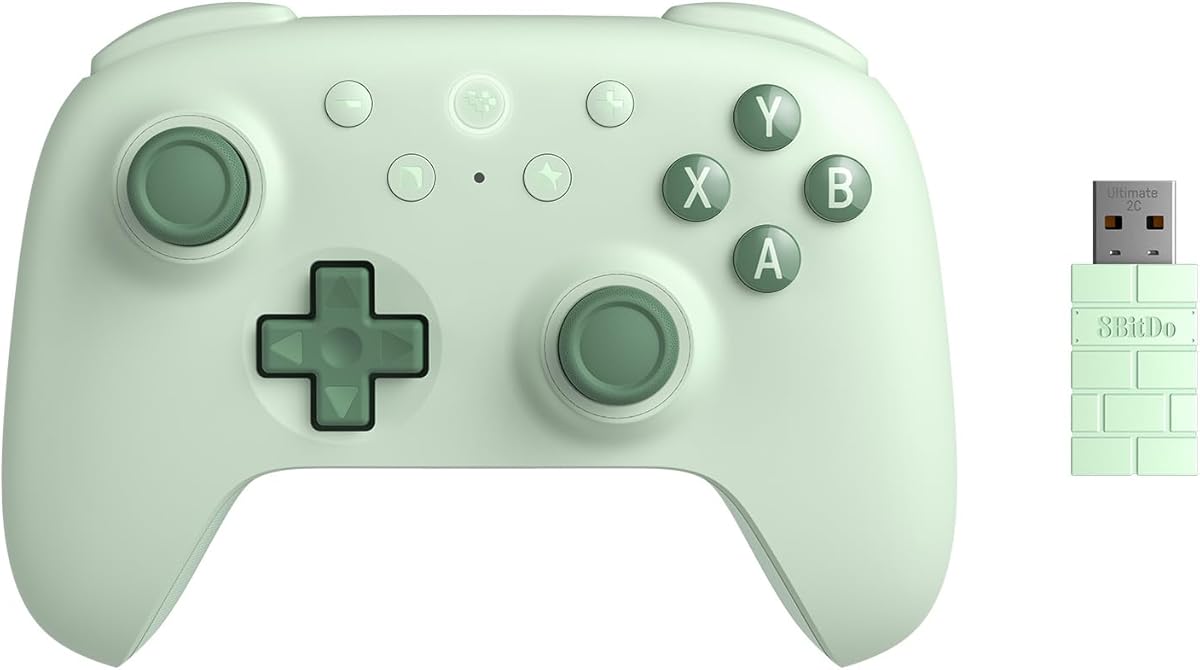
The 8Bitdo Ultimate 2C stands out as a top choice for PC gamers seeking wireless reliability. It holds a strong rating due to its advanced Hall Effect technology and high polling speed.
We may earn a commission when you buy through this link, at no additional cost to you.
Its standout feature is the combination of Hall Effect joysticks and triggers which ensure long-term precision without stick drift. The 1000Hz polling rate ensures your inputs register instantly whether connected wirelessly or via cable.
While the lack of a gyro sensor limits motion control options, the added L4 and R4 bumpers offer significant customization for competitive play. The controller remains lightweight yet tactile for comfortable extended sessions.
Gamers who need reliable wireless performance and customizable inputs will find this model ideal. It bridges the gap between budget options and premium features effectively for most Windows users.
Hall Effect joysticks and triggers use magnets instead of physical contact to eliminate wear and tear. This design ensures consistent accuracy over years of use.
The added L4 and R4 bumpers allow players to map actions without software. This enhances reaction times in fast-paced games immediately.
We may earn a commission when you buy through this link, at no additional cost to you.
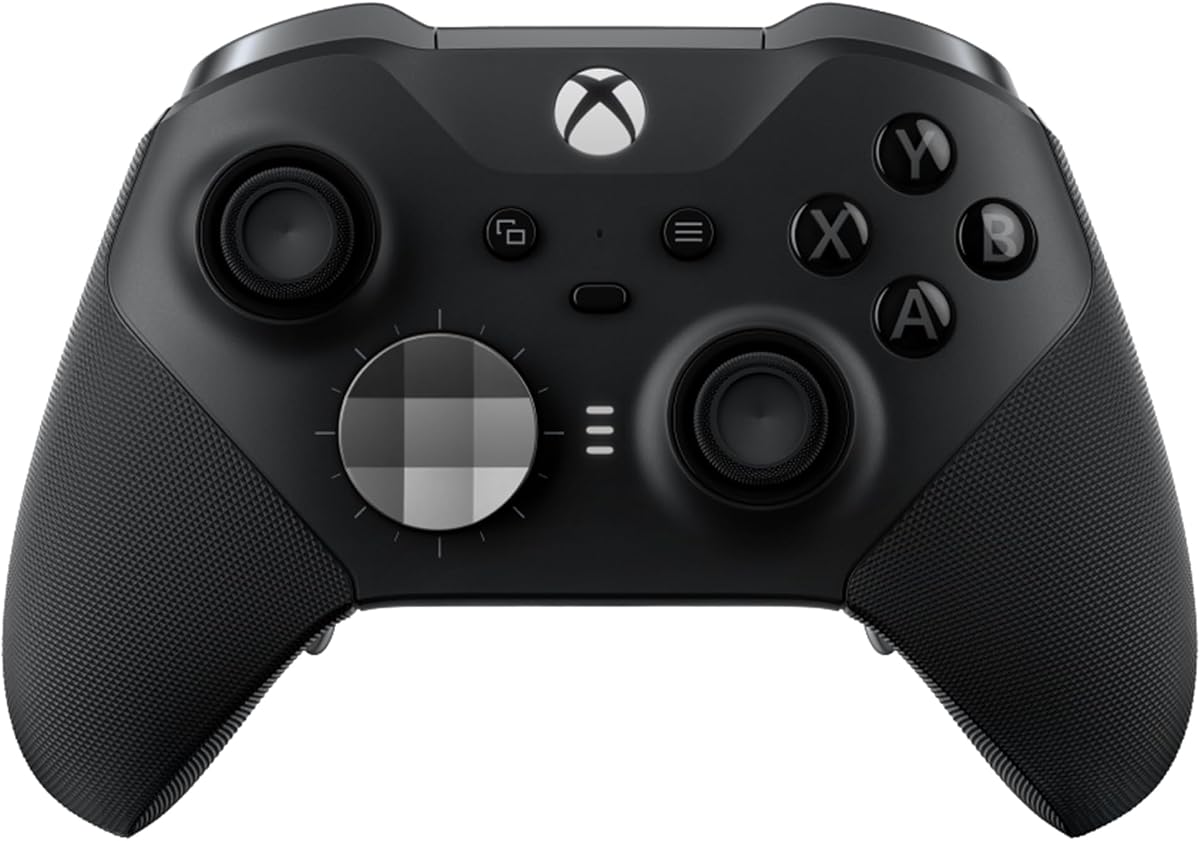
The XBOX Wireless Gaming Controller offers a seamless experience for Windows users familiar with Xbox ecosystems. It comes with a USB-C cable for wired play and supports Bluetooth for wireless freedom.
We may earn a commission when you buy through this link, at no additional cost to you.
Key strengths include its modernized design with sculpted surfaces and a textured grip that keeps your hands secure during intense gameplay. The battery life supports up to forty hours on standard batteries.
One trade-off is the reliance on AA batteries which may be inconvenient compared to rechargeable options. However, the included cable allows instant play without pairing delays on Windows systems.
This controller is perfect for general gaming needs without requiring advanced customization. It delivers consistent performance and broad compatibility across devices including consoles and PCs.
Sculpted surfaces and refined geometry ensure the controller feels natural in hand. The textured grip on triggers helps maintain control during long sessions.
A built-in 3.5mm audio jack allows direct headset connection for voice chat and game sound. This avoids the need for additional audio adapters.
We may earn a commission when you buy through this link, at no additional cost to you.
The EasySMX X15 delivers versatile connectivity for gamers who switch between PC and console platforms. It supports Windows, Steam, Switch, Android, and iOS with distinct connection modes.
We may earn a commission when you buy through this link, at no additional cost to you.
Hall Effect joysticks and triggers ensure smooth input without dead zones which is critical for competitive play. The controller features programmable back buttons that map combos quickly without software.
While it lacks a mic jack and gyro sensor, the 1000mAh battery provides up to twenty hours of playtime. Textured grips enhance comfort and the RGB lighting can be turned off to save power.
This model suits budget-conscious gamers needing multi-device compatibility. The seamless switching between devices makes it a practical choice for households with mixed gaming setups.
Three connection modes cover all devices allowing you to switch between PC and Switch easily. This reduces setup time when changing gaming platforms.
Two programmable back buttons let you map combos and shortcuts instantly. This improves reaction times in action games significantly.
We may earn a commission when you buy through this link, at no additional cost to you.
The GameSir G7 SE focuses on wired reliability with Hall Effect technology for consistent accuracy. It supports Xbox Series and Windows PC with a removable USB connection for easy setup.
We may earn a commission when you buy through this link, at no additional cost to you.
Two custom backbuttons eliminate false triggers and improve gameplay customization. The ergonomic handle features ultra-fine laser-engraved texture that prevents slipping during competitive matches.
Although it lacks wireless capabilities the wired connection ensures zero latency and instant play. This makes it ideal for competitive gamers who prioritize stability over freedom of movement.
Buyers seeking a high-quality wired controller should consider this model. Its combination of Hall Effect sensors and custom buttons offers premium features at a competitive price point.
Hall joysticks and triggers provide a comfortable feel and long service life. This improves game accuracy by reducing physical wear on internal components.
The laser-engraved texture on the handle ensures a non-slip grip. This enhances comfort during marathon gaming sessions.
We may earn a commission when you buy through this link, at no additional cost to you.
The Logitech G F310 works with old standbys to today's biggest titles for broad game support. Its familiar control layout removes learning curves since it mimics Xbox 360 designs.
We may earn a commission when you buy through this link, at no additional cost to you.
A unique floating D-pad rests on four switches to make it responsive to quick direction changes. The six-foot cord lets you lean back and play from a comfortable distance.
While it lacks vibration feedback this controller remains robust for general gaming needs. Profiler software allows mapping to keyboard commands for titles without native gamepad support.
This model is best for players who value simplicity and a wide range of compatibility. It serves as a reliable backup or primary controller for older systems.
Works with popular new titles and old favorites across many platforms. This ensures longevity for your gaming setup.
Ten programmable buttons and an eight-way D-pad offer extensive customization. This adapts the controller to various play styles.
We may earn a commission when you buy through this link, at no additional cost to you.
The Xbox Elite Wireless Controller Series 2 offers over thirty ways to play like a pro with exceptional customization. It includes adjustable tension thumbsticks for fine-tuning aim consistency and control.
We may earn a commission when you buy through this link, at no additional cost to you.
Shorter hair trigger locks reduce pull distance for rapid input in competitive gameplay. You can save up to three custom profiles and switch between them on the fly easily.
Interchangeable components allow swapping thumbstick toppers D-pads and paddles to tailor the controller to your style. The wrap-around rubberized grips stay comfortable during long sessions.
Serious gamers needing maximum customization and durability will appreciate this model. While expensive, its premium features and build quality justify the investment for serious players.
Thumbsticks let you adjust resistance for improved accuracy. This ensures consistent aim across different game genres.
Save up to three custom profiles on the controller. Switch between them instantly using the dedicated Profile button.
We may earn a commission when you buy through this link, at no additional cost to you.
Engineered exclusively for PC gaming the GameSir G7 Pro 8K features an 8000Hz polling rate for near-zero latency. It works perfectly for FPS racing and fighting games needing instant input registration.
We may earn a commission when you buy through this link, at no additional cost to you.
GameSir Mag-Res TMR Sticks Gen-2 eliminate physical contact to prevent stick drift and deliver smooth linear control. The built-in 6-Axis Gyroscope enhances aiming accuracy for competitive shooters.
Dual-Mode Trigger Stops let you switch between Hall Effect analog triggers and micro switch triggers. This provides flexibility for different genres like racing and shooters simultaneously.
Pros seeking the fastest response times will find this controller unmatched. Its esports-grade design and gyro support make it a standout for PC-only gaming environments.
Experience esports-grade precision with 8K Hz polling rate over wired and wireless connections. Every input is registered instantly.
Magnetic technology eliminates physical contact reducing stick drift. This ensures long-lasting reliability and responsive gameplay.
We may earn a commission when you buy through this link, at no additional cost to you.
The ManbaOne Interactive Screen introduces a new era with a 2-inch display for visualization and settings. It supports multi-platform use including Switch iOS Android and Windows PC seamlessly.
We may earn a commission when you buy through this link, at no additional cost to you.
Micro Switch buttons and ALPS Bumpers ensure quick actuation and durability. The smart charging station provides visual battery life and wake-up functions without external tools.
The interactive screen allows you to set vibrations and buttons directly without complex key combinations. This adds a layer of convenience not found in standard controllers.
Gamers looking for unique customization and visual feedback will appreciate this model. The innovative screen interface sets it apart in a crowded market.
Set the controller directly through the screen visualization without app. This streamlines customization significantly.
Hall Effect Joysticks and triggers prevent stick drift. This ensures precise control during extended use.
We may earn a commission when you buy through this link, at no additional cost to you.
The FLYDIGI VADER 5S delivers ultra-precise control with zero stick drift thanks to updated Hall Effect sticks. You can physically adjust joystick tension from 40gf to 100gf on the fly instantly.
We may earn a commission when you buy through this link, at no additional cost to you.
Switch trigger response modes between micro-click and Hall Effect for instant firing or smooth braking. The 4-motor vibration across triggers and grips makes shooting and driving feel realistic.
Quick in-game adjustments let you fine-tune vibration or profiles without pausing gameplay. Extra rear buttons help react faster during matches keeping thumbs on the device.
Players who prioritize tactile control and immediate adjustments will value this controller. Its adaptability across genres makes it a versatile wired option for Xbox and PC users.
Physically adjust joystick tension from 40gf to 100gf on the fly. This optimizes control for fast aiming or smooth steering.
Switch trigger response for FPS or racing games instantly. One controller works for multiple genres effectively.
We may earn a commission when you buy through this link, at no additional cost to you.
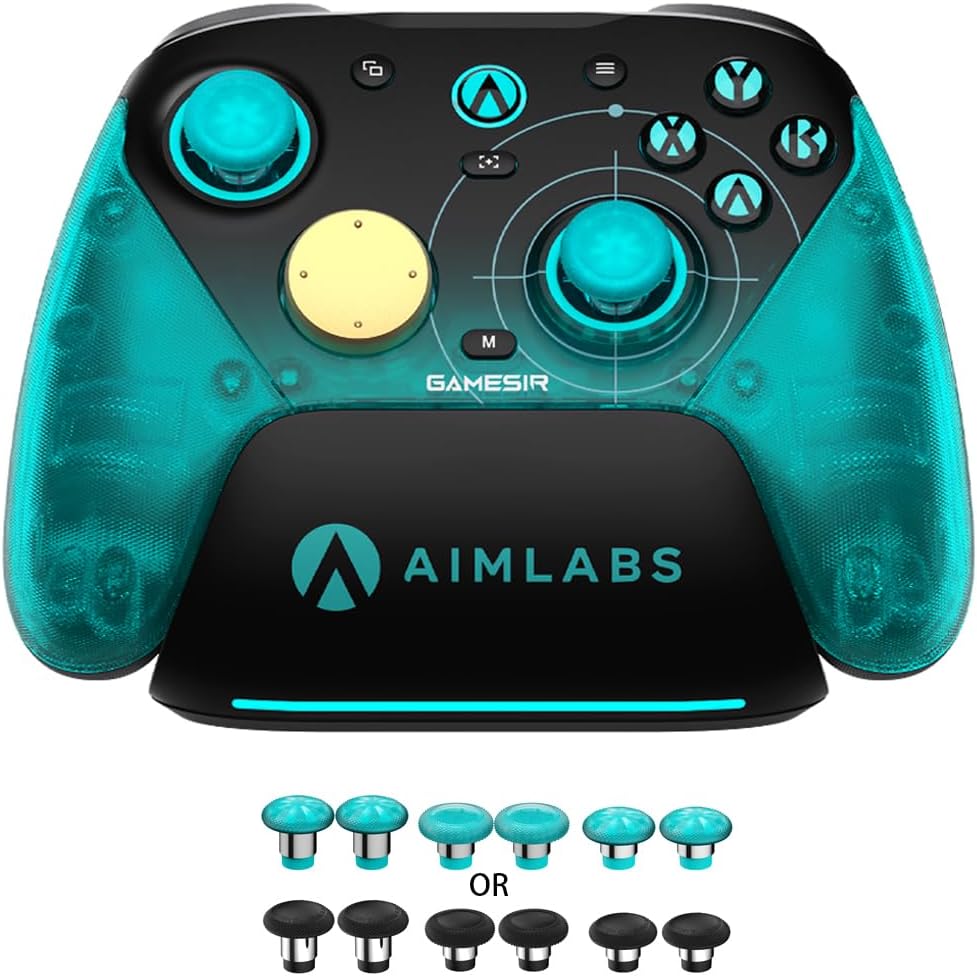
The GameSir Nova Lite 2 delivers enhanced recentering performance and superior anti-drift capability with Hall Effect Joysticks. It connects via Bluetooth wired and wireless dongle for versatile use.
We may earn a commission when you buy through this link, at no additional cost to you.
A 1000Hz polling rate ensures inputs register almost instantaneously minimizing lag during competitive play. Dual Asymmetric Motors provide both strong and subtle vibrations for immersive feedback.
Two back buttons support single mapping and macro recording for customized gameplay. Software tools allow firmware upgrades and adjustments to stick and trigger dead zones easily.
Budget gamers needing reliable wireless performance and modern features will find this model excellent. It balances cost and quality well for general PC gaming needs.
Hall Effect Joysticks deliver smoother control and superior anti-drift capability. This ensures precision without physical contact.
Use GameSir Connect app to adjust dead zones and vibration intensity. This tailors the controller to your play style.
We may earn a commission when you buy through this link, at no additional cost to you.
Selecting the right controller requires balancing features like connectivity, customization, and comfort. Understanding these factors ensures you choose a device that enhances your gameplay.
Wireless controllers offer freedom of movement while wired ones eliminate latency. Consider your gaming style and setup constraints before deciding on the connection method.
Prioritize wired connections for competitive FPS games to ensure zero lag in your inputs.
Polling rate determines how often the controller sends data to the PC. Higher rates like 1000Hz or 8000Hz provide smoother and more responsive control.
Look for models with at least 1000Hz polling rate for a noticeable performance boost.
Hall Effect technology uses magnets to detect stick movement instead of physical contact. This prevents stick drift and extends the lifespan of the controller significantly.
Choose controllers with Hall Effect joysticks to avoid common wear issues.
Back buttons and remappable inputs allow you to map complex actions to single presses. Software support can enhance this further with custom profiles.
Select controllers with programmable back buttons for improved reaction times.
Longer battery life reduces interruptions during gaming sessions. Rechargeable units are convenient while AA batteries offer quick replacements.
Check battery specs to ensure the controller lasts through your typical gaming session.
Comfort is crucial for long sessions. Look for textured grips and balanced weight distribution to reduce hand fatigue.
Test physical ergonomics if possible to find a comfortable fit for your hand size.
Ensure the controller supports Windows and any other devices you use. Some models have specific modes for Switch or Xbox compatibility.
Verify compatibility before buying to avoid connection issues with your PC.
Build quality impacts longevity. Metal rings and sturdy buttons resist wear better than plastic alternatives.
Invest in models with durable materials to ensure lasting performance.
Connect your controller using USB-C or Bluetooth by selecting the appropriate mode on the device. Most Windows PCs recognize the device automatically without needing extra drivers for basic functionality.
Download any companion software provided by the manufacturer to customize button mappings and dead zones. This software often allows firmware updates which keep the controller functioning smoothly.
Store the controller in a dry cool place when not in use to prevent internal damage. Avoid exposing it to extreme temperatures or liquids which can harm the electronics.
Most modern controllers support Steam Input which allows them to work seamlessly with the platform. You may need to enable controller support in Steam settings for some third-party models to function correctly.
Wired controllers provide zero latency and do not require charging making them ideal for competitive gaming. Wireless controllers offer mobility and convenience but rely on batteries and may introduce slight input delays.
Yes Xbox controllers are natively supported by Windows via Bluetooth or USB connection. This native support makes them a reliable choice for PC gamers using Windows operating systems.
Calibration software can sometimes help resolve stick drift issues but hardware cleaning may be necessary. Using Hall Effect controllers helps prevent this issue entirely due to their non-contact design.
Hall Effect controllers are often worth the investment because they eliminate stick drift. Their durability and consistent precision can save money in the long run compared to standard controllers.
Manufacturers provide software tools for firmware updates which are downloaded from their official websites. Always connect the controller via USB during updates to ensure the process completes successfully.
Our top picks highlight the best balance of performance and value for various gaming needs. The 8Bitdo Ultimate 2C and GameSir Nova Lite 2 stand out for wireless and budget-conscious options respectively.
Prioritize features like polling rate and stick technology based on your preferred genre. Competitive shooters benefit from high-speed inputs while casual gamers may prefer comfort and battery life.
Remember to check current availability and specifications before making your final decision. Technology evolves quickly so verifying the latest details ensures you get the best deal available.