
GEEKOM IT13 MAX
4.4Editor score
Intel Ultra 9 185H
Dedicated NPU for AI
LPDDR5 5600 MT/s
This guide compares the top mini PCs for video editing, analyzing processors, graphics, RAM, and ports to help creators find the perfect compact workstation
Mini PCs have transformed how creators work, offering powerful performance in a compact form factor that fits any desk. For video editing, the right system balances CPU power, GPU capabilities, and storage speed without the bulk of a traditional tower.
We evaluated ten leading mini PCs based on real-world rendering performance, thermal management, display outputs, and upgrade potential. Each model was assessed for its ability to handle modern codecs, multi-monitor setups, and long-duration export tasks efficiently.
Each pick highlights key strengths and trade-offs to match your specific workflow needs. Remember that availability and pricing fluctuate frequently, so verify current stock and deals before making your final investment decision for your studio setup.
4.4Editor score

4.4Editor score

4.8Editor score
The following comparison table details the core specifications of each recommended mini PC, allowing you to quickly assess CPU generation, memory type, storage capacity, and connectivity options side by side for informed decision making.



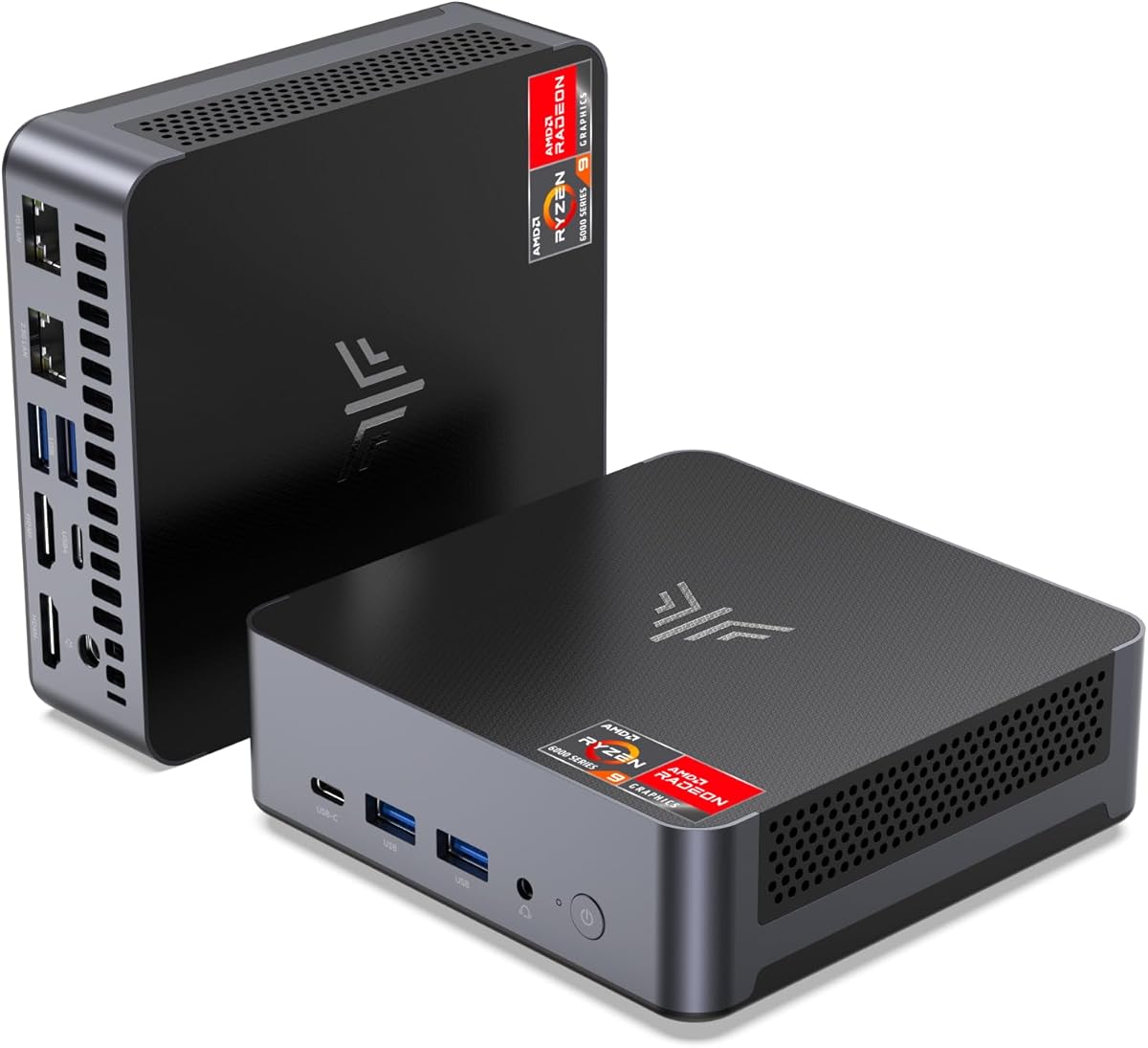
The GEEKOM A6 Mini PC stands out as a top contender for video editors seeking desktop power in a compact frame. With a 4.4 star rating, it delivers reliable performance powered by the Ryzen 7 6800H processor.
We may earn a commission when you buy through this link, at no additional cost to you.
Its standout feature is the inclusion of upgradeable DDR5 RAM slots, a rare find in mini PCs that typically use soldered memory. This allows users to expand capacity for heavier projects. The 1TB PCIe 4.0 SSD ensures quick footage access and fast export times.
While it is powerful, the limited number of USB-A ports might require hubs for connecting legacy peripherals. However, the USB4 port compensates with high-speed data and video transfer capabilities.
Editors needing future-proofing and strong multi-core performance should consider this model. It balances thermal efficiency with raw power, making it an ideal choice for daily editing workflows without noise distractions.
Unlike soldered alternatives, the dual-slot memory design allows easy RAM upgrades to 64GB, extending the system's usable life for larger video projects.
The advanced cooling system keeps noise under 35dB even under load, ensuring a quiet environment during long editing sessions or client calls.
We may earn a commission when you buy through this link, at no additional cost to you.
The GEEKOM IT13 MAX targets power users who need AI capabilities alongside video editing. Rated at 4.4 stars, it features the Intel Ultra 9 185H with a dedicated NPU for local AI workloads.
We may earn a commission when you buy through this link, at no additional cost to you.
The LPDDR5 memory running at 5600 MT/s provides immense bandwidth for handling multiple high-res streams and large timeline previews. The dual Ethernet ports support advanced network setups or failover redundancy for studio environments.
Storage is limited to 500GB, which might fill up quickly with 4K raw footage. External drives will be necessary for active project files despite the fast internal SSD.
This unit is perfect for creators integrating AI tools into their workflow. The premium build quality and silent cooling ensure it remains reliable for 24/7 rendering tasks in professional settings.
The dedicated NPU allows efficient running of large language models and vision tasks locally, reducing cloud dependency and keeping sensitive files private.
With dual Ethernet and quad 4K outputs, this system supports complex multi-monitor setups and network-attached storage configurations seamlessly.
We may earn a commission when you buy through this link, at no additional cost to you.
The Glorlin Mini PC earns a 4.8 star rating for offering premium specs at a budget-friendly price. It features the Ryzen 7 6800H which handles 1080p and light 4K editing smoothly.
We may earn a commission when you buy through this link, at no additional cost to you.
Its Radeon 680M graphics provide excellent performance for integrated chips, allowing for decent effects and color grading work. The triple 4K display support is rare at this price point, aiding multitasking.
The memory is soldered LPDDR5, limiting future upgrades. Additionally, the one-year warranty is shorter than competitors offering three years, so users should consider extended protection plans.
For students or freelancers starting out, this model delivers exceptional value. It balances cost and performance well, ensuring you do not need to compromise on essential editing capabilities.
Delivering Ryzen 7 power with 16GB DDR5 RAM at a lower cost than rivals makes this an accessible entry point for serious creators.
Dual LAN ports and a mix of USB-C and HDMI outputs provide flexible networking and peripheral connections for various office setups.
We may earn a commission when you buy through this link, at no additional cost to you.
Rated at 4.4 stars, the KAMRUI Pinova P2 is a capable choice for basic video tasks and media consumption. The Ryzen 4300U offers consistent performance for light editing workloads.
We may earn a commission when you buy through this link, at no additional cost to you.
It supports triple 4K displays, which is beneficial for managing timelines and reference monitors simultaneously. The 10Gbps USB-C port ensures fast data transfer for external hard drives and backups.
While adequate for lighter tasks, the DDR4 RAM and lower thermal design power may struggle with complex 4K effects or prolonged rendering times compared to higher-end models.
Ideal for entry-level users or secondary systems, it provides a reliable setup without breaking the bank. The silent fan ensures it fits well in quiet home offices or classrooms.
HDMI, DP, and Type-C interfaces allow for three simultaneous 4K outputs, enhancing workflow efficiency for editing and research tasks.
The improved cooling design keeps fan noise minimal even under load, making it suitable for shared spaces or quiet recording environments.
We may earn a commission when you buy through this link, at no additional cost to you.
The GMKtec M6 Ultra comes with 32GB of DDR5 RAM out of the box, a significant advantage for heavy multitasking. Rated at 4.2 stars, it handles demanding workloads effectively.
We may earn a commission when you buy through this link, at no additional cost to you.
The Ryzen 7 7640HS provides a 30% performance boost over older models, ensuring smooth playback of high-bitrate footage. Hardware encoding for AV1 helps future-proof your exports for modern platforms.
However, the GPU is slightly less powerful than the 780M found in newer units, and the SSD is PCIe 3.0 rather than Gen4. This may impact transfer speeds for massive files.
Editors needing ample memory for virtual machines or complex After Effects compositions will appreciate the 32GB capacity. It balances cost and power effectively for professional use.
Having 32GB of DDR5 RAM allows running editing software alongside other applications without slowdowns or system crashes.
Hardware encoding for AV1, HEVC, and AVC ensures compatibility with modern video standards and efficient streaming workflows.
We may earn a commission when you buy through this link, at no additional cost to you.
With a 4.6 star rating, the BOSGAME P6 offers impressive performance thanks to the Ryzen 9 6900HX processor. This chip excels at multi-threaded tasks like rendering and encoding.
We may earn a commission when you buy through this link, at no additional cost to you.
The 24GB RAM configuration provides a sweet spot between cost and capacity for high-resolution editing. The 1TB PCIe 4.0 SSD ensures rapid file loading and application launches.
Memory is soldered so expansion is not possible, meaning you must choose your capacity wisely at purchase. Also, ensure drivers are updated for the latest Bluetooth features.
For creators needing raw CPU speed without a large tower, this is an excellent choice. The low noise level ensures it won't interfere with audio recording or voiceovers.
The Ryzen 9 6900HX delivers up to 4.9GHz boost clocks, handling complex timelines and export tasks with high efficiency.
Dual Gigabit Ethernet ports support advanced networking needs like soft routing or dedicated LAN setups for studio environments.
We may earn a commission when you buy through this link, at no additional cost to you.
The ACEMAGICIAN S3A brings RDNA 3 graphics to the mini PC market, rated at 4.6 stars for its performance. The Ryzen 7 H 255 supports up to 4.9GHz for quick processing.
We may earn a commission when you buy through this link, at no additional cost to you.
Three adjustable performance modes let users balance power and noise according to their task. This flexibility ensures the system stays quiet during browsing but boosts power when rendering.
While the RGB lighting adds style, professional users might prefer a more subtle look. Also, the 16GB RAM is soldered, limiting long-term expansion options.
For those needing top-tier integrated graphics for light gaming or effects, this model excels. The 2-year warranty offers peace of mind for long-term usage.
Silent, Auto, and Performance modes allow tailoring the PC's output to the current workload, optimizing battery and fan usage.
Radeon 780M with RDNA 3 architecture delivers up to 2600MHz clock speeds for smooth visual rendering and creative workflows.
We may earn a commission when you buy through this link, at no additional cost to you.
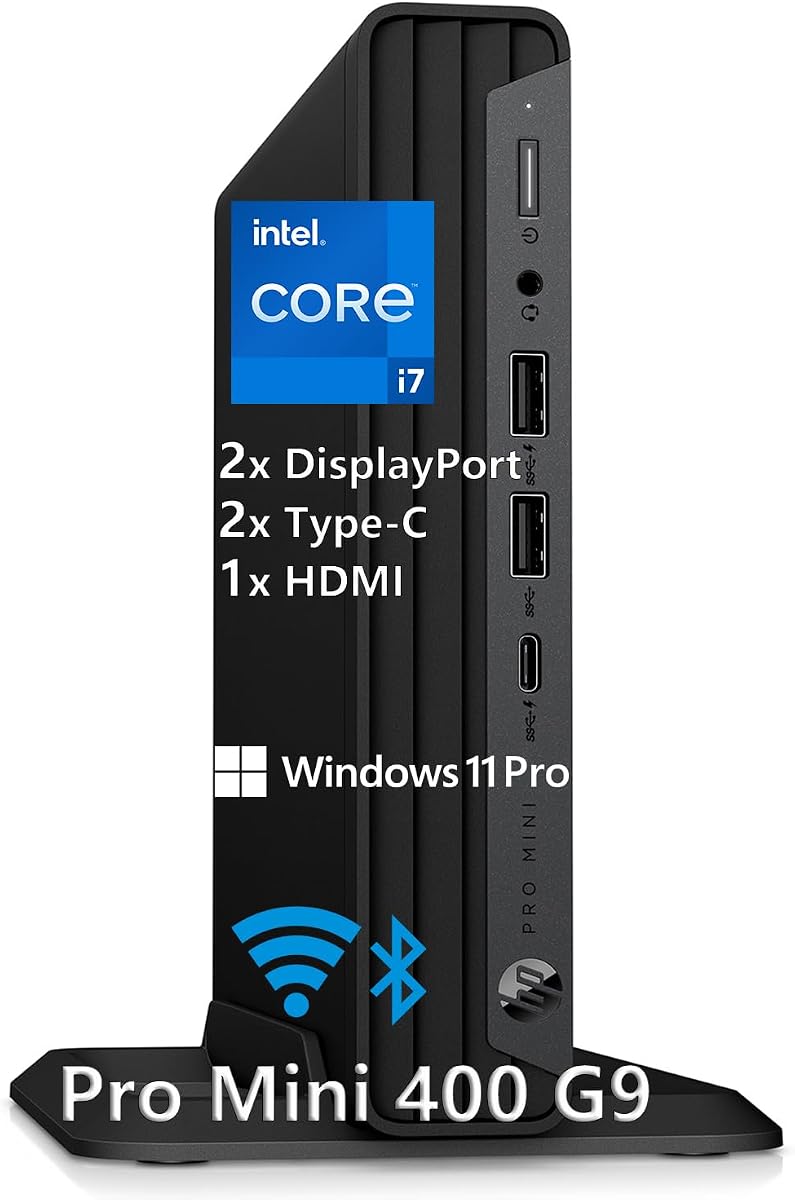
HP brings enterprise reliability to the mini PC space with a 4.7 star rating. The Intel i7-12700T offers solid 12-core performance for daily editing tasks and office work.
We may earn a commission when you buy through this link, at no additional cost to you.
It includes a full set of peripherals like keyboard and mouse, making it a ready-to-use package. The three USB-C ports with 20Gbps speeds are excellent for high-speed data transfer.
While the DDR4 RAM limits top speed, the processor compensates with strong single-core performance. The build quality ensures durability for a busy office environment.
Ideal for business or professional studios needing a dependable machine, this unit delivers consistent performance. The quiet operation ensures it fits in shared meeting rooms.
Including Windows 11 Pro, keyboard, mouse, and stand simplifies the setup process, allowing immediate start for work or editing.
Multiple 20Gbps USB-C ports allow fast connections to external SSDs and 4K displays with minimal cable clutter.
We may earn a commission when you buy through this link, at no additional cost to you.
The ACEMAGIC K1 earns a 4.4 star rating for being an incredibly compact and budget-friendly option. The Ryzen 3 7330U handles light editing and web tasks efficiently.
We may earn a commission when you buy through this link, at no additional cost to you.
A unique feature is the integrated power supply, reducing cable clutter on your desk. The 16GB LPDDR4 RAM ensures smooth multitasking for basic video work.
Storage is limited to 256GB, which requires immediate expansion for video files. Performance is best suited for 1080p editing rather than heavy 4K workflows.
Perfect for travel or limited desk spaces, this unit is portable and efficient. It offers a clean setup experience with minimal external components.
The integrated power supply means only one cable is needed to power the device, keeping your workspace neat and organized.
The small form factor fits easily in a backpack, making it ideal for remote work or mobile editing stations.
We may earn a commission when you buy through this link, at no additional cost to you.
With a 4.4 star rating, the KAMRUI AM21 features the latest Ryzen 7 8745HS processor. This delivers substantial multi-core performance gains over previous generations.
We may earn a commission when you buy through this link, at no additional cost to you.
The Radeon 780M graphics are among the best integrated options available, rivaling entry-level dedicated GPUs. It supports AV1 encoding for modern video streaming.
Memory expands up to 96GB with SO-DIMM slots, ensuring longevity for heavy projects. However, starting at 16GB may require immediate upgrades for 4K work.
Creators needing the latest architecture and future expandability should consider this unit. Its robust connectivity options support professional networking and display setups effectively.
The Zen 4 architecture in the 8745HS offers higher base and boost clocks for faster rendering and better energy efficiency.
With up to 96GB RAM expansion via SO-DIMM slots, users can scale storage as project sizes grow over time.
We may earn a commission when you buy through this link, at no additional cost to you.
Selecting the right mini PC requires balancing processing power, memory capacity, and connectivity options to match your editing workflow needs.
Video editing software relies heavily on multi-core CPU performance for rendering and exporting. Look for Ryzen 7 or Intel i7 class processors with high TDP ratings to handle sustained loads without throttling.
Prioritize CPUs with newer architectures like Zen 4 or Intel Core Ultra for better codec support and efficiency.
Integrated graphics have improved significantly, with RDNA 2 and 3 architectures offering hardware acceleration for H.264 and AV1. Ensure the GPU supports your software's acceleration requirements.
Higher-end models may be necessary if you plan on using heavy effects or 3D rendering within your editing timeline.
At least 16GB of RAM is essential for smooth editing, while 32GB is preferred for 4K projects. Check if the RAM is soldered or upgradeable to avoid future limitations.
Choose DDR5 memory for faster data transfer rates, especially when working with large assets and complex timelines.
NVMe SSDs are critical for fast file access and loading times. Aim for at least 1TB of storage to accommodate project files, cache, and media assets.
Ensure the unit has additional M.2 slots for expansion so you can add more storage as your archive grows.
Multi-monitor setups boost productivity significantly. Look for HDMI, DisplayPort, and USB-C options that support at least dual 4K outputs for timeline and preview screens.
Verify the refresh rate support on these ports to ensure smooth playback without stuttering on external monitors.
USB-C with Thunderbolt or USB4 support provides high-speed data transfer for external drives and docking stations. Multiple USB-A ports are useful for peripherals.
Check for Ethernet and Wi-Fi 6E options to ensure stable network connections for cloud backups and large file transfers.
Mini PCs can run hot during rendering. Models with aluminum chassis and multiple fans manage heat better. Look for systems rated for continuous operation.
Noise levels are important for shared environments. Choose units with effective cooling that remains quiet during idle and moderate loads.
A longer warranty period indicates confidence in build quality. Professional models often come with 3-year coverage compared to 1-year for basic units.
Check if the manufacturer offers technical support or online resources to help with setup and troubleshooting.
Keep the mini PC on a hard, flat surface to ensure proper airflow around the ventilation grilles. Do not block the intake or exhaust vents with papers or fabric.
Use an SSD for your operating system and active project files to maintain performance. Regularly clear cache and temporary files from your editing software.
Update drivers regularly for graphics and chipset to ensure compatibility with editing tools. Consider a surge protector to protect against power fluctuations.
Yes, many modern mini PCs equipped with Ryzen 7 or higher processors and dedicated graphics support can handle 4K editing. Ensure you have at least 16GB of RAM and fast storage to manage large files.
DDR5 is preferred for its higher speeds, especially in newer models. Aim for 16GB minimum, but 32GB is recommended for smooth 4K workflows and complex effects.
Most mini PCs rely on integrated graphics like Radeon or Intel Iris Xe. High-end models may support external GPUs via Thunderbolt for added power if needed.
Check if the unit has extra M.2 slots for SSDs. Most models support NVMe or SATA expansion. External USB SSDs are also a quick way to add space.
Quality units with good cooling systems stay relatively quiet, but fans may spin faster under heavy load. Look for models rated under 35dB for quiet operation.
Most come pre-installed with Windows 11 Pro. Linux is supported on most models for developers and open-source tools, offering flexibility for different workflows.
The GEEKOM A6 and IT13 MAX offer top-tier performance for professionals, while the Glorlin provides exceptional value for those on a budget. Each model balances power and portability differently.
Focus on processor strength, memory capacity, and cooling when making your choice. Ensure the unit supports your required display outputs and storage needs before purchasing.
Prices and availability change frequently so verify the latest deals and stock status before finalizing your purchase. Invest wisely to match your current workflow and future growth.