
Creality Ender 3 V3 SE
3.8Editor score
CR Touch auto leveling
Sprite direct extruder
Dual Z-axis stability
This guide compares the top auto bed leveling 3D printers for beginners, highlighting speed, ease of use, and reliability for first-time users.
Finding the right 3D printer can be overwhelming for newcomers. Auto bed leveling simplifies the setup process, ensuring consistent first layers without manual adjustments.
We evaluated ten models based on speed, build quality, and user-friendly features. Our selection includes reliable options from trusted brands known for beginner accessibility.
Each pick highlights key strengths and practical considerations. Note that availability and pricing may change, so verify details before purchasing your next machine.
3.8Editor score

4.3Editor score

4.3Editor score
This side-by-side comparison evaluates all ten selected models across critical features like speed, build volume, and leveling technology to help you choose wisely.


The FLASHFORGE Adventurer 5M stands out as a top choice for beginners seeking speed and ease. With a 4.3 rating, it delivers reliable performance through automated calibration.
We may earn a commission when you buy through this link, at no additional cost to you.
Its standout feature is the one-click fully auto leveling system, which ensures perfect first layers without manual tinkering. The Core XY motion system supports speeds up to 600mm/s, drastically reducing print times. Vibration compensation minimizes ghosting, leading to cleaner surfaces even at high velocities.
While the open design limits some high-temp materials, the flexible PEI plate makes removal effortless. Power loss recovery adds peace of mind for long jobs, ensuring you don't lose progress unexpectedly.
This printer is ideal for users who want fast results with minimal setup hassle. Its balance of speed, precision, and beginner-friendly features makes it a strong recommendation for entry-level makers.
The fully auto leveling system removes the guesswork from bed adjustment, ensuring consistent adhesion right from the start.
Core XY technology enables rapid movement without sacrificing quality, allowing you to finish projects faster than traditional printers.
We may earn a commission when you buy through this link, at no additional cost to you.
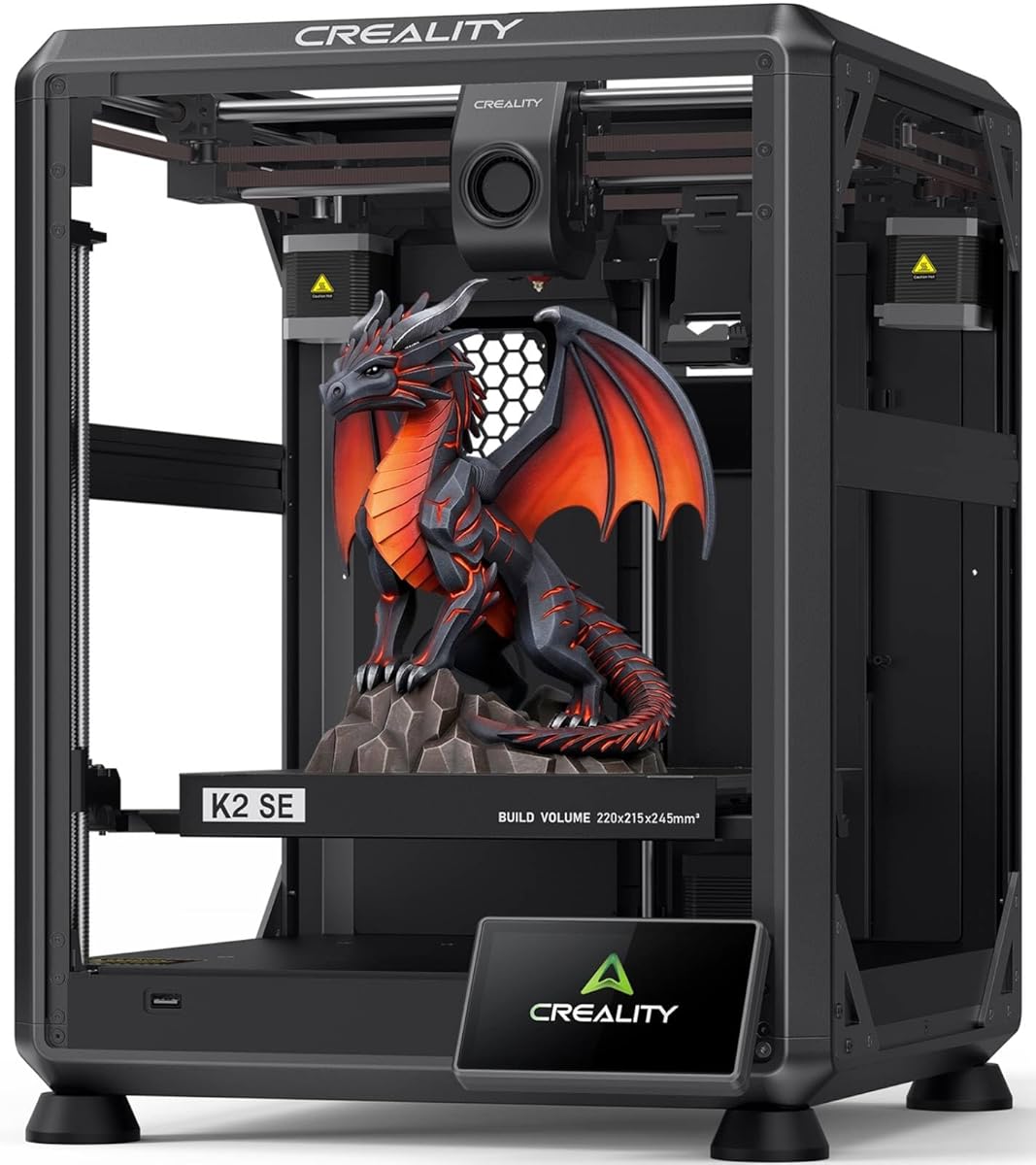
The Creality K2 SE offers a robust metal frame and high-speed capabilities suitable for growing makers. Its 3.8 rating reflects solid hardware with room for software refinement.
We may earn a commission when you buy through this link, at no additional cost to you.
Key strengths include the die-cast aluminum alloy frame, which provides rigidity for precise prints. The vibration sensor actively reduces ringing, enhancing detail sharpness. It supports the Creality CFS system for multicolor printing, though this is sold separately.
However, the rating suggests potential firmware nuances that users may need to navigate. While the hardware is promising, some may find setup requires extra attention compared to fully tuned competitors.
Consider this model if you value build quality and future expandability. It serves well for those interested in upgrading to multicolor capabilities without starting from scratch.
A die-cast aluminum alloy frame ensures stability during high-speed movement, reducing flex for better dimensional accuracy.
Compatibility with the CFS system allows for easy upgrades to multicolor printing as your skills and needs evolve.
We may earn a commission when you buy through this link, at no additional cost to you.
The E-Leveler 2 is a dedicated tool for manual bed leveling, ideal for users with older printers lacking auto features. It holds a 4.3 rating for reliability and simplicity.
We may earn a commission when you buy through this link, at no additional cost to you.
Its design focuses on visual feedback through LED lights, guiding adjustments until the bed is perfectly level. The improved LED indicator and simplified nozzle target make the process intuitive for first-timers.
This is not an auto-leveling printer, but a tool to assist manual calibration. While it adds a step to setup, it ensures accuracy when automatic systems aren't available.
Buy this if you own a legacy printer and need a precise way to tune the bed. It complements existing setups by reducing guesswork during the leveling phase.
LED light indicators provide clear feedback during bed adjustments, helping users achieve a perfectly level surface quickly.
Works with most 3D printers featuring manually adjustable beds, making it a versatile accessory for various machine types.
We may earn a commission when you buy through this link, at no additional cost to you.
The FLASHFORGE AD5M combines speed and precision with a 4.3 rating, appealing to users who value reliability and ease of use. It features full auto calibration to streamline setup.
We may earn a commission when you buy through this link, at no additional cost to you.
The all-metal CoreXY structure ensures smooth motion and high-speed capability up to 600mm/s. Quick-swap nozzles simplify maintenance, allowing nozzle changes in seconds. Resume functionality protects against unexpected power interruptions.
While effective, the open design may not suit materials requiring stable temperatures. However, its ease of maintenance and fast performance make it a strong contender for general-purpose printing.
This model is recommended for those prioritizing efficiency and straightforward operation. It delivers professional results without the complexity of manual calibrations.
An all-metal CoreXY structure provides stability during high-speed printing, ensuring consistent quality across various projects.
Tool-free quick-swap nozzles allow users to change parts rapidly, reducing downtime during maintenance or upgrades.
We may earn a commission when you buy through this link, at no additional cost to you.
The QIDI Q2 is designed for ambitious beginners ready to tackle advanced materials. With a 4.3 rating, it offers professional features in a user-friendly package.
We may earn a commission when you buy through this link, at no additional cost to you.
Its 370°C nozzle and 65°C heated chamber unlock engineering-grade filaments like PPS-CF. A nozzle acts as a leveling sensor for precise first-layer accuracy. The triple filtration system keeps the environment clean and safe.
The premium price reflects its capabilities, but it may be overkill for simple PLA projects. Still, it future-proofs your setup against material limitations.
Choose this if you anticipate needing high-performance prints. It bridges the gap between beginner accessibility and professional-grade production capabilities.
The high-temperature nozzle and heated chamber allow printing with strong, engineering-grade filaments that others cannot handle.
Triple filtration effectively removes odors and particles, ensuring a safe printing environment even in indoor spaces.
We may earn a commission when you buy through this link, at no additional cost to you.
The FLASHFORGE 5M Pro targets quiet, safe printing with a 4.0 rating. It is well-suited for home or classroom environments where noise levels matter.
We may earn a commission when you buy through this link, at no additional cost to you.
It features full auto-calibration and a dual filtration system to manage air quality. Silent modes allow for uninterrupted focus during work or study. The direct extruder supports a range of materials effectively.
While rated slightly lower than others, its focus on comfort remains valuable. Some users may prefer faster performance over quiet operation.
This printer is ideal for shared spaces or quiet study environments. Its safety and noise features make it a thoughtful choice for educational settings.
A dedicated low-speed silent mode ensures minimal noise disruption, perfect for home offices or quiet classrooms.
HEPA and activated carbon filters block harmful particles, maintaining a healthy environment during extended print sessions.
We may earn a commission when you buy through this link, at no additional cost to you.
The Creality Ender 3 V3 SE is a budget-friendly entry with a 3.8 rating. It offers essential auto features that simplify the learning curve for new users.
We may earn a commission when you buy through this link, at no additional cost to you.
Key strengths include CR Touch auto leveling and a proven Sprite direct extruder. The dual Z-axis minimizes wobbling, improving print stability. Assembly is quick, taking about 20 minutes from unboxing to first print.
Its lower rating reflects cost-saving compromises on speed compared to faster models. However, the value proposition is strong for those prioritizing affordability.
Opt for this if you need a reliable, cost-effective starter machine. It removes manual leveling hurdles while keeping costs low.
Pre-assembled components and simple instructions allow users to start printing within minutes of unboxing the device.
Dual Z-axis lead screws reduce wobble, ensuring consistent vertical alignment during long printing jobs.
We may earn a commission when you buy through this link, at no additional cost to you.
The Creality CR Touch Kit is a high-rated upgrade solution for existing printers. With a 4.4 rating, it is trusted for improving bed leveling accuracy on older machines.
We may earn a commission when you buy through this link, at no additional cost to you.
It performs multi-point detection to create a virtual plane for compensation. The system is compatible with various Creality motherboards and has a long service life. Installation involves a firmware update and mechanical mounting.
While effective, it requires technical effort to install correctly. It is not a standalone printer but a modification for existing hardware.
Choose this if you already own a compatible Ender model and want auto features without buying new. It extends the life of older machines cost-effectively.
Multi-point detection maps bed height variations, allowing the printer to adjust automatically for consistent first layers.
Designed based on millions of user data points, this solution offers stable and efficient performance for standard printers.
We may earn a commission when you buy through this link, at no additional cost to you.
The FLASHFORGE AD5X offers multicolor printing with a 4.0 rating. It is ideal for users wanting creative models without manual color changes.
We may earn a commission when you buy through this link, at no additional cost to you.
Its Intelligent Filament System (IFS) handles up to four colors seamlessly, minimizing downtime. High-speed printing up to 600mm/s reduces wait times. The Core XY structure ensures stability during complex operations.
Multicolor printing adds complexity to maintenance and calibration. Users may need to troubleshoot filament transitions occasionally.
This printer is suitable for hobbyists focused on design and visual appeal. Its automation makes multicolor projects significantly more manageable.
Support for four colors allows intricate designs and detailed prototypes that stand out visually.
The IFS manages filament flow automatically, reducing human intervention during multi-color print jobs.
We may earn a commission when you buy through this link, at no additional cost to you.
The Creality Ender 3 V3 SE focuses on streamlined usability with a 4.1 rating. It simplifies setup through fully automated leveling and calibration.
We may earn a commission when you buy through this link, at no additional cost to you.
It features automatic Z-offset calibration for accurate first layers without intervention. A silent mainboard reduces noise, making it pleasant for home use. The Sprite extruder provides reliable feeding for common materials.
While it lacks advanced speed features, it covers essential needs well. Some users may miss the option for rapid prototyping.
Buy this if you prefer a no-fuss experience. It ensures reliable operation and reduces friction for beginners learning the basics.
Auto Z-offset calibration ensures precise first layers right out of the box, removing the need for manual tweaking.
Simplified controls and guided setup make the printer approachable for users with no prior 3D printing experience.
We may earn a commission when you buy through this link, at no additional cost to you.
Choosing the right printer involves weighing several technical factors that impact your experience and results.
Auto bed leveling is essential for beginners to ensure consistent first layers without manual adjustment. Look for systems that use sensors to measure bed height and automatically compensate for unevenness. This feature reduces failed prints and saves time during setup.
Always verify that the leveling method is fully automated and supports multiple points for accuracy.
Higher speeds like 500mm/s or 600mm/s allow faster project completion but require vibration control to maintain quality. Acceleration measures how quickly the printer reaches speed, which impacts overall efficiency. Beginners should balance speed with stability to avoid messy prints.
Prioritize models with acceleration features to ensure high speed does not compromise detail.
The build volume determines the maximum size of objects you can print in one go. Most beginners find 220x220x220mm sufficient for standard projects and prototypes. Larger builds may require more space and careful calibration of larger beds.
Choose a size that fits your workspace and typical project requirements.
Direct extruders are generally better for flexible filaments and quick changes, while Bowden setups can be lighter. Look for quick-swap nozzles to simplify maintenance tasks. A robust extruder ensures consistent feeding and reduces clogs during prints.
Select a system that balances ease of maintenance with material versatility.
Consider the types of filaments you plan to use, such as PLA, PETG, or flexible TPU. Heated chambers and high-temperature nozzles unlock advanced materials but add complexity. Ensure your printer supports your intended materials without constant upgrades.
Check nozzle temperature limits and bed materials before purchasing to match your needs.
Modern printers offer cloud connectivity and remote monitoring for added convenience. Slicing software compatibility affects how well your designs translate to prints. Look for apps that allow monitoring print progress remotely for safety and control.
Verify that the printer works with familiar slicers for a smooth workflow.
Budget varies significantly, from affordable entry models to premium machines. Decide if you want basic functionality or advanced features like multicolor printing. Value comes from reliability and the ease of producing consistent results over time.
Invest in a model that balances cost with necessary automation features for your goals.
Safety is crucial when operating printers in home or classroom settings. Filtration systems reduce odors and harmful particles released during printing. Power loss recovery and flame-retardant materials protect your workspace from unexpected incidents.
Always prioritize models with certified safety features to ensure secure operation.
Start by placing the printer on a stable, flat surface away from direct sunlight or drafts. Connect it to power and launch the manufacturer's software to check for firmware updates that improve leveling accuracy.
Load filament carefully and run a test print to verify the auto leveling sensor is detecting the bed correctly. Monitor the first few layers closely to ensure adhesion is consistent across the build plate.
Clean the print bed periodically with isopropyl alcohol and clear nozzles after every few prints to prevent clogs. Store filament in a dry environment to maintain quality and ensure smooth extrusion during future jobs.
Yes, auto leveling is significantly easier for beginners because it removes the guesswork from bed adjustments. It ensures consistent first layers without requiring tools or experience. While manual leveling is possible, it often leads to frustration for new users.
Beginners should start with moderate speeds around 50mm/s to 80mm/s to ensure quality and stability. Higher speeds can cause issues if the printer or materials are not optimized. Once comfortable, you can increase speed gradually.
A heated bed is highly recommended to prevent warping, especially when using materials like ABS or PETG. Most auto-leveling printers include heated beds as a standard feature. It ensures better adhesion for larger prints.
Clean the nozzle regularly, ideally after every few prints or when changing filament types. Use a soft brush or heated cleaning tools to remove residue. Regular cleaning prevents clogs that can ruin prints.
Yes, many older printers can be upgraded with third-party auto-leveling kits like the CR Touch. However, this requires technical knowledge and firmware changes. Check compatibility with your motherboard before purchasing.
PLA is the best starting material for beginners due to its ease of use and minimal warping. It prints at lower temperatures and offers vibrant colors. PETG is the next step for added durability and flexibility.
The FLASHFORGE Adventurer 5M and Creality Ender 3 V3 SE lead our list for their reliable automation and performance. Each model offers unique strengths tailored to different beginner needs and budgets.
Prioritize features that match your current goals, such as print speed or material versatility. Investing in automation early saves time and frustration as you grow your skills.
Prices and availability change frequently, so check current listings before purchasing. Verify that you have the necessary workspace and safety measures for your chosen printer.