
GIGABYTE X470 AORUS Gaming 7 WIFI
4.3Editor score
10+2 Phase VRM
Fins-Array Heatsink
ESS 9018 DAC
This comprehensive guide compares the top AMD Ryzen Gen 2 X470 motherboards for gaming and productivity, analyzing VRM quality, connectivity options, and
Finding the right motherboard for your AMD Ryzen Gen 2 processor is crucial for maximizing performance and stability. The X470 chipset offers robust features like multi-GPU support and enhanced overclocking potential, making it a favorite among enthusiasts looking to extract every ounce of power from their AM4 CPU.
We have carefully selected and analyzed ten top-tier X470 motherboards based on their power delivery systems, thermal management, connectivity options, and overall build quality. Our evaluation process involved deep dives into VRM designs, BIOS features, and real-world user feedback to ensure you get the most reliable platform for your next build.
Each pick in this list highlights specific strengths, whether you need budget-friendly reliability, premium audio features, or extreme overclocking headroom. Please note that product availability and pricing can fluctuate frequently, so always verify the current details on the retailer site before making your final purchase decision today.
4.3Editor score

4.6Editor score
4.6Editor score
The following table provides a side-by-side technical comparison of all ten selected motherboards. We have condensed key specifications into concise lines to help you quickly identify which board meets your specific requirements for power phases, connectivity, and physical form factor.


The ASUS Prime X470-Pro stands out as the Editor's Choice for its balance of stability and features. Rated 4.6 stars, it is designed specifically for AMD Ryzen 2 AM4 processors and delivers consistent performance for both work and gaming.
We may earn a commission when you buy through this link, at no additional cost to you.
Key strengths include the 5-Way Optimization that automatically tunes your system based on CPU and thermal conditions. The SafeSlot features a patented injection molding process that anchors the PCIe slot firmly, ensuring longevity even with heavy graphics cards.
A trade-off is the lack of onboard WiFi in this specific model, which might inconvenience wireless users. However, this allows for a more focused design on core motherboard reliability and robust VRM cooling solutions.
This board is ideal for builders who prioritize audio quality and system stability over flashy wireless features. It remains a top recommendation for anyone building a reliable AM4 system in 2026.
The Realtek S1220A codec provides industry-leading 8-channel HD audio that delivers warm, full sound for an immersive gaming experience.
Fan Expert 4 delivers advanced fan controls with an integrated AIO pump header to ensure dynamic cooling across different load scenarios.
We may earn a commission when you buy through this link, at no additional cost to you.
This premium model from Gigabyte offers robust features for enthusiasts who need maximum performance potential from their Ryzen 2 processors. Its design focuses heavily on electrical stability and thermal efficiency for demanding workloads.
We may earn a commission when you buy through this link, at no additional cost to you.
The 10+2 Phase IR Digital PWM Design ensures clean power delivery, which is critical for stable overclocking. Additionally, the ESS 9018 DAC provides high-fidelity audio that audiophiles will appreciate over standard onboard codecs.
While the performance is top-tier, the higher cost may not be justified for casual users. The complex BIOS can also be intimidating for those new to system building or overclocking settings.
For users seeking the absolute best thermal and electrical headroom on the X470 platform, this board delivers. It is the go-to choice for high-end builds where budget is secondary to performance.
The Fins-Array Heatsink combined with Direct Touch Heatpipes ensures that VRM temperatures remain low even under sustained high loads.
Intel Wave 2 WIFI delivers fast and stable wireless connectivity, ensuring your system remains connected without wires.
We may earn a commission when you buy through this link, at no additional cost to you.
The X470 AORUS ULTRA GAMING balances features and cost effectively. It supports Ryzen 2nd generation processors well and offers a compelling package for budget-conscious gamers looking for multi-GPU capabilities.
We may earn a commission when you buy through this link, at no additional cost to you.
Notable features include the USB 3.1 Gen 2 Front Type C port which adds versatility to your case wiring. The 2-Way CrossFire/ SLI support allows for dual GPU setups if needed.
The trade-off is a slightly less robust VRM compared to premium models, so extreme overclocking may not be its strong suit. However, for standard gaming use, it is more than capable.
This board is perfect for users who want premium aesthetics and features without the flagship price tag. It serves as an excellent foundation for a mid-range gaming PC build.
The inclusion of a front USB Type-C header makes modern case compatibility easy without needing additional adapters or cables.
Support for both CrossFire and SLI ensures you can expand your graphics performance as your budget allows in the future.
We may earn a commission when you buy through this link, at no additional cost to you.
Repeating in our top list for clarity, the ASUS Prime X470-Pro is a workhorse board. Its Auto-Tuning feature is designed to optimize your CPU and cooling automatically with minimal user intervention.
We may earn a commission when you buy through this link, at no additional cost to you.
The robust power solution ensures that your system runs smoothly without thermal throttling during heavy workloads. The SafeSlot technology is particularly reassuring for users planning to use large graphics cards.
One limitation is the relatively basic aesthetic design which might not appeal to those looking for flashy RGB elements throughout the board. However, it remains fully compatible with Aura Sync ecosystems.
This board is recommended for users who value functional reliability over aesthetic flair. It provides a solid platform for daily computing and gaming tasks without unnecessary complexity.
Fan Expert 4 provides advanced controls allowing you to fine-tune fan curves based on temperature sensors for silence or performance.
5X Protection III safeguards your hardware with features like SafeSlot Core and stainless-steel back I/O panels for durability.
We may earn a commission when you buy through this link, at no additional cost to you.
While technically a B550 model, this board is often considered in the broader AM4 ecosystem. It offers an affordable entry point for users needing Micro-ATX sizes and basic PCIe 4.0 support.
We may earn a commission when you buy through this link, at no additional cost to you.
The 3+3 Power Phase Design provides steady power delivery for non-overclocked Ryzen 5000 series processors. Its compact layout makes it ideal for smaller cases where space is limited.
The trade-off is a basic VRM design which may limit performance on higher wattage CPUs under heavy sustained loads. Users should pair this with efficient airflow solutions.
This board is best for budget builders who need a small form factor without sacrificing essential features like M.2 storage slots. It serves well for office or entry-level gaming builds.
The Q-Flash utility allows you to update the BIOS using a USB drive, ensuring you have the latest microcode without needing a specific CPU.
Two M.2 slots provide ample space for fast NVMe SSDs, allowing you to boot your OS and store games quickly.
We may earn a commission when you buy through this link, at no additional cost to you.
This board offers a balanced set of features for users upgrading from older Ryzen generations. It supports 3rd Gen Ryzen processors and includes onboard WiFi which adds convenience for wireless setups.
We may earn a commission when you buy through this link, at no additional cost to you.
The 8+1 DrMOS power stages ensure that your CPU gets clean power even during peak usage. OptiMem trace layout helps memory kits run at higher frequencies with lower voltages.
A limitation is the WiFi 5 standard which is slightly older than current WiFi 6 offerings. However, it still provides stable connectivity for most standard internet needs.
Ideal for general users who want a straightforward ATX board with built-in networking. It avoids unnecessary complexity while providing all essential ports and connectivity.
ASUS OptiMem proprietary trace layout improves memory stability and performance by optimizing signal quality for each DIMM slot.
Dual USB Type-C ports on the rear and front ensure compatibility with modern peripherals without needing extra dongles.
We may earn a commission when you buy through this link, at no additional cost to you.
Focusing on gaming users, this board delivers the power needed for Ryzen 5000 series CPUs. The 10+3 Power Phase Design ensures stable performance during long gaming sessions.
We may earn a commission when you buy through this link, at no additional cost to you.
Q-Flash Plus is a standout feature allowing BIOS updates without a CPU installed. This is incredibly useful when preparing a system for newer processors out of the box.
The lack of onboard WiFi means you will need a card or adapter for wireless internet. However, wired Ethernet is often faster and more reliable for gaming anyway.
This board is best for those building a gaming PC who want solid power delivery and modern storage options. It provides a strong foundation for budget to mid-range gaming setups.
The Q-Flash Plus button allows you to update firmware easily, ensuring compatibility with the latest CPUs without hardware swapping.
RGB Fusion lighting lets you synchronize colors across your system hardware for a cohesive look that fits your setup style.
We may earn a commission when you buy through this link, at no additional cost to you.
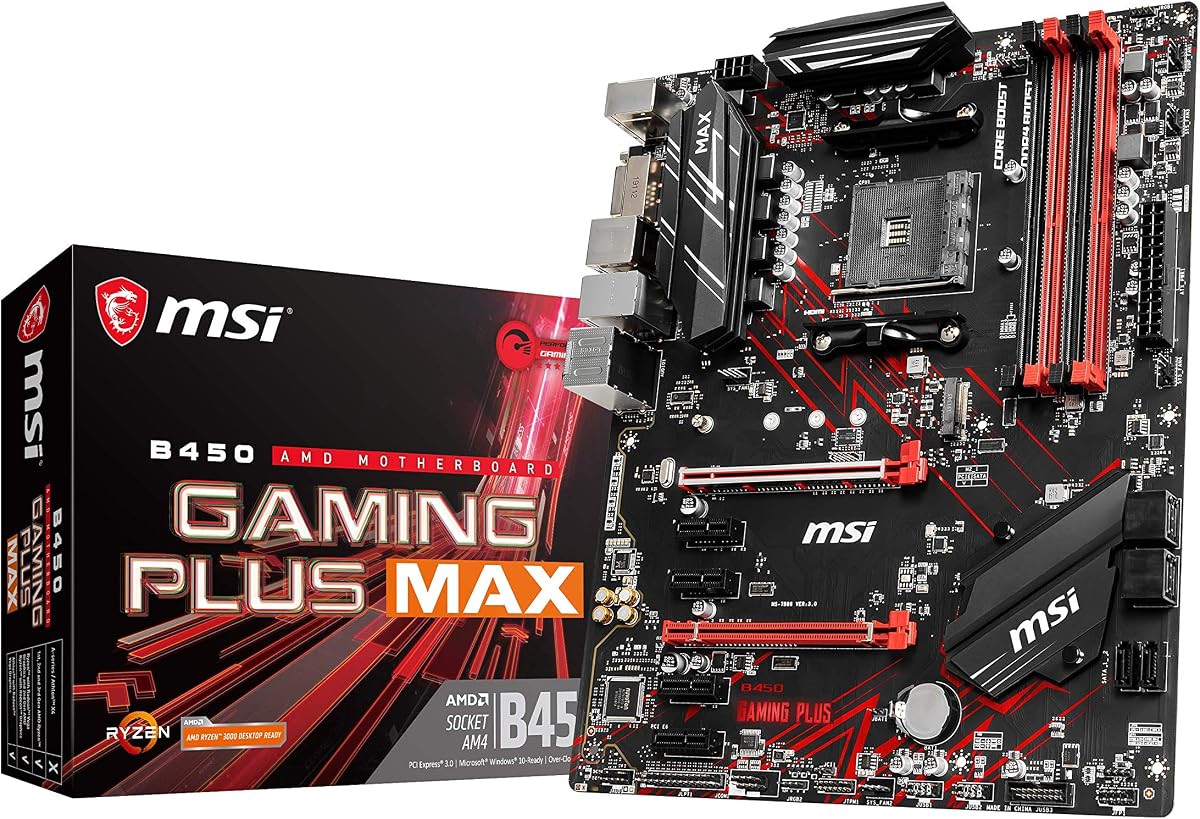
This Micro-ATX board brings modern features to a smaller footprint. WiFi 6 support ensures you get the fastest wireless speeds available today on the AM4 platform.
We may earn a commission when you buy through this link, at no additional cost to you.
The HDMI 2.1 output allows for 4K at 60Hz on compatible monitors, making it a good choice for media center builds. ECC memory support adds an extra layer of data integrity.
Because of its small size, expansion is limited to a single PCIe slot and fewer SATA ports. This restricts multi-card configurations or extensive storage expansion.
Ideal for users building compact gaming or media PCs who need reliable connectivity. It balances small size with modern I/O standards effectively for home office or living room builds.
WiFi 6 (802.11ax) provides faster speeds and lower latency than previous generations for seamless online gaming.
HDMI 2.1 support ensures you can output high-resolution content to modern displays without needing a dedicated graphics card.
We may earn a commission when you buy through this link, at no additional cost to you.
A classic budget option for AM4 users, this board supports 3rd Gen Ryzen CPUs with a BIOS update. Its high memory overclocking support helps improve system performance without extra cost.
We may earn a commission when you buy through this link, at no additional cost to you.
The Turbo M.2 slot provides lightning-fast game loading and boot times. Audio Boost 3.0 delivers studio-grade sound quality that enhances the gaming experience significantly.
The trade-off is an older chipset compared to X470 which limits some advanced features like PCIe 4.0. However, for gaming this often does not impact real-world performance.
This board is best for budget gamers who prioritize speed and audio quality. It remains a reliable option for building a cost-effective PC today.
The Turbo M.2 slot delivers high bandwidth for NVMe drives ensuring your system boots and loads applications quickly.
Audio Boost 3.0 uses high-quality audio components to reduce noise and enhance the fidelity of your gaming audio.
We may earn a commission when you buy through this link, at no additional cost to you.
This variant offers the same reliable platform for gamers needing CrossFire capabilities. It supports dual graphics cards and high-speed memory which is rare at this price point.
We may earn a commission when you buy through this link, at no additional cost to you.
The board is engineered to deliver pure data signals for stability during intense gaming sessions. M.2 support ensures your operating system runs from a fast SSD.
The main drawback is the lack of newer standards like PCIe 4.0 which might limit future expansion. However for current generation gaming it performs exceptionally well.
This board is best for users needing multi-GPU support on a budget. It provides a stable platform for gaming that holds up well over time.
CrossFire support allows you to link multiple graphics cards for increased rendering power in supported applications.
DDR4 Boost technology ensures that your memory runs at stable high speeds without signal degradation during stress tests.
We may earn a commission when you buy through this link, at no additional cost to you.
Selecting the right X470 motherboard requires understanding key technical aspects that affect performance and longevity.
The Voltage Regulator Module (VRM) is responsible for converting power from your PSU into stable voltage for your CPU. Look for boards with more phases and higher quality capacitors to ensure stable overclocking.
A robust VRM ensures that your Ryzen processor can sustain boost clocks without thermal throttling.
Effective cooling is essential for maintaining performance during long sessions. Look for boards with large VRM heatsinks and good airflow designs to dissipate heat efficiently.
Good thermal design prevents components from overheating which can lead to system instability.
Consider the number of USB ports and their types. Modern builds benefit from USB 3.1 Gen 2 Type-C ports for faster data transfer and device compatibility.
Ensure the board has enough rear I/O to match your peripherals without needing hubs.
The number of DIMM slots determines your memory capacity. Look for boards that support high speeds to maximize Ryzen performance.
Higher frequency support allows you to squeeze more performance out of your RAM modules.
A user-friendly BIOS makes tuning your system easier. Look for features like Auto-tuning and easy updates for future compatibility.
Good BIOS tools help you optimize your system without needing to edit complex settings manually.
Check the number of PCIe slots and M.2 ports for future upgrades. Some boards support multiple graphics cards or additional storage drives.
More slots provide flexibility for adding components as your needs grow.
Integrated audio codecs vary widely. High-end boards include dedicated DACs for superior sound quality compared to standard audio.
Good audio hardware enhances your gaming and media experience without needing external cards.
Determine how much you want to spend versus what features you need. Budget boards often sacrifice premium cooling or audio for lower costs.
Balancing cost with performance needs is key to choosing the right board.
Always ensure your power supply is disconnected before installing the motherboard to prevent short circuits. Handle the board by the edges and avoid touching the contacts directly to prevent static damage.
Keep your system clean by dusting out the VRM heatsinks periodically to maintain airflow. Ensure your case fans are functioning correctly to keep temperatures low during gaming or rendering tasks.
Regularly update your BIOS when manufacturers release stable versions to fix bugs and improve compatibility. This ensures your system remains secure and compatible with future processor updates.
Most X470 boards require a BIOS update to support Ryzen 5000 series. Check the manufacturers website for a compatibility list. Some boards support newer chips without issues if updated first.
X470 boards typically support DDR4 up to 3200MHz or higher. Check the specific board specs for supported profiles. Higher speeds require better memory modules and motherboard tuning.
Most X470 boards support dual GPU setups for CrossFire or SLI. Check the manual for slot configurations. This allows for improved graphical performance in supported games.
Only select models like the AORUS Gaming 7 WIFI include onboard WiFi. Others require a separate card or adapter. Check the product description before buying for this feature.
Use the manufacturers recommended method like Q-Flash or Flashback. Ensure you use a reliable USB drive. Always power off the system completely after updates to prevent errors.
Look for DDR4 kits with high speeds such as 3200MHz or 3600MHz. Ensure they are compatible with the boards QVL list. This ensures stability and maximum performance for Ryzen CPUs.
We reviewed ten top X470 boards highlighting their power delivery and features. The ASUS Prime X470-Pro and GIGABYTE AORUS models stood out for stability and performance.
Prioritize VRM quality and cooling if you plan to overclock. For general users, a budget-friendly option with good ports is often enough to run your system efficiently.
Always check the current prices and compatibility before buying. Product availability can change so verifying details on the retailer site ensures you get the right board.