
SUPVAN E10 Bluetooth Label Maker
4.3Editor score
No ink or toner needed
Laminated label support
Easy app editing function
Discover the top label printers for food packaging compared by experts. This guide reviews thermal and desktop models for small businesses and home kitchens.
Choosing the right label printer for food packaging is essential for maintaining organization and compliance in any kitchen or small business setting. These devices help you clearly mark expiration dates, ingredients, and storage instructions on jars, containers, and bags. A good printer ensures your labels are durable, clear, and easy to read.
We compared ten top-rated models based on connectivity, print quality, tape compatibility, and ease of use. Our analysis focuses on thermal printers that require no ink and portable units designed for on-the-go labeling. Each product was evaluated for its ability to handle food-specific needs like waterproofing and oil resistance.
Each pick below highlights key strengths and ideal use cases to help you find the perfect fit for your workflow. We include detailed specs and pros and cons for every model. Please note that prices and availability can change frequently, so always check the current listing before purchasing.
4.3Editor score

4.6Editor score

3.6Editor score
The following table provides a side-by-side comparison of all ten products reviewed in this guide. It highlights key specifications such as connectivity options, label widths, and special features to help you make an informed decision quickly.






The NIIMBOT B2 is our top choice for labeling food packaging due to its unique offline printing capability and portability. It receives a strong rating for its ability to print dates and storage info instantly without a phone connection. Its compact design fits easily in kitchen drawers or bags.
We may earn a commission when you buy through this link, at no additional cost to you.
This device shines with its intelligent identification technology that automatically recognizes label sizes and saves time. The app offers extensive customization with thousands of icons and fonts for creating professional-looking pantry or container labels. It supports various paper types including colored and transparent options.
While it lacks iPad compatibility, the multi-device support allows up to ten phones to connect simultaneously. The only real trade-off is the battery life, which requires charging but lasts long enough for daily kitchen tasks. These minor limitations do not outweigh its practical benefits.
Home cooks and small food businesses should choose this printer for its ease of use and durability. Its waterproof label support ensures your markings stay legible despite moisture in fridges or sinks. We recommend it for anyone needing reliable and quick food labeling solutions.
The one-button offline feature lets you print dates and templates immediately without pairing to a phone.
Compatible with waterproof and colored tapes that withstand kitchen moisture and grease.
We may earn a commission when you buy through this link, at no additional cost to you.
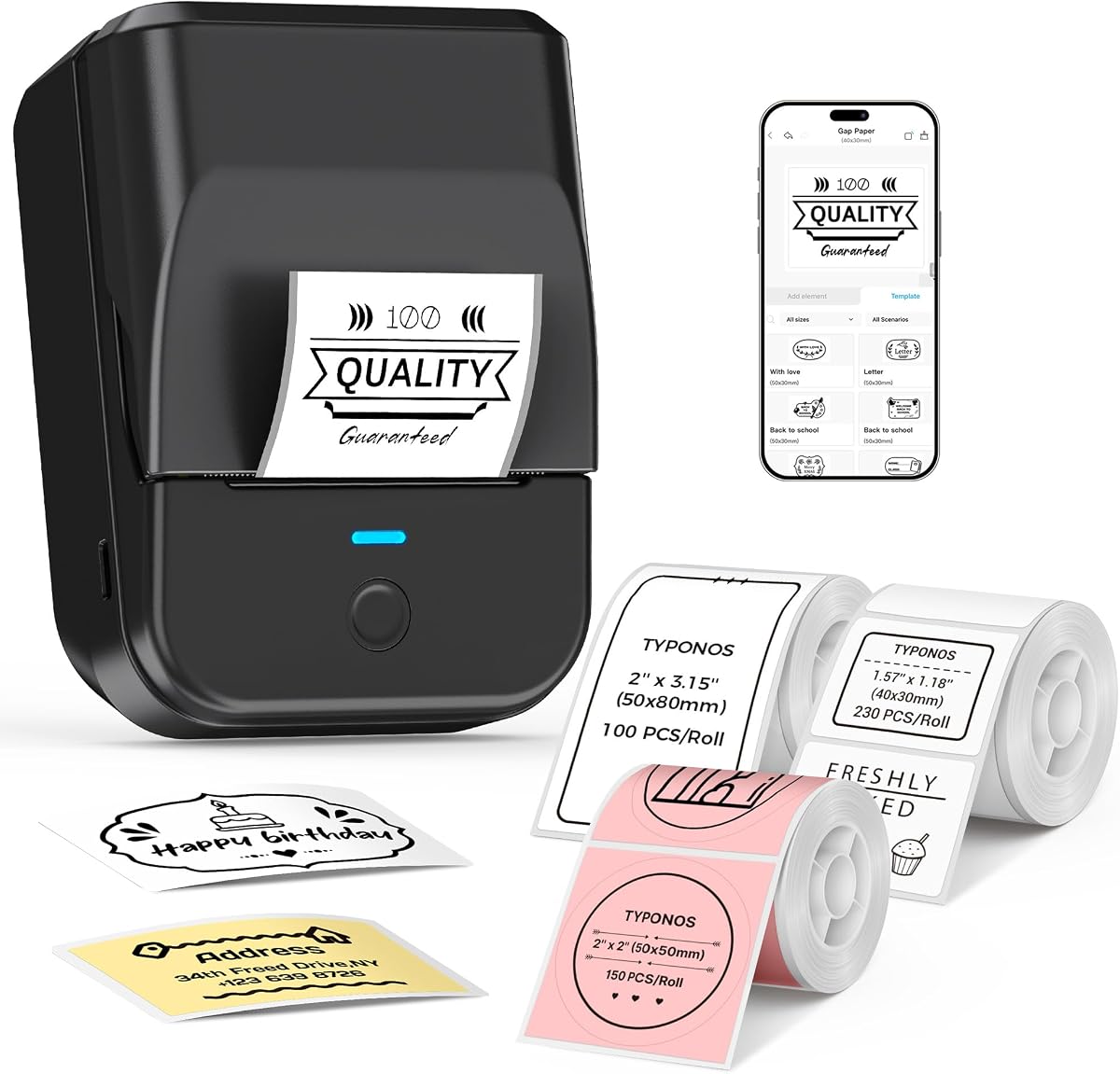
The SUPVAN E10 stands out as an excellent budget option for labeling kitchen containers and food storage. It earns praise for its laminated labels that resist oil and water. The device is compact and easy to use for anyone needing quick labels.
We may earn a commission when you buy through this link, at no additional cost to you.
Its app is completely free and requires no registration, making it accessible for all users. The built-in cutter ensures neat edges for every label you print. Battery life is impressive, lasting a full month on a single charge for typical home use.
The label width is somewhat limited compared to larger printers, which may not suit large batches. Font options are fewer than premium models, but sufficient for basic text needs. These constraints keep the cost low while delivering essential features.
We recommend this for students or home users looking for an affordable way to organize. It is ideal for pantry jars, spice containers, and storage bins. The cost effectiveness makes it a smart entry-level choice.
Get professional labels at a fraction of the price with no ongoing ink costs.
Laminated tapes ensure your labels won't peel or fade in humid environments.
We may earn a commission when you buy through this link, at no additional cost to you.
The DYMO LabelWriter 550 is a robust choice for professionals needing precise and consistent output for food products. It is rated for its ability to print exact quantities without waste. The direct thermal technology ensures clean and sharp text.
We may earn a commission when you buy through this link, at no additional cost to you.
Its focus on sustainability is notable with plastic-free packaging and BPA-free labels. The automatic recognition feature simplifies setup and reduces user error. It eliminates the hassle of sheet labels by printing precise amounts on demand.
However, it only works with authentic Dymo labels which can be more expensive than generic options. The price is higher than portable models, but the consistency justifies the cost for commercial use. Some users report limited compatibility with third-party rolls.
Commercial kitchens and small food manufacturers should consider this model for its reliability. It ensures every package has a uniform and professional label. We recommend it for those prioritizing quality and brand trust.
Print exactly the number of labels you need to avoid waste and save money.
Eco-friendly packaging and BPA-free materials align with health conscious values.
We may earn a commission when you buy through this link, at no additional cost to you.
The PM240 impresses with its smart app capabilities including AI text to image and Excel import. It receives high marks for its built-in RFID chips that automate label detection. The print quality is sharp and suitable for detailed text.
We may earn a commission when you buy through this link, at no additional cost to you.
Its app supports over 3800 templates and 2500 icons for creative customization. The printer detects label sizes automatically via RFID so manual setup is not needed. Standby time is excellent at up to 100 days per charge.
It only supports monochrome printing which limits colorful branding options. The power adapter is not included in the box so you may need a separate purchase. These are minor issues given the high functionality of the device.
Teachers and business owners will appreciate the automation and speed of this unit. It is great for creating custom price tags or name labels quickly. We suggest it for users who value software integration.
RFID chips in the tape let the app identify size automatically without setup.
Generate images from text prompts directly in the app for unique labels.
We may earn a commission when you buy through this link, at no additional cost to you.
The NIIMBOT B1 is designed for portability with a weight of just 293 grams. It excels for users needing to move between kitchen stations or storage areas. The app offers extensive templates and symbols for custom food labeling.
We may earn a commission when you buy through this link, at no additional cost to you.
Its battery supports up to 100 days of standby so it is always ready. The labels are waterproof and oil resistant for lasting clarity in kitchen environments. Printing is fast and clear with direct thermal technology.
It does not work with iPads which limits tablet users. Drivers must be downloaded separately for PC connections. These requirements are simple but add a step before use.
We recommend this for small business owners needing mobile labeling power. It fits easily in a pocket for on-the-go price tagging. Its reliability makes it a top choice for daily tasks.
Weighing only 293g it fits in your pocket for instant labeling anywhere.
Up to 100 days standby ensures you never run out of power when needed.
We may earn a commission when you buy through this link, at no additional cost to you.
The SUPVAN T50M Pro is optimized for detailed image printing on small labels. It is highly rated for its enhanced image processing that creates clear logos and text. The app allows free image uploads from your phone.
We may earn a commission when you buy through this link, at no additional cost to you.
It supports various shapes including square and round which are ideal for jar tops. The app requires no registration so you can start printing immediately. Fonts and icons are plentiful for creative design options.
The width is restricted to two inches so it is not for large packages. Connectivity is straightforward but lacks some advanced options. These limitations are balanced by its print quality.
Small food businesses making artisanal products should consider this for branding. It handles logos and barcodes well on small containers. We recommend it for visual clarity.
Enhanced image processing ensures logos and barcodes look sharp on labels.
Square and round labels fit perfectly on jars and bottles.
We may earn a commission when you buy through this link, at no additional cost to you.
The NULLTONEX printer is built for high-volume needs like shipping and bulk packaging. It delivers rapid printing speeds and crisp barcodes that scan easily. Connectivity options include both Bluetooth and USB for flexibility.
We may earn a commission when you buy through this link, at no additional cost to you.
It supports major e-commerce platforms and is energy-efficient with no ink costs. The design is compact for a shipping unit but still larger than handheld ones. Overheat protection ensures stability during long printing runs.
The print is black and white which limits design flexibility. Its size requires dedicated desk space unlike portable units. However its speed makes up for this in busy environments.
E-commerce sellers should choose this for fast and reliable label production. It integrates well with Shopify and Amazon workflows. We recommend it for efficiency.
Print up to 72 labels per minute to keep up with high order volumes.
Switch between Bluetooth and USB for stable office workflows.
We may earn a commission when you buy through this link, at no additional cost to you.
The KNAON printer offers impressive connectivity across Windows macOS and Linux systems. It features over 3000 templates for diverse labeling needs. The speed of 150mm/s helps maintain workflow efficiency.
We may earn a commission when you buy through this link, at no additional cost to you.
Setup is simple with a preloaded USB drive containing drivers and tutorials. The compact size allows easy storage on any desk. Bluetooth pairing works seamlessly with mobile devices.
Bluetooth requires the app on mobile devices which adds a slight layer. Mac users need to install specific drivers for full functionality. These are minor steps for a powerful device.
We recommend this for office managers needing versatile labeling tools. It handles shipping and pantry labels equally well. Its speed makes it a reliable daily partner.
Compatible with Windows Mac and Linux for versatile office integration.
Access thousands of templates to speed up your labeling tasks.
We may earn a commission when you buy through this link, at no additional cost to you.
The Nelko printer is a practical choice for small home businesses. It prints quickly and efficiently without requiring ink or toner. Compatibility with major platforms makes it easy to integrate into workflows.
We may earn a commission when you buy through this link, at no additional cost to you.
Its compact size fits easily on small desks without clutter. The setup includes videos for quick troubleshooting. Speed is sufficient for daily shipping and labeling tasks.
It works best with roll labels rather than fanfold styles. Mobile printing requires downloading the app which is free but an extra step. These constraints are manageable for the cost.
We recommend it for Etsy sellers and small online shops. It balances cost and performance effectively. Its reliability makes it a good starting point.
Integrate seamlessly with Etsy for fast order fulfillment labels.
Save on ink costs and get clear text with thermal technology.
We may earn a commission when you buy through this link, at no additional cost to you.
The JADENS printer is a solid desktop solution for consistent label output. It uses a Japanese print head for sharp text and barcodes. Wireless printing works well for office environments.
We may earn a commission when you buy through this link, at no additional cost to you.
It supports both fanfold and roll labels providing versatility. Setup videos are provided on a disk for clarity. The wide usage compatibility ensures it works with most shipping software.
Bluetooth on Apple mobile devices requires an app which can be inconvenient. Calibrating label size takes a press of the feed button each time. These steps ensure accuracy but add a small task.
We recommend this for office managers and warehouse staff. It delivers reliable results for shipping and inventory. Its stability makes it a trusted desktop option.
Japanese technology ensures every barcode scans perfectly every time.
Choose between fanfold and roll styles for different workflow needs.
We may earn a commission when you buy through this link, at no additional cost to you.
Selecting the right label printer depends on your specific food packaging needs and budget.
Food packaging often encounters moisture grease and cold temperatures. Look for printers that support waterproof and oil-resistant labels. Laminated tapes ensure your text remains legible over time in any environment.
Choose waterproof and oil-resistant tapes for lasting clarity in humid kitchen conditions.
Consider the size of the containers you plan to label. Portable printers often handle up to two inches which is enough for jars. Larger models support four inch labels for broader packaging needs.
Ensure the maximum width matches your largest container or packaging requirement.
Most modern printers use Bluetooth or USB. Check if your phone or computer is compatible. Bluetooth allows mobility while USB ensures a stable connection for large batches.
Verify Bluetooth or USB compatibility with your devices before purchasing.
A good app provides templates fonts and icons for customization. Some offer offline printing which is useful when internet is unavailable. Look for support for batch printing to save time.
Select an app that supports offline printing and batch customization for efficiency.
Portable models rely on batteries for power. Aim for units with long standby times so you are not constantly charging. Rechargeable batteries are more cost effective over time.
Prioritize long standby times to avoid interruptions during busy labeling sessions.
Print resolution affects how clear your text and barcodes appear. Aim for 203 DPI or higher for professional results. High-quality prints help customers read dates and ingredients clearly.
Look for at least 203 DPI resolution to ensure text and barcodes are clear.
Beyond the initial price consider the cost of labels and accessories. Some brands require proprietary labels which may be pricier. Compare prices to ensure long-term affordability.
Check ongoing label costs to ensure long-term affordability of your choice.
To begin place the label roll into the printer and secure the cover. Ensure the labels feed smoothly without jams. Pair the device with your phone or computer via Bluetooth or USB.
Open the app and select a template or design your own text. Add icons or barcodes to match your needs. Press print to generate labels instantly for your containers.
Clean the print head regularly with a soft cloth to maintain quality. Store the printer in a dry place away from direct sunlight. Charge the battery fully before long periods of inactivity to preserve health.
Yes most thermal printers support waterproof and oil-resistant label tapes. These labels are designed to withstand moisture in refrigerators or sinks. Always verify the specific tape type recommended by the manufacturer.
No thermal printers use heat to print on special paper so no ink is required. This saves cost and eliminates the mess of ink cartridges. Direct thermal labels are durable for food storage use.
Most models support barcode generation through their apps. You can create QR codes or standard barcodes for inventory tracking. Ensure your labels are 203 DPI or higher for scanning.
Portable models typically handle one to two inch widths while larger units support up to four inches. Check the manual for the specific range of each printer. This ensures a perfect fit for your jars or boxes.
Use a soft dry cloth to wipe the print head gently. Avoid liquids that could damage electronic parts. Regular cleaning keeps your labels sharp and prevents jams.
Yes laminated waterproof labels stay adhered in cold temperatures. They are ideal for freezing containers to mark contents. Ensure the adhesive is rated for low temperatures for best results.
Portable models often last up to 100 days on standby. Active use will drain the battery faster. Charging every few weeks ensures it is ready for daily tasks.
Desktop models are better for high-volume orders due to speed. Portable units work well for smaller batches. Choose based on your daily printing needs.
Our top picks include the NIIMBOT B2 for its offline capabilities and the SUPVAN E10 for budget savings. The DYMO LabelWriter 550 offers premium precision for commercial needs. Each model brings unique strengths for organizing food packaging.
Prioritize durability and label width when selecting your device. Check compatibility with your existing devices to ensure smooth operation. Investing in the right printer saves time and keeps your labels clear.
Always verify current prices and availability before making a purchase. Prices fluctuate often so check the latest deals online. This guide ensures you find a reliable printer for all your labeling needs.