
TP-Link AXE5400 Tri-Band
4.3Editor score
WiFi 6E with 6 GHz Band
Tri-Band Speed up to 5400 Mbps
EasyMesh Compatible for Expansion
Discover the top low latency WiFi routers for gaming and streaming. We compare specs, speeds, and features to help you choose the best router for your home
Finding the right router is crucial for modern home networks. Low latency ensures smooth gaming and streaming without lag. We review top models with advanced tech to keep connections fast and stable.
We compared performance, features, and reliability across ten leading routers. Our analysis focuses on Wi-Fi standards, processing power, and real-world speed. This list covers options for every budget and home size.
Each pick highlights unique strengths for specific user needs. Prices and availability change frequently so check current listings. Use this guide to find the perfect router for your setup today.
4.3Editor score

4.6Editor score
4.3Editor score
This table provides a side-by-side comparison of all ten routers selected for this guide. Review the key specifications and ratings to find the model that best fits your specific networking requirements and budget constraints.
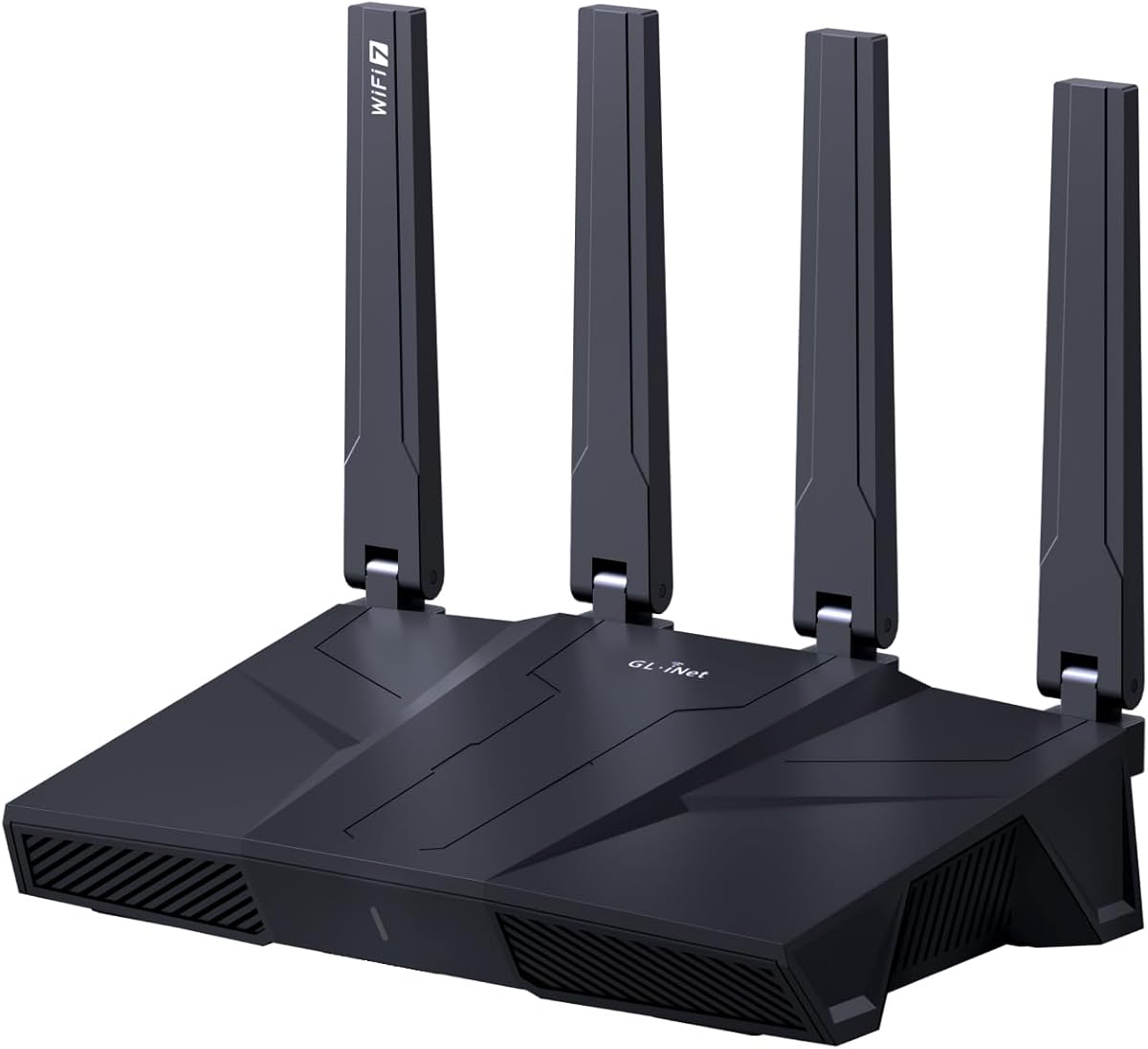



The GL.iNet GL-MT6000 Flint 2 stands out as a top choice for gamers and power users. It delivers ultra-low latency with Wi-Fi 6 speeds up to 6 Gbps. The device is rated 4.6 stars for its reliability.
We may earn a commission when you buy through this link, at no additional cost to you.
Its standout features include dual 2.5G ports for wired connections and rapid VPN speeds via Wireguard and OpenVPN. AdGuard Home support allows for effective ad blocking and privacy control across your network. This makes it ideal for secure browsing and streaming.
While the router is powerful, users must update the firmware immediately after setup to unlock full performance. The price point is higher than many competitors but justified by the hardware quality and open-source flexibility it offers. These trade-offs are acceptable for tech-savvy users.
We recommend this router for households needing high-speed, low-latency connections with strong security features. It suits gamers and remote workers who prioritize control and performance. Check current availability to confirm pricing before purchasing.
AdGuard Home integration helps block unwanted tracking and ads across all connected devices easily.
Dual 2.5G ports ensure compatibility with next-gen internet plans and gaming rigs.
We may earn a commission when you buy through this link, at no additional cost to you.
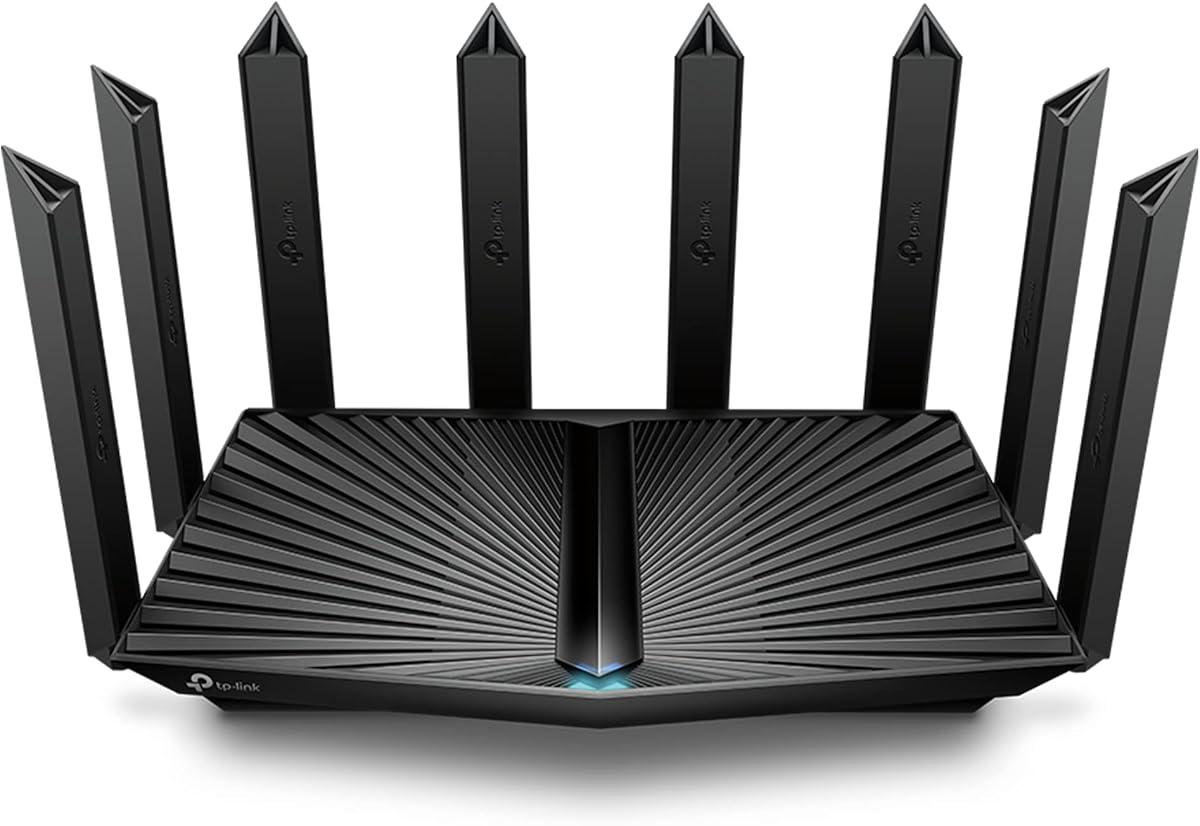
The TP-Link AXE5400 Tri-Band offers excellent value for users seeking Wi-Fi 6E without breaking the bank. It provides near-zero latency on the 6 GHz band which is ideal for gaming. The router is rated 4.3 stars for consistent performance.
We may earn a commission when you buy through this link, at no additional cost to you.
Key strengths include tri-band technology that separates traffic for smoother streaming and gaming simultaneously. EasyMesh compatibility allows you to extend coverage easily if your home is large. TP-Link HomeShield provides basic security and parental controls out of the box.
The main trade-off is the 512 MB RAM which might limit performance under extremely heavy load compared to pricier models. However for most households this is sufficient. The price remains competitive making it a top budget pick for modern needs.
This router is perfect for families wanting reliable low latency gaming and streaming at a fair price. It works well with most ISPs and setup is straightforward. Ensure your modem supports gigabit speeds for best results.
EasyMesh compatibility lets you add extenders without complex setup for whole-home coverage.
HomeShield offers free security scans and parental controls to protect your smart home.
We may earn a commission when you buy through this link, at no additional cost to you.
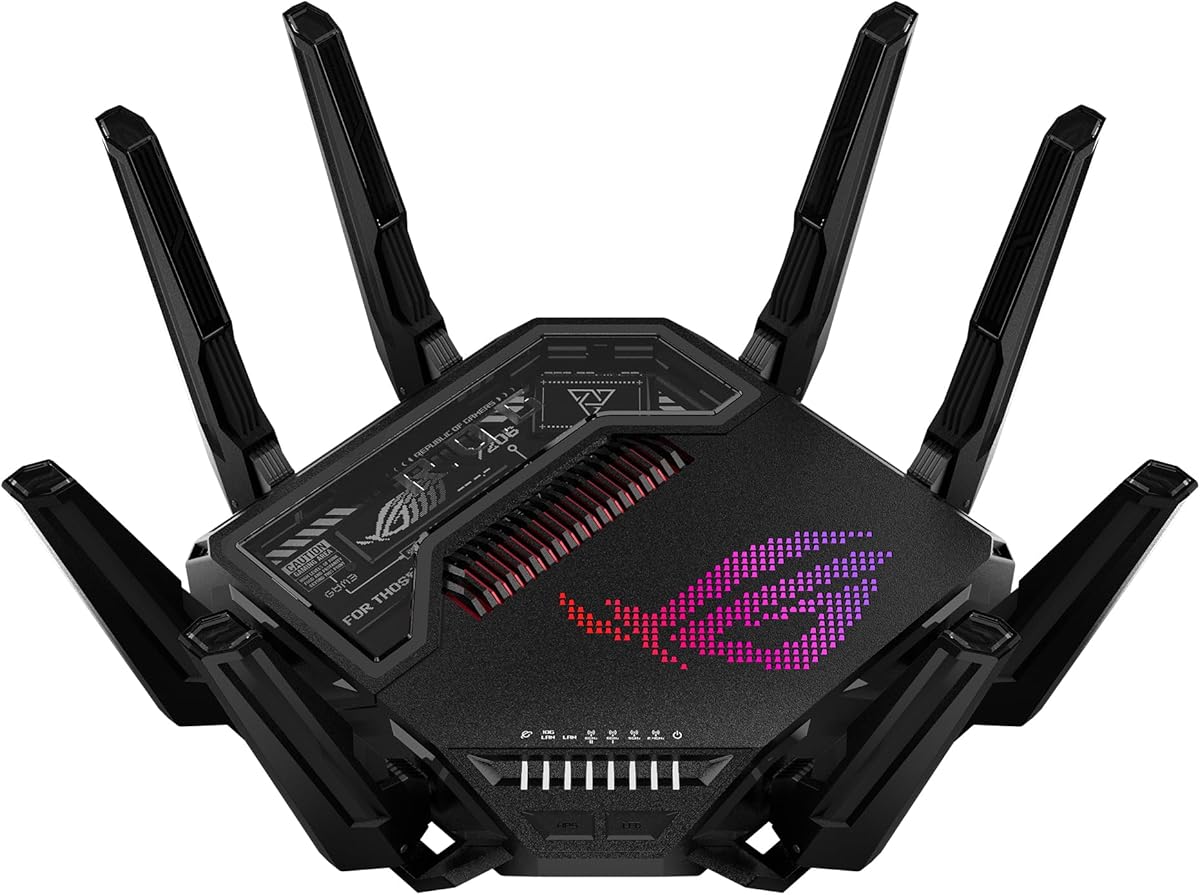
The ASUS ROG Rapture GT-BE98 Pro represents the pinnacle of current router technology with Wi-Fi 7 support. It delivers speeds up to 30 Gbps and dual 10G ports for future-proofing. This premium router is rated 4.3 stars for its power.
We may earn a commission when you buy through this link, at no additional cost to you.
Its standout features include Triple-Level Game Acceleration that optimizes gaming traffic every step of the way. Multi-link Operation ensures stable connections by bonding multiple bands. The 320MHz channels in 6 GHz provide massive capacity for high-density homes.
While the performance is unmatched the price is significantly higher than other options. You also need Wi-Fi 7 devices to fully utilize these speeds. For enthusiasts and pros the investment is worth it for maximum throughput.
We recommend this router for serious gamers and tech enthusiasts who want the absolute best. It handles heavy streaming and smart home devices effortlessly. Check current listings as availability may vary for such high-end hardware.
Triple-Level Game Acceleration reduces lag by prioritizing gaming traffic automatically.
Dual 10G ports enable fast connections for NAS drives and high-end PCs.
We may earn a commission when you buy through this link, at no additional cost to you.
The GL.iNet GL-BE9300 Flint 3 brings next-gen Wi-Fi 7 speeds to your home network with impressive performance. It offers up to 9 Gbps speeds and supports over a hundred devices easily. This router is rated 4.3 stars for reliability.
We may earn a commission when you buy through this link, at no additional cost to you.
Key strengths include MLO technology for reduced latency and 4K QAM for better connectivity. Rapid OpenVPN and Wireguard speeds give you control over your traffic and security. Parental controls and AdGuard Home make it family-friendly too.
Users must update firmware upon setup to ensure optimal performance. The interface and features may be complex for non-technical users. However for those seeking advanced control this is a solid high-end option.
Ideal for tech enthusiasts wanting Wi-Fi 7 without the highest price tag. It covers up to 2000 sq ft well. Check current pricing to see if it fits your budget for a new network.
Multi-Link Operation bonds bands for stable high-speed connections in busy homes.
Integrated Bark tool helps manage screen time and online safety for kids.
We may earn a commission when you buy through this link, at no additional cost to you.
The NETGEAR Nighthawk WiFi 7 Router offers robust coverage and speed for busy homes up to 2500 sq ft. It delivers 9.3 Gbps speeds across three bands for consistent performance. This router is rated 4.3 stars for dependability.
We may earn a commission when you buy through this link, at no additional cost to you.
Key strengths include multi-gig wired connections for fast data transfers and the Nighthawk app for easy management. The added 6 GHz band ensures your fastest devices get a dedicated lane. Armor security adds a layer of protection against threats.
Security features require a separate subscription after the trial period which adds cost. The app needs internet to function fully for remote management. These are minor issues for most home users managing their own network.
We recommend this for families needing large coverage and reliable speeds. It works with most ISPs and offers good protection features. Check current offers to see if security trials are still included.
Delivers strong signal across 2500 sq ft to ensure connectivity in every room.
Nighthawk app lets you manage network tasks easily from any mobile device.
We may earn a commission when you buy through this link, at no additional cost to you.
The NETGEAR Nighthawk RS90 provides access to Wi-Fi 7 at a more accessible price point for many users. It offers 3.6 Gbps speeds across dual bands suitable for gaming and streaming. This router is rated 4.3 stars for value.
We may earn a commission when you buy through this link, at no additional cost to you.
Key strengths include the 2.5G WAN port for multi-gig internet plans and simple app-based setup. It handles up to 50 devices with ease. Armor security trial provides immediate protection without extra fees initially.
Dual-band means it lacks the dedicated 6 GHz band of tri-band models limiting peak speeds. For users with gigabit plans this is sufficient. The trade-off is acceptable for those entering Wi-Fi 7 space.
Ideal for small to medium homes wanting modern tech without spending too much. It pairs well with existing modems and ISPs. Verify your internet plan matches the router's capabilities for best results.
Gets you into next-gen Wi-Fi without the premium cost of higher models.
MU-MIMO and OFDMA ensure multiple devices game without lag together.
We may earn a commission when you buy through this link, at no additional cost to you.
The TP-Link Archer BE230 is an excellent entry point into Wi-Fi 7 technology with very competitive pricing. It delivers 3600 Mbps speeds and supports Multi-Link Operation for better efficiency. This router is rated 4.2 stars for value.
We may earn a commission when you buy through this link, at no additional cost to you.
Key strengths include dual 2.5G ports that break the 1G barrier for fast wired devices. EasyMesh compatibility ensures you can expand your network easily later. The Tether app makes setup and management very simple.
It lacks the 6 GHz band which limits ultra-fast wireless performance compared to tri-band. For most standard homes this is not a deal breaker. The affordable price makes it a great starting router.
We recommend this for users upgrading to Wi-Fi 7 on a budget. It covers up to 2000 sq ft well. Ensure your ISP supports the speeds you expect for optimal performance.
Both WAN and LAN support 2.5G for faster wired connections.
Wi-Fi 7 features ensure longevity even if current devices are older.
We may earn a commission when you buy through this link, at no additional cost to you.
The GL.iNet GL-BE6500 Flint 3e offers high performance with impressive VPN capabilities and Wi-Fi 7 speeds. It delivers 6.5 Gbps speeds and covers up to 2500 sq ft for strong signal. This router is rated 4.2 stars for reliability.
We may earn a commission when you buy through this link, at no additional cost to you.
Key strengths include rapid VPN speeds up to 1100 Mbps and MLO technology for reduced latency. AdGuard Home support helps block ads and tracking easily. It connects over a hundred devices with stable performance.
Firmware update upon setup is required for best experience. The advanced features may be complex for average users initially. However for those who want control this is a strong option.
Ideal for gamers and streamers needing reliable security and speed. It works well with existing ISPs and setups. Check current pricing to see if it fits your needs for a new router.
Rapid VPN speeds ensure secure connections without slowing down your network.
Design optimized for extra long range WiFi coverage throughout your home.
We may earn a commission when you buy through this link, at no additional cost to you.
The TP-Link Archer AX80 offers solid performance with Wi-Fi 6 and a 2.5G port for multi-gig connections. It provides 6000 Mbps speeds and supports multiple devices well. This router is rated 4.4 stars for value.
We may earn a commission when you buy through this link, at no additional cost to you.
Key strengths include OneMesh compatibility to expand network coverage and VPN client support. The 2.5G port unlocks full potential for faster internet plans. Alexa integration allows voice control for easy management.
Lacks Wi-Fi 7 which future models have but 6 remains very capable. Dual-band limits peak speeds compared to tri-band but is sufficient for most. Price remains competitive compared to newer standards.
We recommend this for users needing reliable speeds without latest premium costs. It works well with most ISPs and offers good security. Ensure your ISP plan matches port capabilities for best speed.
2.5G port ensures your wired connections do not bottleneck your internet speed.
OneMesh support allows you to add extenders for seamless whole-home coverage.
We may earn a commission when you buy through this link, at no additional cost to you.
The Asus ROG Rapture GT-AXE11000 offers tri-band speed with 6 GHz for lower latency and less interference. It delivers 11 Gbps speeds and features Triple-level Game Acceleration for gaming. This router is rated 4.1 stars for performance.
We may earn a commission when you buy through this link, at no additional cost to you.
Key strengths include dedicated 6 GHz band for faster speeds and 2.5G port for wired connections. It handles heavy traffic and multiple devices efficiently. The cooling system ensures stable performance under load.
Price is higher than average for Wi-Fi 6E models. Requires compatible devices to fully benefit from 6 GHz speed. For gaming enthusiasts this is a worthwhile investment.
We recommend this for households with many devices needing strong performance. It works with most ISPs and offers good gaming optimization. Check current availability as this model may have changed pricing.
Triple-level Game Acceleration ensures traffic to game servers is prioritized.
6 GHz band provides wider channels for lower latency and less interference.
We may earn a commission when you buy through this link, at no additional cost to you.
Choosing the right router requires understanding key factors like Wi-Fi standards, processing power, and port types. This guide explains what to look for when buying a low latency router for your home network.
Wi-Fi standards determine maximum speeds and latency. Newer standards like Wi-Fi 7 offer better performance and lower latency than older ones. Ensure your devices support the standard to utilize full speeds.
For low latency, Wi-Fi 7 is ideal but Wi-Fi 6E and 6 also perform well. Check device compatibility before choosing a router to avoid wasted features.
A powerful CPU and sufficient RAM ensure smooth multitasking across multiple devices. Routers with dual-core processors and at least 512 MB RAM handle traffic efficiently without lag.
Prioritize models with higher RAM for homes with many connected devices to prevent slowdowns.
Tri-band routers provide separate bands for different devices reducing congestion. The 6 GHz band offers the least interference and lowest latency for gaming and streaming.
If you have many devices, a tri-band router helps keep traffic organized. Dual-band is sufficient for smaller homes but may limit speeds.
Wired connections offer the lowest latency for gaming and work. Look for 2.5G or 10G ports if you plan to connect desktops or NAS drives directly to the router.
Ensure your modem and ISP plan support multi-gig speeds to utilize these ports effectively.
Routers vary in range coverage depending on antenna design and power. Choose a model rated for your home's square footage to avoid dead zones that cause connectivity drops.
Larger homes may benefit from mesh systems or extenders to maintain strong signal throughout the house.
Integrated security like firewalls and threat detection protect your home from cyber risks. Some routers offer free basic security while others require subscriptions for advanced protection.
Evaluate if built-in security meets your needs or if a separate solution is better for your privacy.
User-friendly apps and intuitive interfaces simplify installation and daily management. Look for routers with guided setup and remote control features to manage your network easily.
If you value ease of use, choose a model with a well-reviewed mobile app and clear documentation.
Prices vary widely based on features and brand. Balance your budget with the features you actually need. Investing in the latest tech is wise if it matches your internet plan and devices.
Read current reviews to confirm the router offers good value for its price point before buying.
Start by placing your router in a central location away from walls and electronics. This ensures the best signal coverage and reduces interference from other devices.
Update the firmware regularly to benefit from performance improvements and security patches. Most routers offer automatic updates but check manually to ensure you have the latest version.
Monitor connected devices periodically to remove unknown ones. Secure your network with a strong password and WPA3 encryption if available.
Low latency refers to the minimal delay in data transmission between your device and the network. It is crucial for gaming and video calls where instant response matters.
Not necessarily. Wi-Fi 6E and Wi-Fi 6 also offer low latency with proper hardware. Choose based on your devices' compatibility and internet speed.
The 6 GHz band in Wi-Fi 6E and 7 offers less interference and lower latency than 5 GHz or 2.4 GHz. It provides a dedicated lane for high-speed devices.
Yes, Ethernet connections generally provide lower latency than wireless. Use wired ports for stationary devices like gaming consoles and desktop PCs.
Yes, updated firmware improves stability and features. Many routers release updates to enhance low latency performance and security.
Use speed tests and latency checkers available online. Compare results with and without router optimization settings like QoS enabled.
The routers listed here offer a range of options for low latency networking. From budget-friendly picks to premium models, each provides strong performance for gaming and streaming.
Consider your home size, internet plan, and device compatibility when choosing. Prioritize features that match your specific needs for the best value.
Prices and availability can change frequently so verify current listings before purchasing. This guide helps you make an informed decision for your network.