
Grandstream HT802 V2
4.5Editor score
Supports 2 SIP profiles
TLS and SRTP encryption
T.38 Fax support
This guide compares the top analog telephone adapters for businesses and homes, evaluating voice quality, security features, and ease of setup for VoIP
Analog telephone adapters bridge the gap between traditional phones and modern VoIP networks. Choosing the right one ensures clear calls, reliable connections, and seamless integration with your existing hardware for home or office use.
We evaluated ten leading models based on port count, security protocols, voice quality, and user feedback. Each product was analyzed for its ability to support SIP profiles, fax capabilities, and network stability under various conditions.
Every pick highlights specific strengths and ideal use cases to help you decide quickly. Note that availability and pricing may fluctuate, so check current listings before finalizing your purchase for the best value today.
4.5Editor score
4.2Editor score

4.1Editor score
The following table provides a side-by-side comparison of all ten models to help you identify the best fit for your specific networking and telephony requirements quickly.


The Grandstream HT802 V2 is a top-rated analog telephone adapter offering excellent value. It supports two SIP profiles and provides secure call encryption for small businesses.
We may earn a commission when you buy through this link, at no additional cost to you.
Its automated provisioning options like TR-069 make setup simple for IT teams. The device handles T.38 Fax well and switches servers automatically during outages.
Users note that upgrading firmware immediately is recommended for stability. The physical design is compact but lacks detailed status lights beyond basics.
This model is ideal for home offices or small shops needing two phone lines securely. Its balance of features and cost makes it a strong budget choice.
TLS and SRTP encryption protect your voice calls from interception effectively.
TR-069 and XML config files allow remote management without physical access.
We may earn a commission when you buy through this link, at no additional cost to you.
The Grandstream HT801 is designed for users needing a single analog port connection. It delivers secure VoIP calls with TLS and SRTP encryption technology.
We may earn a commission when you buy through this link, at no additional cost to you.
Trusted by large service providers globally, this adapter ensures stability and quality. It supports 3-way voice conferencing to handle basic team calls.
While it lacks multiple ports, it is perfect for individual home office setups. The Ethernet port is standard 10/100Mbps which is sufficient for voice.
Choose this if you only need one phone line and want proven reliability. Its simplicity makes it easy to deploy and maintain over time.
Deployed by large providers, it offers proven network stability and support.
Built-in support for 3-way voice conferencing helps small team collaboration.
We may earn a commission when you buy through this link, at no additional cost to you.
The Grandstream HT802 provides essential dual port analog to IP conversion. It includes TLS and SRTP encryption to secure your voice data effectively.
We may earn a commission when you buy through this link, at no additional cost to you.
Automated provisioning via TR-069 and XML files simplifies network integration. This model is robust and widely used in various business environments.
Though slightly older than the V2, it remains a reliable workhorse for basic needs. It lacks some advanced failover features found in newer versions.
It is a great choice for small offices needing two lines without extra cost. Its straightforward design ensures consistent performance over long periods.
Two FXS ports allow connecting two analog phones simultaneously for efficiency.
TLS and SRTP encryption ensure your calls remain private and secure.
We may earn a commission when you buy through this link, at no additional cost to you.
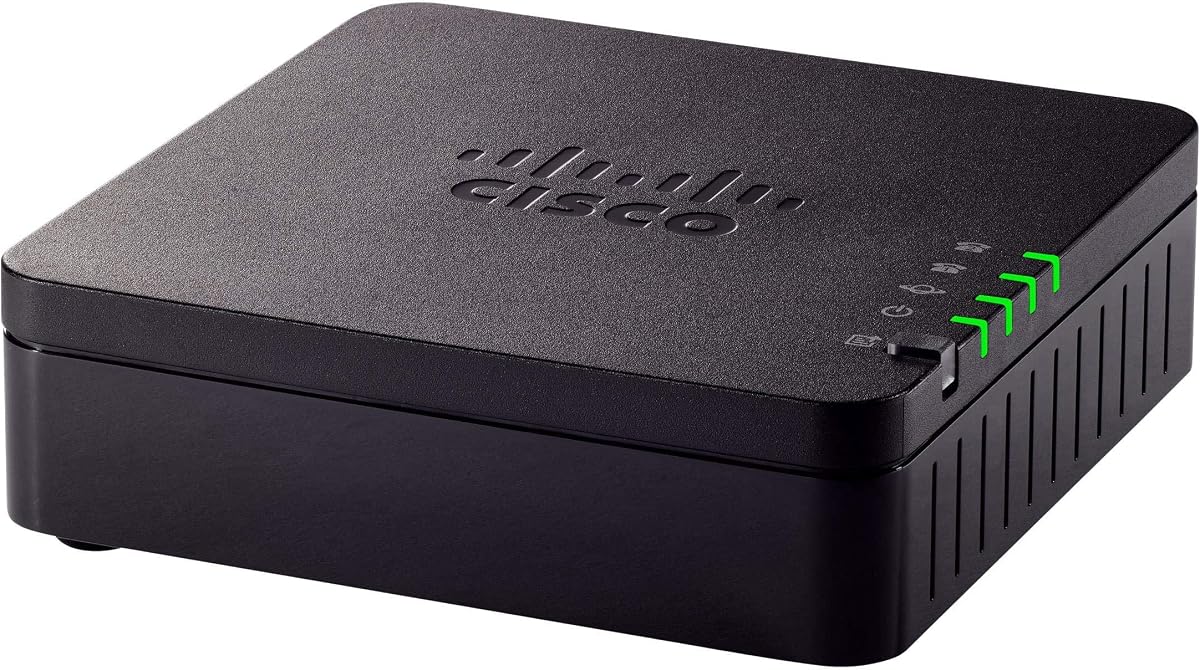
The Cisco ATA 191 brings analog devices into the IP world with clarity. It features advanced echo cancellation and voice activity detection for high quality audio.
We may earn a commission when you buy through this link, at no additional cost to you.
Security is top tier with TLS and SHA-2 encryption supporting your accounts. The hardware includes two FXS ports and a standard Ethernet connection.
A one year limited hardware warranty gives peace of mind to users. Setup can be complex compared to plug and play adapters from other brands.
This adapter is best for businesses prioritizing voice quality and security. It is a reliable investment for professional environments needing consistent performance.
Advanced preprocessing ensures clear natural sounding voice quality for calls.
TLS and SHA-2 encryption protect data against modern security threats effectively.
We may earn a commission when you buy through this link, at no additional cost to you.
The FLYINGVOICE FWR8101 includes built-in Wi-Fi AP and repeater modes. This allows it to function as a temporary router in remote locations.
We may earn a commission when you buy through this link, at no additional cost to you.
It supports T.30 and T.38 Fax protocols for industries needing document transmission. The design targets business use with SMBs and remote teams.
Users note it requires PBX or SIP services and is not for casual use. The rating is lower suggesting some reliability or setup issues exist.
Use this for field teams needing both network access and phone lines. It is a specialized tool for IT professionals needing flexible connectivity options.
AP mode allows instant mini-network setup in hotels or temporary offices.
T.30 and T.38 support ensures smooth fax transmission over IP networks.
We may earn a commission when you buy through this link, at no additional cost to you.
The Cisco ATA 192 transforms traditional phones and paging devices into IP devices. It is designed for enterprise networks and UCaaS from the cloud.
We may earn a commission when you buy through this link, at no additional cost to you.
It protects your analog investments by transitioning them to IP networks smoothly. Features include support for overhead paging and fax machines effectively.
While this listing is renewed, it maintains the enterprise grade reliability Cisco is known for. The hardware warranty still provides assurance for business deployments.
Choose this for complex setups needing paging and fax integration. It offers robust protection for legacy analog investments in modern infrastructures.
Turns fax machines and overhead paging devices into IP compatible tools.
Ideal for UCaaS from the cloud to streamline modern communication workflows.
We may earn a commission when you buy through this link, at no additional cost to you.
This renewed version of the Cisco ATA 191 offers similar features at lower cost. It brings traditional analog devices into the IP world reliably.
We may earn a commission when you buy through this link, at no additional cost to you.
Audio quality is clear and natural with advanced echo cancellation included. Security includes TLS and SHA-2 encryption to protect data effectively.
While it is renewed, the hardware functions like new for basic needs. The price makes it accessible for small offices needing enterprise features.
Opt for this if you want premium features without the full price tag. It is a practical choice for budget conscious IT professionals.
Renewed status allows access to enterprise features at lower price points.
Same audio and security features as new models ensure consistent quality.
We may earn a commission when you buy through this link, at no additional cost to you.
The Cisco ATA 187 is a legacy adapter often sold as refurbished. It offers compliance with RoHS and Weee standards for environmental safety.
We may earn a commission when you buy through this link, at no additional cost to you.
It provides a simple RJ-45 connection for basic telephone adapter needs. Users rate it highly suggesting it remains reliable for specific legacy setups.
Finding new units may be difficult as it is an older model. It works best in environments already configured for this specific hardware.
Use this only if you need a replacement for existing 187 systems. It maintains connectivity for older analog infrastructure effectively.
RoHS and Weee compliance ensures environmentally responsible hardware usage.
High user ratings indicate consistent performance in legacy deployments.
We may earn a commission when you buy through this link, at no additional cost to you.
This Grandstream model functions as a powerful 8 Port Fxs Gateway. It includes a Gigabit Nat Router to manage network traffic efficiently.
We may earn a commission when you buy through this link, at no additional cost to you.
With eight FXS ports, it supports larger setups requiring multiple analog lines. The perfect rating suggests high satisfaction among users in specialized roles.
The hardware requires proper network configuration to utilize all features. It is designed for higher density environments than home offices.
Choose this for offices needing many phone lines plus routing. It consolidates gateway and router functions in one powerful device.
Eight FXS ports support multiple phone lines in larger offices.
Gigabit Nat Router reduces need for separate network hardware.
We may earn a commission when you buy through this link, at no additional cost to you.
The Grandstream HT812 V2 delivers exceptional voice quality with HD codec. It supports 2 SIP profiles and 2 FXS ports for basic needs.
We may earn a commission when you buy through this link, at no additional cost to you.
Security is robust with strong AES encryption and certificates per unit. It ensures reliable Fax-over-IP using T.38 Fax technology.
The NAT router performance is high to handle modern network traffic. It supports 3-way voice conferencing per port for team collaboration.
This model is ideal for those prioritizing sound clarity and security. It balances performance features with reasonable cost for businesses.
Wideband HD codec delivers exceptional voice quality for calls.
Strong AES encryption with security certificates per unit protects calls.
We may earn a commission when you buy through this link, at no additional cost to you.
Selecting the right analog telephone adapter depends on your network needs and hardware goals. This section covers critical factors to consider before purchasing.
Determine how many analog devices you need to connect. One port suffices for home use but offices may need two or more.
Choose a model with enough FXS ports to cover all devices without needing extra hardware.
Ensure the adapter supports TLS and SRTP encryption to protect voice data from interception.
Look for AES encryption and certificate support for stronger data protection in business environments.
Verify the device supports SIP profiles and protocols used by your VoIP provider.
Check for TR-069 provisioning to simplify remote management and configuration tasks.
If you need to send faxes over IP, confirm support for T.38 Fax protocols.
This ensures reliable transmission without errors common in standard VoIP setups.
Most adapters offer 10/100Mbps ports which are sufficient for voice data.
Gigabit ports are useful for larger setups where multiple devices share the same connection.
Look for models with echo cancellation and HD codecs to ensure clear calls.
High-performance audio processing reduces static and ensures natural sounding voice communication.
Select adapters with automated provisioning like XML files or TR-069.
This minimizes the time required to configure and deploy the device in your network.
Check for at least a one-year hardware warranty to cover potential defects.
Warranty terms provide peace of mind and support for your investment in networking gear.
Connect your analog phone to the FXS port and the adapter to your router using Ethernet. Power on the device and wait for the network indicator to stabilize.
Configure the device using its web interface or TR-069 server to enter your SIP credentials. Follow the prompts to link your VoIP account for calls.
Keep the firmware updated to ensure security and stability. Avoid placing the adapter in extreme heat or dust-prone areas for longevity.
An analog telephone adapter connects traditional analog phones to internet-based VoIP networks. It allows you to use existing handsets with modern cloud calling services without replacing hardware.
No, you can use standard analog phones with a phone jack. The ATA converts the analog signal to digital so it works over the internet effectively.
Look for TLS and SRTP encryption to secure calls. AES encryption and certificate support are also important for preventing eavesdropping on voice data.
Yes, if the device supports T.38 Fax protocol. This ensures fax data is transmitted correctly over IP without data loss or errors.
Access the device's web interface via a browser or use TR-069 for automated setup. Enter your SIP provider credentials to link the phone to your account.
V2 models often include updated firmware, better security, and more features. Check release notes to see specific improvements in newer versions before buying.
Yes, most adapters work with mobile hotspots if Ethernet connectivity is available. They depend on internet access rather than a specific connection type.
Many adapters come with a one-year hardware warranty. Check the seller details to confirm coverage for new or renewed units.
We reviewed ten top models ranging from budget-friendly to enterprise solutions. The Grandstream HT802 V2 stands out for budget seekers while Cisco ATA 191 offers premium quality.
Prioritize security and voice quality if you handle sensitive data. Ensure your chosen model supports necessary fax or provisioning features before buying.
Check current availability and specs as these products may update over time. Selecting the right adapter ensures smooth transition to VoIP without disruption.